Jun 26

BetterDisplay Pro 1.4.15

BetterDisplay is a truly wonderful tool! It let’s you convert your displays to fully scalable screens, allows brightness control, provides XDR/HDR upscaling (extra brightness beyond 100% on compatible displays), full dimming to black,
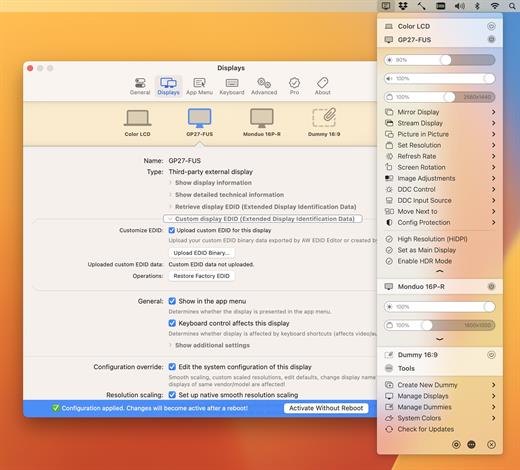
helps you create and manage virtual displays (dummies) for your Mac, create Picture in Picture windows of your displays and gives you a host of other features to manage your display’s settings easily from the menu bar.

Features
• Convert your internal and natively connected external displays to smoothly-scaled HiDPI displays on Apple Silicon – now even without mirroring a dummy (displays with notch, HDR, HDCP, high refresh rate fully supported)! (Pro)
• Reach the full brightness potential of your XDR or HDR display! (Pro)
• Change the display’s brightness, volume and colors via software and hardware (DDC) control via sliders and native or custom keyboard shortcuts!
• Create custom HiDPI resolutions for real displays manually and redefine certain system display parameters!
• Create any number of dummies (virtual screens) with varying aspect ratios.
• Use headless Macs (servers) with any resolution and HiDPI mode for remote access.
• Create Picture in Picture window for any real or dummy displays. (Pro)
• Redirect your display’s contents (real or dummy) to an other screen via streaming. (Pro)
• If you are using a big TV up close, use the bottom half of your TV as a wide screen display (off-center streaming). (Pro)
• Scale Sidecar resolutions. (Pro)
• Portrait SideCar support. (Pro)
• Better quality zooming (System Preferences»Accessibility»Zoom) or High Quality screenshots even on 1080p displays
• Easily change the resolution of your real and dummy displays via a slider (or submenu) from the menubar.
• Quickly accessible refresh rate and screen rotation menu.
• Simplify creating mirrored sets. (Pro)
• Easily move around displays relative to each other using the app menu.
• Quickly designate a display to be main display.
• Associate dummies with displays for auto connect/disconnect.
• Keyboard shortcuts for basic operations.
• Advanced keyboard shortcuts support. (Pro)
• Custom dummies (resolution, orientation, naming). (Pro)
• Create a dummy optimized for a real display. (Pro)

What’s New

Version 1.4.15:

  • Release notes were unavailable when this listing was updated.

Compatibility

macOS 11.0 or later


Release Name: BetterDisplay Pro 1.4.15
Size: 11.9 MB
Links: HOMEPAGE – NFO – Torrent Search

Download: FiKPERUPLOADGiGNiTROFLARERAPiDGATOR

6 Comments
Jun 26

Fig Player – play mp4 mkv mp3 1.3.0

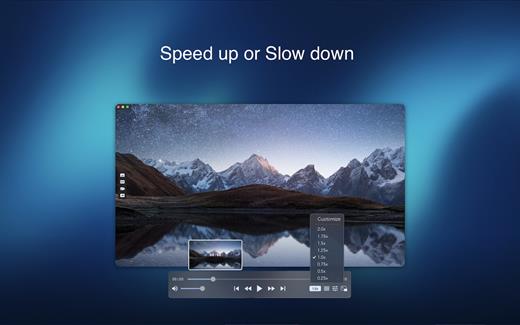
Fig Player, is a media player for Mac that supports a wide variety of media files and allows you to listen to music, watch videos and movies.

If you have an extensive media library but don’t have a good media player for Mac, here’s a good solution. Fig Player. It’s free to use and comes with a friendly interface. On the screen, you’ll be able to see all of the buttons that give you control over your experience, such as the play and stop button, playback options, volume slider, preview section, screenshot, and recording.

More Advanced Features

  • Smooth, seamless video play, support 4K.
  • Auto deinterlacing.
  • H/W-acceleration.
  • A-B loop.
  • Frame by Frame playback.
  • PIP mode.
  • Support various Subtitle formats(Text subtitles(SRT), Vobsub
    and ASS/SSA, etc.).
  • Choose which one when you have multiple sound output devices.
  • Create the scene poster with snapshots.
  • Playlist with upper-level folder name.
  • Support multiple windows and play multiple videos at the same time.
  • Support Wireless display to DLNA, Chromecast, Roku devices.
  • OCR Text Recognition(macOS 12+)

Supported Formats

Videos: mkv, rmvb, rm, avi, mov, wmv, flv, f4v, f4p, f4a, f4b, swf, mpg, mpeg, mpeg1, mpeg2, m1v, m2v, mpv, mp4, mpeg4, m4v, 3gp, 3gpp, 3g2, 3gp2, m2p, ps, ts, m2ts, mts, mt2s, ogm, ogv, divx, dv, asf, wtv, webm, etc.

Audios: flac, ape, m2a, mp1, mp2, mpa, mp3, mpg3, m4a, m4b, wma, wav, wv, xm, aiff, aif, ac3, a52, aac, opus, ogg, oga, mid, midi, mka, etc.

Subtitles: ASS, SSA, SRT, IDX&SUB

What’s New

Version 1.3.1:

  • Release notes were unavailable when this listing was updated.

Compatibility

macOS 10.13 or later


Release Name: Fig Player – play mp4 mkv mp3 1.3.0
Size: 77.2 MB
Links: HOMEPAGE – NFO – Torrent Search

Download: FiKPERUPLOADGiGNiTROFLARERAPiDGATOR

7 Comments
Jun 25

PhotoSweeper X 4.8.2

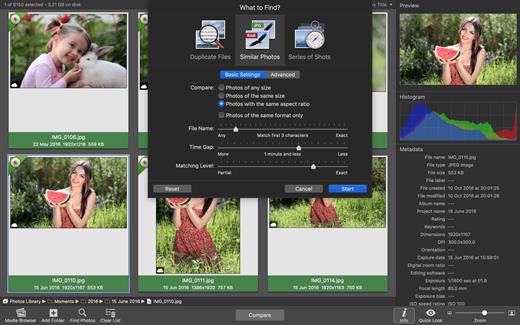
PhotoSweeper is a fast, precise & super efficient tool to eliminate similar or duplicate photos even in huge photo collections. It works with photos from iPhoto, Aperture and Adobe Lightroom libraries as well as photos from your hard drives and external storages.

PhotoSweeper will help you if:

  • You take a series of shots of the same scene trying to get the perfect one.
  • You edit photos with software like Photoshop, Pixelmator etc., and make backups just in case.
  • You have photos scattered on external hard drives and local disks, in iPhoto, Aperture or Lightroom libraries.
  • You have a mess in your photo collection or just want to free disk space by removing junk photos.

Features:

  • Easy search of photos – Just drag and drop folders from your Mac to allow PhotoSweeper to find all photos inside. Add more photos from your iPhoto, Aperture or Lightroom library via the Media Browser window.
  • Flexible comparison settings – Powerful multi-settings to easily find duplicates, similar photos, series of shots. The app finds duplicate photos, even those edited in external programs such Photoshop, regardless of image size or format.
  • High speed and quality – PhotoSweeper was developed as a tool for extremely fast comparison of a huge number of photos. Cutting-edge technologies and unique algorithms make searching duplicates incredibly fast and gives excellent comparison results.
  • Efficiency – You can regroup the results without re-comparing photos by changing matching level with a slider. Using caches makes the next comparison much faster.
  • Marking duplicates automatically – Mark photos you want to get rid of manually, or use the “Auto Mark” feature to mark duplicates automatically based on the list of rules you can adjust to your needs in the Preferences.
  • Comfortable viewing results – PhotoSweeper provides 3 modes for reviewing results: “One by One”, “Face-to-Face” – one or two large photos with an opportunity to mark a photo with just a click, “All in One” – all groups of duplicates in one list.
  • Great photo browsing – PhotoSweeper also serves as an up-to-date photo browser with a built-in search of photos by metadata, Quick Look preview, the “Info” panel with a detailed photo description, including histogram and image metadata (EXIF, IPTC etc.)

What’s New

Version 4.8.2:

  • Release notes were unavailable when this listing was updated.

Compatibility

macOS 10.12.2 or later.


Release Name: PhotoSweeper X 4.8.2
Size: 53.9 MB
Links: HOMEPAGE – NFO – Torrent Search

Download: FiKPERUPLOADGiGNiTROFLARERAPiDGATOR

7 Comments
Jun 25

URL Manager Pro 6.2

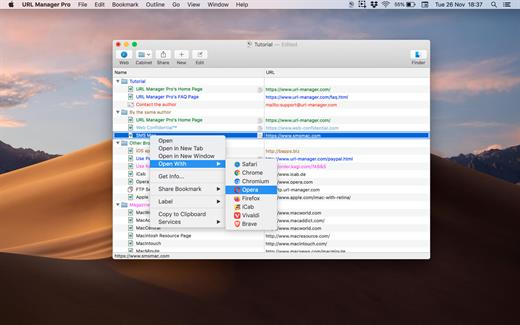
URL Manager Pro is the professional bookmark manager for Safari, Chrome, Chromium, Vivaldi, Opera, iCab, and Firefox browsers, making it easier to manage bookmarks.

This is a classic available since 1996, but now rewritten as a 64-bit application.

Features:

  • System-Wide Access: You can access your bookmarks in any application through a system menu.
  • Integration: You have access to your bookmarks from your browser’s menu bar and from the macOS Dock.
  • Document Storage: Your bookmarks are stored in URL Manager Pro bookmark documents, which you can store and manipulate in the normal Mac way. No need to hunt for your bookmarks in preferences folders of browsers. You can make automatic periodic saves and make copies of bookmark documents on backup devices on each save.
  • History: You can surf the Web using several different browsers while URL Manager Pro will keep recording the History of each.
  • Importing and exporting bookmarks: The File menu gives you a list of all of the browsers that URL Manager Pro can import from and export to. It lets you ‘harvest’ bookmarks by scanning HTML and text files for bookmarks and URLs.
  • It lets you edit and organize bookmarks fast: You can use inline editing, label and colour your bookmarks.

What’s New

Version 6.2:

  • Release notes were unavailable when this listing was updated.

Compatibility

macOS 10.13 or later, 64-bit processor


Release Name: URL Manager Pro 6.2
Size: 28.1 MB
Links: HOMEPAGE – NFO – Torrent Search

Download: FiKPERUPLOADGiGNiTROFLARERAPiDGATOR

5 Comments
Jun 25

Ghost Buster Pro 2.0.0

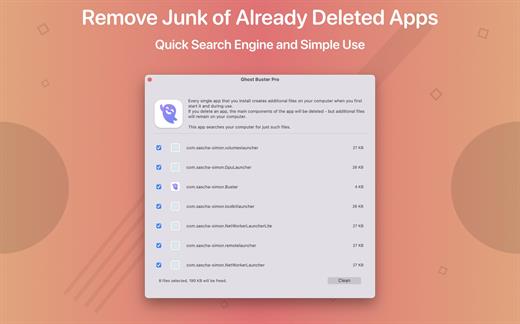
Ghost Buster Pro finds and deletes files from apps you’ve already uninstalled. The app is lightning fast and frees memory in no time.

Many apps are installed on a computer, but they usually only stay on your computer for a short time. Each app creates files, but deleting the app does not remove them.
This leads to a large number of files accumulating over time, which take up valuable storage space.
Ghost Buster Pro searches your computer for exactly such files and can also delete them directly if you wish.

Ghost Buster Pro offers the following features:
Fast Search

Ghost Buster Pro quickly scans your computer for data from previously deleted apps. You can have them deleted with one click.

Extremely easy handling

Ghost Buster Pro couldn’t be simpler. The search is started immediately after the app is started. You can now delete files with just one click.

No automatic deletion

Ghost Buster Pro does not delete any data without your consent. Choose for yourself which data is deleted and which you want to keep.

What’s New

Version 2.0.0:

  • Release notes were unavailable when this listing was updated.

Compatibility

macOS 11.5 or later
Apple Silicon or Intel Core processor


Release Name: Ghost Buster Pro 2.0.0
Size: 8.4 MB
Links: HOMEPAGE – NFO – Torrent Search

Download: FiKPERUPLOADGiGNiTROFLARERAPiDGATOR

7 Comments
Jun 25

iStat Menus 6.70 (1219)

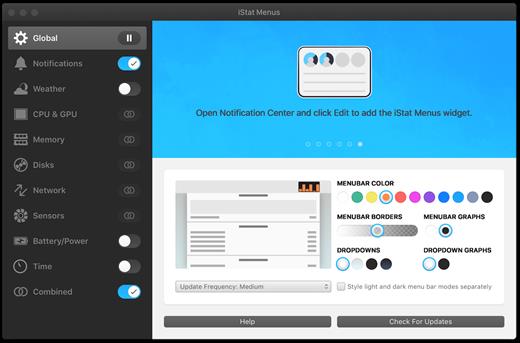
iStat Menus lets you monitor your system right from the menubar. Included are 8 menu extras that let you monitor every aspect of your system.

Features:

  • CPU – Monitor cpu usage. 7 display modes, multiple core support
  • Memory – Monitor memory usage. 4 display modes, page ins/outs and swap usage display
  • Disks – Monitor disk usage and activity. 6 display modes, ability to hide disks you dont want to see
  • Network – Monitor current and total bandwidth, peak bandwidth, IP addresses, and the ability to hide network connections you don’t want to see
  • Temps – Monitor the temperature of your Mac. 2 display modes, ability to hide sensors you don’t want to see
  • Fans – Monitor the fan speeds in your Mac. 2 display modes, ability to hide sensors you don’t want to see
  • Bluetooth – Control bluetooth status plus monitor the battery level of your Apple wireless keyboard or mouse
  • Date & Time – Date and time in your menubar. World clock display lets you see the time in multiple locations around the world
  • Weather – with current temperature, hourly forecast, weekly overview and so much more

What’s New

Version 6.70:

  • Improved support for early 2023 MacBook Pros and Mac minis.
  • Added Apple Weather as a weather provider option.
  • Added Aeris Weather as a weather provider option.
  • Added Environment Canada as a weather provider option.

Compatibility

macOS 10.11 or later
Apple Silicon or Intel Core processor


Release Name: iStat Menus 6.70 (1219)
Size: 31.4 MB
Links: HOMEPAGE – NFO – Torrent Search

Download: FiKPERUPLOADGiGNiTROFLARERAPiDGATOR

5 Comments
Jun 25

Downie 4.6.19

A simple download manager that offers you the possibility to quickly save videos from different websites to your own disk drive.

If you are using a poor internet connection, trying to visualize videos streamlined online might not work properly since the content is loaded too slowly. Downie is a simple Mac app that can help you download those videos to your computer, and then watch them by using your default media player.

User friendly video downloader featuring support for drag and drop actions

Working with Downie is extremely straightforward: simply drop the video URL on top of the app’s main window or on the Dock icon. Downie adds the video to your downloads list, so all you have to do next is start the process by pressing the appropriate button. Of course, you can also remove items from the list.

By default, Downie downloads MP4 files and places them in your default Downloads folder, but you can easily change this via the Preferences window. The same area allows you to setup notifications, or post processing actions (convert to MP4 if necessary, or extract audio only).

Effortlessly download videos from a wide collection of hosting websites

Downie provides support for more than 400 different websites that host video content, among which there are the most popular choices, such as YouTube, Apple, LiveLeak, Vimeo, BBC, and so on. If a certain website is not included, within the app you can send a request email to the Downie developers.
Moreover, Downie also provides matching extensions for various popular web browsers, such as Firefox, Safari, Google Chrome or Chromium. The add-ons are not installed by default: open the Preferences window and install only the ones you plan to use.

Straightforward solution for downloading video content hosted online

Downie is a great tool for saving videos posted on various websites to your Mac for offline playback. The application is extremely useful especially if you have a slow internet connection.

What’s New

Version 4.6.19:

  • Improved: bilibili.com, mediadelivery.net, people.com.cn, rtbf.be, radiocanada.ca, vimeo.com, youtube.com.

Compatibility

macOS 10.12 or later
Apple Silicon or Intel Core processor


Release Name: Downie 4.6.19
Size: 57.1 MB
Links: HOMEPAGE – NFO – Torrent Search

Download: FiKPERUPLOADGiGNiTROFLARERAPiDGATOR

6 Comments
Jun 24

Luminar Neo 1.11.0 (14991)

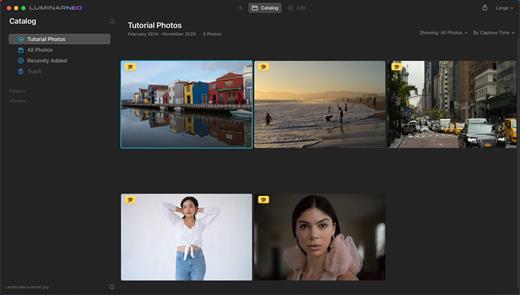
Luminar Neo, a new creative image editor which empowers visual storytellers to bring their boldest ideas to life. Luminar Neo builds upon the unique, purpose-driven, AI editing technologies for which Skylum has become known for.

“As the latest member of the Luminar family, we designed Luminar Neo to allow artists to take on more challenging image creation work and achieve results which often seem unattainable,” said Dima Sytnik, co-founder and CPO of Skylum.

Luminar Neo is meant to be an application that offers more customizability, and that builds upon the company’s LuminarAI software. The two programs will be sold side-by-side.

Luminar Neo will ship with several new features, including image layers, background replacement, relighting options, dust removal and more. The software analyzes each image to recognize the depth of the scene and its contents, which allows for precise control.

What’s New

Version 1.11.0:

  • Release notes were unavailable when this listing was updated.

Compatibility

macOS 10.14.6 or later
Apple Silicon or Intel Core processor


Release Name: Luminar Neo 1.11.0 (14991)
Size: 5.4 GB
Links: HOMEPAGE – NFO – Torrent Search

Download: FiKPERUPLOADGiGNiTROFLARERAPiDGATOR

1 Comment
Jun 24

Pixelmator Pro 3.3.8

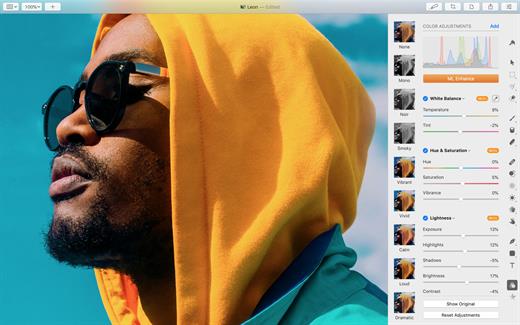
Pixelmator Pro is an incredibly powerful, beautiful, and easy to use image editor designed exclusively for Mac.

With a wide range of professional-grade, nondestructive image editing tools, Pixelmator Pro lets you bring out the best in your photos, create gorgeous compositions and designs, draw, paint, apply stunning effects, design beautiful text, and edit images in just about any way you can imagine. And thanks to its intuitive and accessible design, Pixelmator Pro is delightfully easy to use – whether you’re just starting out with image editing or you’re a seasoned pro.

The modern, single-window interface is designed exclusively for working with images on a Mac. An intuitive and accessible design makes it easy for anyone to edit images – from complete beginners to design professionals.

The new ML Super Resolution feature lets you increase the resolution of images without blurriness or reduced quality using state-of-the-art machine learning.

What’s New

Version 3.3.8:
Pixelmator Pro 3.3.8 adds all-new Frequency Separation and Low Pass effects, improves performance, and adds a few other improvements and fixes.

  • Easily smooth out fine details or remove noise in images with the Low Pass effect.
  • Use the new Frequency Separation effect to adjust fine details and overall tones in images separately.
  • Enjoy faster and smoother editing thanks to performance optimizations.
  • It would not be possible to import custom LUTs if Final Cut Pro was installed on the same device. Fixed.

Compatibility

macOS 11.0 or later
Apple Silicon or Intel Core processor


Release Name: Pixelmator Pro 3.3.8
Size: 566.4 MB
Links: HOMEPAGE – NFO – Torrent Search

Download: FiKPERUPLOADGiGNiTROFLARERAPiDGATOR

6 Comments
Jun 21

Dropshare 5.33

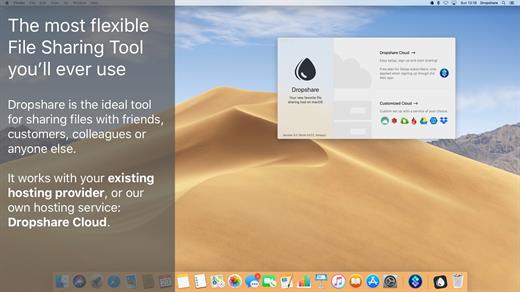
Dropshare is a menu bar application for drag & drop upload files, screenshots and even directories to your own server, Amazon S3, Backblaze B2 Cloud Files, Rackspace Cloud Files, Microsoft Azure Blob Storage, Google Drive or Dropbox. Additionally, Dropshare offers a file sharing provider called Dropshare Cloud, which is perfectly suitable to start uploading in just minutes. Sharing files with friends, customers, colleagues or anyone else has never been so easy an professional! Dropshare supports Multiple Connections: You can set up different upload destinations at the same time and switch between them using user-defined keyboard shortcuts, or by holding ⌘ while dragging & dropping a file No matter if files, folders, text or screenshots – Dropshare uploads every file and data to your selected destination – also from clipboard or other applications like Safari. Share Extension included Set up your own keyboard shortcuts for fullscreen or selection-based screenshots that’ll be uploaded automatically with Dropshare. Set up a custom keyboard shortcut for taking a screenshot and annotating it afterwards with Dropshare itself, or an app you already like: Preview.app, Skitch.app, Napkin.app or Annotate.app Take & upload Screen Recordings directly with Dropshare, both fullscreen and selection-based recordings are available, as well as GIF conversion Choose from a number of free designs or craft an individual design on your own using HTML, CSS and JavaScript, including upload previews Synchronize your upload history across all your devices, supports both iOS and macOS. Your upload history will automatically be synchronized across all your Apple devices with iCloud Dropshare supports URL shorteners as well, e.g. dsh.re or Rebrandly, or configure your very own URL shortener service like bit.ly or YOURLS.

Technical requirements:

  • A working SSH user account is required on the server. A password or SSH key pair is also required. To have the uploaded file displayed in a web browser, a web server needs to be installed and configured on the server
  • Dropshare supports services like OpenStack Swift. Check User Guide for more information
  • A regular Google account is required in order to use Google Drive
  • A regular Dropbox account is required in order to use Dropbox
  • Microsoft Azure Blob Storage, Backblaze B2 Cloud Files, Amazon Simple Storage Service (S3), Rackspace Cloud Files. A subscription may be neccessary in order to use Dropshare with one of these providers. Please check out the terms of use and payment information at the website of the selected provider

What’s New

Version 5.33:

  • Shortcuts support – Dropshare on macOS has now a Shortcut for Shortcuts.app that accepts a file and returns the URL to the uploaded file
  • Contabo support – file storage provider Contabo is now natively supported
  • Improving keyboard shortcut visualisation during screen recordings when recording small screen selections

Compatibility

macOS 10.10 or later
Apple Silicon or Intel Core processor


Release Name: Dropshare 5.33
Size: 54.9 MB
Links: HOMEPAGE – NFO – Torrent Search

Download: FiKPERUPLOADGiGNiTROFLARERAPiDGATOR

2 Comments