Jul 11

OrbStack 0.14.0 beta
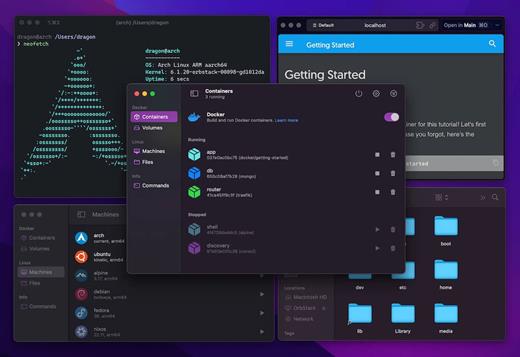
OrbStack is a fast, light, and simple way to run Docker containers and Linux machines on macOS. Say goodbye to slow, clunky containers and VMs.
Features

  •  Fast. Starts in under 2 seconds, optimized networking (30 Gbps!) and disk, Rosetta x86 emulation on Apple Silicon.
  •  Light. Low CPU and disk usage, works with less memory, native Swift app.
  •  Simple. Minimal setup, seamless Docker, 2-way CLI integration, file access from Mac and Linux, works with VPNs and remote VS Code, SSH agent forwarding.
  •  Powerful. Run Docker containers, full Linux distros, and Kubernetes (coming soon). No admin/root required. Network works with IPv6, ICMP, traceroute — you name it.

OrbStack is free during beta.

What’s New

Version 0.14.0:

  • Faster bind mounts with caching and optimizations
    • 3x faster search, 20x faster git status
  • 2x faster container start/stop
  • Lower energy usage when running heavy services and containers (up to 10x)
  • Fixed Node.js programs (e.g. pnpm) freezing under Rosetta
  • Better performance when macOS host is under load
  • Faster builds for Dockerfiles with many steps
  • Support for running 32-bit ARM programs
  • Support for renaming machines
  • Changed IP ranges to minimize conflicts
  • Fixes for bind mounts and other I/O
  • Updates: Docker 24.0.4, Compose 2.19.1, Linux 6.3.12
  • Other bug fixes and improvements

Compatibility

macOS 12.3 or later
Apple Silicon or Intel Core processor


Release Name: OrbStack 0.14.0 beta
Size: 355.4 MB
Links: HOMEPAGE – NFO – Torrent Search

Download: FiKPERUPLOADGiGNiTROFLARERAPiDGATOR

8 Comments
Jul 11

Dropshare 5.34.1

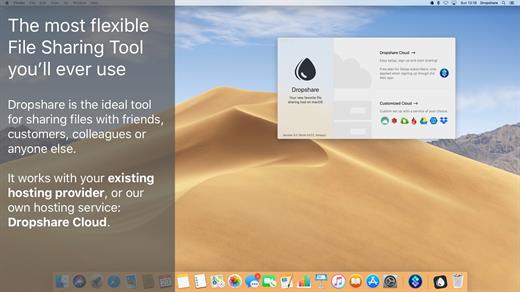
Dropshare is a menu bar application for drag & drop upload files, screenshots and even directories to your own server, Amazon S3, Backblaze B2 Cloud Files, Rackspace Cloud Files, Microsoft Azure Blob Storage, Google Drive or Dropbox. Additionally, Dropshare offers a file sharing provider called Dropshare Cloud, which is perfectly suitable to start uploading in just minutes. Sharing files with friends, customers, colleagues or anyone else has never been so easy an professional! Dropshare supports Multiple Connections: You can set up different upload destinations at the same time and switch between them using user-defined keyboard shortcuts, or by holding ⌘ while dragging & dropping a file No matter if files, folders, text or screenshots – Dropshare uploads every file and data to your selected destination – also from clipboard or other applications like Safari. Share Extension included Set up your own keyboard shortcuts for fullscreen or selection-based screenshots that’ll be uploaded automatically with Dropshare. Set up a custom keyboard shortcut for taking a screenshot and annotating it afterwards with Dropshare itself, or an app you already like: Preview.app, Skitch.app, Napkin.app or Annotate.app Take & upload Screen Recordings directly with Dropshare, both fullscreen and selection-based recordings are available, as well as GIF conversion Choose from a number of free designs or craft an individual design on your own using HTML, CSS and JavaScript, including upload previews Synchronize your upload history across all your devices, supports both iOS and macOS. Your upload history will automatically be synchronized across all your Apple devices with iCloud Dropshare supports URL shorteners as well, e.g. dsh.re or Rebrandly, or configure your very own URL shortener service like bit.ly or YOURLS.

Technical requirements:

  • A working SSH user account is required on the server. A password or SSH key pair is also required. To have the uploaded file displayed in a web browser, a web server needs to be installed and configured on the server
  • Dropshare supports services like OpenStack Swift. Check User Guide for more information
  • A regular Google account is required in order to use Google Drive
  • A regular Dropbox account is required in order to use Dropbox
  • Microsoft Azure Blob Storage, Backblaze B2 Cloud Files, Amazon Simple Storage Service (S3), Rackspace Cloud Files. A subscription may be neccessary in order to use Dropshare with one of these providers. Please check out the terms of use and payment information at the website of the selected provider

What’s New

Version 5.34.1:

  • Fixed an issue with a deprecation warning in macOS Sonoma Beta
  • Fixed an issue where screen recordings would not start when toggling between Video and GIF with ffmpeg not installed

Compatibility

macOS 10.10 or later
Apple Silicon or Intel Core processor


Release Name: Dropshare 5.34.1
Size: 55.2 MB
Links: HOMEPAGE – NFO – Torrent Search

Download: FiKPERUPLOADGiGNiTROFLARERAPiDGATOR

6 Comments
Jul 7

AppCleaner 3.6.8

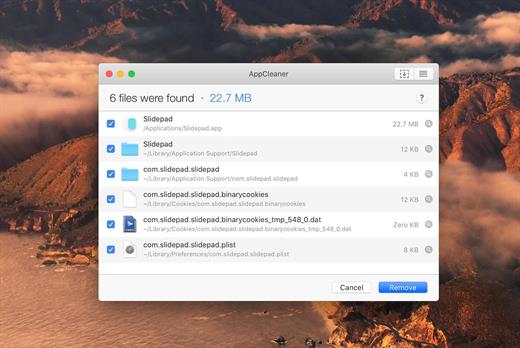
AppCleaner allows you to uninstall your apps easily.

It searches the files created by the applications and you can delete them quickly.

Cleaning up your Mac is an integral part of desktop maintenance, and removing unwanted apps can go a long way in keeping your machine feeling snappy as it ages. Unlike some paid alternatives like Trash Me, AppCleaner is a free donation-based app that helps you uninstall software you no longer use or want and gets rid of all the related files that may be buried elsewhere in your directory.

What’s New

Version 3.6.8:

  • New app icon (finally!), thanks to Octavio Viotti.
  • Allow searching for related files of system apps, although system apps cannot be removed.

Compatibility

macOS 10.13.0 or later, 64-bit processor


Release Name: AppCleaner 3.6.8
Size: 6.8 MB
Links: HOMEPAGE – NFO – Torrent Search

Download: FiKPERUPLOADGiGNiTROFLARERAPiDGATOR

5 Comments
Jul 7

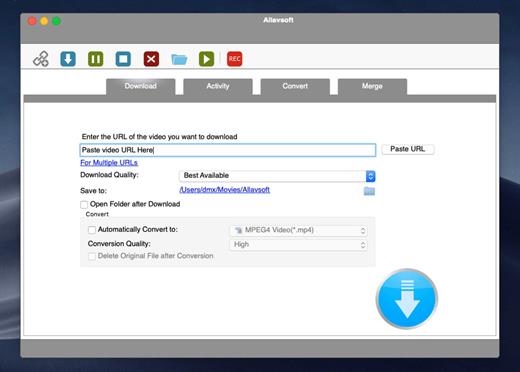
Allavsoft Video Downloader Converter 3.25.8.8588

This powerful Video Downloader supports downloading movies, music videos, playlist, sport videos, lectures and more from free video sharing website like Facebook, Dailymotion, eHow, and more than 100 video sharing sites.

Besides downloading video in its original format, Allavsoft also features one-click to download as well as convert the downloaded video to popular video format like MP4, AVI, WMV, MOV, MPEG-1, MPEG-2, VOB, ASF, RMVB, DV, TS, Apple ProRes, WebM, FLV, OGV and etc.

This ideal Web Video Downloader app enables selecting among all video qualities available for downloading like download videos in ultra high definition (4K), 3D video, HD 2k, HD 1080p, HD 720p, and stand definition 480p, 360p, and 240p.

This professional Video Downloading and Converting tool also helps to extract and download audio from online music video or movies as well as convert to popular audio format like MP3, WMA, WAV, AAC, AAC, Apple Lossless M4A, AIFF, RA, FLAC, OGG, AU and etc.

Batch download and convert

  • Allavsoft supports adding multiple video URLs and batch downloading and converting multiple videos at a time.
  • When download web video files, this wonderful Video Downloader will automatically detects advertisements and does not download them.
  • Preview and playback downloaded video files
  • There is a built-in video player in Allavsoft for us to preview and playback the downloaded video files.
  • Breakpoint Resume
  • You can pause and resume downloading at any time. It is very convenient to use.
  • Action after download done
  • You can set automatically shut down computer after all the download tasks are finished, if you have lots of videos to download and want to leave your Windows on to download them.
  • Keep history for downloading.

What’s New

Version 3.25.8.8588:

  • Release notes were unavailable when this listing was updated.

Compatibility

macOS 10.10 or later


Release Name: Allavsoft Video Downloader Converter 3.25.8.8588
Size: 90 MB
Links: HOMEPAGE – NFO – Torrent Search

Download: FiKPERUPLOADGiGNiTROFLARERAPiDGATOR

6 Comments
Jul 7

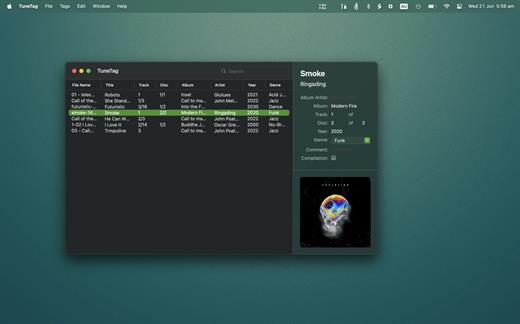
TuneTag 1.0.3

TuneTag is a lightning fast ID3 and meta data editor for mp3 and m4a audio files.
With TuneTag you can quickly increment track numbers, and create naming templates for renaming multiple files. It’s super easy to create copies of audio files by dragging out to the Finder. Any changes you make to ID3 and meta data is processed immediately and is supported by all modern operating systems and audio devices.
It’s super easy to get started, simply drag audio files or folders into TuneTag, and get editing meta data and ID3 tags instantly.

What is ID3 and meta data?

Whenever you open a music file in an audio player, you expect to see details about the song you are playing, right? Meta data is the standard which enables this. Details of the audio file are stored within the file, so that the device you play the song on can get that information quickly. Information such as the Title, Album name, the Artist, Album art and track numbers are all stored in the meta data. ID3 is the de facto standard of meta data container most commonly used in mp3 files.

Why use TuneTag instead of the Music.app?

Because TuneTag has been designed to do one thing, and one thing only – edit audiofile meta data. While the Music app is great, there are some things which TuneTag just does better. For example in TuneTag you can very easily renumber any number of songs incrementally. It is also equally simple to create a naming template and batch rename files. TuneTag is also super lightweight and fast to load.

TuneTag is super intuitive and Easy to use.

TuneTag is fully drag and drop aware. drag files and folders into the main window and TuneTag will quickly show any supported audio files, ready for editing. Likewise you can drag to reorder files for batch file renaming or incrementing Track numbers. Dragging outside of TuneTag will create a copy of the audio file. Drag and Drop is also supported into and out of the handy Album Art panel. Quick Look is supported for easily previewing any songs without having to leave TuneTag.

What’s New

Version 1.0.3:

  • Release notes were unavailable when this listing was updated.

Compatibility

macOS 11.0 or later.


Release Name: TuneTag 1.0.3
Size: 5 MB
Links: HOMEPAGE – NFO – Torrent Search

Download: FiKPERUPLOADGiGNiTROFLARERAPiDGATOR

2 Comments
Jul 7

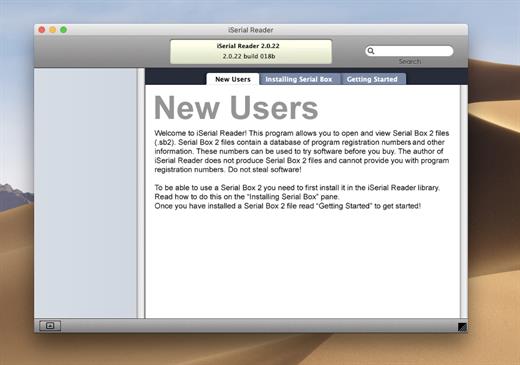
Serial Box 07-2023

The base of serial numbers project iSerial as of 2022. It contains information on how to activate (serial numbers, information about other methods of activation) for the PowerPC platform programs so and Intel.

Just open the dmg file, drag and drop the app where you like. However, there is no way to view what serials, cracks and patches are new in this issue as compared to the previous. Thanks to all contributors and supporters!

Include

  • Serial Box 07-2023
  • SerialSeeker 1.3.19 (C5) = Intel/PPC – 32-bit – OS 10.5 – 10.14
  • SerialSeeker 2.3 (235) = Intel 64-bit or Silicon/ARM – OS 10.13+

What’s New

Version 07-2023:

  • official site does not provide any info about changes in this version.

Compatibility

OS X 10.7 or later


Release Name: Serial Box 07-2023
Size: 8.5 MB
Links: HOMEPAGE – NFO – Torrent Search

Download: FiKPERUPLOADGiGNiTROFLARERAPiDGATOR

6 Comments
Jul 7

VideoProc Converter 5.7

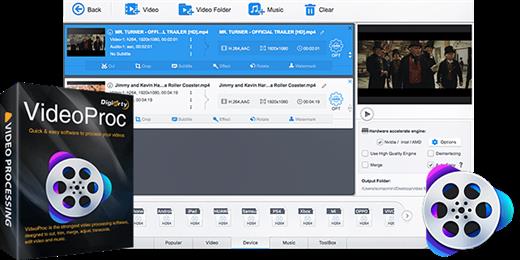
VideoProc is an all-purpose 4K video processing software that integrates video transcoder, editor, downloader, recorder and DVD ripper. It can quickly process, convert, compress and edit any 4K, HEVC, MKV, HD and SD videos for you to share them with others via YouTube, Instagram, emails etc or make them compatible with media players and mobile devices. Furthermore, it offers advanced features to download videos from 1000 sites, backup DVD and record your desktop and iOS screen.

  • Professional and Easy-To-Use Video Editor: VideoProc offers complete toolbox for you to do basic editing like cut video, split a video into smaller pieces, merge different clips into one, add effects, flip video, adjust audio delay, change resolution, add subtitles etc. Advanced users can also stabilize shaky videos or remove noise, correct fisheye lens distortion, make GIFs in simple clicks
  • Hardware Acceleration Brings the Fastest Video Processing Speed: The level-3 Hardware Acceleration technology helps VideoProc to make the most of Intel QSV, Nvidia CUDA/NVENC and AMD hardware to encode and decode videos, at 47x real-time faster speed with low CPU usage, and no crashes or lags
  • Robust Video Transcoding Capacity: With more than 370 built-in video and audio codecs, VideoProc lets you process and convert nearly any video in any format, codecs, quality and size. It accepts multi-track MKV, large 4K video files, Apple HEVC videos, slow-motion video from GoPro, DJI Drone, iPhone and other devices and common 1080P HD and SD videos.
  • Online Video Downloader: This online video downloader could help you batch save videos, music, playlist from YouTube, Facebook and 1000 other websites
  • Screen Recorder: VideoProc offers three types of recording modes for you to record games, tutorials and activities on your computer or iPhone. You can record full or part of the screen with audio, record video with your webcam or record with both screen and webcam

What’s New

Version 5.7:

  • Release notes were unavailable when this listing was updated.

Compatibility

macOS 10.10 or later


Release Name: VideoProc Converter 5.7
Size: 56.6 MB
Links: HOMEPAGE – NFO – Torrent Search

Download: FiKPERUPLOADGiGNiTROFLARERAPiDGATOR

6 Comments
Jul 7

VideoProc Converter 4K 5.7

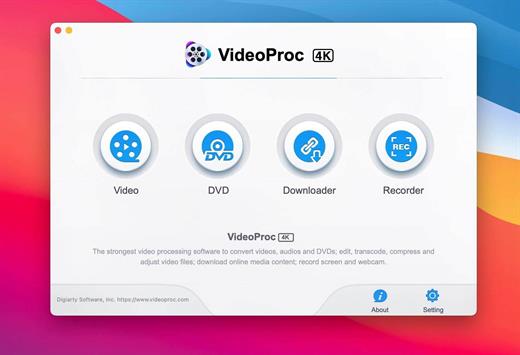
One-Stop Video Processing Software. The simple solution to batch download UHD/HD videos, audios, playlists; convert, edit and record with 47X faster GPU hardware-accelerated speed.

Supporting up to 370 codecs, VideoProc 4K accepts any video format and can effortlessly carry out the video conversion tasks. All the videos from iPhone, Android, cameras, drones or GoPro will be processed smoothly while keeping the best possible quality.

What’s New

Version 5.7:

  • Release notes were unavailable when this listing was updated.

Compatibility

macOS 10.10 or later
Apple Silicon or Intel Core processor


Release Name: VideoProc Converter 4K 5.7
Size: 56.2 MB
Links: HOMEPAGE – NFO – Torrent Search

Download: FiKPERUPLOADGiGNiTROFLARERAPiDGATOR

7 Comments
Jul 7

Keka 1.3.2

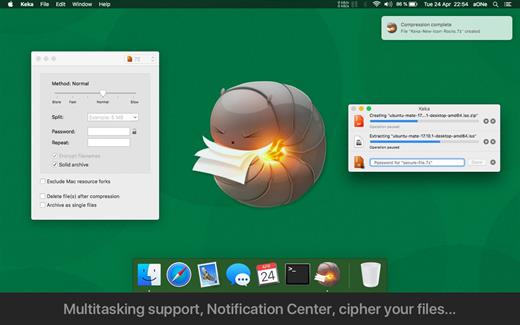
Keka is a file archiver for OS X. It is available for free, but donations are requested to further the project. Similar to making a donation, you can also purchase Keka on the Mac App Store for $1.99 USD.

Supported compression formats:

  • 7z
  • Zip
  • Tar
  • Gzip
  • Bzip2

Supported extraction formats:

  • RAR
  • 7z
  • Lzma
  • Zip
  • Tar
  • Gzip
  • Bzip2
  • ISO
  • EXE
  • CAB,
  • PAX
  • ACE

What’s New

Version 1.3.2:

  • Fixed verification of split compression
  • Fixed verification of DMG compressions
  • Simplified Chinese translation updated
  • Traditional Chinese translation updated
  • Norwegian translation updated
  • Dutch translation updated

Compatibility

macOS 10.10 or later.
Apple Silicon or Intel Core processor


Release Name: Keka 1.3.2
Size: 32.7 MB
Links: HOMEPAGE – NFO – Torrent Search

Download: FiKPERUPLOADGiGNiTROFLARERAPiDGATOR

6 Comments
Jul 7

Default Folder X 6.0 a8

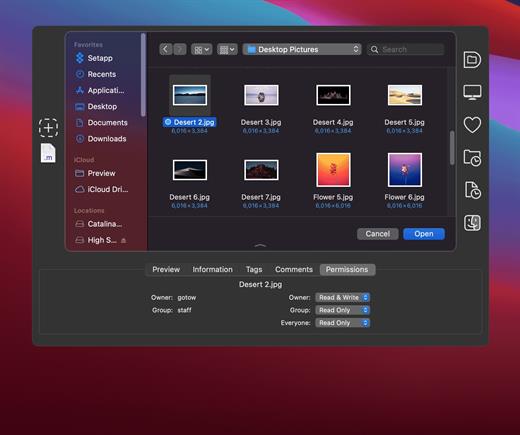
Default Folder X attaches a toolbar to the right side of the Open and Save dialogs in any OS X-native application. The toolbar gives you fast access to various folders and commands. You just click on the buttons to go to your favorite and recently used folders, manage the folders and files shown in the list, and make changes to your settings. It also fixes a number of problems in Open and Save dialogs, “rebounding” to the last selected file, putting the path listing back in the top menu, and correcting bugs in scrolling column views.

Features

  • Directory assistant: You can access the contents of your recent, favorite, and open folders right from Default Folder X’s toolbar.
  • Real time saving: If you’re constantly saving things inside the same folder, Default Folder X can remember that folder for you.
  • Finder management: Default Folder X lets you open up or save to any Finder window with a single click.
  • Instant Recall: To help you quickly return to folders you’ve recently used, Default Folder X remembers them for you.
  • Spotlight on the spot: Default Folder X lets you add Spotlight keywords, OpenMeta tags, and Finder labels on the spot, while you’re still in the Save dialog.
  • Information central: With Default Folder X you get previews below every Open dialog, expanded to fill the available space. Need to see more detail? Click on the image and it zooms up to full size.
  • Workflow without work: Rather than make you learn and set up a new application, Default Folder X blends into OS X.

What’s New

Version 6.0 a8:

  • Release notes were unavailable when this listing was updated.

Compatibility

macOS 10.13 or later
Apple Silicon or Intel Core processor


Release Name: Default Folder X 6.0 a8
Size: 19.4 MB
Links: HOMEPAGE – NFO – Torrent Search

Download: FiKPERUPLOADGiGNiTROFLARERAPiDGATOR

6 Comments