Oct 13

Downie 4.6.31

A simple download manager that offers you the possibility to quickly save videos from different websites to your own disk drive.

If you are using a poor internet connection, trying to visualize videos streamlined online might not work properly since the content is loaded too slowly. Downie is a simple Mac app that can help you download those videos to your computer, and then watch them by using your default media player.

User friendly video downloader featuring support for drag and drop actions

Working with Downie is extremely straightforward: simply drop the video URL on top of the app’s main window or on the Dock icon. Downie adds the video to your downloads list, so all you have to do next is start the process by pressing the appropriate button. Of course, you can also remove items from the list.

By default, Downie downloads MP4 files and places them in your default Downloads folder, but you can easily change this via the Preferences window. The same area allows you to setup notifications, or post processing actions (convert to MP4 if necessary, or extract audio only).

Effortlessly download videos from a wide collection of hosting websites

Downie provides support for more than 400 different websites that host video content, among which there are the most popular choices, such as YouTube, Apple, LiveLeak, Vimeo, BBC, and so on. If a certain website is not included, within the app you can send a request email to the Downie developers.
Moreover, Downie also provides matching extensions for various popular web browsers, such as Firefox, Safari, Google Chrome or Chromium. The add-ons are not installed by default: open the Preferences window and install only the ones you plan to use.

Straightforward solution for downloading video content hosted online

Downie is a great tool for saving videos posted on various websites to your Mac for offline playback. The application is extremely useful especially if you have a slow internet connection.

What’s New

Version 4.6.31:

  • Improved: cztv.com, dr.dk, dailymotion.com, nhk.or.jp, qq.com, tv5unis.ca.

Compatibility

macOS 10.12 or later
Apple Silicon or Intel Core processor


Release Name: Downie 4.6.31
Size: 50.4 MB
Links: HOMEPAGE – NFO – Torrent Search

Download: FiKPERUPLOADGiGNiTROFLARERAPiDGATOR

6 Comments
Oct 13

LilyView 1.6.0

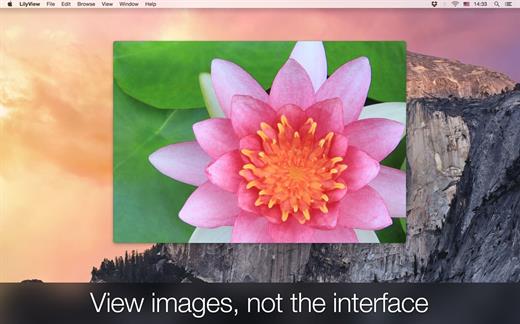
LilyView is a lightweight, mutli-touch-friendly image viewer that’s handy and doesn’t get in your way.

LilyView Features

  • Lightweight: There’s no image library to load, you just browse images in a folder.
  • Chromeless: No controls are visible until they are really necessary.
  • Multi-touch friendly: You can literally touch the image when using a trackpad, but LilyView works just fine with keyboard and mouse.

What’s New

Version 1.6.0:

  • Release notes were unavailable when this listing was updated.

Compatibility

macOS 10.13 or later


Release Name: LilyView 1.6.0
Size: 9.3 MB
Links: HOMEPAGE – NFO – Torrent Search

Download: FiKPERUPLOADGiGNiTROFLARERAPiDGATOR

6 Comments
Oct 13

A Better Finder Rename 12.01

A Better Finder Rename is the most complete renaming solution available on the market today. That’s why, since 1996, tens of thousands of hobbyists, professionals and businesses depend on A Better Finder Rename to organize and maintain files.

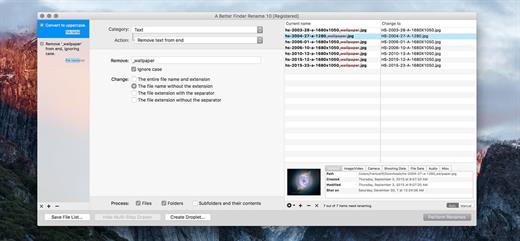
The Instant Preview feature eliminates guesswork and costly errors and helps you find the right settings quickly and accurately by providing as-you-type feedback.

A Better Finder Rename offers a complete set of renaming options that are organized into 15 categories covering all the text, character, position, conversion and truncation features that you would expect from a file renamer, but it does not stop there. The multi-step renaming feature allows multiple renaming steps to be combined to deal with complex renaming jobs in a single operation. Unlike other tools, A Better Finder Rename allows any number of renaming actions to be combined, re-ordered, copied and deleted.

What’s New

Version 12.01:

  • Release notes were unavailable when this listing was updated.

Compatibility

macOS 10.13 or later
Apple Silicon or Intel Core processor


Release Name: A Better Finder Rename 12.01
Size: 13.7 MB
Links: HOMEPAGE – NFO – Torrent Search

Download: FiKPERUPLOADGiGNiTROFLARERAPiDGATOR

6 Comments
Oct 13

Pixelmator Pro 3.4.3

Pixelmator Pro is an incredibly powerful, beautiful, and easy to use image editor designed exclusively for Mac.

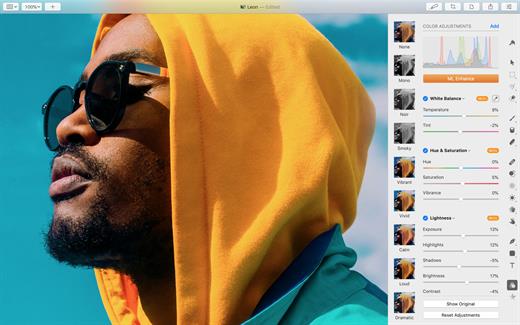
With a wide range of professional-grade, nondestructive image editing tools, Pixelmator Pro lets you bring out the best in your photos, create gorgeous compositions and designs, draw, paint, apply stunning effects, design beautiful text, and edit images in just about any way you can imagine. And thanks to its intuitive and accessible design, Pixelmator Pro is delightfully easy to use – whether you’re just starting out with image editing or you’re a seasoned pro.

The modern, single-window interface is designed exclusively for working with images on a Mac. An intuitive and accessible design makes it easy for anyone to edit images – from complete beginners to design professionals.

The new ML Super Resolution feature lets you increase the resolution of images without blurriness or reduced quality using state-of-the-art machine learning.

What’s New

Version 3.4.3:

  • Pixelmator Pro 3.4.3 fixes an issue where the opacity of gradient color stops could not be set to 0%.

Compatibility

macOS 11.0 or later
Apple Silicon or Intel Core processor


Release Name: Pixelmator Pro 3.4.3
Size: 604.7 MB
Links: HOMEPAGE – NFO – Torrent Search

Download: FiKPERUPLOADGiGNiTROFLARERAPiDGATOR

7 Comments
Oct 13

Topaz Photo AI 2.0.5

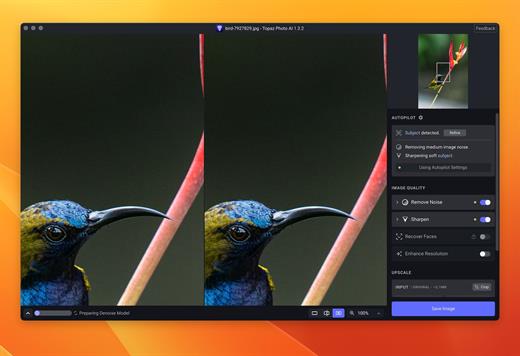
Sharpen, remove noise, and increase the resolution of your photos with tomorrow’s technology. Topaz Photo AI supercharges your image quality so you can focus on the creative part of photography.

Focus on your creativity rather than your tools.
AI is good at some things but bad at others. It can write sentences but can’t tell a story, and it can recommend songs but can’t compose music. But most importantly for us: AI is exceptionally good at improving image quality, but bad at knowing what to do with it.

We believe that stunning photography comes from artistic vision paired with world-class tools. AI will never replicate human creativity, so it’s still your job to provide the vision. But just like a sharper lens or better camera, Topaz Photo AI empowers you to create images that just aren’t possible with yesterday’s tools.

Your photos at their very sharpest.
You won’t always be able to retake a shot when your subject is blurry. Sometimes you won’t even know until you’re reviewing your photos on your computer.

In these cases, use Topaz Photo AI to ensure that your photos are the sharpest they can possibly be. Instead of artificially increasing edge contrast like traditional sharpening, the Sharpen AI module naturally reverses root causes of blurriness (camera shake, motion blur, misfocus) to create more natural results.

In the absence of blur, sharpness remains – crisp, clear detail that’s free of edge haloes or other artifacts.

What’s New

Version 2.0.5:

  • Release notes were unavailable when this listing was updated.

Compatibility

macOS 10.12 or later


Release Name: Topaz Photo AI 2.0.5
Size: 239.8 MB
Links: HOMEPAGE – NFO – Torrent Search

Download: FiKPERUPLOADGiGNiTROFLARERAPiDGATOR

4 Comments
Oct 13

DxO FilmPack 7.0.1.473

DxO Film Pack lets you rediscover the magic of analog film. Give your digital photos greater emotional impact with this creative image-processing software.

Rediscover the style, the colors, and the grain of more than 80 legendary analog films, faithfully reconstituted thanks to DxO’s exclusive calibration process. Combine many original renderings with filter, vignetting, blur, texture, frame, or light-leak effects to give your photos a unique look. It even allows you to preserve the quality of your digital images thanks to support for RAW format, benefitting from DxO’s unsurpassed powerful processing.

Features

  • More than 120 styles, 80 of which are legendary
  • Creative styles such as frames, textures, light leaks, creative vignetting, and blur
  • Exceptional black-and-white conversion
  • Support for RAW, JPEG, and TIFF formats
  • Designer presets: a touch of madness for your images

What’s New

Version 7.0.1.473:

  • Release notes were unavailable when this listing was updated.

Compatibility

macOS 10.10 or later


Release Name: DxO FilmPack 7.0.1.473
Size: 993.7 MB
Links: HOMEPAGE – NFO – Torrent Search

Download: FiKPERUPLOADGiGNiTROFLARERAPiDGATOR

4 Comments
Oct 13

DxO PureRAW 3.6.1.25

DxO PureRAW Simply better RAW files, Enhance your RAW files to open up even more possibilities with Adobe Photoshop and Lightroom®.

Unlock the RAW-file editing capacity of Adobe Photoshop and Lightroom
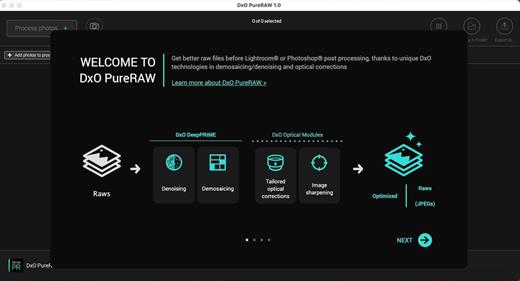
Create better RAW files before retouching them in Adobe Photoshop, Lightroom, or other programs thanks to DxO’s exclusive demosaicing, denoising, and lens defect correction technologies.

Pure, flawless, and noise-free RAW photos
DxO PureRAW’s artificial intelligence strikes the perfect balance between preserving detail and eliminating noise. DeepPRIME technology solves these problems before you and better than you.

Your lenses deserve the very best corrections
Automatically correct the defects in your equipment using DxO’s specially designed optical modules.

Recover your old RAW files
Get back to editing your old photos that you set aside because of poor image quality, noise, or a lack of sharpness. DxO PureRAW gives you another chance.

Perfection is in the details
Enjoy large format photos: DxO PureRAW reveals all the details and finesse of every texture you capture so you can enjoy incredibly pure photos.

Soft, non-grainy bokeh
Permanently delete the “parasitic” grain your camera creates in the blurry areas of your photos. DxO PureRAW adds incredible softness to your images.

Photo editing made simple
Use DxO PureRAW before your usual editing software and convert your RAW files into DNG files in just a few clicks—all without sliders or complex adjustments.

What’s New

Version 3.6.1.25:

  • Release notes were unavailable when this listing was updated.

Compatibility

macOS 10.15 or later


Release Name: DxO PureRAW 3.6.1.25
Size: 701.9 MB
Links: HOMEPAGE – NFO – Torrent Search

Download: FiKPERUPLOADGiGNiTROFLARERAPiDGATOR

3 Comments
Oct 13

Codepoint 1.11

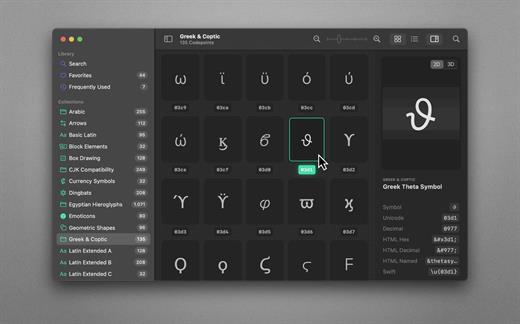
70,000+ Unicodes in your pocket. Search Unicodes, Glyphs, SF Symbols and Emojis in a blink. Codepoint helps you to find the exact characters you need and supports you in discovering new glyphs. Export them as Symbols, Strings, Hexadecimals, HTML entities or even Swift code. Save Favourites in iCloud. Remember your Frequently Used symbols. Codepoint is tailored for you—a creative, ambitious professional.

Features
• Explore, search and share Unicodes
• Search Engine: Lightning fast, surprisingly smart
• Find Unicodes, Hex, Decimals, HTML and Swift entities
• Favourites synced across all your devices
• Typography Advice for selected characters
• 3D Glyph Preview
• Supports SF Symbol names
• Works offline
• Looks brilliant in dark and light
• Optimised for Macs with Apple Silicon (M1, M2)
• Works great on macOS 13 Ventura

What’s New

Version 1.11:

  • Release notes were unavailable when this listing was updated.

Compatibility

macOS 13.1 or later
Apple Silicon or Intel Core processor


Release Name: Codepoint 1.11
Size: 78.1 MB
Links: HOMEPAGE – NFO – Torrent Search

Download: FiKPERUPLOADGiGNiTROFLARERAPiDGATOR

4 Comments
Oct 13

Luminar Neo 1.14.1

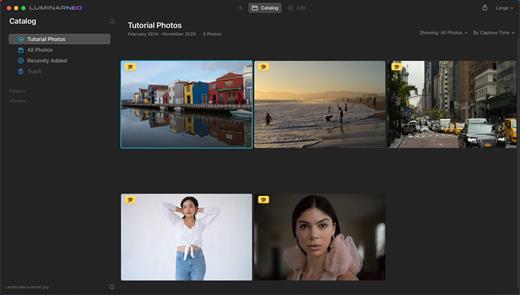
Luminar Neo, a new creative image editor which empowers visual storytellers to bring their boldest ideas to life. Luminar Neo builds upon the unique, purpose-driven, AI editing technologies for which Skylum has become known for.

“As the latest member of the Luminar family, we designed Luminar Neo to allow artists to take on more challenging image creation work and achieve results which often seem unattainable,” said Dima Sytnik, co-founder and CPO of Skylum.

Luminar Neo is meant to be an application that offers more customizability, and that builds upon the company’s LuminarAI software. The two programs will be sold side-by-side.

Luminar Neo will ship with several new features, including image layers, background replacement, relighting options, dust removal and more. The software analyzes each image to recognize the depth of the scene and its contents, which allows for precise control.

What’s New

Version 1.14.1:

  • Release notes were unavailable when this listing was updated.

Compatibility

macOS 10.14.6 or later
Apple Silicon or Intel Core processor


Release Name: Luminar Neo 1.14.1
Size: 4.7 GB
Links: HOMEPAGE – NFO – Torrent Search

Download: FiKPERUPLOADGiGNiTROFLARERAPiDGATOR

Comments Off
Oct 13

Snagit 2024.0.1

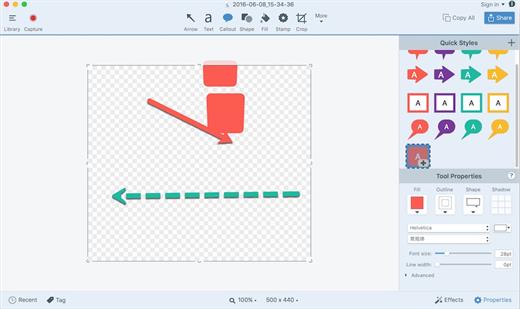
Snagit lets you create an image of what you see on your computer monitor.

Features

  • Flexible options that let you capture only what you want.
  • Annotation varieties like arrows, speech bubbles, and more make it easy to customize your capture.
  • Versatility in what you do with your capture. Send it to your favorite app, share it online, or save it for later.

What’s New

Version 2024.0.1:

  • Release notes were unavailable when this listing was updated.

Compatibility

macOS 10.14 or later
Apple Silicon or Intel Core processor


Release Name: Snagit 2024.0.1
Size: 281.9 MB
Links: HOMEPAGE – NFO – Torrent Search

Download: FiKPERUPLOADGiGNiTROFLARERAPiDGATOR

3 Comments