Jan 22

Easy Cut Studio 5.030 (x64) Multilingual

Description: The easiest and quickest way to design and cut signs, lettering, logos, graphics, shapes, decals and stickers. Take your sign-making to a whole new level with Easy Cut Studio. The #1 vinyl cutter software for Windows. The complete solution for designing, printing, cutting and print + cut. It gives you the ability to cut any TrueType font, OpenType font, graphics, SVG, PDF files, as well as your own original designs with your vinyl cutter or cutting plotter. This awesome vinyl cutter software even supports vectorize your bitmap images and built-in shape library includes hundreds of vectorial designs ready to be cut. With intuitive interface, Now anyone can cut designs like a pro! Professional sign cutting software for your vinyl cutter. Both macOS and Windows versions available.
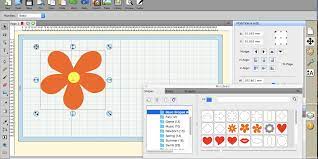
The complete solution for designing, printing, cutting and print + cut. It gives you the ability to cut any TrueType font, OpenType font, graphics, SVG, PDF files, as well as your own original designs with your vinyl cutter or cutting plotter. This awesome vinyl cutter software even supports vectorize your bitmap images and built-in shape library includes hundreds of vectorial designs ready to be cut. With intuitive interface, Now anyone can cut designs like a pro! Professional sign cutting software for your vinyl cutter. Both macOS and Windows versions available.

Draw your own designs
Designing couldn’t get any easier! This powerful vinyl cutter software comes with a suite of various shape drawing and editing tools to draw and edit any shape directly on the mat. Easily draw unique shapes, edit vector images, modify signs, create logos, customize text with fonts on your computer plus special effects. Easy Cut Studio will make you design and cut your shapes easier than with any other sign-making software in the market. It is a little design powerhouse for vinyl cutting.

Image Tracing & Vectorizing
Unmatched vectorization, Simply use the powerful tracing tool to create cuttable outlines from any imported raster graphics (including PNG, JPG, GIF, PSD, BMP, TIFF, etc.) or scanned images. Easily create accurate vector paths ready for cutting or make further editing.

Import/Export most file formats
Import various file formats, including AI, SVG, EPS, PDF, WPC and other popular formats as editable vector objects. giving you the power to cut any shape and custom artworks. You can also export your design to SVG, PDF, GIF, JPG, PNG, TIFF, BMP, or FCM format.

Print and Cut (Contour Cut)
Print to Cut made easy, fast and accurate. Automatic creation of registration marks for print and cut applications. Easily print your artwork and then cut out around the printed image using your vinyl cutter, which is perfect for create decals and stickers. User control over registration size, thickness and offset will help the cutter find the contour cut marks easily.

Design and Cut Rhinestone Templates
Easily convert designs into rhinestone templates and make your own custom rhinestone designs with typeable rhinestone ready fonts. Specify stone size and spacing to make a rhinestone template and lattice shapes.

Weld Text and Shapes Together
Welding is an advanced option allows you to make overlapping text and shapes to become a single shape, by joining shapes together wherever an overlap occurs. There are two ways to combine shapes/letters together: welding and joining.

Working With Layers
Easily create complex designs using multiple layers, grouping to organize the display order of objects. Using Layers can help you more control over how you organize, edit and cut objects with Easy Cut Studio. The Shadow Layer option will create cuttable shadows from any shape.

Full control over your vinyl cutter
Get the job done, faster. Flexible Cut Settings that allows you to cut exactly what you want. You can set cut mode, mirroring, cut selection only, Print+Cut, pressure, speed, multi-cut (Cut Copies), blade-offset, overcut and many more professional vinyl cutter controls. Cut vinyl signs with incredible ease.

More features:
– Cut font files already installed on your Windows or Mac.
– Convert text to outlines/paths.
– Place text or objects on bezier paths.
– Text on arch tool and text on path tool.
– Node editing
– Create shadowed mat effects.
– Layout and special effects for your texts and shapes.
– Stencil function for bridging interior shapes.
– Registration marks.
– Multi-color gradient fill function with linear and radial options.
– Choose from over 250 pre-made shapes from the built-in library.
– Use any bitmap image to create a texture.
– WYSIWYC Interface – What you see is what you cut.
– Option to cut only selected objects.
– Support USB connection, serial (COM), parallel and so on.
– Mirror or flip images before cutting.
– Scan images directly into the software.
– Generate jigsaw puzzles with full control.


Release Name: Easy Cut Studio 5.030 (x64) Multilingual
Size: 36.3 MB
Links: HOMEPAGE – NFO – Torrent Search

Download: FiKPERNiTROFLARERAPiDGATOR

4 Comments
Jan 22

Boris FX Silhouette 2023.5.4 (x64)

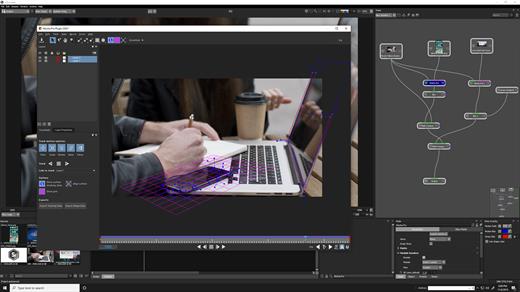
Boris FX Silhouette Free Download Full Version With Crack is a powerful compositing and visual effects software tool that is used by professionals in the film, television, and video industries. It offers a range of advanced features for creating complex visual effects and composites, making it an ideal choice for those working on high-end projects.

One of the main features of Boris FX Silhouette Download Crack is its support for a wide range of compositing and effects tools. The software includes a range of tools for compositing and layering images and video, as well as tools for color grading, keying, and masking. It also includes a range of filters and effects that users can apply to their images and video, such as blur, distortion, and color correction effects.

Boris FX Silhouette 2023 Serial Key Download Features:

Here are some key features of Boris FX Silhouette:

  • Wide range of compositing and effects tools: The software includes a range of tools for compositing and layering images and video, as well as tools for color grading, keying, and masking. It also includes a range of filters and effects that users can apply to their images and video, such as blur, distortion, and color correction effects.
  • Wide range of formats and workflows: It is able to handle a variety of different image and video file formats, as well as support a range of workflows such as 2D, 3D, and VR. It also includes support for a range of hardware and software platforms, including Adobe After Effects and Avid Media Composer.
  • Project management: The software includes a range of tools for managing and organizing projects, such as the ability to create and edit project libraries, as well as the option to collaborate with other users in real-time.
  • Regular updates: It is regularly updated to ensure that it is compatible with the latest versions of operating systems and to add new features and improvements.
  • Wide range of supported platforms: The software is compatible with a wide range of platforms, including Windows and Mac, making it accessible to users on a variety of devices.
  • Multi-language support: The software is available in a variety of languages, making it accessible to users around the world.
  • Expert resources: It includes a range of expert resources and guidance to help users understand the compositing and visual effects process.
  • Integration with other tools: The software is able to integrate with a range of other tools and software, such as Adobe Photoshop and Illustrator, allowing users to work seamlessly across different platforms.

Another feature of Boris FX Silhouette is its support for a wide range of formats and workflows. The software is able to handle a variety of different image and video file formats, as well as support a range of workflows such as 2D, 3D, and VR. It also includes support for a range of hardware and software platforms, including Adobe After Effects and Avid Media Composer.

In addition to its compositing and effects capabilities, Boris FX Silhouette also includes a range of tools for managing and organizing projects. It includes features such as the ability to create and edit project libraries, as well as the option to collaborate with other users in real-time.

Overall, Boris FX Silhouette is a powerful and feature-rich compositing and visual effects software tool that offers a range of advanced features for creating complex visual effects and composites. It is an ideal choice for professionals working on high-end projects in the film, television, and video industries.

Boris FX Silhouette System Requirements

  • Windows: Windows 10 & 11
  • Processor: Intel or AMD processor
  •  Memory: 8GB or more
  • Disk: High-speed disk array or SSD storage. 1GB of available disk space for caching and temporary files

Graphics Card

  • NVIDIA GTX 460 or better
  • AMD Radeon 57xx series or better
  • OpenGL 2.1 capable graphics card
  • OpenCL 1.1 capable graphic card
  • 1GB of graphics memory for film resolution

Release Name: Boris FX Silhouette 2023.5.4 (x64)
Size: 1.3 GB
Links: HOMEPAGE – NFO – Torrent Search

Download: FiKPERNiTROFLARERAPiDGATOR

6 Comments
Jan 22

ARES Mechanical 2024.2 Build 24.2.1.3254 (x64) Multilingual

Description: ARES Mechanical is especially designed for the needs of 2D mechanical CAD users and for those who use 3D CAD occasionally. Whether you are a Factory Layout Planner making floor plans to place machines with efficiency in mind or a Maintenance Engineer making revisions to existing DWG drawings, ARES Mechanical has the right set of tools to help you get the job done. Conceptual Designers can use ARES Mechanical for creating quick sketches or technical drawings.

More generally, Designers can use ARES Mechanical to create detailed 2D mechanical drawings ready for production. ARES Mechanical meets the needs of a wide spectrum of technical drawing users.

Key Features of ARES Mechanical
As a first step you should consider to select a Mechanical Standard for your project. ARES Mechanical supports international standards such as ANSI Inch, ANSI Metric, BSI, DIN, ISO and JIS. The chosen standard will activate pre-defined settings for your drawing in terms of styles, layers, frames and parts libraries.

Alternatively, ARES Mechanical is flexible enough to start a project without defining the standard. You would then make your choice from the part libraries when inserting your first components.

Companies can further define their own standards as copies and/or extensions of existing international standards.

Mechanical Parts
ARES Mechanical includes ready-to-use mechanical part-libraries such as: Bolts & Screws, Screw Connections, Nuts, Pins & Washers, Hole & Hole Table, Hole Callouts.

You will find these parts in the Toolbox ribbon of the Mechanical workspace. They are pre-configured and standardized based on the mechanical standard you have chosen for your project.

These smart entities will help you to speed up the design and make sure it is compliant with the chosen standard. They will also further be recognized for the creation of your BOM.

The Toolbox ribbon includes other mechanical features such as symbols for surface and welding; Balloons and Bill of Materials (BOM) and Revision Tables.

Mechanical workspace
We created a dedicated user interface optimized for Mechanical Design with quick access to all the features you need. The Mechanical ribbon highlights in the first tabs the top level features needed for a quick sketch of a new drawing.

In the Toolbox tab of this ribbon you will also find most of the mechanical features such as the part libraries, holes, screw connections, BOM, symbols and revision tables.

If you don’t like ribbons, the “Classic” workspace is replacing the ribbon by menus and toolbars.

All the features of ARES Commander remain also available. If you are not working on a mechanical project you may simply switch to the “Drafting and Annotation” workspace for 2D or to the “3D Modeling” one for 3D.

Advanced users may also simply use keyboard commands with any of these workspaces.
Watch the Video

Construction Lines
Construction Lines (vertical, horizontal or at a defined angle) are easy to maintain, they are on a predefined layer and can be switched on or off as and when required. They are easy to pick and can be combined with our Power Trim feature to help you accelerate your design.

Rectangle with dimension
ARES Mechanical includes some other smart features such as rectangles with dimensions. This feature would let you draw a rectangle and automatically add dimensions.

Predefined Hatches
Mechanical design conventions require that you use specific hatch patterns in the sections of your mechanical drawings. These hatch patterns help to standardize drawings and define the material of the elements.

You can now use Predefined hatches in your designs. Many commonly used hatch patterns are included, which can be further customized based on your requirements.

System requriements:
OS:Windows 10 or higher
CPU:Intel Core i5 processor, AMD Athlon/Phenom™ x4 processor, or better
Space:1 GB free hard disk space depending on accessory applications installed
Memory:8 GB RAM
GPU:3D Graphics accelerator card with OpenGL version 3.2 or better
Display:Full HD monitor
Hardware:Wheel mouse, or 3D mouse


Release Name: ARES Mechanical 2024.2 Build 24.2.1.3254 (x64) Multilingual
Size: 482.3 MB
Links: HOMEPAGE – NFO – Torrent Search

Download: FiKPERNiTROFLARERAPiDGATOR

6 Comments
Jan 22

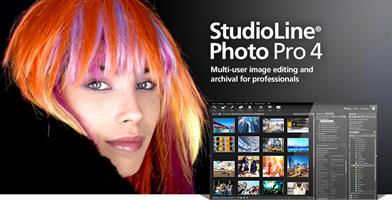
StudioLine Photo Pro 5.0.7 Multilingual

StudioLine Photo Pro Crack Full Version Download

Download StudioLine Photo Pro Serial Key Free: It is a highly effective software for the professional editing and management of large image collections in server-based networks. Of course, the RAW formats from all popular camera models are supported. It gives you the ability to edit your files while accessing a range of unique and useful tools. The most important features of this software include rotation, effects, cropping, resizing. You May Also Download StudioLine Photo Classic Crack

Download StudioLine Photo Pro Crack Key Features:

  • Professional management features for graphic formats
  • Easy images search
  • Build huge collections of graphics files
  • Ability to add tags and descriptions to images
  • Ability to print, share or burn images to CD / DVDs
  • Has extensive capabilities for editing graphic files
  • Ability to use a set of beautiful effects
  • Support for JPG, TIF, GIF, PNG, BMP formats
  • And many more.

What’s New In StudioLine Photo Free Download?

  • Fixed: Unexpected 45° image rotation in Image Alignment tool.
  • Fixed: Support .ZIP files in Load Assistant and when sharing to MediaCenter.
  • Fixed: Load Assistant missing preview for certain DNG images
  • More intuitive scheme for populating descriptors for photographer, copyright and credits from metadata.

Release Name: StudioLine Photo Pro 5.0.7 Multilingual
Size: 134 MB
Links: HOMEPAGE – NFO – Torrent Search

Download: FiKPERNiTROFLARERAPiDGATOR

6 Comments
Jan 22

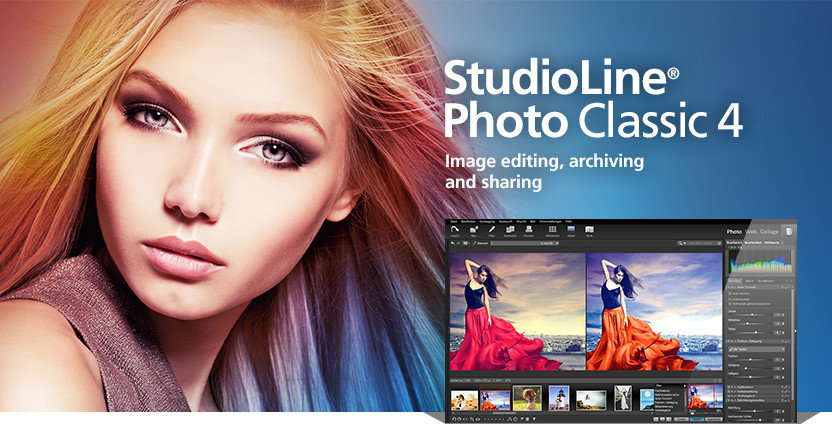
StudioLine Photo Classic 5.0.7 Multilingual

Description: StudioLine Photo Classic 4 is a feature-packed software for conveniently managing and editing extensive image collections. Naturally all common file formats, including the RAW formats of the popular camera models are supported.

New Features:

  • Your Personal Load Assistant
    Quickly and easily load images from you camera, hard disk or other drives. Any files not previously loaded are automatically suggested and selected.
  • Pre-defined Tool Settings
    Store frequently used image tools (filters) or entire filter sequences as templates. This way the same tool settings are available at any time to treat further images with the same editing steps.
  • Protect Your Images
    Superimpose your personal watermark into your images to prevent unauthorized use. Any graphics and text may be combined to create watermarks.
  • Easy Print
    Create print layout to suit variou

Release Name: StudioLine Photo Classic 5.0.7 Multilingual
Size: 134 MB
Links: HOMEPAGE – NFO – Torrent Search

Download: FiKPERNiTROFLARERAPiDGATOR

6 Comments
Jan 19

dbForge Studio for MySQL Enterprise 10.0.150 (x64)

Description: dbForge Studio for MySQL is a universal IDE for MySQL and MariaDB database development, management, and administration. It is a full-fledged MySQL GUI that helps create and execute queries, develop and debug stored routines, automate database object management, compare and synchronize databases, analyze table data, and much more. Its rich functionality is delivered under an intuitive interface.

Intelligent SQL Coding
Intelligent code completion, formatting, MySQL prompt, and code snippets bring convenience and effectiveness to your SQL code writing. Code navigation, obtaining quick object information, and syntax check are performed instantly.

Database Compare and Sync
When modifying MySQL database structure, transferring data between servers, analyzing differences between databases, you will:
Compare and sync data and schemas
Schedule regular database sync tasks
Generate comparison report

Import/Export Data
Fill MySQL databases with external data using our export and import tools. They support more than 10 popular data formats and allow customizing the whole process. Templates, automating data import and data export tasks through command line are also available.

Copy Database
Transfer MySQL Server databases from one server instance to another with a handy Copy Databases tool. The tool allows you to:
Customize copying settings
Copy databases together with data
Drop a database if it already exists on a target server

Database Designer
Use database diagram for creating, analyzing, reverse-engineering, printing and customizing your MySQL databases and for:
Viewing foreign key relations
Displaying DB objects with properties
Execution of stored routines

Release Name: dbForge Studio for MySQL Enterprise 10.0.150 (x64)
Size: 138.7 MB
Links: HOMEPAGE – NFO – Torrent Search

Download: FiKPERNiTROFLARERAPiDGATOR

6 Comments
Jan 19

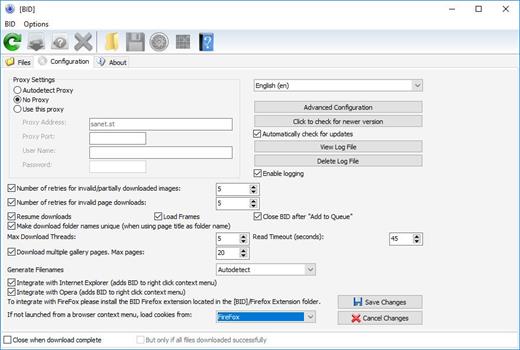
Bulk Image Downloader 6.38 Multilingual

Bulk Image Downloader Full Version Free Download 

Bulk Image Downloader Crack is a powerful yet highly easy-to-use image downloading software integrated with your favorite browsers. Bulk Image Downloader Full Crack is designed to bypass all annoying popups and adverts and automatically download and save images from web page galleries to your computer.

The program support for almost all popular image hosting sites and can also extract image information from regular text files and web pages where image links are listed as plain text.

Bulk Image Downloader License Key Features?

  • Bulk Image Downloader Free Download Full Version 2021 is very simple in use
  • Bulk Image Downloader 2021 is very effective all the users
  • And further you download every size images
  • Automatically check the irrelevant part of the images
  • Download the good and effective library
  • No any requirement need for design images

What’s new in download Bulk Image Downloader Activation key?

  • DARK MODE now supported. If Windows dark mode is active, BID will automatically use a “dark” theme. Configure via new Options->UI Theme menu option
  • imagefap support updated (gif/png files will now be detected correctly)
  • pinterest support updated
  • imagebam support updated – original file name extraction working again
  • taylorpictures.net support added
  • slushe.com support updated
  • goodfon.ru support added
  • vk.com support updated (updated to use latest vk API version as current version in use will stop working soon)
  • URL shortcuts created on some non English locales would not work correctly – fixed
  • Various cosmetic changes

Release Name: Bulk Image Downloader 6.38 Multilingual
Size: 34.4 MB
Links: HOMEPAGE – NFO – Torrent Search

Download: FiKPERNiTROFLARERAPiDGATOR

6 Comments
Jan 19

R-Tools R-Drive Image 7.1 Build 7113 Multilingual BootCD

R-Tools R-Drive Image Overview

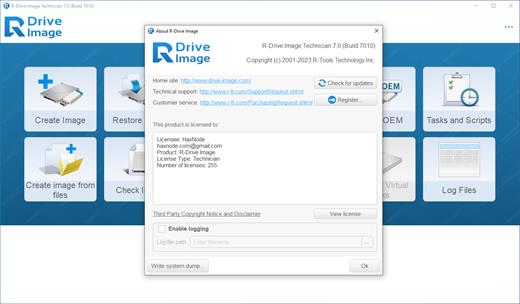
R-Drive Image is a potent utility providing disk image files creation for backup or duplication purposes. A disk image file contains the exact, byte-by-byte copy of a hard drive, partition or logical disk and can be created with various compression levels on the fly without stopping Windows OS and therefore without interrupting your business. These drive image files can then be stored in a variety of places, including various removable media such as CD-R(W)/DVD, Iomega Zip or Jazz disks, etc.

R-Drive Image restores the images on the original disks, on any other partitions or even on a hard drive’s free space on the fly. To restore system and other locked partitions R-Drive Image is switched to the pseudo-graphic mode directly from Windows or bootable version created by the utility is launched from CD disc or diskettes.

Using R-Drive Image, you can completely and rapidly restore your system after heavy data loss caused by an operating system crash, virus attack or hardware failure. You can also use R-Drive Image for mass system deployment when you need to setup many identical computers. In other words, you can manually setup one system only, create an image of the system, and then deploy it on all other computers, saving your time and costs. If you need to restore only certain files from a disk image, you can connect that image as a virtual disk and copy those files directly from the disk image using Windows Explorer or any other file utility.

R-Drive Image is one of the best backup and disaster recovery solutions to prevent losing your data after a fatal system failure.

Key Features of R-Tools R-Drive Image

A simple wizard interface – no in-depth computer management skills are required.
On-the-fly actions: Image files are created on-the-fly, no need to stop and restart Windows. All other disk writes are stored in a cache until the image is created. Data from image files are restored on-the-fly as well, except on a system partition. Data to the system partition can be restored either by restarting R-Drive Image in its pseudo-graphic mode directly from Windows, or by using specially created startup disks.
Image files compression. Image files can be compressed to save free storage space.
Removable media support. Image files can be stored on removable media.
Startup version. A startup version can be used to image / restore / copy partitions locked by the OS. The computer can be re-started into the startup version either directly from Windows, or from an external USB device, a CD/DVD disk, or 6 floppies. The startup version can use either a graphic user interface, or a pseudo-graphic mode, if the graphic card isn’t supported.
USB 2.0 and 3.0 support in the startup version. With hard drives prices constantly going down, an external IDE-USB 2.0 or 3.0 HDD case with an appropriate hard drive is an ideal (fast and reliable) solution for storing backup files for system and other partitions that can be restored only in the startup version. Do not use numerous unreliable CD discs and slow CD/DVD recorders any more. Remember: with the incremental backup, this hard drive is not to be too large.
Network support in the startup version. R-Drive Image startup version supports disk image file creation and restoration over the Microsoft network (CIFS protocol).
Extended List of the supported devices in the startup version. The list of hardware supported by R-Drive Image startup versions has been extended. VIEW THE LIST
An image file can be connected as a read-only virtual disk. Such disk can be browsed through and files/folders can be found and copied.
Individual files and folders restoration. Individual files and floders rather than entire disk can be restored either during the restoring action or from a image file connected as a virtual disk.
Image files splitting. Drive images can be split into several files to fit a storage medium.
Image Protection. Disk image files can be password-protected and contain comments.
New partition creation. Data from a disk image can be restored on a free (unpartitioned) space on any place on a hard drive. The size of the restored partition can be changed.

Release Name: R-Tools R-Drive Image 7.1 Build 7113 Multilingual BootCD
Size: 81.4 MB
Links: HOMEPAGE – NFO – Torrent Search

Download: FiKPERNiTROFLARERAPiDGATOR

6 Comments
Jan 19

FoneDog Toolkit for Android 2.1.20 Multilingual

Description: The most effective Android data recovery software to recover deleted text messages, contacts, call history, photos, videos, audio, and WhatsApp data from Android phone/tablet/SD card in 2020.

Best Android Data Recovery in 2020
FoneDog Android Data Recovery is a data recovery tool that can recover deleted photos, videos, audio files, text messages, contacts, call logs and documents from an Android device. You can free scan deleted data directly from your Android phone without root. Never worry about data loss.

System Requirements:
Windows OS: Windows 11/10/8.1/8/7/Vista/XP (32 bit or 64 bit)
CPU: 1GHz Intel/AMD CPU or above
Resolution: 1024×768 display or above
Others: Apple Device Driver & iTunes pre-installed

Release Name: FoneDog Toolkit for Android 2.1.20 Multilingual
Size: 64.8 MB
Links: HOMEPAGE – NFO – Torrent Search

Download: FiKPERNiTROFLARERAPiDGATOR

7 Comments
Jan 19

Y2mate Downloader 1.2.0.9 (x64) Multilingual

Description: Y2Mate supports downloading videos from more than 500 streaming platforms and 1000+ websites. Among them, around 40 are subscription-based streaming services for subscribers to view the latest movies, TVs and shows.

Download HD Videos
Download videos in 720p, 1080p, to 4k and even 8k.

High-Speed Batch Download
Save time with high-speed batch downloading with up to 32MB/s.

Enjoy 5.1 Audio Channels
Download videos with EAC3 5.1, AC3 5.1 or AAC 2.0 channels.

Save Movies in MP4 & MKV
Watch your favorite shows in universal file formats.

No Annoyance of Ads
Get a chance to watch a movie with no commercials at all.

Select & Download Subtitles
Save subtitles as SRT files or embed them in video files.

Release Name: Y2mate Downloader 1.2.0.9 (x64) Multilingual
Size: 382 MB
Links: HOMEPAGE – NFO – Torrent Search

Download: FiKPERNiTROFLARERAPiDGATOR

6 Comments