Jul 28

Integrity Pro 12.7.8

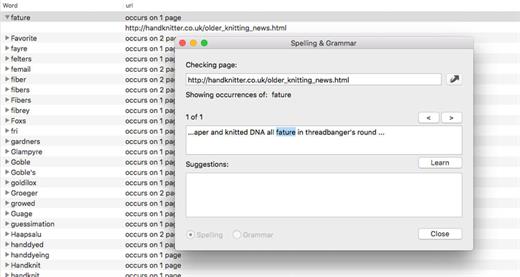
Integrity Pro builds on Integrity Plus. It has the new v12 crawling engine, it checks links and generates a sitemap with all the searching, filtering and exporting functionality of the Plus version. It adds SEO details and a sitewide spellcheck. It isn’t intended to replace Scrutiny, but to be pitched between Integrity Plus and Scrutiny, a more affordable step for Integrity Plus users. There will, of course, be an upgrade from Integrity Plus, but this early public beta is simply free until the stable version is released.
What’s New

Version 12.7.8:

  • Release notes were unavailable when this listing was updated.

Compatibility

macOS 10.10 or later


Release Name: Integrity Pro 12.7.8
Size: 9 MB
Links: HOMEPAGE – NFO – Torrent Search

Download: FiKPERUPLOADGiGNiTROFLARERAPiDGATOR

5 Comments
Jul 28

Perfectly Clear Workbench 4.6.0.2578

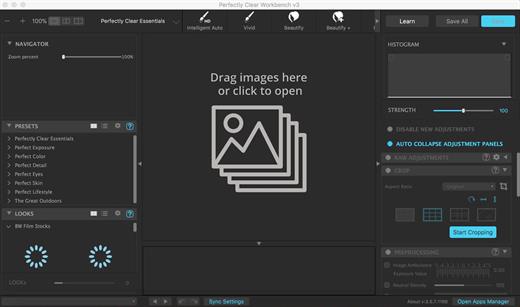
Perfectly Clear Workbench is an application that uses Athentech’s Perfectly Clear image correction libraries and is made available to demonstrate the capabilities of the Perfectly Clear processing libraries, face detection library and to allow a quick export of the processing settings for use.

Supported Image Formats:

Perfectly Clear requires RGB-formatted images in either 8 or 16-bit color depth. Any image file that Photoshop or Lightroom can open and convert to this format may be used in Perfectly Clear. Monochrome and CMYK images must be converted to RGB before using Perfectly Clear. RAW files must be opened through Adobe Camera RAW and loaded into Photoshop to be accessible to Perfectly Clear.

What’s New

Version 4.6.0.2578:

  • Release notes were unavailable when this listing was updated.

Compatibility

macOS 10.10 or later
Apple Silicon or Intel Core processor


Release Name: Perfectly Clear Workbench 4.6.0.2578
Size: 196.9 MB
Links: HOMEPAGE – NFO – Torrent Search

Download: FiKPERUPLOADGiGNiTROFLARERAPiDGATOR

7 Comments
Jul 28

Autodesk Flame 2024.1 (X64)

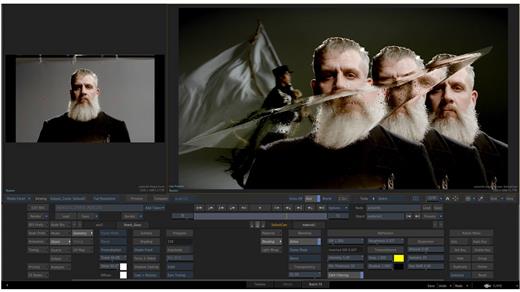
Advanced 3D visual effects software – Flame® software offers tools for fast, interactive 3D visual effects, finishing, compositing, advanced graphics, color grading, conform, editorial, and look development. 3D compositing (Action) Combines the interactive speed of traditional 2D compositing and powerful 3D visual effects. Includes WYSIWYG preview for artists in session.

Node-based compositing (Batch)
Batch, a node-based procedural compositing environment, integrates with the timeline and desktop to combine 2D and 3D elements.

Editorial timeline
Oversee projects, create consistent looks, and correctly match graded and 3D VFX shots. Includes scene detection.

Matchbox API
Lightbox, Matchbox, and PBR shaders let you use GPU-accelerated GLSL shaders to solve challenges in Action’s 3D compositing environment.

Action projection tracking
Turn a projection into a UV set for the geometry.

Connected Conform smart merge
Merge new editorial cuts dynamically with work-in-progress shots late in a project.

Python API
Drive the Batch environment via scriptable commands.

Pybox
Use a scriptable handler to process your images via external renderers.

What’s New

Version 2024.1:

  • Release notes were unavailable when this listing was updated.

Compatibility

macOS 11 or later


Release Name: Autodesk Flame 2024.1 (X64)
Size: 3 GB
Links: HOMEPAGE – NFO – Torrent Search

Download: FiKPERUPLOADGiGNiTROFLARERAPiDGATOR

3 Comments
Jul 28

CADintosh X 8.8.5 (692)

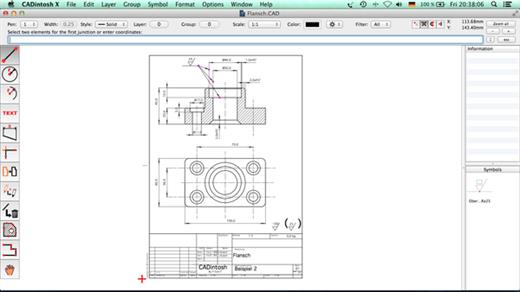
CADintosh is a 2D-CAD program for technical and architectural drawings.

Features

  • Interactive window redrawing (you can work in the same time of the window redrawing)
  • Number of elements limited by memory
  • Pen oriented mode: 8 line widths/line colors/pens
  • Individual mode: line width from 0.0 to 99.99 mm, pattern and colors
  • It has a lot of tools like lines, arcs, dimensions, splines, hatching etc.
  • Import and export HPGL, DXF, and PICT
  • 6 line types (solid, dash, dot-dash, phantom, zigzag, dotted)
  • 32000 groups
  • 1024 layer
  • Alternative units in inches or freely definable
  • Shareware version has a simple layer filter (easy to use)
  • Registered version has a additional extended layer filter (named filter sets, palette with name of filter)
  • Shareware version has internal symbols (number of symbols only limited by memory)
  • Registered version has additional external symbol libraries and more simple work with symbols
  • User preferences saved in the drawing
  • Runs native on OS X

What’s New

Version 8.8.5:

  • Release notes were unavailable when this listing was updated.

Compatibility

macOS 10.11 or later


Release Name: CADintosh X 8.8.5 (692)
Size: 72.9 MB
Links: HOMEPAGE – NFO – Torrent Search

Download: FiKPERUPLOADGiGNiTROFLARERAPiDGATOR

7 Comments
Jul 28

Yoink 3.6.85 (132)

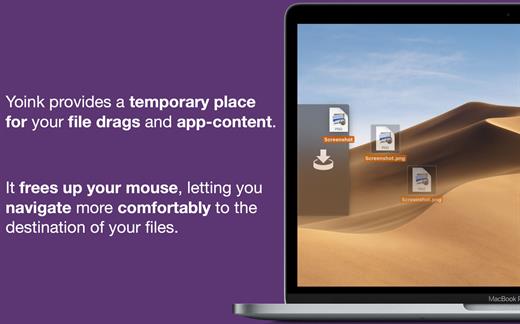
Yoink helps by making drag-and-drop between Spaces or full-screen apps easier.

Every time you start dragging a file, Yoink fades in a tiny window on the left edge of your screen so you can drag files to it. This frees up your mouse so you can comfortably navigate to the destination of the drop and resume the drag from Yoink’s window.

What’s New

Version 3.6.85:

  • Sometimes dragging a file from Yoink to apps other than the Finder would fail

Compatibility

macOS 10.12 or later.
Apple Silicon or Intel Core processor


Release Name: Yoink 3.6.85 (132)
Size: 24.7 MB
Links: HOMEPAGE – NFO – Torrent Search

Download: FiKPERUPLOADGiGNiTROFLARERAPiDGATOR

6 Comments
Jul 28

AI Transcription 1.7

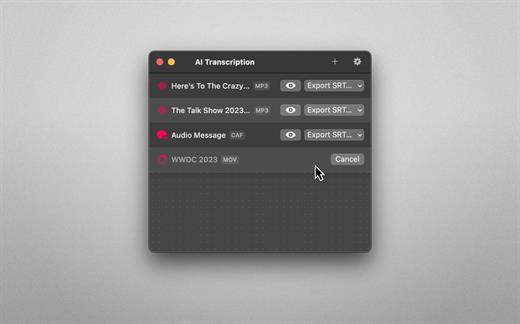
Audio-to-Text Converter. Turn audio into text! AI Transcription uses advanced Speech Recognition to transcribe your audio and video files in a blink, fully automatically, all offline, and with highly accurate results.

Features
• AI-powered Audio-to-Text generator
• Supercharged by Speech Recognition
• User-friendly, lightweight yet powerful
• Just drag and drop your files and transcription starts automatically
• Privacy by Design: Computes offline, directly on your Mac
• Export transcriptions as plain text, CSV, SRT and VTT files
• Timing Segmentation Levels: Words, Sentences, Paragraphs
• Looks brilliant in dark and light
• Optimised for Macs with Apple silicon (M1, M2)
• Works great on macOS 13 Ventura

Limitations
• The apps’ supported languages depend on the Languages selected in macOS System Settings → Keyboard → Dictation.
• Only selected languages with on-device support are available in AI Transcription. Some of them are: English, German, Italian, Spanish, Portuguese, Russian, Turkish, Simplified Chinese.

What’s New

Version 1.7:

  • Release notes were unavailable when this listing was updated.

Compatibility

macOS 13.1 or later.


Release Name: AI Transcription 1.7
Size: 27.8 MB
Links: HOMEPAGE – NFO – Torrent Search

Download: FiKPERUPLOADGiGNiTROFLARERAPiDGATOR

6 Comments
Jul 28

Ghost Buster Pro 2.2.3

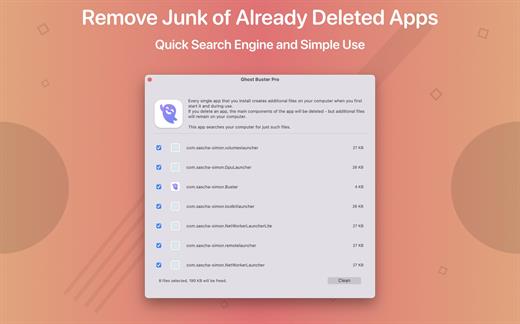
Ghost Buster Pro finds and deletes files from apps you’ve already uninstalled. The app is lightning fast and frees memory in no time.

Many apps are installed on a computer, but they usually only stay on your computer for a short time. Each app creates files, but deleting the app does not remove them.
This leads to a large number of files accumulating over time, which take up valuable storage space.
Ghost Buster Pro searches your computer for exactly such files and can also delete them directly if you wish.

Ghost Buster Pro offers the following features:
Fast Search

Ghost Buster Pro quickly scans your computer for data from previously deleted apps. You can have them deleted with one click.

Extremely easy handling

Ghost Buster Pro couldn’t be simpler. The search is started immediately after the app is started. You can now delete files with just one click.

No automatic deletion

Ghost Buster Pro does not delete any data without your consent. Choose for yourself which data is deleted and which you want to keep.

What’s New

Version 2.2.3:

  • Release notes were unavailable when this listing was updated.

Compatibility

macOS 11.5 or later
Apple Silicon or Intel Core processor


Release Name: Ghost Buster Pro 2.2.3
Size: 8.3 MB
Links: HOMEPAGE – NFO – Torrent Search

Download: FiKPERUPLOADGiGNiTROFLARERAPiDGATOR

4 Comments
Jul 28

macOS Big Sur 11.7.9 (20G1426)

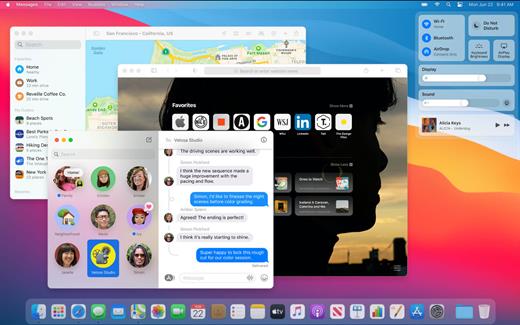
macOS Big Sur elevates the world’s most advanced desktop operating system to a new level of power and beauty. Experience Mac to the fullest with a refined new design. Enjoy the biggest Safari update ever. Discover new features for Maps and Messages. And get even more transparency around your privacy.

Design

  • New design for apps makes it easier to focus on your content and take action with space efficient toolbars and full height sidebars
  • Updated menu bar features wider spacing and a new translucent material that becomes more vibrant when you interact with it
  • Refreshed system sounds include the boot chime and sounds for transferring files, moving items to the trash, locking files, and more

Control Center

  • Control Center puts your favorite menus and controls in one handy place in the menu bar so you can quickly adjust settings as you work
  • Additional controls appear when you click to expand Control Center menus
  • Support for pinning favorite menus from Control Center to the menu bar

Notification Center

  • Updated Notification Center brings notifications and widgets together in one view
  • Interactive notifications display additional actions you can take with a deep press
  • Beautiful, new data-rich widgets for Calendar, Clock, Notes, Photos, Podcasts, Reminders, Screen Time, Stocks, and Weather
  • Edit view lets you to add new widgets and customize their size
  • Support for widgets from third-party apps

Safari

  • World’s fastest desktop browser with industry-leading performance and energy efficiency*
  • Customizable new start page lets you set a background image and decide what appears, including Reading List, iCloud Tabs, Privacy Report and more
  • Expanded extensions support and new dedicated category in the App Store for discovering new extensions
  • New tab design featuring favicons in tabs, and website previews that appear when you hover over a tab
  • Translation (beta) for English, Spanish, Simplified Chinese, French, German, Russian or Brazilian Portuguese
  • Privacy Report gives you visibility into how Safari keeps your browsing your business, with an overview of trackers blocked by Intelligent Tracking Prevention
  • Safari password monitoring securely screens saved passwords for any that may have been involved in a data breach
  • Safari privacy prompts for extensions let you choose when a website can work with an extension

Messages

Pinned conversations keep up to nine of your favorite threads at the top of the list

  • Mentions let you direct a message to an individual in a group conversation
  • Inline replies let you reply to a specific message earlier in the conversation
  • Message effects for balloons, confetti, lasers and more
  • #images helps you find and add trending GIFs to messages
  • Memoji makes it simple to create a personalized character and send stickers that match your mood and personality

Maps

  • Guides offer recommendations for places to go and things to do, curated by a selection of trusted brands
  • Look Around to explore cities in a high-resolution, interactive 3D experience
  • Indoor maps for major airports and shopping centers
  • Cycling directions helps you find bike-friendly routes to your destination
  • Electric vehicle routing helps you plan trips for supported vehicles that you add on iPhone

Big Sur compatible Macs:

  • MacBook 2015 and later
  • MacBook Air 2013 and later
  • MacBook Pro Late 2013 and later
  • Mac mini 2014 and later
  • iMac 2014 and later
  • iMac Pro 2017 and later
  • Mac Pro 2013 and later

What’s New

Version 11.7.9:

  • This update provides important security fixes and is recommended for all users.

Compatibility

OS X 10.9.0 or later, 64-bit processor


Release Name: macOS Big Sur 11.7.9 (20G1426)
Size: 11.6 GB
Links: HOMEPAGE – NFO – Torrent Search

Download: FiKPERUPLOADGiGNiTROFLARERAPiDGATOR

Comments Off
Jul 27

macOS Monterey 12.6.8 (21G725)

macOS Monterey lets you connect, share, and create like never before. Enjoy new FaceTime audio and video enhancements, including spatial audio and Portrait mode. Get more done with powerful productivity tools like Focus, Quick Note, and Tab Groups in Safari. Work fluidly across your devices with AirPlay to Mac.

FaceTime

  • Spatial audio makes voices sound like they come from the direction of a speaker on the screen in a Group FaceTime call
  • Voice Isolation blocks background noises so your voice is crystal clear
  • Wide Spectrum brings every sound in your space into the call
  • Portrait mode puts the focus on you by blurring your background on Mac computers with the M1 chip
  • Grid view displays people in same-size tiles and highlights the active speaker
  • FaceTime links for inviting friends to calls on Apple, Android, or Windows devices

Messages

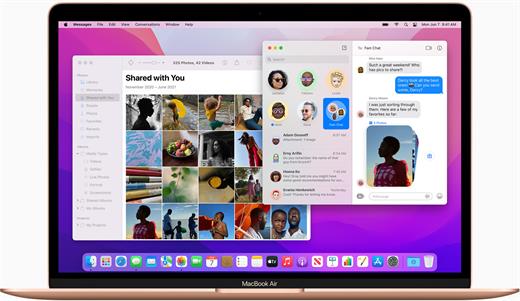
  • Shared with You displays content shared over Messages in your Mac apps
  • New Shared with You section in Photos, Safari, News, Podcasts, and the TV app
  • Multiple photos display as collages or stacks in Messages

Safari

  • Tab Groups help you save and organize your tabs and sync across devices
  • Intelligent Tracking Prevention prevents trackers from viewing your IP address
  • Compact tab bar option lets you see more of the webpage on your screen

Focus

  • Focus lets you automatically filter out notifications based on what you’re doing
  • Options to customize a Focus for activities like work, gaming, reading, and more
  • Focus sets across all Apple devices
  • Status lets your contacts know that your notifications are silenced

Quick Note & Notes

  • Quick Note lets you take notes on any app or website, and easily revisit them later
  • Tags help you quickly categorize your notes by topic and make them easy to find
  • Mentions enable you to notify others of important updates in shared notes
  • Activity view displays who made recent changes in a shared note

AirPlay to Mac

  • AirPlay to Mac lets you share content from iPhone or iPad straight to your Mac
  • AirPlay speaker support for playing music through your Mac sound system

Live Text

  • Live Text makes text interactive in photos across the system
  • Support for copying, translating, and looking up text that appears in photos
  • Visual Look Up helps you learn about art, landmarks, and other objects in photos

Shortcuts

  • New app helps you automate everyday tasks, helping you accomplish them faster
  • Gallery with pre-built shortcuts that you can add and run throughout the system
  • Shortcuts editor helps you design custom shortcuts for your specific workflows
  • Support for automatically converting Automator workflows into shortcuts

Maps

  • Interactive 3D globe with enhanced details for mountains, oceans, and more on Mac computers with the M1 chip
  • Detailed city maps display elevation, trees, buildings, landmarks, and more on Mac computers with the M1 chip

Privacy

  • Mail Privacy Protection helps prevent senders from tracking your Mail activity
  • Recording indicator in Control Center for apps that are accessing your mic

iCloud+

  • iCloud Private Relay (beta) helps prevent companies from creating a detailed profile of your browsing activity in Safari
  • Hide My Email creates unique, random email addresses that forward to your inbox

System requirements:

macOS Monterey supports the following models:

  • iMac 2015 or newer
  • iMac Pro 2017 or newer
  • MacBook 2016 or newer
  • MacBook Air 2015 or newer
  • MacBook Pro 2015 or newer
  • Mac Pro 2013 or newer
  • Mac mini 2014 or newer

What’s New

Version 12.6.8:

  • Release notes were unavailable when this listing was updated.

Compatibility

macOS 10.12 or later


Release Name: macOS Monterey 12.6.8 (21G725)
Size: 11.6 GB
Links: HOMEPAGE – NFO – Torrent Search

Download: FiKPERUPLOADGiGNiTROFLARERAPiDGATOR

1 Comment
Jul 27

AI Photo 1.12

Turn text into images! AI Photo is a user-friendly text-to-image generator app that creates photos and artworks, all offline, based on your image description.

Features

• AI-powered Text-to-Image generator
• Supercharged by Stable Diffusion
• Privacy by Design: Computes offline, directly on your Mac, iPhone or iPad
• Fast: Optimised for Apple silicon chips (M1, M2)
• Collections: Organise and manage your artworks
• Favourites: Your best creations always at hand
• Search: Lightning fast, surprisingly smart
• Pros in Mind: Change Steps, Seeds, Guidance Scales
• Custom Models: On the Mac, you can add custom CoreML models.
• Export & Share
• Looks brilliant in dark and light

What’s New

Version 1.12:

  • This update contains improvements and minor bug fixes.

Compatibility

macOS 13.1 or later.
Apple Silicon or Intel Core processor


Release Name: AI Photo 1.12
Size: 2.6 GB
Links: HOMEPAGE – NFO – Torrent Search

Download: FiKPERUPLOADGiGNiTROFLARERAPiDGATOR

3 Comments