Aug 11

Boxy SVG 4.5.1

SVG is the standard format for storing vector graphics such as icons, banners, charts and illustrations.

Boxy SVG project goal is to create the best SVG editor for non-technical users as well as for professional designers and developers.

CORE FEATURES

• Clean and intuitive UI heavily inspired by Inkscape, Sketch and Adobe Illustrator
• Extensive support for on-canvas editing of object geometry, transform, paint and other properties
• Save to SVG and SVGZ formats, export to PNG, JPG, WebP, PDF and HTML5
• Open Clip Art Library integration with thousands of free stock vector arts
• Google Fonts integration with hundreds of free fonts
• Configurable keyboard shortcuts for over 100 commands
• Manual guides, smart guides and grid
• Path operations (unite, intersect, subtract, exclude, close, reverse, etc.)
• Arrangement operations (align to, rotate, flip, order, group, etc.)

FOR WEB DEVELOPERS

• Chromium-based rendering engine
• SVG and CSS code inspector similar to Chrome Dev Tools
• Clean SVG output that preserves IDs, classes, titles and other metadata
• SVG sprites editing support

What’s New

Version 4.5.1:

  • Release notes were unavailable when this listing was updated.

Compatibility

macOS 10.15 or later


Release Name: Boxy SVG 4.5.1
Size: 169.4 MB
Links: HOMEPAGE – NFO – Torrent Search

Download: FiKPERUPLOADGiGNiTROFLARERAPiDGATOR

6 Comments
Aug 11

AI Transcription 2.2

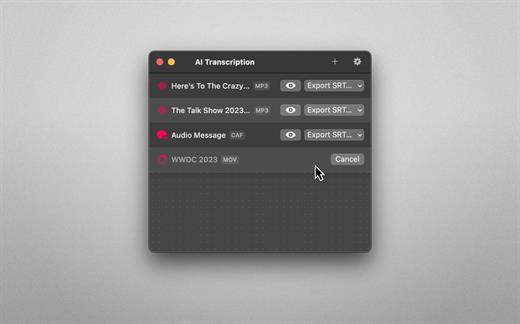
Audio-to-Text Converter. Turn audio into text! AI Transcription uses advanced Speech Recognition to transcribe your audio and video files in a blink, fully automatically, all offline, and with highly accurate results.

Features
• AI-powered Audio-to-Text generator
• Supercharged by Speech Recognition
• User-friendly, lightweight yet powerful
• Just drag and drop your files and transcription starts automatically
• Privacy by Design: Computes offline, directly on your Mac
• Export transcriptions as plain text, CSV, SRT and VTT files
• Timing Segmentation Levels: Words, Sentences, Paragraphs
• Looks brilliant in dark and light
• Optimised for Macs with Apple silicon (M1, M2)
• Works great on macOS 13 Ventura

Limitations
• The apps’ supported languages depend on the Languages selected in macOS System Settings → Keyboard → Dictation.
• Only selected languages with on-device support are available in AI Transcription. Some of them are: English, German, Italian, Spanish, Portuguese, Russian, Turkish, Simplified Chinese.

What’s New

Version 2.2:

  • Release notes were unavailable when this listing was updated.

Compatibility

macOS 13.1 or later.


Release Name: AI Transcription 2.2
Size: 198.7 MB
Links: HOMEPAGE – NFO – Torrent Search

Download: FiKPERUPLOADGiGNiTROFLARERAPiDGATOR

6 Comments
Aug 11

Codepoint 1.10

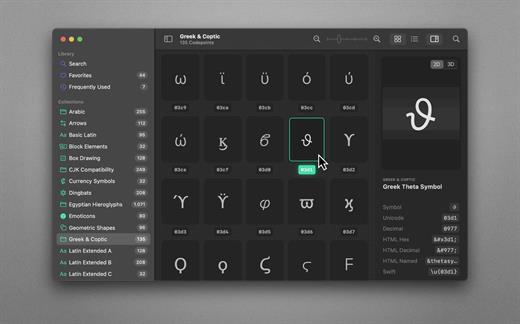
70,000+ Unicodes in your pocket. Search Unicodes, Glyphs, SF Symbols and Emojis in a blink. Codepoint helps you to find the exact characters you need and supports you in discovering new glyphs. Export them as Symbols, Strings, Hexadecimals, HTML entities or even Swift code. Save Favourites in iCloud. Remember your Frequently Used symbols. Codepoint is tailored for you—a creative, ambitious professional.

Features
• Explore, search and share Unicodes
• Search Engine: Lightning fast, surprisingly smart
• Find Unicodes, Hex, Decimals, HTML and Swift entities
• Favourites synced across all your devices
• Typography Advice for selected characters
• 3D Glyph Preview
• Supports SF Symbol names
• Works offline
• Looks brilliant in dark and light
• Optimised for Macs with Apple Silicon (M1, M2)
• Works great on macOS 13 Ventura

What’s New

Version 1.10:

  • Release notes were unavailable when this listing was updated.

Compatibility

macOS 13.1 or later
Apple Silicon or Intel Core processor


Release Name: Codepoint 1.10
Size: 77.9 MB
Links: HOMEPAGE – NFO – Torrent Search

Download: FiKPERUPLOADGiGNiTROFLARERAPiDGATOR

6 Comments
Aug 11

Dynamic Wallpaper Enginer 15.4

Dynamic Wallpaper Engine allows you to use live wallpapers on your desktop/screensaver. It provides thousands of live wallpapers in the Workshop while taking as little system resources as possible. It’s the Wallpaper Engine for Mac.

Features
• 2000+ hand-picked videos which are updated every day.
• Multiple types of 4K Ultra HD videos, anime, scenery, cute, game, creative, Beauty, Ancient, Movie, etc.
• Supports “keyword searching” in videos.
• Supports “Dynamic-ScreenSaver”, personalize your lock screen.
• Easy to import local video.
• Supports The playlist, list loop, shuffle loop.
• Supports multiple screen aspect ratios and video native resolutions.
• Supports global hotkeys to control wallpaper, hide desktop icons and show screensaver.
• Set different wallpapers on different displays.
• Manual control, video pause, resume and mute.
• Break reminders, with flexible customization if you want it.
• Auto mode, pause the video when other apps are active, not disturbed at work.
• Auto mode, pause the video when Power Disconnected.
• Support for hiding desktop icons.
• Dynamic Wallpaper Engine is designed to provide an interesting experience while consuming as little system resources as possible.

What’s New

Version 15.4:

  • Release notes were unavailable when this listing was updated.

Compatibility

macOS 10.12 or later
Apple Silicon or Intel Core processor


Release Name: Dynamic Wallpaper Enginer 15.4
Size: 29.4 MB
Links: HOMEPAGE – NFO – Torrent Search

Download: FiKPERUPLOADGiGNiTROFLARERAPiDGATOR

6 Comments
Aug 11

iNet Network Scanner 3.0.1

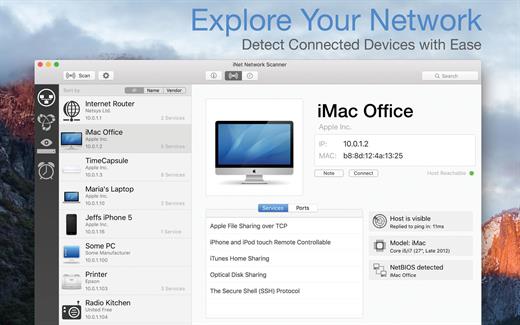
iNet Network Scanner provides you with information about networks your Mac is connected to. Its very easy and user friendly design allows even the unexperienced user to get a profound and understandable overview of a network and the running services. iNet is also available as iPhone and iPad app via the iTunes Store.

What’s New

Version 3.0.1:

  • [New] New designed icon to fit better in the current macOS look and feel
  • [Updated] Vendor database (added 280 vendors)

Compatibility

macOS 11.0 or later


Release Name: iNet Network Scanner 3.0.1
Size: 227.3 MB
Links: HOMEPAGE – NFO – Torrent Search

Download: FiKPERUPLOADGiGNiTROFLARERAPiDGATOR

6 Comments
Aug 11

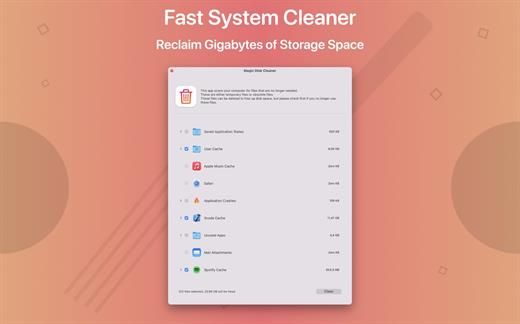
Magic Disk Cleaner 2.3.1

Magic Disk Cleaner finds and deletes files temporary files that waste lots of space. The app is lightning fast and frees disk space in no time.

Magic Disk Cleaner searches your computer for temporary files and can also delete them directly if you wish.

Magic Disk Cleaner offers the following features:
Fast Search

Magic Disk Cleaner quickly scans your computer for temporary data that can be removed. You can have them deleted with one click.

Extremely easy handling

Magic Disk Cleaner couldn’t be simpler. The search is started immediately after the app is started. You can now delete files with just one click.

No automatic deletion

Magic Disk Cleaner does not delete any data without your consent. Choose for yourself which data is deleted and which you want to keep.

What’s New

Version 2.3.1:

  • Release notes were unavailable when this listing was updated.

Compatibility

macOS 11.5 or later
Apple Silicon or Intel Core processor


Release Name: Magic Disk Cleaner 2.3.1
Size: 7.8 MB
Links: HOMEPAGE – NFO – Torrent Search

Download: FiKPERUPLOADGiGNiTROFLARERAPiDGATOR

5 Comments
Aug 11

Sublime Text 4.0 Build 4154 Dev

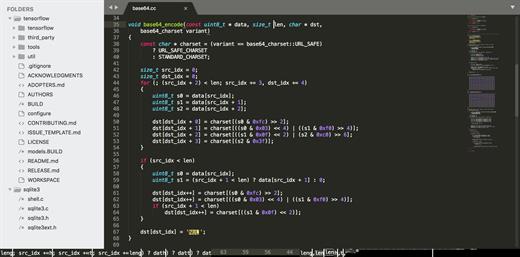
Sublime Text is a sophisticated text editor for code, markup, and prose. You’ll love the slick user interface, extraordinary features, and amazing performance.

Features

  • Goto Anything. Use Goto Anything to open files with only a few keystrokes, and instantly jump to symbols, lines, or words. Triggered with ⌘P, it is possible to:
    • Type part of a file name to open it
    • Type @ to jump to symbols, # to search within the file, and : to go to a line number

    These shortcuts can be combined, so tp@rf may take you to a function read_file within a file text_parser.py. Similarly, tp:100 would take you to line 100 of the same file.

  • Multiple Selections. Make ten changes at the same time, not one change ten times. Multiple selections allow you to interactively change many lines at once, rename variables with ease, and manipulate files faster than ever. Try pressing ⇧⌘L to split the selection into lines and ⌘D to select the next occurrence of the selected word. To make multiple selections with the mouse, take a look at the Column Selection documentation.
  • Command Palette. The Command Palette holds infrequently used functionality, like sorting, changing the syntax, and changing the indentation settings. With just a few keystrokes, you can search for what you want, without ever having to navigate through the menus or remember obscure key bindings. Show the Command Palette with ⌘⇧P.
  • Distraction-Free Mode. When you need to focus, Distraction-Free Mode is there to help you out. Distraction-Free Mode is full-screen, chrome-free editing, with nothing but your text in the center of the screen. You can incrementally show elements of the UI, such as tabs and the find panel, as you need them. You can enter Distraction Free Mode using the View/Enter Distraction Free Mode menu.
  • Split Editing. Get the most out of your wide-screen monitor with split-editing support. Edit files side-by-side, or edit two locations in the one file. You can edit with as many rows and columns as you wish. Take advantage of multiple monitors by editing with multiple windows, and using multiple splits in each window. Take a look at the View/Layout menu for split-editing options. To open multiple views into the one file, use the File/New View into File menu item.
  • Instant Project Switch. Projects in Sublime Text capture the full contents of the workspace, including modified and unsaved files. You can switch between projects in a manner similar to Goto Anything, and the switch is instant, with no save prompts. All your modifications will be restored next time the project is opened.
  • Plugin API. Sublime Text has a powerful, Python-based plugin API. Along with the API, it comes with a built-in Python console to interactively experiment in real time.
  • Customize Anything. Key bindings, menus, snippets, macros, completions and more – just about everything in Sublime Text is customizable with simple JSON files. This system gives you flexibility as settings can be specified on a per-file type and per-project basis.
  • Cross-Platform. Sublime Text is available for OS X, Windows and Linux. One license is all you need to use Sublime Text on every computer you own, no matter what operating system it uses. Sublime Text uses a custom UI toolkit, optimized for speed and beauty, while taking advantage of native functionality on each platform.

What’s New

Version 4154:

  • Release notes were unavailable when this listing was updated.

Compatibility

macOS 10.9 or later


Release Name: Sublime Text 4.0 Build 4154 Dev
Size: 45.3 MB
Links: HOMEPAGE – NFO – Torrent Search

Download: FiKPERUPLOADGiGNiTROFLARERAPiDGATOR

3 Comments
Aug 11

Sublime Merge Dev Build 2087

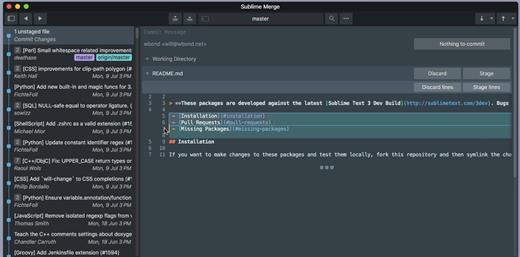
Sublime Merge is a Git client, from the makers of Sublime Text.

Feature Highlights:

  • Integrated Merge Tool
  • Powerful Search
  • Unmatched Performance
  • Blame
  • Advanced Diffs
  • File and Hunk History
  • Command Palette and Key Bindings
  • Light and Dark Themes
  • Extensibility
  • Syntax Highlighting
  • Command Line Integration
  • Real Git

What’s New

Version 2087:

  • Release notes were unavailable when this listing was updated.

Compatibility

macOS 10.10 or later
Apple Silicon or Intel Core processor


Release Name: Sublime Merge Dev Build 2087
Size: 41.5 MB
Links: HOMEPAGE – NFO – Torrent Search

Download: FiKPERUPLOADGiGNiTROFLARERAPiDGATOR

3 Comments
Aug 11

Path Finder 2159

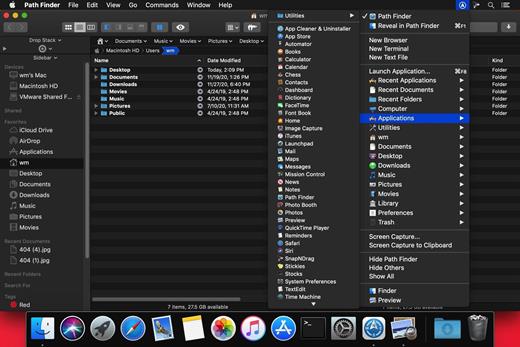
Path Finder makes you a master of file management. Take full control over your file system. Save your time: compare and synchronize folders, view hidden files, use Dual Pane and full keyboard navigation to browse your file system. Work how you want: extreme customization allows you to access most tools in many different ways to suit your workflow. Work seamlessly with other platforms: don’t leave any hidden .DS_Store files on non-Mac volumes, delete files securely and completely with the powerful delete feature from any volume type, search any network volume.

Features

  • View and manipulate hidden files
  • Dual Pane View
  • Full keyboard navigation
  • Folder comparison and synchronization
  • Folder merging
  • Batch renaming
  • Powerful file filtering
  • One-click dual-pane copy
  • Bookmarks and Tab Presets
  • ACL editor
  • File tagging
  • Editable Path Navigator
  • Powerful low-level search
  • Smart sorting
  • Advanced selection
  • Integrated terminal
  • Integrated text and image editors

What’s New

Version 2159:

  • Release notes were unavailable when this listing was updated.

Compatibility

macOS 10.12 or later
Apple Silicon or Intel Core processor


Release Name: Path Finder 2159
Size: 29.4 MB
Links: HOMEPAGE – NFO – Torrent Search

Download: FiKPERUPLOADGiGNiTROFLARE – RAPiDGATOR

2 Comments
Aug 11

4K Tokkit Pro 2.2.0

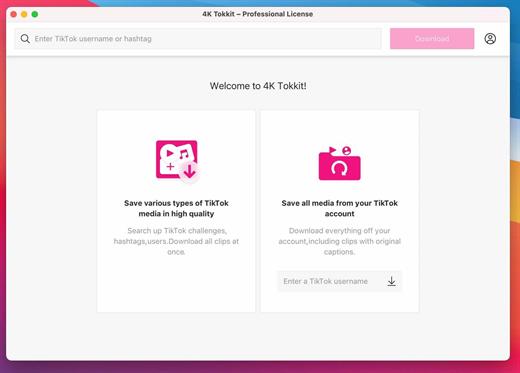
Download All Videos from TikTok Hashtags & Users in One Click .4K Tokkit is the ultimate application for mass TikTok content download. Save TikTok challenges, captions, whole accounts, hashtags, and single videos in high quality. Watch TikToks offline, browse your TikTok feed without ads, repost clips to other social networks.

What’s New

Version 2.2.0:

  • Release notes were unavailable when this listing was updated.

Compatibility

macOS 10.13 or later


Release Name: 4K Tokkit Pro 2.2.0
Size: 142.7 MB
Links: HOMEPAGE – NFO – Torrent Search

Download: FiKPERUPLOADGiGNiTROFLARERAPiDGATOR

6 Comments