Sep 2

FxFactory Pro 8.0.9.7591

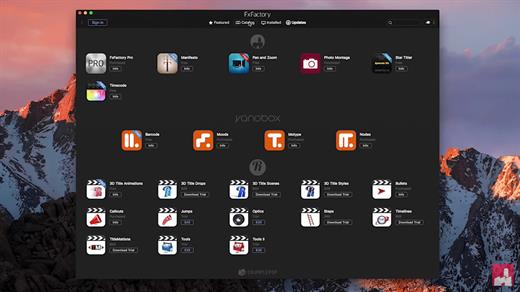
FxFactory powers hundreds of visual effects plugins for Final Cut Pro, Motion, Premiere Pro and After Effects. FxFactory Pro includes 176 filters, generators and transitions for Final Cut Pro 7, Motion, Premiere Pro and After Effects, and 160 effects for Final Cut Pro X. FxFactory Pro effects are accelerated using the graphics card for unbeatable previewing and rendering performance. FxFactory Pro plugins ship with many built-in presets, a time-saving feature to try new looks with minimal effort. FxFactory Pro is the first visual effects package that lets you customize and create your own plugins for Final Cut Pro, Motion, Premiere Pro and After Effects without writing a single line of code.

What’s New

Version 8.0.9.7591:

  • Release notes were unavailable when this listing was updated.

Compatibility

macOS 11.5.1 or later.
Apple Silicon or Intel Core processor


Release Name: FxFactory Pro 8.0.9.7591
Size: 32.2 MB
Links: HOMEPAGE – NFO – Torrent Search

Download: FiKPERUPLOADGiGNiTROFLARERAPiDGATOR

6 Comments
Sep 2

RapidWeaver 9.2.0

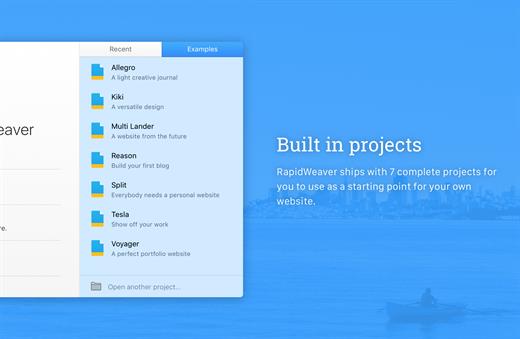
RapidWeaver is a next-generation Web design application to help you easily create professional-looking Web sites in minutes. No knowledge of complex code is required, RapidWeaver will take care of all that for you. RapidWeaver produces valid XHTML- and CSS-based websites.

One of the perks about using RapidWeaver is that it has a strong custom theme community. You can download themes and edit them from within RapidWeaver and the result is a pretty slick-looking website that takes very little effort.

RapidWeaver also has a lot of custom plug-ins. Soame of them make it easier to edit images directly in RapidWeaver. Others make creating a site map a matter of a few clicks. The supportive community that surrounds RapidWeaver is really what makes this great app superior to other WYSIWYG website creation tools. Be sure to check out YourHead.com for some little tools to help spice up your website in RapidWeaver.

What’s New

Version 9.2.0:

  • Fixed an issue with Publishing via SFTP

Compatibility

macOS 10.12 or later, 64-bit processor


Release Name: RapidWeaver 9.2.0
Size: 116.6 MB
Links: HOMEPAGE – NFO – Torrent Search

Download: FiKPERUPLOADGiGNiTROFLARERAPiDGATOR

6 Comments
Sep 2

Fork 2.33

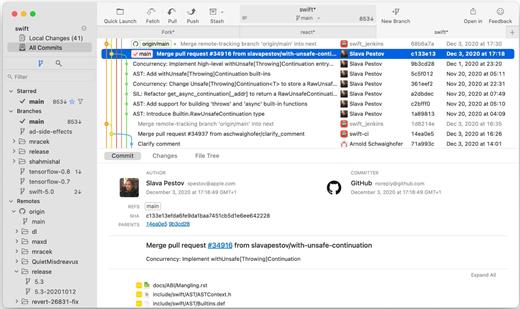
Fast and friendly git client. Fork is getting better and better day after day and we are happy to share our results with you. Commit List – Working Directory Changes – Side by Side Diff – Repository Manager Summary and Statistics

Basic features: Fetch, pull, push | Commit, amend | Create and delete branches and tags | Create and delete remote repos | Checkout branch or revision | Cherry-pick, revert | Merge, rebase | Stashes | Submodules

Work with repository: Create, clone or add existing repos | Open recent repository quickly

Commit view: Stage / unstage changes line-by-line | Access to recent commit messages

More features: Browse the repository file tree at any commit | Intuitive merge conflict resolving | See your stashes right in the commit list

What’s New

Version 2.33:

  • Release notes were unavailable when this listing was updated.

Compatibility

macOS 10.13 or later


Release Name: Fork 2.33
Size: 54.6 MB
Links: HOMEPAGE – NFO – Torrent Search

Download: FiKPERUPLOADGiGNiTROFLARERAPiDGATOR

6 Comments
Sep 2

4K Video Downloader Plus Pro 1.2.3

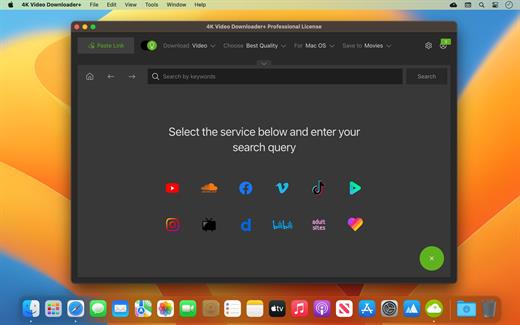
4K Video Downloader allows to download video, audio and subtitles from YouTube in high-quality and as fast as your computer and connection will allow. If you want that video on your iPad, iPhone or other device we’ve got you covered. Downloading is simple and straightforward: just copy the video link from your browser and click ‘Paste Url’. Done!

Proxy Connection for Unrestricted Access

  • Bypass restrictions set by your Internet service provider and get around your school or workplace firewall. Connect through an in-app proxy to access and download from YouTube and other sites.

All Popular Sites Support

  • Save video and audio from YouTube, Vimeo, TikTok, SoundCloud, Bilibili, Niconico, Flickr, Facebook, Instagram, DailyMotion, Naver TV, Likee and Tumblr. Download recorded streams from Twitch and YouTube Gaming.

New YouTube Video Auto-Download

  • Subscribe to the download of your favorite YouTube playlists and creators. Save whole channels and playlists in one go. Get new videos downloaded automatically as soon as they are uploaded to YouTube.

3D Video Download

  • Get a one of a kind experience by watching stereoscopic 3D videos on your computer or TV. Download 3D Youtube videos in MP4, MKV, FLV, 3GP and other formats

360° Video Download

  • Feel the action all around you with virtual reality videos. Download 360° videos to relive the mind-blowing VR experience as many times as you want.

Easy Downloads Management

  • Sort and filter downloads by type, name and date. Import and export all files as a single JSON file. Easily track and control the progress of both individual downloads and entire groups of downloading files.

What’s New

Version 1.2.3:

  • Release notes were unavailable when this listing was updated.

Compatibility

macOS 10.13 or later


Release Name: 4K Video Downloader Plus Pro 1.2.3
Size: 205.7 MB
Links: HOMEPAGE – NFO – Torrent Search

Download: FiKPERUPLOADGiGNiTROFLARERAPiDGATOR

6 Comments
Sep 2

Pro Microphone 1.5.0

Voice & music recording studio For beginner singers or those who want to be heard – Pro Microphone. Make your voice sound louder! Sing and save all of your songs, choose different mics to match your mood! Professional studio microphone is always in your Mac.

VARIOUS MIC TYPES

  • Dynamic, stage, valve, condenser and others;
  • Each of them has its own sound effects!
  • Detailed information about each mic with its frequency response.

SPEAK, SING, RECORD

  • Recordings and loops with multiple slots;
  • Various backing tracks.

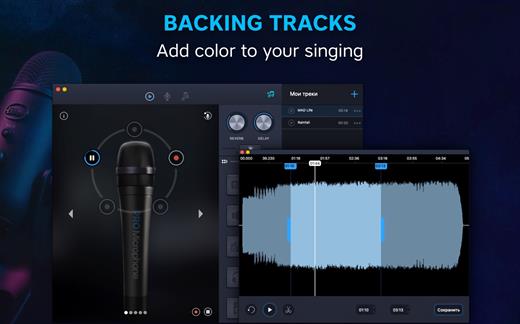
YOUR BACKING TRACKS

  • Just drag & drop files
  • Edit it if needed

What’s New

Version 1.5.0:

  • We fixed minor bugs and made general improvements to make the app better for you. Please continue to send your feedback to help us improve the app in future updates.

Compatibility

macOS 10.12 or later, 64-bit processor


Release Name: Pro Microphone 1.5.0
Size: 53.9 MB
Links: HOMEPAGE – NFO – Torrent Search

Download: FiKPERUPLOADGiGNiTROFLARERAPiDGATOR

6 Comments
Sep 2

DMG Canvas 4.0.6

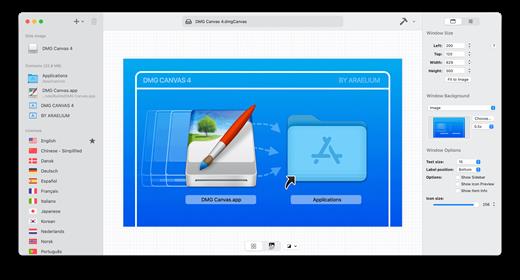
DMG Canvas helps you manage the content and appearance of disk image files using helpful templates. Choose your files, create your background image using helpful controls, and click “Build”. Your disk image will appear in Finder exactly as you designed it.

Disk images, delivered with style

  • Simplified design. With DMG Canvas, creating backgrounds is easy. Just drop in images, add customized text, and you’re done.
  • Maximum compatibility. DMG Canvas creates disk images that work seamlessly on any version of OS X. Say goodbye to compatibility issues.
  • Retina ready. DMG Canvas supports Retina displays on OS X 10.7 or later. Your disk images will be bold and beautiful.
  • macOS Sierra ready. DMG Canvas also supports code signing disk images, so developers can be prepared for changes to Gatekeeper, particular Launch Path Randomization. Apple strongly recommends using disk images to ship applications, so developers should take note!

What’s New

Version 4.0.6:

  • Release notes were unavailable when this listing was updated.

Compatibility

macOS 11.0 or later.
Apple Silicon or Intel Core processor


Release Name: DMG Canvas 4.0.6
Size: 17.3 MB
Links: HOMEPAGE – NFO – Torrent Search

Download: FiKPERUPLOADGiGNiTROFLARERAPiDGATOR

5 Comments
Sep 2

Lumenzia 11.5.6 for Photoshop

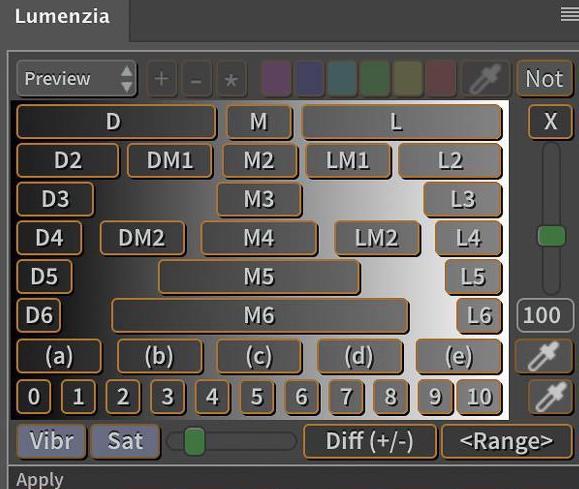
Luminosity masks allow you to create gorgeous and realistic edits in Photoshop. Lumenzia allows you to use use them quickly and easily. Its advanced javascript engine handles all the luminosity masking complexity for you in the background, so all you need to think about is making beautiful images.

Key Features:

• Streamlined workflow and completely custom masks
• BlendIf masks (save significant file space and avoid the need to update masks)
• Color masks (select by color and/or luminosity, visually)
• Local Contrast Enhancement (easily and automatically bring out more detail)
• Live masks (see the blended result immediately and try different masks)
• Zone masks for precise refinement
• Zone and Range pickers (select the right mask visually by clicking on the image)
• “Lighter/Darker” masks (select pixels relative to surrounding pixels)
• Refine masks to specific locations or colors in the image
• Combine masks (merge group masks to save space and see exactly what is masked)
• Split-screen to see the mask and image simultaneously
• “PreBlend” to automatically stack, align, and sort exposures for blending
• Custom vignettes
• Dodging and burning
• Non-destructive sponge tool
• Saturation masks (color-specific vibrance control)
• Apply or replace masks on existing layers with a single click
• Luminosity and dust visualization tools to easily find and fix defects
• Advanced sharpening methods for portraits (surface blur) and landscape (high pass)
• Quick access to training and support videos (via “tutorials” button

What’s New

Version 11.5.6:

  • Release notes were unavailable when this listing was updated.

Compatibility

Photoshop v23.0 (aka Photoshop 2022) or later
Apple Silicon or Intel Core processor


Release Name: Lumenzia 11.5.6 for Photoshop
Size: 124.6 MB
Links: HOMEPAGE – NFO – Torrent Search

Download: FiKPERUPLOADGiGNiTROFLARERAPiDGATOR

6 Comments
Sep 2

Default Folder X 6.0 b4

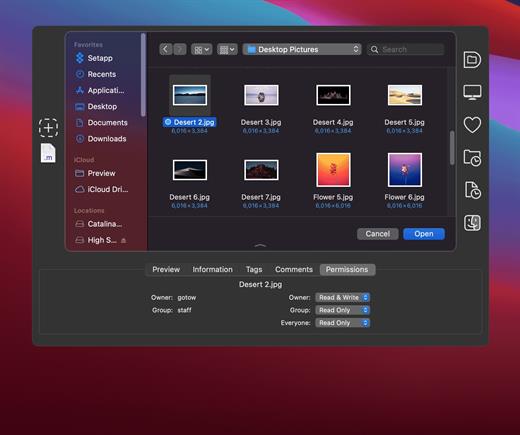
Default Folder X attaches a toolbar to the right side of the Open and Save dialogs in any OS X-native application. The toolbar gives you fast access to various folders and commands. You just click on the buttons to go to your favorite and recently used folders, manage the folders and files shown in the list, and make changes to your settings. It also fixes a number of problems in Open and Save dialogs, “rebounding” to the last selected file, putting the path listing back in the top menu, and correcting bugs in scrolling column views.

Features

  • Directory assistant: You can access the contents of your recent, favorite, and open folders right from Default Folder X’s toolbar.
  • Real time saving: If you’re constantly saving things inside the same folder, Default Folder X can remember that folder for you.
  • Finder management: Default Folder X lets you open up or save to any Finder window with a single click.
  • Instant Recall: To help you quickly return to folders you’ve recently used, Default Folder X remembers them for you.
  • Spotlight on the spot: Default Folder X lets you add Spotlight keywords, OpenMeta tags, and Finder labels on the spot, while you’re still in the Save dialog.
  • Information central: With Default Folder X you get previews below every Open dialog, expanded to fill the available space. Need to see more detail? Click on the image and it zooms up to full size.
  • Workflow without work: Rather than make you learn and set up a new application, Default Folder X blends into OS X.

What’s New

Version 6.0 b4:

  • Release notes were unavailable when this listing was updated.

Compatibility

macOS 10.13 or later
Apple Silicon or Intel Core processor


Release Name: Default Folder X 6.0 b4
Size: 21.7 MB
Links: HOMEPAGE – NFO – Torrent Search

Download: FiKPERUPLOADGiGNiTROFLARERAPiDGATOR

7 Comments
Aug 26

Adobe Acrobat Pro DC 23.003.20244

Adobe Acrobat Pro DC – It’s how the world gets work done. More than five million organizations around the world rely on Acrobat DC to create and edit the smartest PDFs, convert PDFs to Microsoft Office formats, and so much more. When you need to collaborate with people in remote locations, fill and sign a form or get one signed, trust Acrobat DC to help you make it happen. From anywhere.
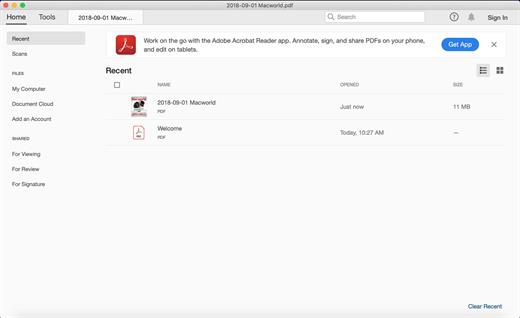
Acrobat Pro DC with Document Cloud services is packed with all the tools you need to convert, edit and sign PDFs. It’s just as mobile as you are. So you can start a document at work, tweak it on the train and send it for approval from your living room — seamlessly, simply, without missing a beat.

It’s packed with smart tools that give you even more power to communicate. Create and edit PDF files with rich media included, share information more securely, and gather feedback more efficiently.

Adobe Acrobat Pro DC software is the advanced way for business professionals to create, combine, control, and deliver more secure, high-quality Adobe PDF documents for easy, more secure distribution, collaboration, and data collection.

Features:

Edit PDF files
• With Adobe Acrobat Pro DC, you can make minor edits to text and images right in your PDF file without requiring the original document or graphic.
• Edit text in a PDF. Fix a typo, change a font, or add a paragraph to your PDF as easily as you do in other applications using a new point-and-click interface.
• Edit images in a PDF. Resize, replace, and adjust images in your PDF with no need to track down the original file or graphic.

Export from PDF files
• Reduce the time you spend retyping information stuck in PDF files. Convert PDF files to editable Microsoft Office documents. And save fonts, formatting, and effort.
• Convert PDF files to Word. Save your PDF as a Microsoft Word document and take your fonts, formatting, and layouts with you.
• Convert PDF files to Excel. Turn your PDF or just part of it into an editable Excel spreadsheet you can use for data analysis right away.
• Convert PDF files to PowerPoint. Get a head start on new projects by saving a PDF file as a fully editable PowerPoint presentation.

Create PDF files
• Stop worrying about whether the files you send will look right on other people’s screens. Turn documents into PDF files anyone can reliably view with free Adobe Reader.
• Convert Word, Excel, or PowerPoint to PDF. Right from your Office application in Windows, you can create PDFs, start a shared review, restrict PDF edits, and more.
• Print to PDF. Convert files to PDF from virtually any application that prints simply by selecting Adobe PDF as your printer.
• Scan to PDF. When you need to turn a paper document or form into a digital file, just scan it to create a searchable PDF file you can edit.
• Convert HTML pages to PDF. Save web pages as PDF files to archive web content, review the pages offline, or print them more reliably.

Create and analyze forms
• Cut the time you spend creating forms, rekeying data, and correcting errors. Distribute forms online, and then collect responses and analyze results in real time.
• Create new PDF and web forms. Customize professional templates or design from scratch with the Adobe FormsCentral desktop app included in Adobe Acrobat Pro DC.
• Collect form responses with FormsCentral. Easily collect responses by moving your PDF or web forms online with the Adobe FormsCentral online service.
• Convert existing forms to fillable PDFs. Type less, gather more. Quickly convert your paper, Word, or Excel forms to fillable PDF forms.
• Collect form responses using Adobe Acrobat tools. Compile returned forms into one PDF, or host forms using a network folder or Microsoft SharePoint server.

Merge and combine files
• Communicate clearly with single PDF attachments. Put multiple files into a single, organized PDF that’s easy to email and simple to search.
• Merge multiple files into one PDF. Make sure they don’t miss a thing. Combine documents, spreadsheets, emails, and more in an organized PDF.
• Combine files in a PDF Portfolio. Share your work in a PDF Portfolio that presents materials professionally with an interactive impact.
• Create interactive PDF files. Bring your ideas to life by adding audio, Adobe Flash Player compatible video, and interactive media to PDFs.

Simplify reviews and approvals
• Stop sorting through paper and email trails. Automate review and approval cycles with Adobe Acrobat Pro DC. Multiple reviewers can see and build on each other’s comments so you can meet your deadline.
• Streamline document reviews and approvals. In shared reviews, people can annotate PDFs with familiar tools. And you can track progress and consolidate comments.
• Export comments to Word. Save all PDF comments back to the original Microsoft Word document, and update text faster than ever.
• Approve with electronic signatures. Keep projects moving. E-sign your approval right on the PDF. No need to print, fax, or mail the document.
• Get others to sign documents. Get the green light faster. Send PDFs to others for signature approval, and track them online using the Adobe EchoSign service.
• Integrate with SharePoint. With Acrobat, it’s simple and convenient for you to retrieve, open, and save PDFs stored on your company’s SharePoint server.
• Compare two file versions. Let Acrobat do the hard work of comparing two versions of a file, providing you with a detailed report of the results.
• Store and access files on Acrobat.com. Use Acrobat.com to store your files in the cloud for free, accessing them from Acrobat or Reader on your desktop or mobile device.

Protect PDF files
• Adobe Acrobat Pro DC makes it simple to keep your work more secure, no matter what application you’re in.
• Apply PDF passwords and permissions. Get expert protection without being an expert. Add copy and edit protection to any PDF – even right from Microsoft Office applications in Windows.
• Remove and redact information. Don’t just black out confidential data. Find and get rid of it for good, even when hidden in metadata.
• Automate document security tasks. Apply document security measures the same way every time. Use a guided Action to help secure your PDF before publishing it.

What’s New

Version 23.003.20244:

  • Release notes were unavailable when this listing was updated.

Compatibility

macOS 10.15 or later
Apple Silicon or Intel Core processor


Release Name: Adobe Acrobat Pro DC 23.003.20244
Size: 1.1 GB
Links: HOMEPAGE – NFO – Torrent Search

Download: FiKPERUPLOADGiGNiTROFLARERAPiDGATOR

5 Comments
Aug 26

CorelDRAW Graphics Suite 24.4.0.636

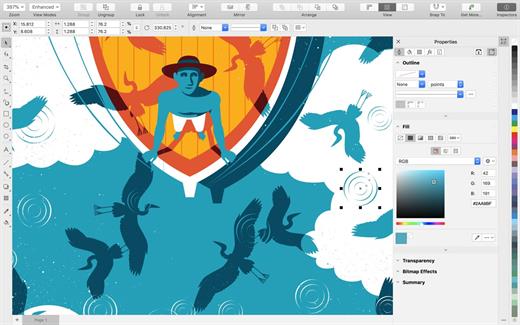
CorelDRAW – professional graphic design software for vector illustration, layout, and so much more.

Get started quickly and easily with a wealth of intuitive tools, built-in learning materials, sample files and project templates.

Features:

  • Vector Illustration: Use powerful vector illustration tools turn basic lines and shapes into complex works of art.
  • Page Layout: Find all the tools you need to create layouts for brochures, newsletters, multi-page documents and more.
  • Typography: Arrange type beautifully with a complete set of typography tools. Adjust font, size, leading and kerning, and add effects to text like block shadows and contours.
  • Color & Transparency: Easily apply color to both fills and outlines. Change the transparency of an object, and fill objects with patterns, gradients, and mesh fills, and more.
  • Styles: Manage styles and style sets to apply consistent formatting across multiple objects, produce iterative versions, and format whole documents quickly and consistently.
  • Tracing: Save precious time while converting bitmap images into vectors. The built-in Corel® PowerTRACE™ engine turns the most demanding bitmap images into high-quality vector objects.
  • Non-Destructive Editing: Edit bitmaps and vectors knowing you won’t harm original image or object. Enjoy many non-destructive features such as Block Shadow tool, Symmetry Drawing mode, Impact tool, and more.
  • Web Graphics Tools: Develop captivating web content and graphics with a collection of web graphics tools and presets.
  • Professional Print Output: With a powerful color management engine, you can control color consistency across different media and know your colors are accurate before you print.
  • File Compatibility: Publish to a wide variety of file formats, including AI, PSD, PDF, JPG, PNG, SVG, DWG, DXF, EPS, TIFF and more.

What’s New

Version 24.4.0.636:

  • Release notes were unavailable when this listing was updated.

Compatibility

macOS 10.15.0 or later


Release Name: CorelDRAW Graphics Suite 24.4.0.636
Size: 2 GB
Links: HOMEPAGE – NFO – Torrent Search

Download: FiKPERUPLOADGiGNiTROFLARERAPiDGATOR

5 Comments