Nov 23

OmniGraffle Pro 7.22.4

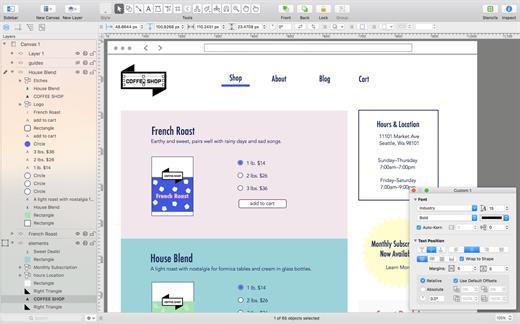
OmniGraffle Pro helps you draw beautiful diagrams, family trees, flow charts, org charts, layouts, and (mathematically speaking) any other directed or non-directed graphs. We’ve had people use Graffle to plan plotlines for a story, make an overview of an operating system, show the evolution of computers, and even show how diseases can spread in a closed population. If you want to organize your thoughts, your projects, or even your friends graphically, using boxes and lines, OmniGraffle is your tool.

OmiGraffle Professional has all of the great features in the standard version, plus a powerful toolset for advanced document creation and editing options. For the pro user who’s looking for an in-depth diagramming application that’s still priced below the competition, you’ve come to the right place.

What’s New

Version 7.22.4:

  • Release notes were unavailable when this listing was updated.

Compatibility

macOS 11.0.0 or later
Apple Silicon or Intel Core processor


Release Name: OmniGraffle Pro 7.22.4
Size: 61.4 MB
Links: HOMEPAGE – NFO – Torrent Search

Download: FiKPERUPLOADGiGNiTROFLARERAPiDGATOR

3 Comments
Nov 23

JixiPix Premium Pack 1.2.11

JixiPix Premium Pack bundles 18 incredible creative photo effects into one powerful package: Aquarella, Artista Haiku, Artista Oil, Artista Sketch, Artoon, Chalkspiration, Dramatic Black&White, Grungetastic, Kyoobik Photo, Moku Hanga, NIR Color, Pop Dot Comics, Portrait Painter, Rainy Daze, Romantic Photo, Simply HDR, Snow Daze and Vintage Scene.
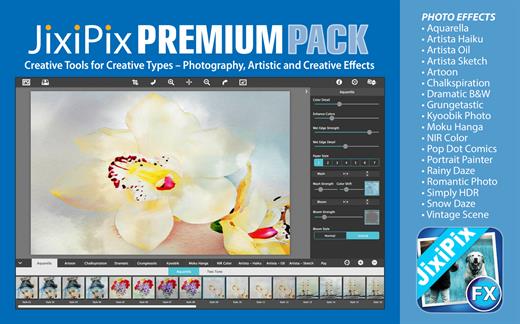
Includes 5 photography effects, 8 artistic effects and 5 creative effects.

Aquarella – Transform an image into a luminous watercolor with all the delicate details found in traditional watercolor media.

Artista Haiku – Change a photo into a whimsical stylistic watercolor using non-traditional techniques such as digital photography & vintage papers to create unique art filled with movement & meaning.

Artista Oil – This award winning portraiture & fine art app turns a photo alla prima (at once) into an oil painting masterpiece with no work on your part.

Artista Sketch – Transform a photo into a sketch with wispy lines and delicate shading for a fine rendered drawing.

Artoon – Create professional looking cartoons and colorful illustrations using four art-toon styles.

Chalkspiration – Automatically convert an image into one with chalky outlines and light shading. Included are objects from a library of flourishes, banners, and embellishments to complete the composition.

Dramatic B&W – This award winning style turns photos into gorgeous black and white photography with extraordinary light, contrast and form.

Grungetastic – Crank your photos to 11 with seven hot & heavy looks. Aggressive grunge styles let you get down & dirty with your photos using unwell texture & tone to distress, bleach, & wear photos—for dangerously-addictive ultra-Grungy art.

Kyoobik Photo – Turn mundane photos into ones with 3D popping geometric shapes. Use the included tools to remove tiles or add them back in for artistic and creative composition.

Moku Hanga – Transform photos into exotic Japanese wood carved scenes, known for their flowing hand-chiseled outlines and brushed on color.

NIR Color – Near infrared light technology creates surreal photos then uses color filters to add violet, blue, green, yellow, orange, and red back into the image.

Pop Dot Comics – Create comic-book style illustrations using thick outlines, bold colors, and plenty of bendy dots for a creation that looks like it has been printed or published.

Portrait Painter – Create gallery-style portraits on fine linen or canvas. This professional painting tool adds color, light & texture, which harmonize intelligently—and with stunning candor, to produce fabulous works of art that resonate with vibrant life.

Rainy Daze -This stunning rain effect uses three powerful styles and an advanced tonal technique to give photos the feel of a rainy day—the response from your viewers will be subconscious, immediate, and visceral.

Romantic Photo – Create romantic mood in photos using exquisite lighting and 30+ combinations of photography filters. Photos will look like they were taken using the highest professional techniques.

Simply HDR – This award-winning high dynamic range software instantly creates stunning and mesmerizing imagery from otherwise bland subjects and compositions.

Snow Daze – One-touch settings automatically adds snow and frosty effects to photos creating beautiful snowy scenes. Use the snow brush to wipe snow from faces and other areas with options to brush them back in.

Vintage Scene – Age any photo using this unique algorithm combined with several classic photo filters. Sepia tone, grain, borders, edges, and distressed paper give every image the look of one that time has left behind.

What’s New

Version 1.2.11:

  • Release notes were unavailable when this listing was updated.

Compatibility

OS X 10.6.6 or later, 64-bit processor


Release Name: JixiPix Premium Pack 1.2.11
Size: 748.1 MB
Links: HOMEPAGE – NFO – Torrent Search

Download: FiKPERUPLOADGiGNiTROFLARERAPiDGATOR

6 Comments
Nov 23

CameraBag Pro 2024.0.1

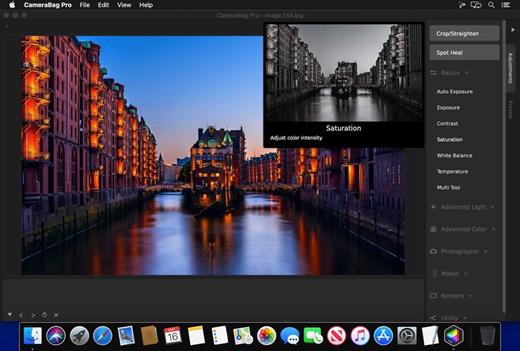
The best kept secret in photography (and videography) just got a whole lot better! CameraBag lets you instantly apply one of hundreds of beautiful presets to your photos and videos, and then dive deeper with ultra-intuitive professional adjustments and custom presets. CameraBag’s focus on intuitive tools and workflows isn’t about dumbing down image editing, it’s about making it work better.

With presets specifically designed for portraits, different landscape scenarios, faithful emulation of analog film stock from the past, popular modern photo styles, and more, CameraBag has you covered, even if you don’t yet know how to use all of its powerful tools.

CameraBag Pro is particularly great for anyone who needs to apply the same style to both photos and videos – especially with batch processing for large sets of media (including watermarks/branding, resizing, and cropping).

For those with professional needs, what really sets CameraBag apart from other photo editors is just how intuitive and powerful its advanced tools are.

Unique curve tools, adjustment re-ordering and layering, and large precise controls let you do things you simply can’t do in other popular software.
Following are some ways CameraBag is perfect for specific groups of users.

Wedding Photography

  • Easy batch filtering and watermarking
  • Use the exact same adjustments and filters on videos and photos
  • Quick comparison tools for large sets of photos
  • Tons of useful presets for wedding photography

*** CameraBag Pro includes all the same great features as CameraBag Photo, but also works on videos and includes LUT file support! ***

What’s New

Version 2024.0.1:

  • Release notes were unavailable when this listing was updated.

Compatibility

macOS 10.10 or later.
Apple Silicon or Intel Core processor


Release Name: CameraBag Pro 2024.0.1
Size: 69.5 MB
Links: HOMEPAGE – NFO – Torrent Search

Download: FiKPERUPLOADGiGNiTROFLARERAPiDGATOR

6 Comments
Nov 19

ON1 Photo RAW MAX 2024 v18.0.4.14758

ON1 Photo RAW is a standalone macOS application designed to help you enhance your photos collection by quickly applying various effects, image layers, or masks, by employing the included retouching tools, or by resizing the original file.

Complex photo editing suite featuring a stylish yet organized user interface

Right off the bat, in the main window, you can easily browse your images collection and add new source image folders. The built-in image browser allows you to preview your photos and enables you to send them to other workspaces.

Even if ON1 Photo RAW does not take up too many resources, the switch between various workspaces, and applying different effects, comes with a slight delay.

Moreover, if you don’t interact with ON1 Photo RAW in fullscreen mode, the buttons associated with the various working spaces (develop, layers, resize, and so on), do not seem to work properly.

Enhance your photos quality and apply effects and masks to improve the final result

The capabilities are organized into multiple workspaces that can be accessed via different toolbars. This way, the currently selected image can be sent to any layer, enhanced, masked and/or resized very easily.

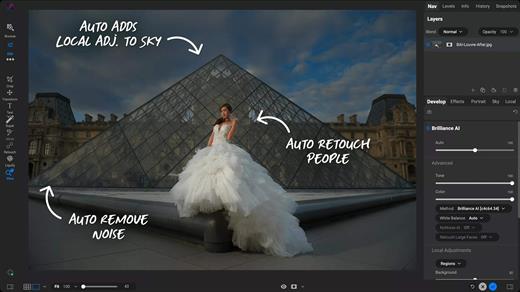
Finding your way around the application is quite easy since the workspace names are quite self-explanatory. Noteworthy is that ON1 Photo RAW can automate portrait retouching tasks, such as removing blemishes or cleaning up teeth.

Streamlined software solution designed to help you process and intensify certain image characteristics

ON1 Photo RAW provides a collection of powerful tools designed to help you deal with common photo editing problems: enhancing the image quality by adjusting the color, the tone, by cleaning certain unwanted elements, or by applying different effects, including black and white styles.

Moreover, it can automate face retouching tasks, enables you to resize the images, and offers you the possibility to work with multiple layers and masks.

What’s New

Version 18.0.4:

  • Release notes were unavailable when this listing was updated.

Compatibility

macOS 10.15 or later


Release Name: ON1 Photo RAW MAX 2024 v18.0.4.14758
Size: 4.5 GB
Links: HOMEPAGE – NFO – Torrent Search

Download: FiKPERUPLOADGiGNiTROFLARERAPiDGATOR

1 Comment
Nov 19

Calibre 7.0.0

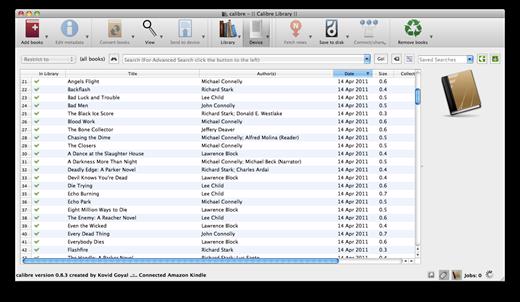
Calibre is a complete e-book library manager. Organize your collection, convert your books to multiple formats, and sync with all of your devices. Let Calibre be your multi-tasking digital librarian.

Manage, convert, sync, and more

  • Library management. Calibre keeps things orderly by creating single entries for books that contains multiple formats. Add tags and comments for better searchability.
  • Format conversion. Calibre’s robust conversion options support

New Features

  • The ability to add notes to any author, tag, series, etc. in calibre with links and images
  • E-book viewer: Add support for HTML image maps
  • Content server home page: Show the three most recently added books in the default library
  • Content server: Add button to return to book details page at top level of controls
  • Content server: Book details: Open links in comments fields in the same window rather than a new window
  • Add a “Show items in selected books” choice to Manage tags and Manage authors
  • Show the previously used language, if any, second in the language selection drop down

Bug Fixes

  • Metadata download: Fix downloads from Google not working in Europe because of the GDPR
  • Fix editing dates with days sometimes off by one day
  • Edit book: Fix highlighting for special characters not visible when the cursor is on the line with the special character
  • Fix embedding metadata showing infinite error dialogs on windows if a file is locked by another program
  • PDF Output: Fix an error when trying to set header or footer with an input document that has invalid content after the main body
  • E-book viewer: Read aloud: Fix clicking on empty spaces causing read aloud to restart from beginning of chapter
  • Book details: Fix Manage authors via context menu not working
  • E-book viewer: Showing chrome should close an active footnote popup first and only show chrome if the user repeats the action
  • Fix very slow metadata updates on some PDF files
  • Catalogs: Do not erase any tags the user adds to a catalog book entry when the catalog is re-generated
  • Linux installer: Fix downloading of signatures for older versions
  • Fix editing non-active Virtual library changes sort of book list

Compatibility

macOS 10.14 or later


Release Name: Calibre 7.0.0
Size: 302.4 MB
Links: HOMEPAGE – NFO – Torrent Search

Download: FiKPERUPLOADGiGNiTROFLARERAPiDGATOR

6 Comments
Nov 19

MenubarX Pro 1.6.5

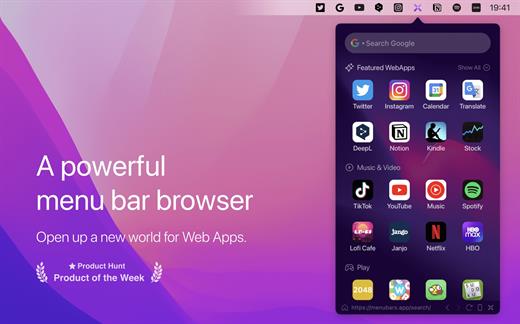
MenubarX is a powerful menu bar browser. Pin any websites to the menu bar just like Native Apps.

It perfectly supports various Web, WPA, and PWA websites. Enjoy all the WebApps services with just one link. You will instantly get various simulators, like iPhone, iPad, Android or even Kindle. It is a great productivity tool for Mac power users, making it possible to do anything in the menu bar, including searching, reading, watching videos, listening to music, and playing games with just one click.

Up to 24+ features:

  • 1. Unlimited Tabs
  • 2. Unlimited Bookmarks
  • 3. Custom Homepage
  • 4. Custom Site Icon
  • 5. Low Memory Usage
  • 6. Plenty of Web Apps
  • 7. Pinned Window
  • 8. Detach Window
  • 9. Devices Simulator
  • 10. Switch User-Agent
  • 11. Resize Responsive
  • 12. Auto Refresh
  • 13. Boss Keys
  • 14. Dark Mode
  • 15. Shortcuts
  • 16. 5 Languages Support
  • 17. Download Manager
  • 18. Colorful Icon Style
  • 19. Web Notifications Push
  • 20. Quick Search
  • 21. Native App Mode
  • 22. Background Audio
  • 23. Local Debugging
  • 24. Third-Part Integration

*** You need to disable the System Integrity Protection (SIP) to perform the selected Application.

What’s New

version 1.6.5:

  • New: Language support, including Traditional Chinese/Japanese/Korean/French/Spanish/Thai/Arabic/Russian/German/Italian/Dutch/Polish/Portuguese.
  • Overall performance optimization

Compatibility

macOS 10.14 or later.
Apple Silicon or Intel Core processor


Release Name: MenubarX Pro 1.6.5
Size: 10.9 MB
Links: HOMEPAGE – NFO – Torrent Search

Download: FiKPERUPLOADGiGNiTROFLARERAPiDGATOR

5 Comments
Nov 19

Affinity Publisher 1.10.8

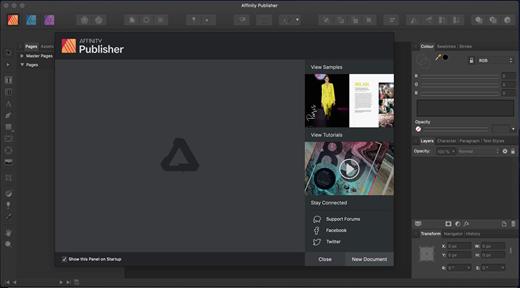
Bring your vision to life with Affinity Publisher, the most advanced professional publishing software from the developers of the award-winning Affinity Designer and Affinity Photo apps.

This incredibly smooth, intuitive app gives you the power to combine your images, graphics and text to make beautiful layouts ready for publication. From magazines, books, brochures, posters, reports and stationery to other creations, Affinity Publisherhas everything you need to create the perfect layout.

Also featuring the game-changing ability to fully integrate with other Affinity apps, this next generation software is completely revolutionising the way publishing professionals work.

Professional layout tools

  • Facing page spreads
  • Live master pages, including nested master pages
  • Image frames with intelligent scaling options
  • Advanced guides, grids and snapping
  • Tables and custom table formats
  • Wrap text around any object or image with fine padding control
  • Create text frames of any shape
  • Link multiple text frames together across your document

Advanced Typography

  • Full control over character and paragraph styles
  • Comprehensive OpenType support
  • Text decorations, drop caps and initial words
  • Flow text along any path
  • Advanced flow options and hyphenation
  • Baseline grid and text frame rulers

Perfect images and graphics

  • Link or embed images in your document
  • Place PSD, AI, PDF, JPG, TIFF, PNG or Affinity files
  • Correct and enhance images with non-destructive adjustment layers
  • Precision engineered pen and node tools for creating vector curves and shapes
  • Boolean operations to add, subtract, combine and divide shapes
  • Incredibly smooth gradient and transparency controls
  • Live preview of all effects, blend modes and image adjustments

Built for your workflow

  • Automatically generate indexes and table of contents
  • Section manager to organise your documents
  • Pan, zoom and scroll through documents at 60fps
  • RegEx search and replace
  • Saveable undo history with alternate futures
  • Customisable keyboard shortcuts

Professional output

  • End-to-end CMYK and spot colour
  • Pantone library included
  • Crop, bleed and registration
  • PDF/X-1a, PDF/X-3, PDF/X-4 output for professional print

Full integration with other Affinity apps

  • Link to your other Affinity apps directly from Affinity Publisher with StudioLink
  • Revolutionary feature allows you to instantly switch to the advanced photo editing features of Affinity Photo and precise vector tools of Affinity Designer without leaving the app
  • The most fluid workflow ever conceived in a creative suite of applications

What’s New

Version 1.10.8:

  • Release notes were unavailable when this listing was updated.

Compatibility

OS X 10.7 or later, 64-bit processor


Release Name: Affinity Publisher 1.10.8
Size: 758.2 MB
Links: HOMEPAGE – NFO – Torrent Search

Download: FiKPERUPLOADGiGNiTROFLARERAPiDGATOR

7 Comments
Nov 19

TG Pro (Temperature Gauge Pro) 2.87

TG Pro (Temperature Gauge Pro) is a must-have utility for every Mac user with five awesome features:

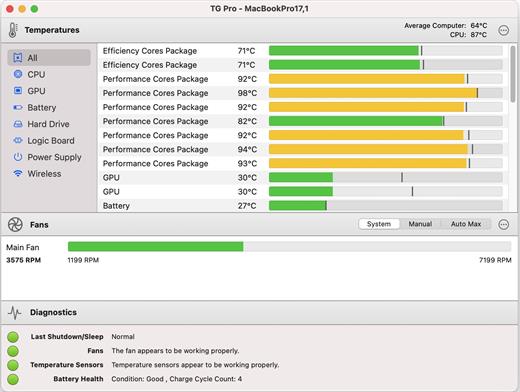
  • Check up on your Mac by viewing the current and maximum recorded temperatures for every sensor. Choose between Celsius or Fahrenheit.
  • Tune the fan speeds so that your Mac can run cooler with the manual fan control. Or have the fans spin at maximum speed with Auto Boost when a specific temperature is hit.
  • Use the status icon to quickly check all temperatures, fans and even control the speeds directly from the menu.
  • Discover faulty fans and temperature sensors with the built-in diagnostics.
  • Remotely monitor servers by having emails sent instead of local notifications.

Temperature Gauge Pro will also show a notification through the Notification Center or Growl when a temperature is hit or Auto Boost is enabled. Also, log all information to a CSV for graphing in an external app.

Supports all Macs, including the new Mac Pro 2013 model as well as all MacBook Pros (including Retina), iMacs, TG Pro natively supports both Intel and Apple silicon Macs, from 2008 all the way up to the latest models. This includes MacBook Pro (13, 14, 15 and 16 inch), iMac (21.5, 24 and 27 inch), iMac Pro, Mac Pro, MacBook, MacBook Air, and Mac mini.

What’s New

Version 2.87:

  • Release notes were unavailable when this listing was updated.

Compatibility

macOS 11.0.0 or later
Apple Silicon or Intel Core processor


Release Name: TG Pro (Temperature Gauge Pro) 2.87
Size: 12.4 MB
Links: HOMEPAGE – NFO – Torrent Search

Download: FiKPERUPLOADGiGNiTROFLARERAPiDGATOR

3 Comments
Nov 19

Initiater Pro 1.1

Initiater is an easy to use small macOS OCR (Optical Character Recognition) app that extracts and recognizes any non-editable text on your Mac computer’s screen. As an extra feature, it can turn graphic files into editable text. Capture Text and Graphics! Upgrade your productivity to the next level!

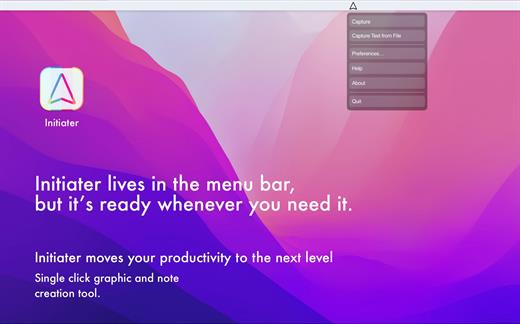
Initiater is a small app which lives in menu bar, it’s accessible whenever you need it. The app is convenient to use and makes extracting text from your images, scanned documents, or even videos easy.

If you have ever used a built-in Mac’s screen capture application or any other screenshot app before, then it’s not difficult for you to work with Iitiater. Select with a mouse any part of the image, photo, document, or anything on the screen, and the app will process and recognizes any text within this selection. Grabbed part of the screen and having any text in that area be instantly recognized and copied to clipboard or shown in a small window.

Screenshot images containing text part, convert them into editable text files or copy to clipboard where you can paste as a text. Or just save selected part as an image file.

Additionally, the application supports recognizing text from PNG, JPG, JPEG, BMP, TIFF and PSD files, and convert them into plain text. All conversion and screenshots are done securely only on your device, none of your images or texts are sent to any third-party services in the cloud.

This app’s OCR engine or any other feature doesn’t need an internet connection to process function. Secure optical character recognition or screenshot solution for those who are concerned about privacy. The application doesn’t collect any users’ data.

Features in Short

• Grab an screen area
• Recognize text – copy to clipboard or save as text file
• Save screenshot as an image file
• Recognize text from graphic files
• Ultra light app which runs as a menu bar app
• Runs natively on Apple M1 and Intel processors
• On-device OCR Technology, no internet connection is needed
• Instant text recognition. No need to upload files into the network
• Running macOS Catalina: English language is only supported

What’s New

Version 1.1:

  • Release notes were unavailable when this listing was updated.

Compatibility

macOS 10.15 or later
Apple Silicon or Intel Core processor


Release Name: Initiater Pro 1.1
Size: 3.9 MB
Links: HOMEPAGE – NFO – Torrent Search

Download: FiKPERUPLOADGiGNiTROFLARERAPiDGATOR

6 Comments
Nov 19

Coherence X 4.5.2

Coherence X – The perfect middle-ground between websites and apps on your Mac.

Coherence X is a powerful tool that allows you to turn any websites into a chromium-based, native application on your Mac.

Features
An isolated app in seconds

Using Chrome as a backend, Coherence Pro allows you to work with Chrome-exclusive experiences like Canary or Spotify web player, and build entirely independent apps. You can batch create programs if you need more than one, transferring settings across apps.

Chrome extensions and profiles

Let Coherence Pro automatically import extensions and profiles from your Chrome instances. So if you create a social media application, you can add 1Password, Pocket, and other useful extensions to enhance your app. Coherence Pro will also keep track of your preferred extensions.

Switch between app modes

The app comes with three different UI modes: a single-window app, traditional Chrome-like appearance, and multi-tab design. Choose the preferred experience, whether it’s a native immersive interface or a space for multitasking. If necessary, copy the same settings across apps.

The power of multi-tab design

Multi-tab apps give you incredible freedom in terms of functionality. For instance, you can create a native email client with the Unite app. But only with Coherence Pro multi-tab design, you can add multiple email accounts and switch between them inside your app. Workspaces inside your app

Coherence Pro gives you space for creative work. Using a set of different functionality, you can create apps that act as workspaces. For example, if you’re tired of toggling across platforms, you can use Coherence Pro’s multi-tabbed interface to bring your top visited sites into an app.

What’s New

Version 4.5.2:

  • Release notes were unavailable when this listing was updated.

Compatibility

macOS 10.12 or later, 64-bit processor


Release Name: Coherence X 4.5.2
Size: 12.8 MB
Links: HOMEPAGE – NFO – Torrent Search

Download: FiKPERUPLOADGiGNiTROFLARERAPiDGATOR

6 Comments