Sep 10

Craft Edge Sure Cuts A Lot Pro 5.067 Multilingual-P2P

Description: Sure Cuts A Lot Pro” is an extremely easy program to allow you to cut virtually any shape with your electronic cutting machines, vinyl cutters and plotters. With the combination of using your fonts, importing custom artwork and drawing your own shapes, the possibilities are endless!
Feature :

  • Works with your installed TrueType and OpenType fonts [screenshot]
  • Works with thousands of free TrueType Fonts including Dingbat/Wingding Fonts
  • Import various file formats, including SVG, PDF, EPS, AI, WPC, DXF, PLT, PES,PEC,HUS,JEF,SEW,VIP
  • Drawing tools to draw and edit shapes
  • Weld overlapping letters and shapes together [screenshot]
  • Select styles, including Shadow and Blackout, to change the look of your letters and shapes with just a fewclicks.
  • Auto tracing feature to automatically convert images for cutting
  • Create rhinestone templates [screenshot]

Release Names: Craft Edge Sure Cuts A Lot Pro 5.067 Multilingual-P2P
Size: 86.85 MB
LinksHomepage – NFO – Torrent Search

Download: UPLOADGiGNiTROFLARERAPiDGATOR

5 Comments
Sep 10

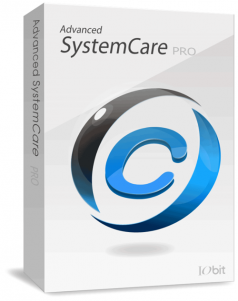
Advanced SystemCare Pro 14.6.0.307 Multilingual-P2P

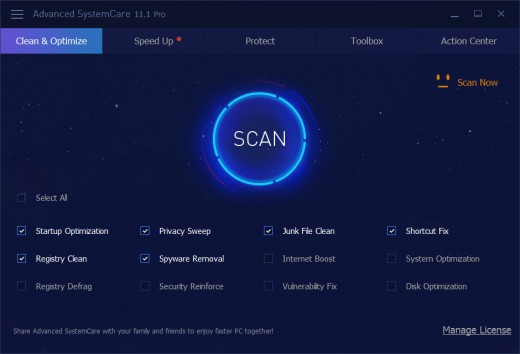
Description: Advanced SystemCare 11 PRO provides an always-on, automated, the all-in-one PC optimization utility. It specializes in ONE-Click solutions to detect, clean, repair, speed up and eventually protect PC. Advanced SystemCare 11 is a PC maintenance program that’s incredibly easy to use, the World’s Top System Utility for Superior PC Health! With the novel system technology, Advanced SystemCare empowers you to run your computer faster. Ensures more stably and more efficiently than with any other system utilities.

Feature :

  • Keeps your PC running at peak performance. Fully optimizes Windows for ultimate system performance and top Internet speed. It turns your PC into a business PC, a productive workstation, an entertainment center, a game machine, or a scientific computing PC
  • Defends PC security with extra protection. Detects and analyzes Windows security environment. Scans and removes spyware and adware using up-to-date definition files. In conclusion, it prevent spyware, hackers and hijackers from installing malicious programs on your computer. Erases and updates your PC’s activity histories
  • One click to solve as many as 10 common PC problems. With one click, it scans and repairs ten PC problems and protects your PC from hidden security threats.
  • Real-time optimization with ActiveBoost function. This technology actively runs in the background intelligently managing system resources in real-time. And constantly detects inactive resources and optimizes CPU and RAM usage
  • Cloud technology to keep database up-to-date. The new “Cloud” technology ensures the database is kept updated at all times. So that you can benefit from the latest definitions and configurations
  • More than 20 dedicated smart tools. The Toolbox feature has tools for system cleaning, optimizing and repairing, tools for security enhancement. Also the tools for full control over the PC system.

Release Names: Advanced SystemCare Pro 14.6.0.307 Multilingual-P2P
Size: 60.08 MB
LinksHomepage – NFO – Torrent Search

Download: UPLOADGiGNiTROFLARERAPiDGATOR

6 Comments
Sep 10

Linkedin Learning Async Python Foundations Applied Concepts-XQZT

Description: If you were cooking a multicourse meal, would you prep one thing at a time? Put bread in the oven, wait. Warm the soup on the stove, wait. Then the main course. Wouldn’t it be more efficient to spend time prepping other food instead of waiting on tasks that don’t need your immediate attention? In the same way that having multiple things happen at the same time leads to faster meal prep, having multiple things happen in Python—or using an asynchronous approach—can be leveraged to boost application performance and make your Python programs extremely efficient. In this course, Ronnie Sheer gives you the tools to use async Python to solve real-world problems, gain familiarity with the async Python ecosystem, complete challenges with working examples, and become a more attractive candidate for engineering positions. If you’re an experienced Python user looking to take async Python from theory to practice, check out this hands-on course.

Release Names: Linkedin Learning Async Python Foundations Applied Concepts-XQZT
Size: 135.75 MB
LinksHomepage – NFO – Torrent Search

Download: UPLOADGiG – NiTROFLARE – RAPiDGATOR
4 Comments
Sep 10

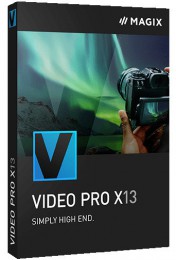
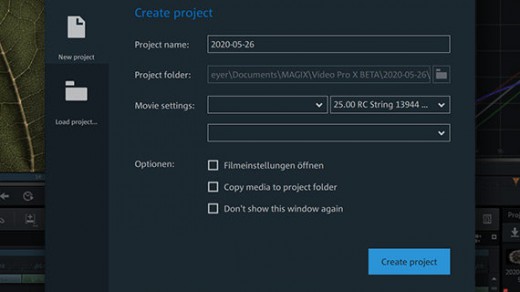
MAGIX Video Pro X13 19.0.1.119 Multilingual-P2P

Description: Video Pro X makes professional video production accessible for everyone. With its clearly structured interface and intuitive functions, getting started with Video Pro X is much easier than with other professional editing software. Video Pro X also delivers cutting-edge technology for video editing with a new INFUSION Engine 3 that ensures smooth playback and cutting in real time, even for high-resolution 8K UltraHD recordings.

Feature :
Video editing made simple
Video Pro X lets you get started right away. The sleek interface is uncomplicated in terms of use and lets you achieve great results in no time at all.

Films that create an impression
With a range of professional tools, you can make each and every one of your ideas a reality – while benefiting from the latest technology.

More flexibility on each track
The one-of-a-kind multimedia timeline processes video, audio and graphics on the same track, meaning that you can enjoy maximum creative freedom .

Release Names: MAGIX Video Pro X13 19.0.1.119 Multilingual-P2P
Size: 799.60 MB
Links: HOMEPAGE – NFO – Torrent Search

Download: UPLOADGiG – NiTROFLARE – RAPiDGATOR
6 Comments
Sep 10

DVDFab 12.0.4.6 (x86/x64) Multilingual-P2P


Description: DVDFab is the most powerful and flexible DVD or Blu-ray copying, ripping, creating and burning software. Also it’s a fantastic file converter which can rip and convert DVD/Blu-ray movies or transfer your files to various portable devices. DVDFab supports all popular video and audio formats, HD video and almost all multimedia devices. This software is simply the easiest way to copy a DVD/ Blu-ray movie. It can copy any DVD or Blu-ray disc with Cinavia watermark, and create a protected disc (BDMV-REC) to disable Civania for playback on PS3. Your entire movie – including menus, trailers and special features – is copied to a single DVD/ Blu-ray with just one click, and everything happens automatically. Backup your entire DVD/ Blu-ray – including menus, trailers, and special features – onto one or multiple discs.

Feature :

  • The BluPath analysis tool can quickly and precisely find the right playlist and region code for Blu-ray.
  • StealthyClone will help users backup/clone BDs regardless of Sony DADC Screen Pass and other structural protections.
  • Lightning Shrink – world’s most efficient GPU-acceleration based Blu-ray compressing technology to rip or convert Blu-rays within one hour.
  • DVDFab can solve playback problem of the copy of Cinavia protected Blu-ray on PS3
  • Lightning-Recoding technology is the homebrew of DVDFab applied in Blu-ray Copy

Release Names: DVDFab 12.0.4.6 (x86/x64) Multilingual-P2P
Size: 210.93/200.31 MB
LinksHomepage – NFO – Torrent Search

Download x64: UPLOADGiG – NiTROFLARE – RAPiDGATOR

Download x86: UPLOADGiG – NiTROFLARE – RAPiDGATOR
9 Comments
Sep 10

Windows 11 Pro Insider Preview 21H2 Build 22000.176 (Beta Channel) (x64) ​Untouched Incl. Activator

Description: Hello Windows Insiders, we are excited to release the Windows 11 Insider Preview build to the Dev Channel! As we finalize the product over the coming months, we will work with you to validate the experience. You will get to try many, but not all, of the new features we showed last week in this early preview. We will bring more features such as Chat with Microsoft Teams and Android apps in the Microsoft Store over the coming months as they are ready for you – we are just getting started on this journey together!

What’s New in this Build ?

  • People want to get closer to the things they love, faster. This is why commonly used experiences like Search, Task View, Widgets and Chat are pinned to the Taskbar in Windows 11. To manage which of these icons are pinned to the Taskbar in one place, simply right-click on the Taskbar and select “Taskbar settings” to open the Taskbar Settings page and choose which system icon to hide. If you hid any of these system icons previously and want to unhide them – you can do this via the Taskbar Settings page.

Fixes :

  • [General]
    We fixed an issue with paired Bluetooth LE devices that was causing an increase in Bluetooth reliability issues and bugchecks after resume from hibernate or when Bluetooth was turned off.
    We mitigated an issue that was resulting some users hitting in an unexpected error when trying to take pictures with certain USB cameras.
    When setting up Windows Hello in OOBE, we’ve added a new link to learn more about Windows Hello.
  • [Chat from Microsoft Teams]
    Arabic and Hebrew languages will now allow changing Teams Settings.
    We fixed the issue where if you were making an outgoing call, there was no ring tone, but the user interface would show that the call is getting connected.
  • [Microsoft Store]
    The following issues were fixed in the most recent Store updates:We fixed the issue where the install button might not be functional in limited scenarios.
    We also fixed an issue where rating and reviews were not available for some apps.

Known issues :-

  • [General]
    We’re investigating reports from Insiders in the Beta Channel where after upgrading to Windows 11, they are not seeing the new Taskbar and the Start menu doesn’t work. To workaround this if you are impacted, please try going to Windows Update > Update history, uninstalling the latest cumulative update for Windows, and the reinstall it by checking for updates.
    We’re working on a fix for an issue that is causing some Surface Pro X devices to bug check with a WHEA_UNCORRECTABLE_ERROR.
  • [Start]
    In some cases, you might be unable to enter text when using Search from Start or the Taskbar. If you experience the issue, press WIN + R on the keyboard to launch the Run dialog box, then close it.
    System and Windows Terminal is missing when right-clicking on the Start button (WIN + X).
  • [Taskbar]
    The Taskbar will sometimes flicker when switching input methods.
  • [Search]
    After clicking the Search icon on the Taskbar, the Search panel may not open. If this occurs, restart the “Windows Explorer” process, and open the search panel again.
    Search panel might appear as black and not display any content below the search box.
  • [Widgets]
    The widgets board may appear empty. To work around the issue, you can sign out and then sign back in again.
    Widgets may be displayed in the wrong size on external monitors. If you encounter this, you can launch the widgets via touch or WIN + W shortcut on your actual PC display first and then launch on your secondary monitors.
  • [Microsoft Store]
    We continue to work to improve search relevance in the Store.
  • [Windows Sandbox]
    Within Windows Sandbox, the language input switcher does not launch after clicking the switcher icon on the Taskbar. As a workaround, users can switch their input language via any of the following hardware keyboard shortcuts: Alt + Shift, Ctrl + Shift, or Win + Space (the third option is available only if Sandbox is full-screened).
    Within Windows Sandbox, the IME context menu does not launch after clicking the IME icon in the Taskbar. As workarounds, users can access the functionalities of the IME context menu with either of following methods:
    Accessing the IME settings via Settings > Time & language > Language & region > <each IME language> (e.g. Japanese) three dots > Language options > <each IME> (e.g. Microsoft IME) three dots > Keyboard options.
    Optionally, you may also enable the IME toolbar, an alternative UI to quickly invoke specific IME functions. Continuing from above, navigate to Keyboard options > Appearance > Use IME toolbar.
    Using the unique set of hardware keyboard shortcuts associated with each IME-supported language. (See: Japanese IME Shortcuts, Traditional Chinese IME Shortcuts).
  • [Localization]
    There is an issue where some Insiders may be some missing translations from their user experience for a small subset of languages running the latest Insider Preview builds. To confirm if you have been impacted, please visit this Answers forum post and follow the steps for remediation.

How To Install?

  1. Download the build.
  2. Create a bootable drive or Install from ISO.
  3. Select the Windows type you want to install.
  4. Skip the activation for now.
  5. Let the windows installation get finished.
  6. After installing, run the activator as admin.
  7. Use the activator to activate your windows.
  8. Boom! Enjoy the activated Build

Release Names: Windows 11 Pro Insider Preview 21H2 Build 22000.176 (Beta Channel) (x64) ​Untouched Incl. Activator
Size: 3.91 GB
Links: HOMEPAGE – NFO – Torrent Search

Download x64 & Activator : UPLOADGiG – NiTROFLARE – RAPiDGATOR
4 Comments
Sep 10

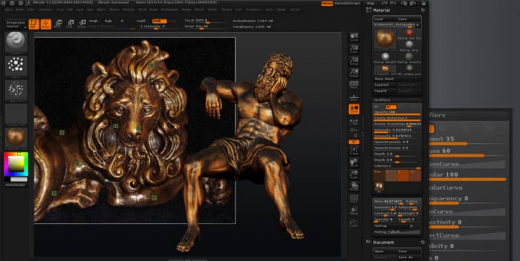
Pixologic ZBrush v2021.7 (x64) + Fix

Description: ZBrush sets the industry standard for digital sculpting and painting. Its features enable you to use customizable brushes to shape, texture and paint virtual clay in a real-time environment that provides instant feedback. When you use ZBrush you’ll be empowered by the same tools employed by film studios, game developers, toy/collectible makers, jewelry designers, automotive/aviation designers, illustrators, advertisers, scientists and other artists the world over. In fact, we have even received an Academy Award for the technology that powers ZBrush. In short,

Features :

  • Base Mesh Generation
    As with anything else in life, where you can go is usually determined by where you begin. Having a great finished model requires a quality base mesh. ZBrush provides an arsenal of tools to assist with this task, ensuring that no matter what you have in mind, there is a way to get the perfect base to then take to the next level. The best known of these systems are explained here.
  • Sculptris Pro
    Ignore the constraints of polygon distribution and simply – sculpt! Sculptris Pro will dynamically add (tesselate) and remove (decimate) polygons wherever and whenever needed. It does this during your brush stroke in a real-time process called Tessimation. This frees you to focus entirely on the look you’re trying to achieve.
  • Dynamesh
    DynaMesh is a perfect solution for free-form sculpting because it removes all need for focusing on topological constraints. Change the overall shape of the model by pushing or pulling, adding various pieces of geometry to combine into one, or even remove geometry in a manner similar to what can be done with Boolean operations. Where Sculptris Pro dynamically adjusts the triangles in your mesh as you sculpt, DynaMesh redistributes the model’s polygons as quads on command.
  • Mesh Detailing
    Whether created in ZBrush or imported from elsewhere, once you have your base mesh it is time to start detailing. ZBrush features a robust suite of tools to accomplish this. Those listed below are just the tip of the iceberg.
  • Sculpting Brushes
    The main workflow for creating with ZBrush is based on a system of brushes which can also be modulated using pen pressure from a graphics tablet. ZBrush will reproduce the natural feeling of a real paint brush or sculpting tool, using the pressure applied to the pen tip to transform your digital stroke in a variety of ways. There are brushes to pinch, move, build up the surface, chisel into it, slice through the model and much more. You can even use other 3D models as brushes, inserting their geometry into your surface.
  • Noisemaker
    In addition to being able to add detail by hand, ZBrush provides a system for procedurally generating surface detail through noise patterns. Choose a detail type, adjust a few simple parameters, then apply that pattern to your model in its entirety or by restricting it to a certain region. You can even combine different noise types to create highly complex effects. The Noise system is ideal for both hard surface work and organic details.
  • PolyPaint
    Because ZBrush works with tens of millions of polygons in real-time, you can paint directly on the surface of the model without first assigning a texture map or UV’s. This offers significant advantages compared to a standard workflow. The resolution of the texture map does not need to be decided in advance. This is particularly valuable if you find you need more detailing on an area than you thought you would. Instead of repainting a new, larger texture map you can simply transfer the existing surface detail to that larger map without any reworking. You don’t even need to do UV unwrapping before you begin this painting. In fact, thanks to the way that ZBrush can project details (both sculpted and painted) from one model to another you can have a fully painted model before you even have a finalized animation mesh. Instead, you can copy everything to the final base mesh once it has been signed off on.
  • UV Master
    In order create or use a texture map, a model first needs UV’s. These are 2D coordinates that tell all 3D applications how to apply a texture to your model. With most programs, creating those UV’s has been a time consuming challenge that requires a high level of technical expertise and has little room for creativity. With UV Master you are able to create very efficient UV’s for your model – in most cases with a single click. If you need more control over this automatic process there are features that refine where seams will be placed or increase the amount of pixel space given to certain regions of your model. It’s both intuitive and fast, letting you get back to being creative with minimal fuss.

How To Install?

  1. Install the program from the given setup.
  2. Copy Update in program directory and install it.
  3. Don’t run the application yet and close from system tray or task manager if running.
  4. Extract the “Crack Fix.zip” to directory where you’ve installed the program. Replace all the files.
  5. ZBrush checks time of GoZ_Config.txt editing time. Set the following file for Read only in file properties:
    “C:\Users\Public\Pixologic\GoZBrush\GoZ_Config.txt”
  6. Boom! Now you can use the program without any interruptions.
  7. That’s it, Enjoy now

Release Names: Pixologic ZBrush v2021.7 (x64) + Fix
Size: 2.14 GB
Links: HOMEPAGE – NFO – Torrent Search

Download: UPLOADGiG – NiTROFLARE – RAPiDGATOR
4 Comments
Sep 10

Nitro Pro Enterprise v13.49.2.993 (x64) + Fix

Description: Create, edit and convert PDF files effortlessly with the help of this intuitive program that also allows users to accurately extracting text from PDFs thanks to its OCR function. Nitro Pro is one of the most advanced PDF creating and editing software solutions, providing basically all the tools you would ever need to help you in this regard. Although it’s called ‘Professional,’ the application has been developed to be aimed at beginners and advanced users alike, so you won’t find it too difficult to use.

Features :

  • Create PDFs and Combine Files
    Create PDFs from virtually any document, image, or file type
    Drag and drop to create and combine PDFs
    Insert, delete, and organize pages in a PDF
    Combine multiple files and file types into one PDF
    Deep integration with Office 365, SharePoint 365, OneDrive for Business, Dropbox, Box, Google Drive
    Copy and paste selected parts of a PDF file with formatting intact
    Batch-create PDF files
  • Convert Files to and from PDF
    Convert Word, PowerPoint, and Excel files to editable PDFs
    Convert PDFs into editable Word, PowerPoint, and Excel files
    Convert scanned documents into editable, searchable PDFs
    Convert PDFs to JPEG, TIFF, or PNG image formats
    Convert web pages to interactive PDFs, complete with links
    Convert CAD files to PDFs
    Convert any PDF file to PDF/A 1 and 2
    Extract text and images
    Postscript-based document conversion
  • Apply and Request Electronic Signatures
    Request secure, legally binding electronic signatures
    Lightweight eSignature workflows, designed for speed and ease of use
    Apply your own electronic signature
    Digitally sign and certify documents
    Send, track, and confirm electronic signatures with real-time notifications and analytics
    Easy mobile signing optimized for smartphones and tablets
    eSignature templates for frequently used forms
    Easily add documents and templates that your whole team can access

How To Install?

  • Install the program from the given setup.
  • Don’t run the application yet and close from system tray or task manager if running.
  • Extract the “Patch Fix.zip” to installed directory location.
  • Run the Patch and apply it.
  • Boom! Now you can use the program without any interruptions.
  • That’s it, Enjoy now

Release Names: Nitro Pro Enterprise v13.49.2.993 (x64) + Fix
Size: 226.61 MB
Links: HOMEPAGE – NFO – Torrent Search

Download: UPLOADGiG – NiTROFLARE – RAPiDGATOR

8 Comments
Sep 10

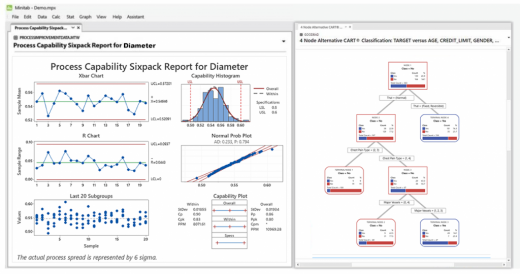
Minitab v20.4 (x64) + Fix

Description: Predict. Visualize, analyze and harness the power of your data to solve your toughest challenges and eliminate mistakes before they happen. Data is everywhere these days, but are you truly taking advantage of yours? Minitab Statistical Software can look at current and past data to find trends and predict patterns, uncover hidden relationships between variables, visualize data interactions and identify important factors to answer even the most challenging of questions. Visualizations are good, but pair them with analytics to make them great. With the power of statistics and data analysis on your side, the possibilities are endless.

Features :

  • Discover
    Regardless of statistical background, Minitab can empower all parts of an organization to predict better outcomes, design better products and improve processes to generate higher revenues and reduce costs. Only Minitab offers a unique, integrated approach by providing software and services that drive business excellence now from anywhere thanks to the cloud. Key statistical tests include t tests, one and two proportions, normality test, chi-square and equivalence tests.
  • Predict
    Access modern data analysis and explore your data even further with our advanced analytics and open source integration. Skillfully predict, compare alternatives and forecast your business with ease using our revolutionary predictive analytics techniques. Use classical methods in Minitab Statistical Software, integrate with open-source languages R or Python, or boost your capabilities further with machine learning algorithms like Classification and Regression Trees (CART®) or TreeNet® and Random Forests®, now available in Minitab’s Predictive Analytics Module.
  • Achieve
    Seeing is believing. Visualizations can help communicate your findings and achievements through correlograms, binned scatterplots, bubble plots, boxplots, dotplots, histograms, heatmaps, parallel plots, time series plots and more. Graphs seamlessly update as data changes and our cloud-enabled web app allows for secure analysis sharing with lightning speed.
  • Assistant
    – Measurement systems analysis
    – Capability analysis
    – Graphical analysis
    – Hypothesis tests
    – Regression
    – DOE
    – Control charts
  • Graphics
    – Binned scatterplots*, boxplots, charts, correlograms*, dotplots, heatmaps*, histograms, matrix plots, parallel plots*, scatterplots, time series plots, etc.
    – Contour and rotating 3D plots
    – Probability and probability distribution plots
    – Automatically update graphs as data change
    – Brush graphs to explore points of interest
    – Export: TIF, JPEG, PNG, BMP, GIF, EMF
  • Basic Statistics
    – Descriptive statistics
    – One-sample Z-test, one- and two-sample t-tests, paired t-test
    – One and two proportions tests
    – One- and two-sample Poisson rate tests
    – One and two variances tests
    – Correlation and covariance
    – Normality test
    – Outlier test
    – Poisson goodness-of-fit test

How To Install?

  • Install the program from the given setup. Choose the trial option during installation.
  • Don’t run the application yet and close from system tray or task manager if running.
  • Extract the “Crack Fix.zip” to directory where you’ve installed the program. Replace all the files.
  • Boom! Now you can use the program without any interruptions.
  • That’s it, Enjoy now

Release Names: Minitab v20.4 (x64) + Fix
Size: 270.98 MB
Links: HOMEPAGE – NFO – Torrent Search

Download: UPLOADGiG – NiTROFLARE – RAPiDGATOR

6 Comments
Sep 10

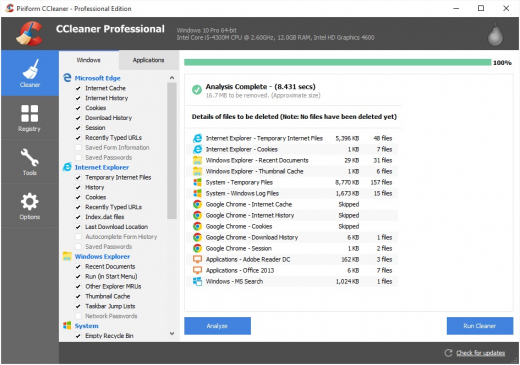
CCleaner Professional v5.84.9143 + Fix

Description: Piriform CCleaner Professional – it is a selection of the newest versions of programs from Piriform Software, united in a common envelope, which will help you to make your computer faster, more secure and ensure its stable and confidential work.
We get many requests from our users wanting to buy all our products in one bundle. So we’ve listened and we’re very happy to announce that we’re launching CCleaner Professional Plus: a 4-in-1 product that includes all the Professional versions of CCleaner, Defraggler, Recuva and Speccy! With our patented technology products you can regain full control of your PC and keep it running like new.

Info :

  • CCleaner a utility for cleaning the debris in the operating system. In the course of their work CCleaner (Crap Cleaner) is looking for and removes unused files. These include: cookies, history, visiting sites in IE, temporary Internet files, search strings, files, Recycle Bin, etc.
  • Also search for temporary files of third-party applications: Firefox, Opera, Media Player, eMule, Kazaa, Google Toolbar, Netscape, Office XP, Nero, Alcohol 120, Adobe Acrobat, WinRAR, WinAce, WinZip, GetRight, Morpheus, Download Accelerator Plus, VirtualDub , ZoneAlarm and many others. Can be subjected to cleaning and registry Windows, ridding it of its unnecessary extensions of the old library dll and wrong ways, which accumulate in considerable quantities, especially after the installation and removal of a variety of programs.

How To Install?

  1. Install the program from the given setup.
  2. Don’t run the application yet and close from system tray or task manager if running.
  3. Extract the “Patch Fix.zip” to directory where you’ve installed the program.
  4. Run the Patch as admin and apply it. (you may need to find the .exe to patch)
  5. Boom! Now you can use the program without any interruptions.
  6. That’s it, Enjoy now

Release Names: CCleaner Professional v5.84.9143 + Fix
Size: 34.52 MB
Links: HOMEPAGE – NFO – Torrent Search

Download: UPLOADGiG – NiTROFLARE – RAPiDGATOR
6 Comments