Oct 7

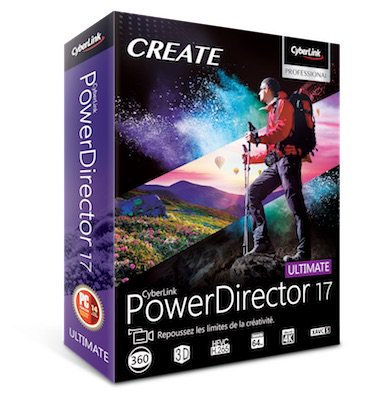
CyberLink PowerDirector Ultimate v20.0.2204.0 (x64) + Fix

Description: Take Total Control of Your Video Creation Without the Learning Curve. PowerDirector Ultimate provides over 200 powerful video editing tools, whether you are new to video editing or if you are creative pros, you can start your video creation without the learning curve!
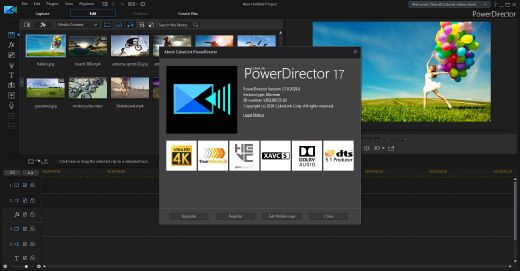
Feature :

  • Express Video Creation
  • Action Camera Center
  • Simplified Color Adjustment
  • One-click Color Correction (Unique!)
  • Intelligent Color Match
  • Color Grading like the Pros
  • Customizable Design Tools (Enhanced!)
  • New Effects – Title Designer
  • Enhanced – PiP Designer
  • Transition Designer – Unique transitions from alpha channel masks

Release Name: CyberLink PowerDirector Ultimate v20.0.2204.0 (x64) + Fix
Size: 981.78 MB
Links: HOMEPAGE – NFO – Torrent Search

Download: UPLOADGiG – NiTROFLARE – RAPiDGATOR

5 Comments
Oct 7

DAEMON Tools Ultra v6.1.0.1723 (x64) + Fix

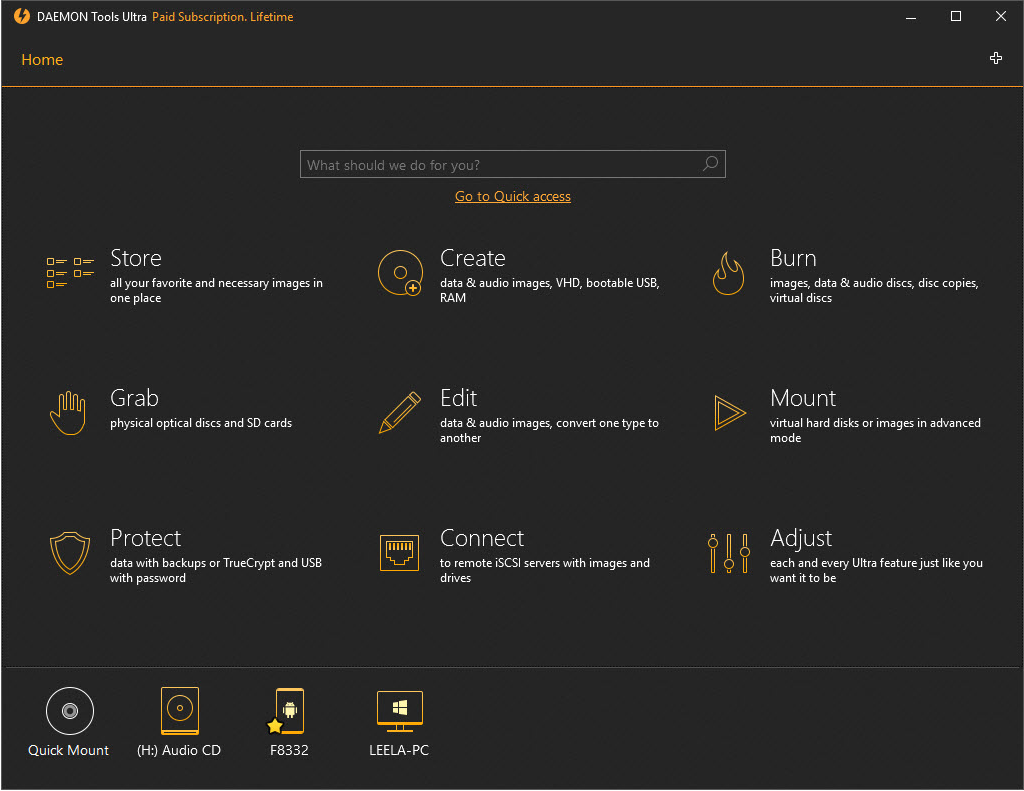
Description: DAEMON Tools Ultra is the most powerful, ultimate and advanced imaging software we’ve ever created. Get the immense list of possibilities to work with virtual drives, create bootable USB-sticks for operating system recovery, use RAM disks to speed up your PC and evaluate the unique iSCSI Initiator that allows connecting to USB devices.

Features:

  • Mount *.mdx, *.mds/*.mdf, *.iso, *.b5t, *.b6t, *.bwt, *.ccd, *.cdi, *.bin/*.cue, *.ape/*.cue, *.flac/*.cue, *.nrg, *.isz disc images to a virtual drive
  • Convert images from all supported formats to *.mdf/*.mds, *.mdx, *.iso
  • Make .iso, *.mds/*.mdf and *.mdx images of CD, DVD, Blu-ray discs
  • Make a compressed disc image or split the image to several files
  • Protect images with password

Release Name: DAEMON Tools Ultra v6.1.0.1723 (x64) + Fix
Size: 32.6 MB
Links: HOMEPAGE – NFO – Torrent Search

Download: UPLOADGiG – NiTROFLARE – RAPiDGATOR
3 Comments
Oct 7

Disk Drill Professional v4.4.601.0 (x64) + Fix

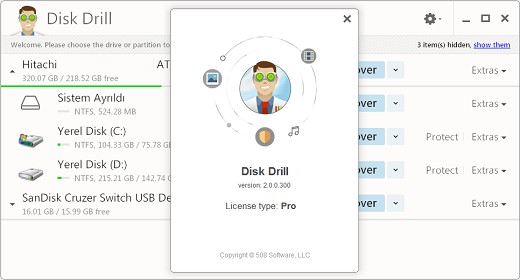
Description: It may seem complicated, but it’s not. With Disk Drill for Windows your data can be recovered in a matter of minutes. Any storage device you can connect to your Windows PC can be scanned by our free data recovery software. We guarantee fast, convenient and secure file recovery.

Features:

  • Platform Agnostic
  • Internal & External
  • Comprehensive Data Recovery
  • Quick & Deep Scan
  • Undelete Protected Data
  • All You Need to Recover Deleted Files
  • Partition Recovery
  • Recovery Vault
  • Memory Card Recovery
  • Pause & Resume Scans
  • Backup into ISO/DMG
  • Universal Data Recovery Software
  • Pro – Unlimited Personal Recovery

Release Name: Disk Drill Professional v4.4.601.0 (x64) + Fix
Size: 38.37 MB
Links: HOMEPAGE – NFO – Torrent Search

Download: UPLOADGiG – NiTROFLARE – RAPiDGATOR
3 Comments
Oct 7

QuarkXPress 2021 v17.0.1 (x64) + Fix

Description: QuarkXPress is the leading graphic design and page layout software for creative professionals. It’s used by hundreds of thousands of users around the world who value quality and performance in their daily production of print and digital projects. QuarkXPress 2018 is the best desktop publishing software for print and digital projects, which makes it a real alternative and a viable replacement to InDesign and other design applications.

Feature :

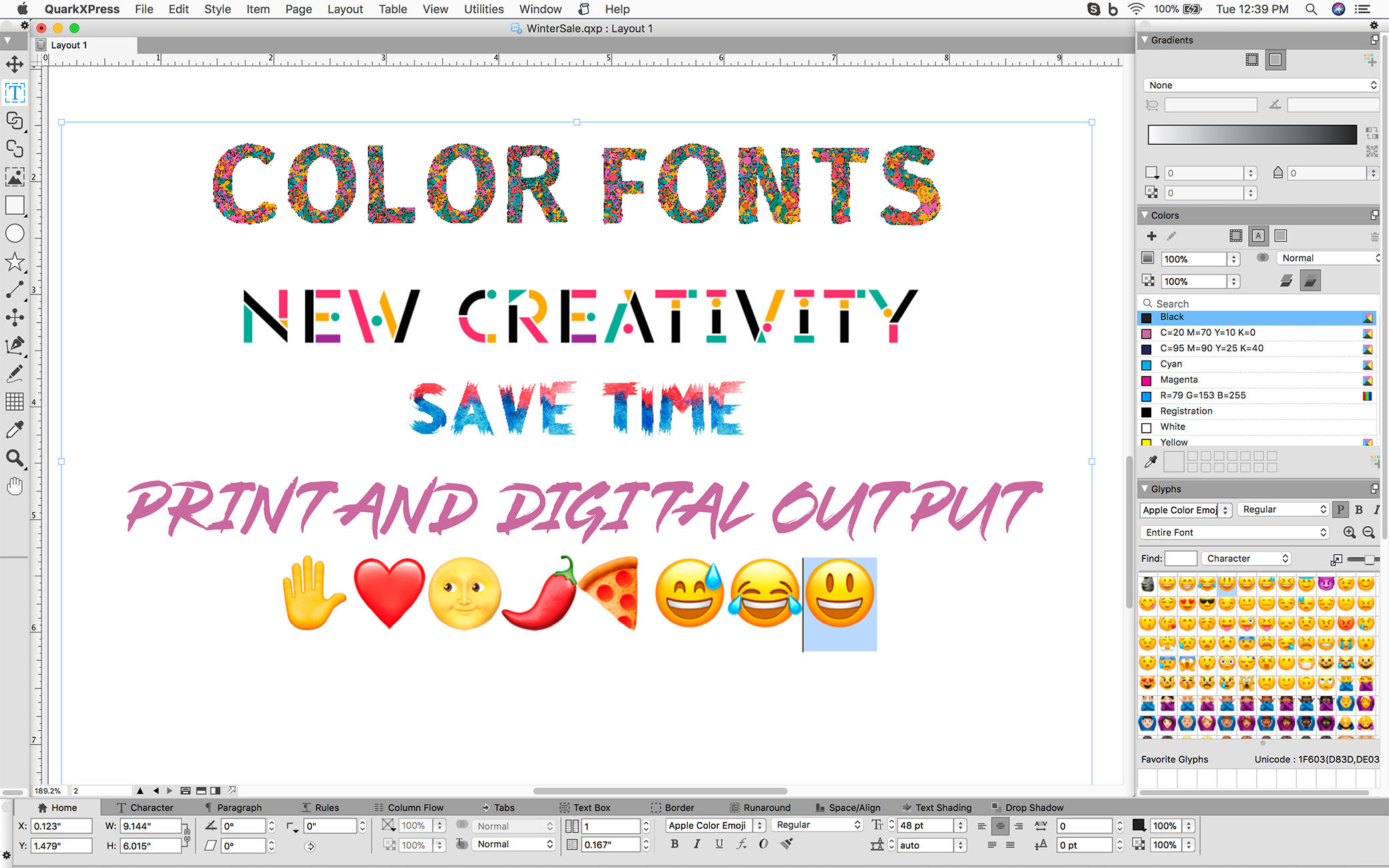
  • Unsurpassed Typography
  • Professional Print Publishing
  • Unlimited Digital Publishing
  • First-Class OpenType Controls
  • Color Fonts Support
  • Upgraded Font Listing
  • Hyphenation Strictness Levels

Release Names: QuarkXPress 2021 v17.0.1 (x64) + Fix
Size: 1.1 GB
Links: HOMEPAGE – NFO – Torrent Search

Download : UPLOADGiG – NiTROFLARE – RAPiDGATOR
4 Comments
Oct 7

WinZip Driver Updater v5.40.0.20 (x64) + Fix

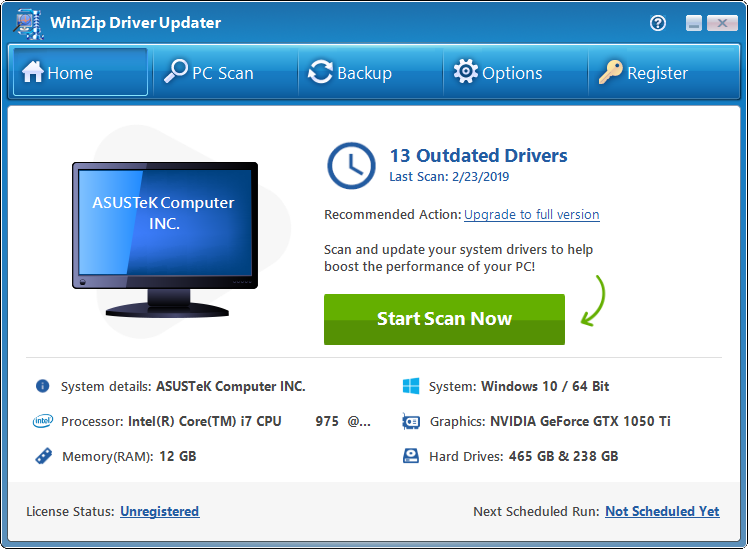
Description: WinZip Driver Updater has an extensive database of the latest and most up-to-date drivers for software and hardware devices. Driver updater will scan your system and identify outdated Windows drivers.

Feature :

  • Maximize performance and improve stability of your PC with routine driver updates
  • Safeguard your hardware and gain maximum performance with WinZip Driver Updater
  • Protect your system from faulty and unreliable aftermarket drivers with driver updates
  • WinZip Driver Updater Saves you time
  • A Driver Updater that is Safe and Easy to Use
  • A Trusted and Recommended Driver Updater

Release Name: WinZip Driver Updater v5.40.0.20 (x64) + Fix
Size:  35.02 MB
Links: HOMEPAGE – NFO – Torrent Search

Download: UPLOADGiG – NiTROFLARE – RAPiDGATOR
3 Comments
Oct 6

Windows 11 RTM Final Build 22000.194 Consumer Edition (All Editions) (x64) Incl. Activator

Description: Hello Windows Insiders, we are excited to release the Windows 11 Insider Preview build to the Dev Channel! As we finalize the product over the coming months, we will work with you to validate the experience. You will get to try many, but not all, of the new features we showed last week in this early preview. We will bring more features such as Chat with Microsoft Teams and Android apps in the Microsoft Store over the coming months as they are ready for you – we are just getting started on this journey together!

What’s New in this Build ?

  • Right-clicking on Recycle Bin on the desktop now uses the new modern context menu.
  • New modern context menu when you right-click on Recycle Bin on your desktop.
  • Added an option when right clicking a network share in File Explorer to pin it to Quick Access without having to click Show more options.
  • They have begun releasing an updated version of the Korean IME with adjustments made based on Windows Insider feedback. They believe this will provide a more reliable input experience for Korean on Windows 11. The updated version of the Korean IME follows the new visual design of Windows 11 with acrylic in the candidate window, a new selection visual, and dark mode support. It also improves improved performance and compatibility. The updated Korean IME is rolling out to a subset of Insiders in the Dev Channel first, to help us quickly identify issues that may impact performance and reliability. Over time, it will roll out to everyone in the Dev Channel. Please file feedback via Feedback Hub under Input and Language > Text Input.

Fixes :

  • [General]
    They fixed the issue that was causing PCs with Windows Defender Application Guard (WDAG) enabled to bugcheck continuously. PCs with WDAG enabled should now receive Build 22454.
  • [Start]
    Windows Terminal is listed again when right-clicking on the Start button (WIN + X).
    Narrator should announce the Start launch more reliably now.
  • [Taskbar]
    The Desktops flyout should now dismiss properly for Narrator users when scanning with item navigation across the Task View button.
    Fixed an issue where the preview thumbnails for Desktops They re not rendering correctly for certain aspect ratios.
    Fixed a rounding issue that was making the volume icon tooltip show the wrong number in some cases.
    The input indicator, Quick Settings, and notification center icon tooltips will no longer display behind the flyouts when they’re open.
    Addressed an underlying issue that was resulting in the volume icon in the Taskbar displaying sound was muted when that was not the case.
    Fixed an issue that could cause the Taskbar to unexpectedly get stuck on top of full screen applications, such as PoThey rPoint presentations, after interacting with the Taskbar previews.
    Taskbar icons should no longer flicker when you mouse over them while using a contrast theme.
    Fixed an issue where app icons would occasionally unexpectedly animate onto the Taskbar from somewhere other than from below.
    Shift + Click on an app icon in the Taskbar to launch a new instance of that app (for apps that support multiple instances) is now working again.
    Did some work to address an issue where app icons could get stuck in an alert state in the Taskbar even if the app in question was closed.
  • [Input]
    Fixed an issue that was causing the text candidates to not appear after the first time the handwriting panel was invoked.
    Mitigated a stutter in the animation when tapping a text field to invoke the touch keyboard.
    Fixed a bug that was causing clipboard history to not render for some people.
    Displaying 3rd party IME icons in the input indicator should be more reliable now.
    Addressed an explorer.exe crash that could happen when changing window focus while using the touch keyboard.
    Fixed an issue for people who’d opted into the previous version of the Japanese IME that was causing certain games to crash.
    Fixed an issue where the tip for voice typing when using the touch keyboard wouldn’t be connected to the microphone button.
    Addressed an issue where the touch keyboard could get into a state where the key labels would be invisible due to the wrong background color being used.
    Mitigated an issue that was leading to the touch keyboard settings flyout having white on white text sometimes.
    Did some work to address an issue where interacting with the expressive input button in the touch keyboard could result in the candidate area having a broken layout.
  • [File Explorer]
    Improved the reliability of context menu invocation.
    Mitigated a couple of issues that They re causing leaks when using File Explorer.
    The context menu will now not immediately dismiss when the option to open things with a single-click is enabled in File Explorer.
    If you press F11 to full screen File Explorer, then use WIN + Shift + Left/Right to change what screen the window is displaying on, pressing F11 again will no longer jump the window back to the original screen.
  • [Settings]
    Mitigated an issue when typing with certain 3rd party IMEs into the search box in Settings that could result in the candidate window being rendered elsewhere on-screen (not attached to the search box) and/or characters inserted into the search box not displaying.
    They did some work to help address an issue that was making the Windows Insider Program page in Settings appear blank sometimes.
    The mouse pointers under Accessibility > Mouse pointer and touch are no longer invisible for Arabic and Hebrew display languages.
    System > Storage > Show more categories > Other should no longer always say it’s managed by group policy even when it isn’t.
    Added some links to “Find my device” in Settings to help you learn more about the privacy resources.
    Start time and end time pickers under Focus Assist > During these times are now visible when focus is set while using a contrast theme.
    Addressed a crash that could happen when using Sound Settings.
    Fixed an issue with the volume slider in Quick Settings that was causing the volume to sometimes to save at a slightly different level than what was actually set.
  • [Logging in and Authentication]
    Fixed a crash that could happen when the network icon updated states on the login screen.
  • [Windowing]
    Made a change to address an issue where title bar options including close, minimize and maximize where not appearing as expected in certain apps when moving the mouse to top of the screen while the app was maximized.
  • [Other]
    Improved icon rendering for certain apps in the Search hover flyout.
    Addressed an issue that was causing overlapping text in the Share window for certain languages.
    Made some performance improvements when switching to the Details tab of Task Manager.
    If the Windows Security app is open when switching to dark mode, the UI elements should respond better now and not have unreadable text.
    If there are a large number of exclusions listed under Virus and Threat Protection in the Windows Security app, it will now display a progress indicator when loading them.
    Fixed some text clipping in the Windows Security app when using the option in Accessibility Settings to increase the text size.
    Mitigated an issue that was causing the WM_CTLCOLORSTATIC message used in certain apps to be ignored, so the colors in some places wouldn’t appear correctly.
    Fixed a leak when the desktop background was set to a slideshow, impacting performance over time until explorer.exe was restarted.
    Mitigated an issue that was causing some PCs to bugcheck while in modern standby.
    Fixed an issue that was causing sloThey r Wi-Fi speeds after enabling Hyper-V and creating an External V-Switch.
    When animations are disabled in the system, there should no longer be a fade animation in UWP apps like Settings or the Feedback Hub when transitioning from the splash screen to the app content.

Known issues :-

  • [General]
    They ’re working on a fix for an issue that is causing some Surface Pro X’s to bugcheck with a WHEA_UNCORRECTABLE_ERROR.
  • [Start]
    In some cases, you might be unable to enter text when using Search from Start or the Taskbar. If you experience the issue, press WIN + R on the keyboard to launch the Run dialog box, then close it.
    System is missing when right-clicking on the Start button (WIN + X).
  • [Taskbar]
    The Taskbar will sometimes flicker when switching input methods.
    They ’re investigating an issue in this build where app icons in the Taskbar are getting cut off by the “show hidden icons” button and aren’t centered.
  • [Search]
    After clicking the Search icon on the Taskbar, the Search panel may not open. If this occurs, restart the “Windows Explorer” process, and open the search panel again.
    Search panel might appear as black and not display any content below the search box.
  • [File Explorer]
    If you right click files in OneDrive locations in File Explorer, the context menu will unexpectedly dismiss when you hover over entries that open sub-menus, such as “Open with.”
  • [Widgets]
    The widgets board may appear empty. To work around the issue, you can sign out and then sign back in again.
    Widgets may be displayed in the wrong size on external monitors. If you encounter this, you can launch the widgets via touch or WIN + W shortcut on your actual PC display first and then launch on your secondary monitors.
  • [Windows Sandbox]
    They ’re investigating an issue in which Windows Sandbox may not launch for some Insiders after upgrading to this build.
  • [Microsoft Store]
    They continue to work to improve search relevance in the Store.
  • [Windows Subsystem for Linx (WSL) & Hyper-V]
    [ADDED 9/10] They ’re investigating reports of both WSL2 and Hyper-V not working on this build on ARM64 PCs such as the Surface Pro X.

How To Install?

  • Download the build.
  • Create a bootable drive or Install from ISO.
  • Select the Windows type you want to install.
  • Skip the activation for now.
  • Let the windows installation get finished.
  • After installing, run the activator as admin.
  • Use the activator to activate your windows.
  • Boom! Enjoy the activated Build.

Release Names: Windows 11 RTM Final Build 22000.194 Consumer Edition (All Editions) (x64) Incl. Activator
Size: 3.29 GB
Links: HOMEPAGE – NFO – Torrent Search

Download x64 & Activator: UPLOADGiG – NiTROFLARE – RAPiDGATOR
Download Activator Only: UPLOADGiG – NiTROFLARE – RAPiDGATOR
7 Comments
Oct 6

Serato DJ Pro v2.5.7 Build 1097 (x64) + Fix

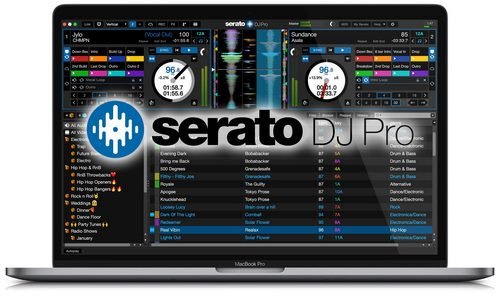
Description: Professional DJ software – From the unknown to the greatest, Serato DJ Pro is the most popular DJ software globally. When you’re talking about Hip-Hop, Dance, and everything in between, you’re looking at the standard.

Feature :

  • Serato DJ Pro is renowned for its reliability and trusted by DJs to deliver incredible performances. That’s why it powers the world’s top artists on some of the biggest stages.
  • Serato DJ Pro officially supports over 90 pieces of hardware by industry leaders. Every piece is tightly integrated to ensure the best experience possible.
  • Whatever your style, you can DJ with freedom. Your creative potential will be unlocked through innovative features and an intuitive interface.
  • A range of new features and improvements as Serato DJ became Serato DJ Pro

Release Names: Serato DJ Pro v2.5.7 Build 1097 (x64) + Fix
Size: 839.60 MB
Links: HOMEPAGE – NFO – Torrent Search

Download: UPLOADGiG – NiTROFLARE – RAPiDGATOR
5 Comments
Oct 6

Windows 11 Pro Insider Preview 21H2 Build 22468 (Dev Channel) (x64) Untouched Incl. Activator

Description: Hello Windows Insiders, we are excited to release the Windows 11 Insider Preview build to the Dev Channel! As we finalize the product over the coming months, we will work with you to validate the experience. You will get to try many, but not all, of the new features we showed last week in this early preview. We will bring more features such as Chat with Microsoft Teams and Android apps in the Microsoft Store over the coming months as they are ready for you – we are just getting started on this journey together!

What’s New in this Build ?

  • Right-clicking on Recycle Bin on the desktop now uses the new modern context menu.
  • New modern context menu when you right-click on Recycle Bin on your desktop.
  • Added an option when right clicking a network share in File Explorer to pin it to Quick Access without having to click Show more options.
  • They have begun releasing an updated version of the Korean IME with adjustments made based on Windows Insider feedback. They believe this will provide a more reliable input experience for Korean on Windows 11. The updated version of the Korean IME follows the new visual design of Windows 11 with acrylic in the candidate window, a new selection visual, and dark mode support. It also improves improved performance and compatibility. The updated Korean IME is rolling out to a subset of Insiders in the Dev Channel first, to help us quickly identify issues that may impact performance and reliability. Over time, it will roll out to everyone in the Dev Channel. Please file feedback via Feedback Hub under Input and Language > Text Input.

Fixes :

  • [General]
    They fixed the issue that was causing PCs with Windows Defender Application Guard (WDAG) enabled to bugcheck continuously. PCs with WDAG enabled should now receive Build 22454.
  • [Start]
    Windows Terminal is listed again when right-clicking on the Start button (WIN + X).
    Narrator should announce the Start launch more reliably now.
  • [Taskbar]
    The Desktops flyout should now dismiss properly for Narrator users when scanning with item navigation across the Task View button.
    Fixed an issue where the preview thumbnails for Desktops They re not rendering correctly for certain aspect ratios.
    Fixed a rounding issue that was making the volume icon tooltip show the wrong number in some cases.
    The input indicator, Quick Settings, and notification center icon tooltips will no longer display behind the flyouts when they’re open.
    Addressed an underlying issue that was resulting in the volume icon in the Taskbar displaying sound was muted when that was not the case.
    Fixed an issue that could cause the Taskbar to unexpectedly get stuck on top of full screen applications, such as PoThey rPoint presentations, after interacting with the Taskbar previews.
    Taskbar icons should no longer flicker when you mouse over them while using a contrast theme.
    Fixed an issue where app icons would occasionally unexpectedly animate onto the Taskbar from somewhere other than from below.
    Shift + Click on an app icon in the Taskbar to launch a new instance of that app (for apps that support multiple instances) is now working again.
    Did some work to address an issue where app icons could get stuck in an alert state in the Taskbar even if the app in question was closed.
  • [Input]
    Fixed an issue that was causing the text candidates to not appear after the first time the handwriting panel was invoked.
    Mitigated a stutter in the animation when tapping a text field to invoke the touch keyboard.
    Fixed a bug that was causing clipboard history to not render for some people.
    Displaying 3rd party IME icons in the input indicator should be more reliable now.
    Addressed an explorer.exe crash that could happen when changing window focus while using the touch keyboard.
    Fixed an issue for people who’d opted into the previous version of the Japanese IME that was causing certain games to crash.
    Fixed an issue where the tip for voice typing when using the touch keyboard wouldn’t be connected to the microphone button.
    Addressed an issue where the touch keyboard could get into a state where the key labels would be invisible due to the wrong background color being used.
    Mitigated an issue that was leading to the touch keyboard settings flyout having white on white text sometimes.
    Did some work to address an issue where interacting with the expressive input button in the touch keyboard could result in the candidate area having a broken layout.
  • [File Explorer]
    Improved the reliability of context menu invocation.
    Mitigated a couple of issues that They re causing leaks when using File Explorer.
    The context menu will now not immediately dismiss when the option to open things with a single-click is enabled in File Explorer.
    If you press F11 to full screen File Explorer, then use WIN + Shift + Left/Right to change what screen the window is displaying on, pressing F11 again will no longer jump the window back to the original screen.
  • [Settings]
    Mitigated an issue when typing with certain 3rd party IMEs into the search box in Settings that could result in the candidate window being rendered elsewhere on-screen (not attached to the search box) and/or characters inserted into the search box not displaying.
    They did some work to help address an issue that was making the Windows Insider Program page in Settings appear blank sometimes.
    The mouse pointers under Accessibility > Mouse pointer and touch are no longer invisible for Arabic and Hebrew display languages.
    System > Storage > Show more categories > Other should no longer always say it’s managed by group policy even when it isn’t.
    Added some links to “Find my device” in Settings to help you learn more about the privacy resources.
    Start time and end time pickers under Focus Assist > During these times are now visible when focus is set while using a contrast theme.
    Addressed a crash that could happen when using Sound Settings.
    Fixed an issue with the volume slider in Quick Settings that was causing the volume to sometimes to save at a slightly different level than what was actually set.
  • [Logging in and Authentication]
    Fixed a crash that could happen when the network icon updated states on the login screen.
  • [Windowing]
    Made a change to address an issue where title bar options including close, minimize and maximize where not appearing as expected in certain apps when moving the mouse to top of the screen while the app was maximized.
  • [Other]
    Improved icon rendering for certain apps in the Search hover flyout.
    Addressed an issue that was causing overlapping text in the Share window for certain languages.
    Made some performance improvements when switching to the Details tab of Task Manager.
    If the Windows Security app is open when switching to dark mode, the UI elements should respond better now and not have unreadable text.
    If there are a large number of exclusions listed under Virus and Threat Protection in the Windows Security app, it will now display a progress indicator when loading them.
    Fixed some text clipping in the Windows Security app when using the option in Accessibility Settings to increase the text size.
    Mitigated an issue that was causing the WM_CTLCOLORSTATIC message used in certain apps to be ignored, so the colors in some places wouldn’t appear correctly.
    Fixed a leak when the desktop background was set to a slideshow, impacting performance over time until explorer.exe was restarted.
    Mitigated an issue that was causing some PCs to bugcheck while in modern standby.
    Fixed an issue that was causing sloThey r Wi-Fi speeds after enabling Hyper-V and creating an External V-Switch.
    When animations are disabled in the system, there should no longer be a fade animation in UWP apps like Settings or the Feedback Hub when transitioning from the splash screen to the app content.

Known issues :-

  • [General]
    They ’re working on a fix for an issue that is causing some Surface Pro X’s to bugcheck with a WHEA_UNCORRECTABLE_ERROR.
  • [Start]
    In some cases, you might be unable to enter text when using Search from Start or the Taskbar. If you experience the issue, press WIN + R on the keyboard to launch the Run dialog box, then close it.
    System is missing when right-clicking on the Start button (WIN + X).
  • [Taskbar]
    The Taskbar will sometimes flicker when switching input methods.
    They ’re investigating an issue in this build where app icons in the Taskbar are getting cut off by the “show hidden icons” button and aren’t centered.
  • [Search]
    After clicking the Search icon on the Taskbar, the Search panel may not open. If this occurs, restart the “Windows Explorer” process, and open the search panel again.
    Search panel might appear as black and not display any content below the search box.
  • [File Explorer]
    If you right click files in OneDrive locations in File Explorer, the context menu will unexpectedly dismiss when you hover over entries that open sub-menus, such as “Open with.”
  • [Widgets]
    The widgets board may appear empty. To work around the issue, you can sign out and then sign back in again.
    Widgets may be displayed in the wrong size on external monitors. If you encounter this, you can launch the widgets via touch or WIN + W shortcut on your actual PC display first and then launch on your secondary monitors.
  • [Windows Sandbox]
    They ’re investigating an issue in which Windows Sandbox may not launch for some Insiders after upgrading to this build.
  • [Microsoft Store]
    They continue to work to improve search relevance in the Store.
  • [Windows Subsystem for Linx (WSL) & Hyper-V]
    [ADDED 9/10] They ’re investigating reports of both WSL2 and Hyper-V not working on this build on ARM64 PCs such as the Surface Pro X.

How To Install?

  • Download the build.
  • Create a bootable drive or Install from ISO.
  • Select the Windows type you want to install.
  • Skip the activation for now.
  • Let the windows installation get finished.
  • After installing, run the activator as admin.
  • Use the activator to activate your windows.
  • Boom! Enjoy the activated Build.

Release Names: Windows 11 Pro Insider Preview 21H2 Build 22468 (Dev Channel) (x64) Untouched Incl. Activator
Size: 3.2 GB
Links: HOMEPAGE – NFO – Torrent Search

Download x64 & Activator : UPLOADGiG – NiTROFLARE – RAPiDGATOR

4 Comments
Oct 6

HitPaw Watermark Remover v1.3.4.2 (x64) + Fix

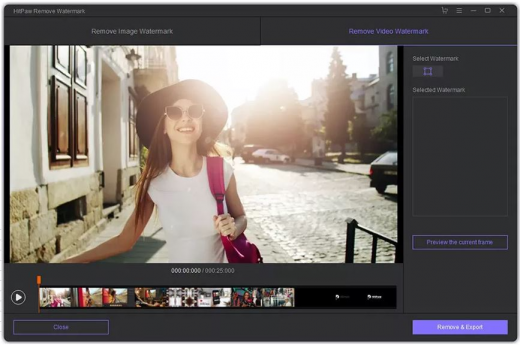
Description: When you need to quickly erase a watermark from one of your images, it is best to resort to specialized software solutions to ensure you obtain high-quality results. HitPaw Watermark Remover is one such utility. All in all, HitPaw Watermark Remover can come in handy when you need to erase a watermark from your images or clips, and you do not have the expert skills to do it manually.

Features :

  1. Try and preview the effects
  2. Remove Watermarks from Videos/Pictures in Various Situations
  3. User-friendly design and easy to use

How To Install?

  1. Install the program from the given setup.
  2. Don’t run the application yet and close from system tray or task manager if running.
  3. Extract the “Crack Fix.zip” to directory where you’ve installed the program. Replace all the files.
  4. Boom! Now you can use the program without any interruptions.
  5. That’s it, Enjoy now

Release name: HitPaw Watermark Remover v1.3.4.2 (x64) + Fix
Size: 87.45 MB
Links: Homepage – Torrent Search

Download: UPLOADGiG – NiTROFLARE – RAPiDGATOR
4 Comments
Oct 6

Photo Mechanic Plus v6.0 Build 6097 (x64) + Fix

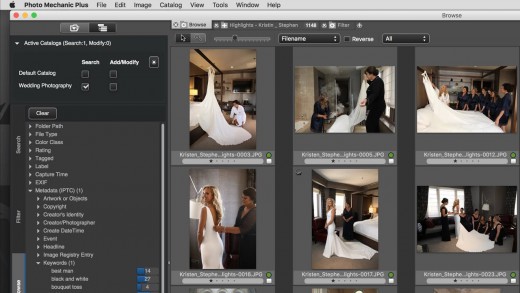
Description: Photo Mechanic Plus includes all the speed and features that are in Photo Mechanic with the premium addition of a powerful image database. All the functions and features of Photo Mechanic are just as you’ve always used them, with the new feature of catalogs for indexing every photo you’ve ever taken.

Feature :
Scroll A Million Photos Without A Pause
Photo Mechanic Plus takes performance to a new level. Browse a million photos without stopping.

Powerful Search Box
Search gives you the power of simple or complex searches to find what you’re looking for across multiple drives

Saved Searches
Craft exact advanced searches and then save them to always be able to find exactly what you need

Filters
Browse by date, camera, lens, rating, color class … anything you need!

Multiple Catalogs
Use, search, or browse multiple catalogs at once. Keep yourself organized among several projects or search through everything!

Release Names: Photo Mechanic Plus v6.0 Build 6097 (x64) + Fix
Size: 312.50 MB
Links: HOMEPAGE – NFO – Torrent Search

Download: UPLOADGiG – NiTROFLARE – RAPiDGATOR

5 Comments