Oct 8

PID Key Checker 4.0.1

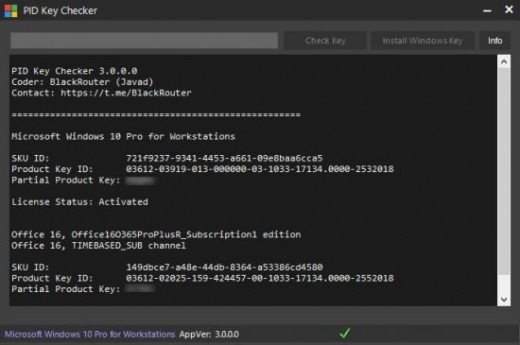
Description: Windows is able to tell the genuine status of a program according to various details, such as product keys or digital signatures. These, however, can become messed up and lose validation with Windows. In this regard, Microsoft PID Checker comes as a small tool with which to validate Microsoft Product Keys for various components.
Works without installation
One of the first things you notice is that the application comes in a lightweight package which is good to go from the moment download is done, without taking you through a setup process. This means it can easily be carried around on a thumb drive in case you need or want to use it on other computer. Note, however, that .NET Framework is required for proper functionality.

As far as the interface is concerned, the application keeps things simple, with an intuitive input field for the Product Key, a drop-down menu to select the target Software Package, as well as a large output data console where you can analyze all events.

Load a predefined or custom PkeyConfig file
One of the main requirements on your behalf is the Product Key. It needs to be valid in order for the operation to be successful. The field is custom-made so that it only supports dedicated characters, minimizing the risk of error while writing it down. Additionally, you can check MAK count, but this requires an active Internet connection.

Last step is to pick the Software Package corresponding to the Product Key. This is done through a drop-down menu, with entries ranging from various Windows editions and versions, SQL servers, to Visual Studio, and the Office suite. Additionally, you can load a custom PkeyConfig file for use with any non-listed xrm-ms you can’t identify on the list.

A few last words
Taking everything into consideration, we can state that Microsoft PID Checker is a quick way to validate a Microsoft Product Key. It already contains a great deal of xrm-ms certificates, but you can also use it with custom PkeyConfig files.

Features:

  • Fluent Design
  • Autodetect License
  • Check key blocked or no
  • New database PKeyconfig
  • Buliet from PID Key Checker Ratiborus
  • Autoupdate database
  • Install and activate windows key

Release Name: PID Key Checker 4.0.1
Size: 9.69 MB
Links: HOMEPAGE – NFO – Torrent Search

Download: UPLOADGiG – NiTROFLARE – RAPiDGATOR

3 Comments
Oct 7

WISE CARE 365 PRO V5.9.1.583 MULTILINGUAL PORTABLE

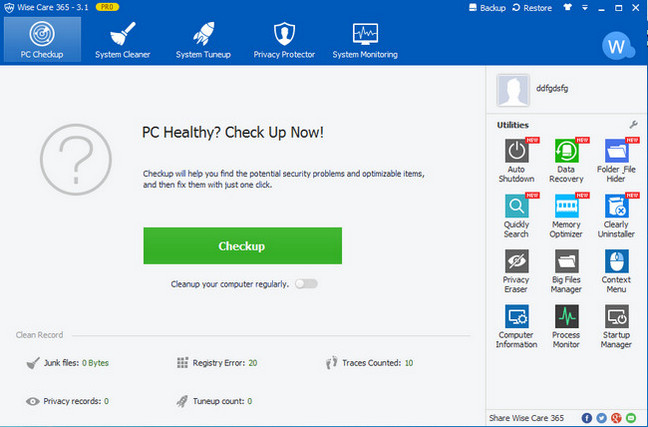
Description: Wise Care 365 is a bundle of important registry, disk, and other system utilities for your PC. Easy to use and effective, Wise Care 365 is the best solution to improve your PC’s performance. Get Wise Care 365 and your computer will never run slow again!

Feature :

  • Protect Your System in Real Time
  • A Comprehensive PC Cleaner
  • World’s Fastest System Optimization Tool
  • Your Ultimate Computer Privacy Protector
  • A Powerful System and Hardware Monitoring Utility
  • A Perfect Platform for Mutual Assistance on PC Problems

Release Name: WISE CARE 365 PRO V5.9.1.583 MULTILINGUAL PORTABLE
Size: 54.83 MB
Links: HOMEPAGE – NFO – Torrent Search

Download: UPLOADGiG – NiTROFLARE – RAPiDGATOR

4 Comments
Oct 7

WINDOWS 11 PRO 21H2 10.0.22000.194 (X64) MULTILINGUAL PRE-ACTIVATED

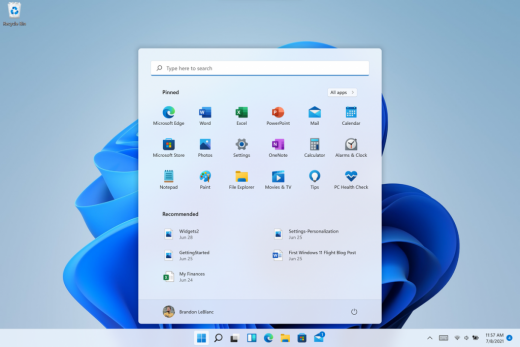
Description: Hello Windows Insiders, we are excited to release the Windows 11 Insider Preview build to the Dev Channel! As we finalize the product over the coming months, we will work with you to validate the experience. You will get to try many, but not all, of the new features we showed last week in this early preview. We will bring more features such as Chat with Microsoft Teams and Android apps in the Microsoft Store over the coming months as they are ready for you – we are just getting started on this journey together!

What’s New in this Build ?

  • Right-clicking on Recycle Bin on the desktop now uses the new modern context menu.
  • New modern context menu when you right-click on Recycle Bin on your desktop.
  • Added an option when right clicking a network share in File Explorer to pin it to Quick Access without having to click Show more options.
  • They have begun releasing an updated version of the Korean IME with adjustments made based on Windows Insider feedback. They believe this will provide a more reliable input experience for Korean on Windows 11. The updated version of the Korean IME follows the new visual design of Windows 11 with acrylic in the candidate window, a new selection visual, and dark mode support. It also improves improved performance and compatibility. The updated Korean IME is rolling out to a subset of Insiders in the Dev Channel first, to help us quickly identify issues that may impact performance and reliability. Over time, it will roll out to everyone in the Dev Channel. Please file feedback via Feedback Hub under Input and Language > Text Input.

Fixes :

  • [General]
    They fixed the issue that was causing PCs with Windows Defender Application Guard (WDAG) enabled to bugcheck continuously. PCs with WDAG enabled should now receive Build 22454.
  • [Start]
    Windows Terminal is listed again when right-clicking on the Start button (WIN + X).
    Narrator should announce the Start launch more reliably now.
  • [Taskbar]
    The Desktops flyout should now dismiss properly for Narrator users when scanning with item navigation across the Task View button.
    Fixed an issue where the preview thumbnails for Desktops They re not rendering correctly for certain aspect ratios.
    Fixed a rounding issue that was making the volume icon tooltip show the wrong number in some cases.
    The input indicator, Quick Settings, and notification center icon tooltips will no longer display behind the flyouts when they’re open.
    Addressed an underlying issue that was resulting in the volume icon in the Taskbar displaying sound was muted when that was not the case.
    Fixed an issue that could cause the Taskbar to unexpectedly get stuck on top of full screen applications, such as PoThey rPoint presentations, after interacting with the Taskbar previews.
    Taskbar icons should no longer flicker when you mouse over them while using a contrast theme.
    Fixed an issue where app icons would occasionally unexpectedly animate onto the Taskbar from somewhere other than from below.
    Shift + Click on an app icon in the Taskbar to launch a new instance of that app (for apps that support multiple instances) is now working again.
    Did some work to address an issue where app icons could get stuck in an alert state in the Taskbar even if the app in question was closed.
  • [Input]
    Fixed an issue that was causing the text candidates to not appear after the first time the handwriting panel was invoked.
    Mitigated a stutter in the animation when tapping a text field to invoke the touch keyboard.
    Fixed a bug that was causing clipboard history to not render for some people.
    Displaying 3rd party IME icons in the input indicator should be more reliable now.
    Addressed an explorer.exe crash that could happen when changing window focus while using the touch keyboard.
    Fixed an issue for people who’d opted into the previous version of the Japanese IME that was causing certain games to crash.
    Fixed an issue where the tip for voice typing when using the touch keyboard wouldn’t be connected to the microphone button.
    Addressed an issue where the touch keyboard could get into a state where the key labels would be invisible due to the wrong background color being used.
    Mitigated an issue that was leading to the touch keyboard settings flyout having white on white text sometimes.
    Did some work to address an issue where interacting with the expressive input button in the touch keyboard could result in the candidate area having a broken layout.
  • [File Explorer]
    Improved the reliability of context menu invocation.
    Mitigated a couple of issues that They re causing leaks when using File Explorer.
    The context menu will now not immediately dismiss when the option to open things with a single-click is enabled in File Explorer.
    If you press F11 to full screen File Explorer, then use WIN + Shift + Left/Right to change what screen the window is displaying on, pressing F11 again will no longer jump the window back to the original screen.
  • [Settings]
    Mitigated an issue when typing with certain 3rd party IMEs into the search box in Settings that could result in the candidate window being rendered elsewhere on-screen (not attached to the search box) and/or characters inserted into the search box not displaying.
    They did some work to help address an issue that was making the Windows Insider Program page in Settings appear blank sometimes.
    The mouse pointers under Accessibility > Mouse pointer and touch are no longer invisible for Arabic and Hebrew display languages.
    System > Storage > Show more categories > Other should no longer always say it’s managed by group policy even when it isn’t.
    Added some links to “Find my device” in Settings to help you learn more about the privacy resources.
    Start time and end time pickers under Focus Assist > During these times are now visible when focus is set while using a contrast theme.
    Addressed a crash that could happen when using Sound Settings.
    Fixed an issue with the volume slider in Quick Settings that was causing the volume to sometimes to save at a slightly different level than what was actually set.
  • [Logging in and Authentication]
    Fixed a crash that could happen when the network icon updated states on the login screen.
  • [Windowing]
    Made a change to address an issue where title bar options including close, minimize and maximize where not appearing as expected in certain apps when moving the mouse to top of the screen while the app was maximized.
  • [Other]
    Improved icon rendering for certain apps in the Search hover flyout.
    Addressed an issue that was causing overlapping text in the Share window for certain languages.
    Made some performance improvements when switching to the Details tab of Task Manager.
    If the Windows Security app is open when switching to dark mode, the UI elements should respond better now and not have unreadable text.
    If there are a large number of exclusions listed under Virus and Threat Protection in the Windows Security app, it will now display a progress indicator when loading them.
    Fixed some text clipping in the Windows Security app when using the option in Accessibility Settings to increase the text size.
    Mitigated an issue that was causing the WM_CTLCOLORSTATIC message used in certain apps to be ignored, so the colors in some places wouldn’t appear correctly.
    Fixed a leak when the desktop background was set to a slideshow, impacting performance over time until explorer.exe was restarted.
    Mitigated an issue that was causing some PCs to bugcheck while in modern standby.
    Fixed an issue that was causing sloThey r Wi-Fi speeds after enabling Hyper-V and creating an External V-Switch.
    When animations are disabled in the system, there should no longer be a fade animation in UWP apps like Settings or the Feedback Hub when transitioning from the splash screen to the app content.

Known issues :-

  • [General]
    They ’re working on a fix for an issue that is causing some Surface Pro X’s to bugcheck with a WHEA_UNCORRECTABLE_ERROR.
  • [Start]
    In some cases, you might be unable to enter text when using Search from Start or the Taskbar. If you experience the issue, press WIN + R on the keyboard to launch the Run dialog box, then close it.
    System is missing when right-clicking on the Start button (WIN + X).
  • [Taskbar]
    The Taskbar will sometimes flicker when switching input methods.
    They ’re investigating an issue in this build where app icons in the Taskbar are getting cut off by the “show hidden icons” button and aren’t centered.
  • [Search]
    After clicking the Search icon on the Taskbar, the Search panel may not open. If this occurs, restart the “Windows Explorer” process, and open the search panel again.
    Search panel might appear as black and not display any content below the search box.
  • [File Explorer]
    If you right click files in OneDrive locations in File Explorer, the context menu will unexpectedly dismiss when you hover over entries that open sub-menus, such as “Open with.”
  • [Widgets]
    The widgets board may appear empty. To work around the issue, you can sign out and then sign back in again.
    Widgets may be displayed in the wrong size on external monitors. If you encounter this, you can launch the widgets via touch or WIN + W shortcut on your actual PC display first and then launch on your secondary monitors.
  • [Windows Sandbox]
    They ’re investigating an issue in which Windows Sandbox may not launch for some Insiders after upgrading to this build.
  • [Microsoft Store]
    They continue to work to improve search relevance in the Store.
  • [Windows Subsystem for Linx (WSL) & Hyper-V]
    [ADDED 9/10] They ’re investigating reports of both WSL2 and Hyper-V not working on this build on ARM64 PCs such as the Surface Pro X.

How To Install?

  • Download the build.
  • Create a bootable drive or Install from ISO.
  • Select the Windows type you want to install.
  • Skip the activation for now.
  • Let the windows installation get finished.
  • After installing, run the activator as admin.
  • Use the activator to activate your windows.
  • Boom! Enjoy the activated Build.

Release Names: WINDOWS 11 PRO 21H2 10.0.22000.194 (X64) MULTILINGUAL PRE-ACTIVATED
Size: 4.6 GB
Links: HOMEPAGE – NFO – Torrent Search

Download: UPLOADGiG – NiTROFLARE – RAPiDGATOR

5 Comments
Oct 7

VIRTUALDJ 2021 PRO INFINITY V8.5.6677 (X64) MULTILINGUAL PORTABLE

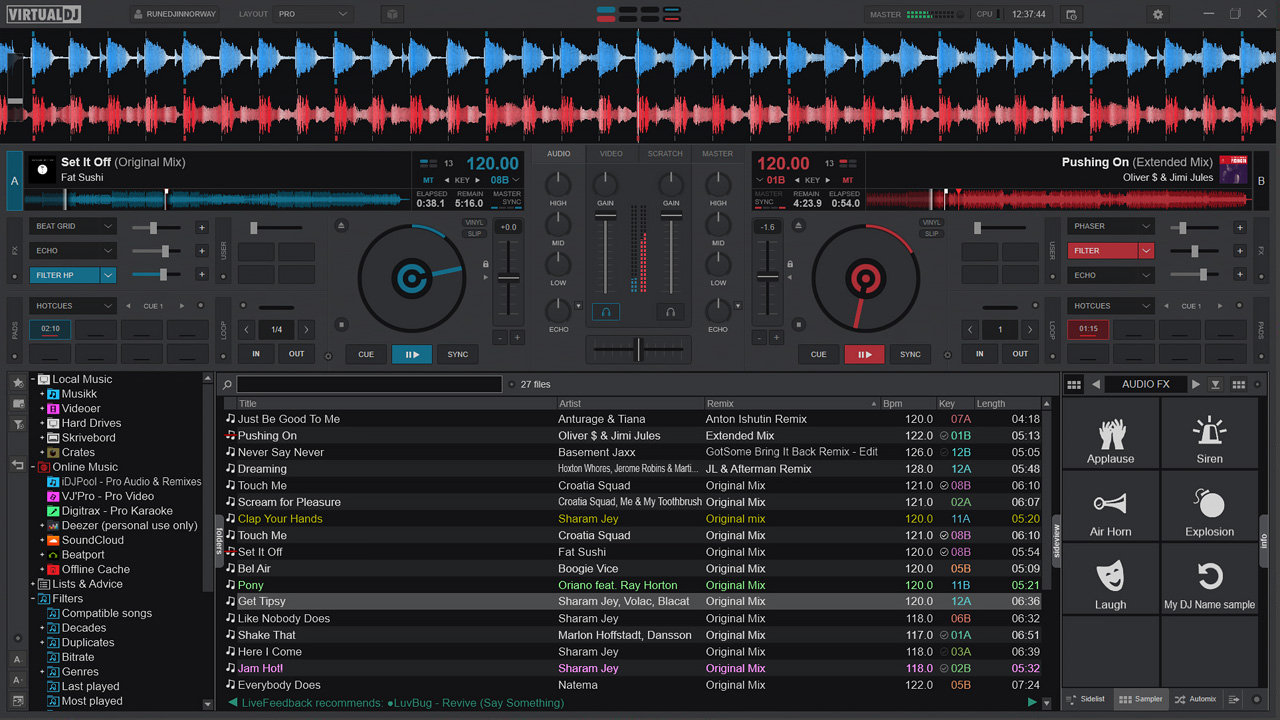
Description: VirtualDJ is the application that DJs use when they want to use a computer to play their music. Because being a DJ is more than just pressing play, DJs cannot just use iTunes or Media Player to perform a mix. They need special controls like crossfaders, loops, effects, etc, in order to “mix” the songs.

Feature :
Although VirtualDJ is packed with features, it is still easy to learn. You can start with the basics and advance as you learn more. VirtualDJ is well suited for both the amateur starter, or the seasoned professional DJ and comes with all the features you’ll ever need. With VirtualDJ you can turn any event into a total success! Whether it’s scratch performance and video mixing, or from bedroom broadcast to upscale wedding events.

VirtualDJ lets you do more!. Unleash your creative potential…
Scroll down to learn more about some of the key features of VirtualDJ.

MULTI-DECK STAND-ALONE DJ MIXER
VirtualDJ is powerful, yet easy to use DJ software with an intuitive user-interface. Comes with all the features you need to start mixing as a DJ. VirtualDJ is fully operational even without DJ hardware connected. With transport controls, jog wheels, track information, waveforms, an advanced mixer, equalization & filter, effects, loops, performance pads, hot cues, seamless looping, smart sync, and quantized cues all help you mix faster, better, and be more creative.

Release Name: VIRTUALDJ 2021 PRO INFINITY V8.5.6677 (X64) MULTILINGUAL PORTABLE
Size: 716.28 MB
Links: HOMEPAGE – NFO – Torrent Search

Download: UPLOADGiG – NiTROFLARE – RAPiDGATOR

6 Comments
Oct 7

VERTEXSHARE PHOTO EFFECTS V2.0 (X64) PORTABLE

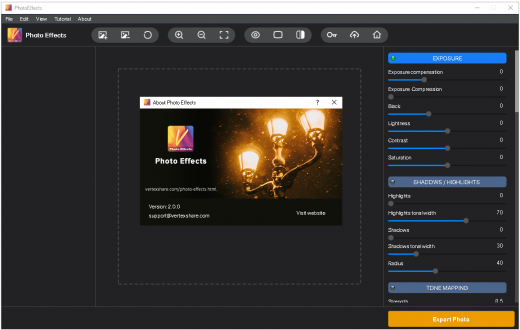
Description: Vertexshare Photo Effects Create stunning and cool photo effects easily. Make your photo like a Pro with inbuild presets. Provide advanced algorithms to enhance your photos. Easy to use and super fast for photo processing.

Features of Photo Effects:
Never been so easy to add effects and filters to your photographs. Enhance your photo for crafting stunning imagery.

Exposure
Adjust the photo exposure including lightness, contrast and saturation.

Shadows and Highlights
Provide brilliant algorithm to change the highlights, shadows and their tonal width.

Tone Mapping
Change the tone mapping of your photo to make your flat HDR images more punchy and full of details.

Smart DRC
Use the smart DRC method for dynamic range compression and contrast enhancement of digital images.

Sharpness
Sharpen and enhance the edge to create incredible effects. Make the photo clear.

Local Contrast
Local contrast enhancement will increase “local” contrast in smaller regions while protecting large-scale s/h details.

Noise Reduction
Get rid of the noises from the photo that taken by digital camera. Enhance and improve photo quality.

White Balance
Adjust the color temperature and tink to correct color casts that result from certain lighting situations.

More Functionalities
Explore more capabilities of the best Photo effects like Vibrance, Channel Mixer, Soft light, Vignette and Presets.

Use amazing preset filters with one click.
You can create your own filters and effects manually. You can also use our more than 15 preset effects. See photo enhancing and effects in action.

Use sliders to get customized effects
You can just move the sliders to create natural tones and colours. See the results instantly.

Use inbuild preset effects to enhance photo automatically.
We have create more than 15 filters that you can apply. Including FortisEnhanced, Freya, Namaewa, StrongHold, VignetFairye and so on.

What’s New:
– Official site does not provide any info about changes in this version.

Operating Systems:
– All Windows machines with 64bit operating system

Release Name: VERTEXSHARE PHOTO EFFECTS V2.0 (X64) PORTABLE
Size: 42.36 MB
Links: HOMEPAGE – NFO – Torrent Search

Download: UPLOADGiG – NiTROFLARE – RAPiDGATOR

3 Comments
Oct 7

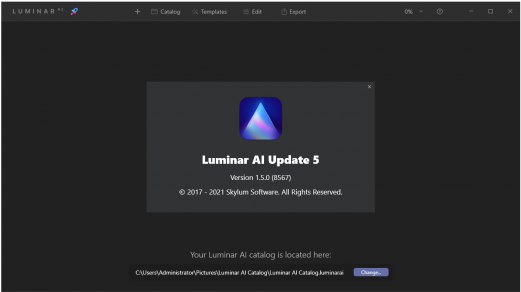
SKYLUM LUMINAR AI V1.5.0 8567 (X64) + PORTABLE [REPACK]

AI photo editing. Awesome. Faster. The first image editor fully powered by artificial intelligence. With Luminar AI, creating striking photos is fun and surprisingly easy. Add realistic atmospheric effects with 3D depth – fog, mist, haze, steam, drizzle – with Atmosphere AI. Create a magical mood without masks and layers.

Atmosphere AI
Add realistic atmospheric effects with 3D depth – fog, mist, haze, steam, drizzle – with Atmosphere AI. Create a magical mood without masks and layers.

Structure AI
Enhance details in all the right places, without overdoing it. Structure AI recognizes people, water, skies and objects. Add depth and clarity to a scene to just the needed areas.

Sky AI
?hange the sky in your photo in seconds and create a whole new mood. It works perfectly even with tiny details intersecting your sky. Relight the entire photo so the colors of the original image shift to match the lighting and colors of your new sky.

Color Harmony
Move beyond Saturation and Vibrance. Take complete control over color depth and refine color for balance. The perfect finishing touch.

Supercontrast
Adding detail brings new depth to a photo. Precisely adjust tone with six controls spanning highlights, midtones and shadows.

Mood
Bring color to life with our Mood tool. Experiment with new color palettes that transform the style and emotion of your image.

Achieve great composition from any angle
You’ll always get the perfect crop with Composition AI. Smart engine blends the golden rules of composition plus the expertise of the world’s best photographers.

Give a magic touch. For people & portraits.
The revolutionary AI works magic on faces and bodies of all shapes, ages and colors.

The best part?
You don’t perform manual selections, masking, layering and other tedious tasks of traditional photo editors.

Body AI
Make bodies appear lighter or add weight where needed, for a realistic and stunning effect.

Iris AI
Create expressive and breathtaking eyes, with a natural spark that brings a face to life.

Face AI
Improve faces naturally, enhance lips, teeth; remove unwanted dark circles and more.

Skin AI
Instantly remove blemishes while preserving pores, texture and hair.

Accent AI
Get natural lighting and life-like color for every portrait with a single “magic” slider.

Bokeh AI
Emulate the stunning background haziness of a high-quality lens. Let the person in the photo stand out.

Yes. You’re in complete control.
Luminar AI lets you deliver your creative vision as fast as possible. Artificial intelligence takes care of the dull and routine work. But you can edit and fine-tune every step of the way.

Your story matters not the process
Let’s face it – traditional photo editing can be tedious and time-consuming. Luminar AI is all about the results, not the process. It automates the most common editing tasks and simplifies complexity so you have more time to tell an engaging story.

Powerful doesn’t mean complex
The actual power of Luminar AI is hidden under the hood. Luminar AI is packed with incredible next-gen technologies, giving you more capabilities than any traditional editor.

Release Notes:

Spectacular portraits with Luminar AI Update 4
Helping you explore your creativity and making your editing experience comfortable are our top priorities. In this update, we bring you the power to create spectacular portraits with a unique AI-based bokeh effect that takes into account image depth. You will also find many improvements that make editing even more comfortable. Let�s dive right in.

Spectacular people thanks to Portrait BokehAI
Want to achieve dreamy and spectacular portraits with just one slider? Now you can. With the help of artificial intelligence, Portrait BokehAI creates a beautiful background blur in seconds, adding a realistic and dreamy 3D bokeh effect to your portraits.

Use Portrait BokehAI to automatically emulate the stunning background haziness of a high-quality lens at maximum aperture. Easily add volume, airiness, and depth to your photos. Hide imperfections in an unfocused background. Let the people in your images stand out without needing a powerful light-sensitive camera or when shooting in harsh lighting conditions. Thanks to AI, this tool recognizes people from the waist up, groups of people, and people in unusual positions and applies all changes automatically and effortlessly.

With Portrait BokehAI, you don�t have to waste time on masking. Simply use the Amountslider to regulate the amount of background blur and the tool’s algorithms will separate people in the foreground from scenery in the background, putting the spotlight on the people. For those who want to correct imperfections, the Brush Control tools are at your service. (You can adjust the brush Radius, Softness, and Opacity.) If you need something in the background to stay in focus, or if you want to add additional detail in a subject�s hair, you can use the Focus and Defocus tools and mask the area of your photo that you wish to be affected. Restore allows you to return to the original automatically generated mask. In the Background controls, you will find sliders that help you gain even more control over the results, including by enhancing brightness, pulling up background highlights, and refining edges.

Better workflow with visual Texture previews
Create fantastic compositions and stunning effects with the improved Textures tool, which gives you a more comfortable workflow. In the Local Masking tab, click +Add and select Texture. Now you can visually browse Textures in the dropdown list to instantly have an idea of what your final result will look like (just like in SkyAI and Augmented SkyAI). Custom Textures are also shown right after various default selections in the visual dropdown grid: you�ll see Flares, Sparkles, Custom, and will be able to add more.

Perfect sky positioning in SkyAI
To deliver perfect and realistic results, we�re constantly improving the algorithms behind our AI tools. In Update 4, you can enjoy significant improvements to the SkyAI tool. One of these improvements is a new slider that correctly adjusts the position of the sky. Now you can replace the sky and set the desired position of your horizon line thanks to the Shifting Horizon Control in the Sky Orientation section. Instead of Vertical Position, Horizontal Position, and Horizon Blending sliders, there is now just one smart control that saves time and is more efficient at getting the replaced Sky Texture just where you want it.

…To top it all off, we caught some bugs!
To make LuminarAI even more convenient to use, we�ve caught and fixed more than 50 bugs, including 8 major bugs on macOS and 7 major bugs on Windows that could lead to crashes or unexpected results. Thanks to these bug fixes, you can now:

Windows
– Add transparent PNG Textures to your photos without encountering artifacts
– Use LuminarAI as a Photoshop or Lightroom plugin and see the right-side Templates and Edit tabs without a hitch
– Enjoy better disk space optimization
– Export files in raw format without experiencing crashes
– Work in Augmented SkyAI, SkyAI, and AtmosphereAI without experiencing memory leaks and crashes
– Open Templates created in LuminarAI on macOS
– Export multiple photos while retaining the original resolution
Features Repack Luminar AI:
1. Combined installation of the program or unpacking of the portable (portable app format) version in one distribution kit
2. Does not require registration (patch or anything)
3. Multilingual interface (including Russian)
4. Picks up external * .xml settings files (if located next to the installer)

– Portable Run As Administrator!
System Requirements:
– Windows 10 x64/Server 20212 | Microsoft Visual C ++ 2013/2019 Redistributable | Microsoft .NET Framework 4.7.2+

Treatment: Run, Unpack Standard Install, Or Portable, It’s already activated. Run As Administrator & Enjoy!

Release Name: SKYLUM LUMINAR AI V1.5.0 8567 (X64) + PORTABLE [REPACK]
Size: 695.97 MB
Links: HOMEPAGE – NFO – Torrent Search

Download: UPLOADGiG – NiTROFLARE – RAPiDGATOR

3 Comments
Oct 7

BURNAWARE PROFESSIONAL V14.8 (X64) MULTILINGUAL PORTABLE

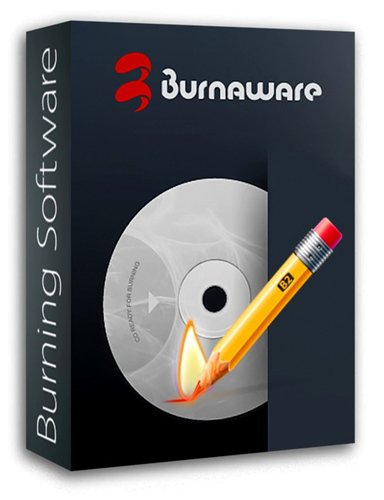
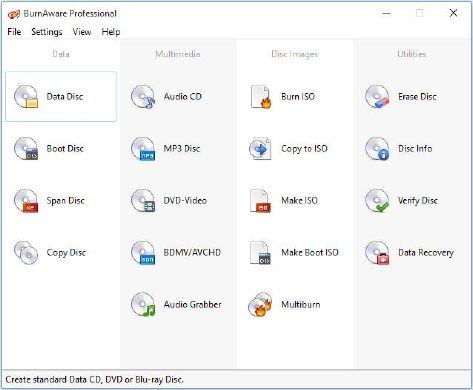
Description: BurnAware Professional is a powerful CD, DVD and BD disc burning solution intended for users who need maximum control over every aspect of the burning process and use multiple burners for mass-production of various discs and quick creation of disc-to-disc copies. It’s a solid piece of software that will help you cope with your daily burning tasks faster and more efficiently. The program enables users to create data discs (CD, DVD, Blu-Ray, bootable CD and DVD discs) and discs with multimedia content (Audio CD, MP3 discs and DVD video discs). Apart from this, BurnAware Pro will help you create and burn ISO images (ISO and CUE/BIN image files supported), erase rewritable discs, burn multisession discs and even extract specific files from disc sessions and tracks from Audio CDs. A simple and intuitive interface of the program will make even novices feel comfortable with the program features.

Features:

  • On-the-fly burning
  • Small installation size
  • Easiest-to-use, multilingual user interface
  • Lowest CPU usage while burning and copying
  • Supports all types of optical drives and discs
  • Uses the most fastest and stable burning engine
  • Supports all major audio and disc image formats
  • No banners, adware, spyware

Release Names: BURNAWARE PROFESSIONAL V14.8 (X64) MULTILINGUAL PORTABLE
Size: 146.20 MB
Links: HOMEPAGE – NFO – Torrent Search

Download: UPLOADGiG – NiTROFLARE – RAPiDGATOR

4 Comments
Oct 7

AOMEI BACKUPPER TECHNICIAN PLUS V6.6.1 PORTABLE

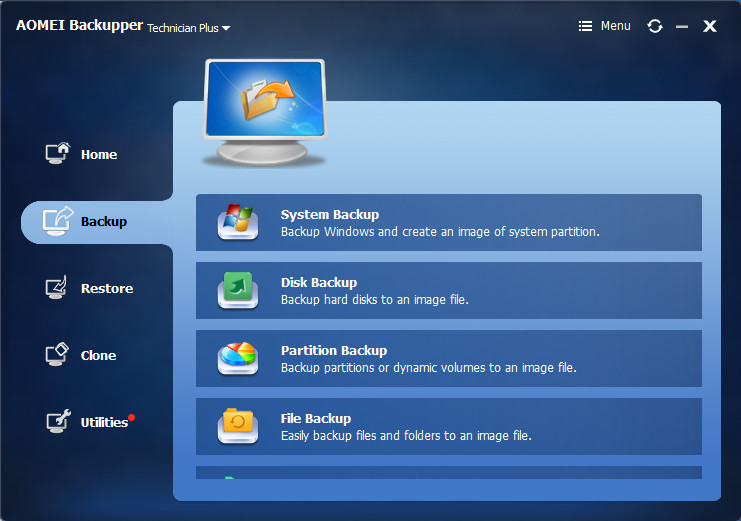
Description: AOMEI Backupper is a professional-like, easy-to-use backup and recovery software. But is free for home users and commercial use, fully protects your computer from data loss. It lets you securely backup PC and Server, provides one-click backup your system partition or disk and does it in minutes. This software also can explore the created image and restore it to the hard drive if your data gets lost or corrupted. In addition, you can create a bootable rescue disk for recovering your data when the system crashes and the application cannot be accessed from the Windows interface.

Feature :
AOMEI Backupper lets you clone the partition or disk, too. The software already supports the Microsoft Volume Shadow Copy Service (VSS) that enables the data backup process and does not interfere the running applications. This option of AOMEI Backupper is very efficient because backup data can still be made when you’re working.
To prevent data loss, so we need to make data backup, AOMEI Backupper with the following features to ensure the safety of your data.

Release Names: AOMEI BACKUPPER TECHNICIAN PLUS V6.6.1 PORTABLE
Size: 577.69 MB
Links: HOMEPAGE – NFO – Torrent Search

Download: UPLOADGiG – NiTROFLARE – RAPiDGATOR

4 Comments
Oct 7

BackUp Maker Professional v8.010 + Fix

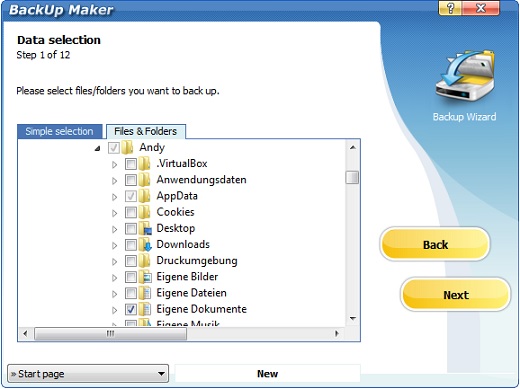
Description: Viruses, user errors and computer crashes put you at risk to lose important data at any time. Therefore, it is crucial to secure your files regularly so that in cases of emergency, your computer data is still accessible.

BackUp Maker automatically stores your data and at the same time offers an intuitive operation: select your data, optionally set automatization for scheduled backups, select its destination and within an instant, your valuable documents are transferred in zip format to a hard drive, USB flash drive or directly to CD/DVD as scheduled or according to circumstances.

Feature :

  • PkZip 4.5
    Support for archives larger than 4 GB
  • Password protection
    Protect backups with passwords (PkZip v2.0)
  • Strong encryption
    Encrypt backups with AES 256-Bit
  • Burning onto CD/DVD
    Burn backups onto CD/DVD without the need of external drivers
  • Supported DVD formats
    DVD-R, DVD-RW, DVD+R, DVD+RW, DVD+R Dual Layer, DVD-RAM, Blu-Ray
  • FTP upload
    Upload to internet servers using ftp connections
  • Passive ftp mode
    Upload in passive mode (PASV)
  • FTPS (FTP over SSL)
    Support for FTPS
  • FTP resume
    Resume cancelled backup uploads
  • Back-up to USB drives/sticks
    Support of USB drives (internal/external)
  • Network support
    Save files in/to local area networks

Release Name: BackUp Maker Professional v8.010 + Fix
Size: 19.87 MB
Links: HOMEPAGE – NFO – Torrent Search

Download: UPLOADGiG – NiTROFLARE – RAPiDGATOR

2 Comments
Oct 7

Computer Repair Shop Software v2.19.21270.1 + Fix

Description: ?????Amazing PC Repair tracking software and repair management., Perfect for Technicians, Computer Repair Shops, Mobile Phone/Cell Phone Repair Companies.

Feature :

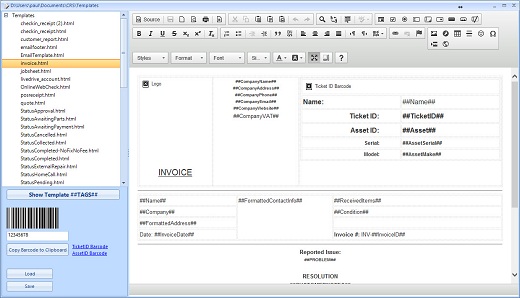
  • Quick Ticket Updates with Canned Messages
    Less typing using the built-in canned messages to speed up creating invoices and reports.
  • Fully Featured
    Repair Tracking, Point of Sale, Inventory, Repeat Billing, Reports and more
  • Integrations
    Integration to Google Calendar, Kashflow Accounting, Livedrive and more to speed up your business work flows
  • Email to Ticket Updates
    Send an email from anywhere and your tickets are updated with your repair notes
  • YOU own your data!
    Use your own SQL Server Database on-premises so you can create your own customer reports, export your own data whenever you want!
  • Reports
    Lots of reports built-in from customer address maps, financial reports, who are your best customers and more!

Release Name:  Computer Repair Shop Software v2.19.21270.1 + Fix
Size: 398.76 MB
Links: HOMEPAGE – NFO – Torrent Search

Download: UPLOADGiG – NiTROFLARE – RAPiDGATOR
5 Comments