Jan 11

ThunderSoft Flash to HTML5 Converter 5.4.0

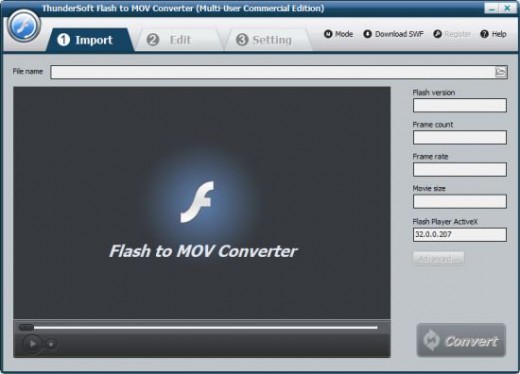
Description: ThunderSoft Flash to MOV Converter is a professional Flash converter for Flash SWF to MOV conversion. It helps to convert Macromedia Flash SWF to MOV format file with rich editing functions such as crop, add watermark.

Feature List
• Convert SWF to flash video format MOV
• Supports image logo or watermark
• Allow batch conversion
• Allow download swf files from internet
• Allow crop the flash movie for the output
• Profile setting for output format to set video and audio parameters
• Supports auto conversion and user interactive conversion process
• Audio capture technology 100% keeps the original sound effect
• Accurate audio and video synchronization

Release Name: ThunderSoft Flash to HTML5 Converter 5.4.0
Size: 18 MB
Links: HOMEPAGE – NFO – Torrent Search

Download: FiKPERNiTROFLARERAPiDGATOR

5 Comments
Jan 11

Icecream Photo Editor Pro 1.47 Multilingual

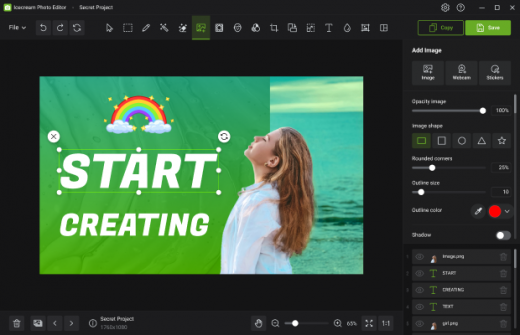
Description: Meet Icecream Photo Editor – the best free photo editor and photo manager for Windows. Edit your pictures like a pro: add text and images, crop and resize, add filters, create collages and more with ease.

Photo Editor’s main features

Completely free photo editor
Icecream Photo Editor is 100% free. No ads, no subscription, no limited features. Draw, add stickers, enhance, blur, add frames, flip and rotate, etc. All at your service at no cost.

Supported image formats
With Icecream Photo Editor one can edit photos and pictures of the most popular formats: JPG, JPEG, PNG, GIF, TIFF and BMP.

Photo manager
With Icecream Photo Editor you can easily organize the photos on your computer. Quickly browse through images in folders, rotate them if necessary, or delete unwanted ones.

Simple photo editor
One of the main advantages of our image editor is its amazing ease of use. Everything you need is always at your fingertips, nothing unnecessary. There is no need to study manuals.

Windows 11 supported
This program works on all major Windows systems, including 11 and 10. Combined with its features and simplicity, this makes it the best photo editor for Windows

Add text to photo
Adding text is easy when you use the Icecream Photo Editor. You can control all the basic parameters – font, size, weight, colors, opacity, etc.

Resize and crop
When editing photos, the most frequently used functions are “Resize Image” and “Crop Image”. That’s why we’ve tried to make them as intuitive as possible.

Add filters and stickers
Pick one of the cool filters to enhance your photo: black and white, old film, fisheye, water colors, and more. Add stickers from our library to make it even better.

Rotate and flip images
Rotate or/and flip your photos in a few clicks with our image editor.

Image enhancement
Use automatic image enhancement to instantly improve your photo. Or use one of the image settings to adjust the image the way you want it.

Blur photos
Easily blur images where needed to give them an artistic touch or hide sensitive data.

Add frames to photo
The free photo editor offers a variety of frames that you can easily add to pictures in a few clicks.

Collage maker
Use one of the many collage presets and create great photo content in a minute.

Operation Systems: Windows 11, Windows 10, Windows 8.1, Windows 8, Windows 7

Release Name: Icecream Photo Editor Pro 1.47 Multilingual
Size: 27 MB
Links: HOMEPAGE – NFO – Torrent Search

Download: FiKPERNiTROFLARERAPiDGATOR

9 Comments
Jan 11

Office 2013-2024 C2R Install / Install Lite 7.7.7.6

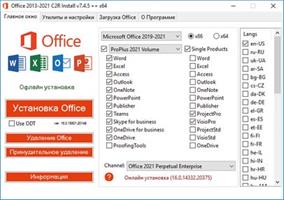
Description: This program designed for on-line installation and activation Microsoft Office 2013-2021 C2R. You also can create custom installation of Office off-line for using later.

How to use the program:
1. Uninstall Office 2016 via (Control panel) applet “Add or remove Programs”.
2. Uninstall Office 2016 using the “Force Remove Office” and restart your computer.
3. Install Office by clicking the “Install Office” button.
4. Go to “Utilities” tab and do the conversion “Office RETAIL => VL”.
5. Then click “Activate Office” button.
or
6. Start KMSAuto Net 2015 and click “Activate Office”.

How to use Bookmark Download Office:
Bookmark Download Office serves to create the off-line installation varying versions and editions of Microsoft Office
with the possibility for the subsequent installation of the product without receiving files from outside..

1. Select the appropriate version of Office, bit and language. I recommend to make a full x86-x64 distribution.
To do this, select the tab-width All (the lowest). Click the Download button and choose a folder to the distribution files.
You can select the folder of the previous session of the program to further develop distribution, or will start a new session.
2. If you want to make multilingual distribution – after complete loading of the first language, switch to the pre-
Executive language, click the Download button, and select the same download folder.
3. After downloading all required bit and spoken recommend creating ISO-image office suite.
To do this, click Create ISO.
4. As a result, in the selected folder you will see a ready to use off-line installer Microsoft Office
chosen version.
In one session, downloading files does not use different versions of MS Office 2016 and 2013. It is possible to manipulate
with x86-x64 and languages, but not versions. Or use a different folder assignment is. Otherwise you will get unusable distribution.
5. Now you can create multiple projects distributions of return, additions and corrections have
downloaded. You can choice the versions builds. For Office 2013 Branch-choice and does not matter. Always will
be download the most current build. For Office 2016, you can choose the source of download (branch). Button Check version
has been added to check the build number the selected Branch.

Release Name: Office 2013-2024 C2R Install / Install Lite 7.7.7.6
Size: 32.9 MB
Links: HOMEPAGE – NFO – Torrent Search

Download: FiKPERNiTROFLARERAPiDGATOR

6 Comments
Jan 11

Icecream Screen Recorder Pro 7.35 (x64) Multilingual

Icecream Screen Recorder Pro Crack Full Version Download

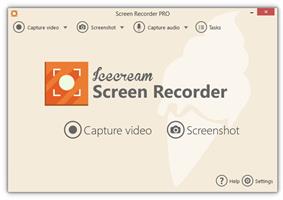
Icecream Screen Recorder Pro Full Crack Free Download – easy to use a program for recording video from your computer screen (recording games, Skype, webinars, and more), as well as creating screenshots of all windows and the selected area. The app has a complete set of tools required for professional video capture from the screen.(netgear r7350 firmware)

Screen Recorder allows you to capture the selection of any screen size. If you need to allocate a portion of the screenshot or add text comments to him, this program has the drawing tools. They allow you to draw on the screenshot shapes, lines and text overlay. You May Also Like AnyCap Screen Recorder + Crack

A screenshot of the program can immediately copied to the clipboard, or upload to a server IceCream Apps and give a short direct link to it. Using IceCream Screen Recorder, you can record high-quality video with sound. It is possible to adjust the microphone volume and system sounds. The program keeps a history of all records. shortcut keys can be used to use the functions of the program.

Download Icecream Screen Recorder Pro Serial Key Features:

  • Choose the area to create a video screenshot or right on the screen of your computer with a single click.
  • Draw, tracing, show arrows or print text on the future of the screenshot or video directly while shooting.
  • Quick access to all the recorded video from the screen or a screenshot.
  • Adjust the microphone volume and system sounds.
  • Save a screenshot to the clipboard to send on Skype or e-mail.
  • You decide: whether to remove the mouse, turn off the screensaver there, whether to hide the icons on the desktop, etc.
  • One-click to send a screenshot Icecream Apps server to receive and send short links to friends or partners.
  • Use hot keys to control the video recording process with the screen and create screenshots.

Version Icecream Screen Recorder PRO Download Free:

  • Unlimited recording time
  • Changing the output video format – WEBM, MKV, MP4
  • Changing the output video codecs – MPEG4, H264, VP8
  • Set the timer recording
  • Setting your own votermark Video
  • Turning off the countdown before recording
  • Perpetual license for 2 computers
  • Commercial use

Release Name: Icecream Screen Recorder Pro 7.35 (x64) Multilingual
Size: 27.8 MB
Links: HOMEPAGE – NFO – Torrent Search

Download: FiKPERNiTROFLARERAPiDGATOR

5 Comments
Jan 11

Markdown Monster 3.1.14

Markdown Monster Crack Full Version Download

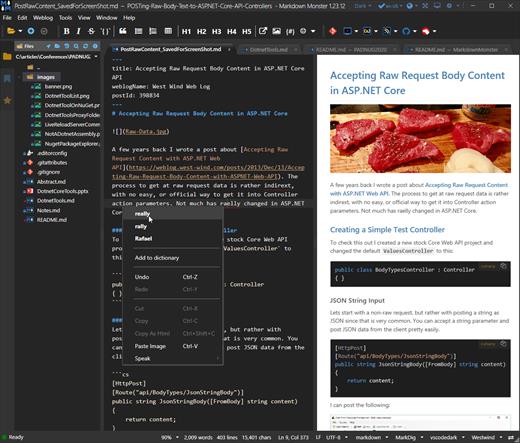
Markdown Monster Full Crack is a Markdown editor and viewer that lets you best Markdown Editor Windows with syntax highlighting and fast text entry. A collapsible, synced, live preview lets you see your output as you type. You can easily embed images, links, emojis, and code as text or by using our gentle UI helpers that simplify many operations. You can also paste and drag images directly into the editor. Inline spell-checking and word counts keep your content streamlined unobtrusively.

Markdown Monster Download You can enable distraction-free mode when you wish to focus on your work, as it hides all interface elements aside from the title bar. However, you do not have the option of hiding only the toolbar or status bar. This game for Windows is available for users with the operating system Windows 2000 and previous versions, and you can get it only in English. Markdown Monster Download is an attractive and fast Markdown editor that has you covered with Markdown syntax highlighting and fast text entry.

Markdown Monster Free Download Features:

  • Markdown Monster Crack Syntax colored Markdown
  • Live HTML preview
  • Inline spell checking
  • Embed images, links and emoji
  • Paste images from Clipboard
  • Capture & embed screen shots
  • Save to Html and PDF
  • Weblog publishing and editing
  • HTML to Markdown conversion
  • Editor and preview themes
  • Git Integration
  • Document Outline
  • Template text expansion
  • .NET scripting & addins

What’s New in Markdown Monster Crack Download?

  • Favorites Click Behavior Update Favorite clicks now open documents initially in preview mode until you type into the editor. Preview mode documents close as soon as another tab is opened or accessed. This behavior is now the same as the main folder browser. Double-clicking forces the opened document to be a permanently open document. Unlike the folder browser, a single click forces the cursor into the Favorite document selected.
  • Markdown Monster Crack Update Find in Files to Incremental Search
    Change the Find in Files sidebar to use live searching instead of using an explicit Search button. Better handle results display and navigation in the result view.
  • Fix: Preview Refresh for Ctrl-key operations
    Fix issue where some common ctrl-key operations (ctrl-z, ctrl-x etc.) would not immediately update the preview until manual key entry into the editor is performed. Changed operation that the ctrl key now triggers a preview refresh for all ctrl-key operations. This also means that the ctrl key becomes the effective ‘immediate refresh’ key that you can use to force a preview refresh even when no preview sync is in use.

Release Name: Markdown Monster 3.1.14
Size: 21.4 MB
Links: HOMEPAGE – NFO – Torrent Search

Download: FiKPERNiTROFLARERAPiDGATOR

7 Comments
Jan 10

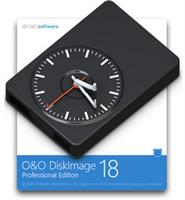
O&O DiskImage Professional / Server 18.5.359

O&O DiskImage 18 lets you back up an entire computer or single files whenever you want – even while the computer is being used. In the event you should lose your personal data it can be quickly restored with just a few mouse clicks – even when Windows is no longer able to start. It also supports SSD drives and the latest UEFI System.
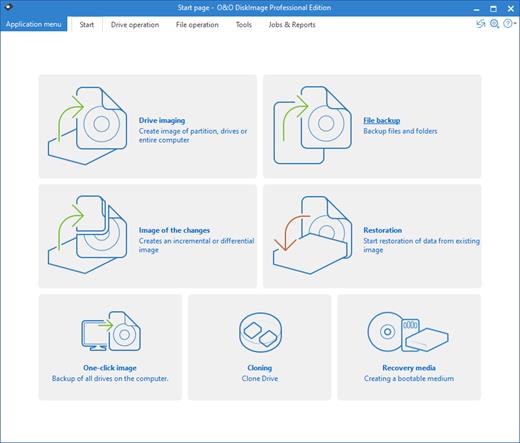
O&O DiskImage lets you carry out a system restore and to duplicate or clone an entire PC or hard drive. You can even restore this backup onto a computer whose hardware is different from the original machine, for instance, where you have changed a motherboard on the target machine or have bought a brand new PC and want to restore an old backup onto it.

A regular backup is still something that many users prefer to avoid. At least that is until they suffer their first loss of important files as a result of software, hardware or user error: that’s when it becomes crystal clear just how valuable a reliable and up-to-date backup really is!

New in O&O DiskImage 18: Comprehensive VHD / VHDX functionality
With the new version 18 it’s possible to convert image files made with O&O DiskImage into Microsoft Virtual Hard Disc (VHDX as well as VHD) image files. This can be especially useful if someone wants to first “rehearse” migrating from Windows 10 to Windows 11 because it can be done using a virtual machine created on the current system.

The new O&O DiskImage 18 can also create incremental and differential images of virtual drives. Combining or mounting these images is also possible. Whenever there’s a backup available, it only takes a few seconds to access any files that are needed. Work on the computer can then be continued without any loss of time or important data.

O&O DiskImage 18 with its own recovery partition
Normally with a backup or imaging program you need to create a boot medium (USB) to boot up your system if something goes awry. This you have to either carry around or store somewhere safe in case disaster strikes.

Thanks to the integration into the system, the O&O DiskImage RecoveryPartition can be accessed immediately so that the last system image can be restored directly. If the Windows operating system does not start or if faulty drivers have to be uninstalled – with the integrated recovery environment, all O&O tools are available to make the system operational again as easily as possible. Not only is this much more comfortable and quicker for the user, it also provides them with an extra level of security as this medium cannot get lost or damaged as easily as a “portable”, external one.

O&O DiskImage To Go
Previously, in addition to regularly backing up your machine, you also had to separately create an O&O DiskImage boot media to restore that backup. Everything is easier now! The new O&O DiskImage To Go function automatically turns an external hard drive (or USB flash drive with enough storage space) into an O&O DiskImage boot medium and marks this disk as the preferred storage medium for future system backups. As soon as you then connect this external USB hard disk to your computer, O&O DiskImage 18 automatically creates a backup. This makes it easy to create a recent backup. And if something really happens to your computer or you want to transfer your system and all your data to a new computer, then with the O&O DiskImage boot medium you can restore the backup stored on it with just one touch of a button. Without the hassle of searching for the boot medium and the external hard drive with the backup.
It has never been so easy to ensure the security of your data!

Further functions of O&O DiskImage:

All default and advanced features are combined in one single product
This backup software is the safest and easiest way to avoid losing important personal files! Options are available for both auto backup and manual settings. Thanks to a unique recovery system that includes additional system recovery tools combined with O&O DiskImage you’ll quickly be able to restore all your important data – even if the backup you’re using was created with an older O&O DiskImage version.

Backup entire PCs, hard drives or files with the push of a button
When you back up a PC, O&O DiskImage saves all personal files as well as hard drive information and individual settings. This not only protects irreplaceable files but, in a worst case scenario, also saves you the trouble of having to carry out a time-consuming new setup of programs and the Windows operating system. O&O DiskImage lets you back up an entire computer, system and hard drives or just individual files and folders. To make sure your backups are always up to date, we recommend creating them at short intervals from one another.

Quick and easy system restore – even onto different hardware
Restoring a backup with O&O DiskImage is as easy as pie: all you have to do is start the program, select the backup you want to restore, and you’re off. Included with the software is our machine independent restoration which means your old backup can be transferred 1:1 onto a new machine. Hardware of a different make will be automatically recognized and Windows settings will be carried out by themselves.

Plug-and-play function
Anyone wanting to save data on an external hard disk has it even easier with the new O&O DiskImage 18. Thanks to the integrated plug-and -play option, selected files and folders can be backed up automatically as soon as, for example, an external hard disk is connected to the computer. This is ideal for users who forget to carry out regular backups or who don’t want to go through the trouble. Once configured, the auto backup function runs by itself.

Create a boot medium directly from within the program
O&O DiskImage can bring a system back to life immediately and with no installation required. It does so by way of a Boot Medium (USB Stick) which is based on the currently installed Windows system and which contains all the standard drivers required.

Product features
Backup an entire computer with the push of a button
Backup system and hard drives, clone drives and entire disks
Brand new file-based backup: now twice as fast as ever before – backup and restore individual files and/or folders
Direct creation of VHD/VHDX
Monitoring and warning of security risks
Incremental/differential backup: back up only the changes
Easily restore files, folders, drives and disks
System restore onto different hardware (M.I.R.)
Create a Windows Boot system directly from within the program with driver integration
Plug-and-play: Selected files and folders are automatically backed up and synchronized
Variable pixel density settings: adjusts to the selected DPI setting of the connected monitor
New and enhanced functions Control via Command Lines

Operating System:
Windows 11, Windows 10 and Windows 8.1


Release Name: O&O DiskImage Professional / Server 18.5.359
Size: 439.9 MB
Links: HOMEPAGE – NFO – Torrent Search

Download: FiKPERNiTROFLARERAPiDGATOR

6 Comments
Jan 10

Avenza MAPublisher for Adobe Illustrator 11.3.2

Description: Finally, high-quality map production software that works. MAPublisher cartography software seamlessly integrates over 40 GIS tools into the Adobe Illustrator environment to help you create maps the way you want, how you want. Import the most widely used GIS data formats, including those from ESRI, MapInfo, MicroStation, AutoCAD, Google and the U.S. Government. All GIS data attributes and geographic parameters are maintained, are fully accessible and editable. Export data in a wide variety of standard GIS formats and export documents to Geospatial PDF. Cartography is now faster, easier and better than it has ever been. When used together with Geographic Imager for Adobe Photoshop, they form the perfect vector/raster mapping package for the Adobe Creative Suite.

Export Adobe Illustrator documents with GIS data to interactive Flash maps, complete with callout bubbles, rollovers, layer control, pan and zoom controls, and with all the underlying GIS attributes intact. Export Flash maps without any additional coding or software requirements and embed them to any Web page
In MAPublisher create Adobe Acrobat PDF files containing coordinate system and attribute data from any MAPublisher document. Find locations, measure distances, perimeters and areas, add locations markers and more.

Directly import feature classes from ESRI Personal geodatabase (.mdb), File geodatabase (.gdf ) and ArcSDE servers. Use SQL queries and spatial filters to refine import. Requires ESRI software and a valid license installed and is only available on Windows.
MAPublisher panels seamlessly integrate into the user interface and can be resized, moved, and docked just like native Adobe Illustrator panels.
Crop map documents only to the area of interest. Easily remove unwanted data while preserving attributes and styles. Perfect for creating inset maps.

The ability to place points onto a map is a fundamental part of cartography. Points can represent the locations of towns and cities, stores, airports, train stations and more. Instantly plot centroids and lat/long points onto any projected map in projected units, decimal degrees, or Degrees Minutes Seconds.
Import data from major GIS applications such as ArcGIS, MapInfo, MicroStation, Google and other GIS sources with all attributes and georeferencing intact and fully editable. Make vector and database edits, data edits, additions and save your changes to a variety of GIS data formats.

MAPublisher quickly and easily styles points, lines, areas and text. Specify rules in MAP Stylesheets to apply preset or custom symbols, graphic styles and character styles to artwork based on exisiting map attributes.


Release Name: Avenza MAPublisher for Adobe Illustrator 11.3.2
Size: 370.3 MB
Links: HOMEPAGE – NFO – Torrent Search

Download: FiKPERNiTROFLARERAPiDGATOR

7 Comments
Jan 10

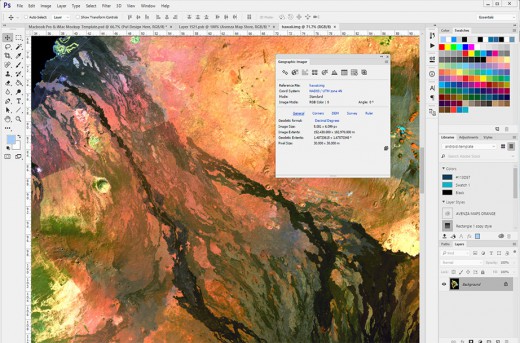
Avenza Geographic Imager for Adobe Photoshop 6.6.1

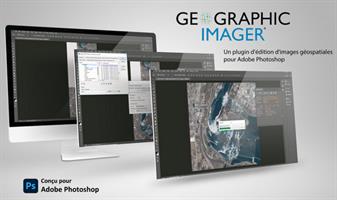
Description: Working with raster imagery doesn’t have to be complicated. Geographic Imager® enhances Adobe Photoshop to make working with spatial imagery quick and efficient. It adds tools to import, edit, manipulate and export geospatial images such as aerial and satellite imagery. Enjoy the use of native Adobe Photoshop functions such as transparencies, filters, pixel editing, and image adjustments like brightness, contrast, and curve controls while maintaining spatial referencing.

Transform
Extensive support for thousands of geographic and projected coordinate systems. Easily transform between geodetic and projected coordinate systems. Need to define your own coordinate system? Create one or edit an existing definition and save it for future use. Manage custom transformations in an easy to use coordinate system browser.

Georeference
Georeference images easily by adding ground control points. Manually add control points, import or export points from a text file, and view accuracy and errors. Use the Quick Georeference option to make georeferencing even easier. Multiple transformation types are supported.

Mosaic
Snapping images together not working? Mosaic individual images to create a seamless image. Retain images as separate layers or flatten to create one image. Images mosaicked together retain spatial referencing and can be individually modified using Adobe Photoshop tools or transformed using Geographic Imager.

Tile
Forget the Slice tool. Tile an image into multiple images by tile size or count and automatically save them using sequential naming. Tiles retain spatial referencing making it ideal to import into MAPublisher without any trouble.

Geographic Imager 3.0 features and additions
64-bit support – Geographic Imager is now supported on Adobe Photoshop CS4 64-bit for Windows XP/Vista/7. Open larger images and greatly improve Adobe Photoshop and Geographic Imager performance.
New supported image formats – Several new formats are supported: BIL, NITF and BigTIFF. See all Geographic Imager supported formats.
Georeference – Several enhancements were made to the Georeference tool. The ground control points can now be specified in their own coordinate system within the Georeference dialog box. The Quick Georeference functions has an additional option to load the reference of another file. New customizing options have been introduced such as control point and label colours. A tool to remove georeference has been added
GeoCrop – New and improved GeoCrop and GeoCrop Import user interface. It now includes a crop image preview. Draw a crop marquee, use point proximity or specify pixel, geodetic or projected coordinates or to define a crop area quickly and easily.
Digital Elevation Model (DEM) Schema – DEMs provide an effective method of storing information for a continuous surface. DEM data needs to be rendered, so it can be displayed visually. Depending on what type of DEM data it is and how it should look, the type of rendering schema needs to be customized or automatically assigned.
Tiled images can now be saved to any image formats supported by Adobe Photoshop
Automating tasks – All functions provided by Geographic Imager are now fully compatible with scripts and actions, and can be scripted or recorded to easily automate repetitive tasks.
Licence management – New licensing management system. Easily manage license options including commercial, academic, multi-user and floating.
Various other user interface improvements and performance enhancements to improve usability.

What’s new in Geographic Imager 3.4?

Fully compatible with Adobe Photoshop CS5.1 (also known as Photoshop 12.1 in Adobe CS5.5) in both 32 and 64 bit
New import support for ERDAS IMAGINE (.img), Esri ArcInfo Binary Float Grid (.flt), and “DEM” grayscale GeoTIFF (*.tif) formats, including ability to import georeferenced images from Web Map Service (WMS) sources
New export support for BigTIFF, ECW (up to 0.5 GB), and NITF formats
Major enhancements to Advanced Import, including options to:
import multiple files of differing formats
resample and crop images prior to import
modify bands/channel color mapping and select specific channels to import for multiband/hyperband images
mosaic and import images as layers into existing documents specify and adjust DEM and DTM information and combine multiple DEM files on import
Enhanced Quick Save feature for quick format conversion
New ability to measure areas in images using the Adobe Photoshop Measurement Log panel
Various bug fixes and user experience enhancements

Release Name: Avenza Geographic Imager for Adobe Photoshop 6.6.1
Size: 367.2 MB
Links: HOMEPAGE – NFO – Torrent Search

Download: FiKPERNiTROFLARERAPiDGATOR

6 Comments
Jan 10

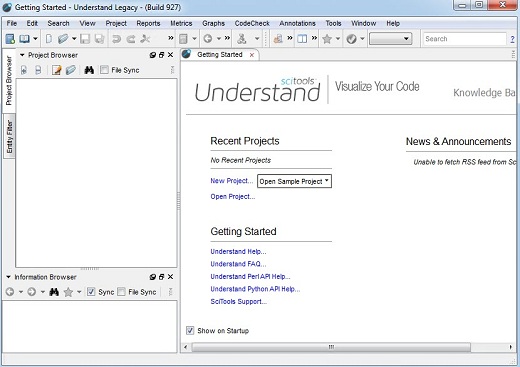
Scientific Toolworks Understand 6.5 Build 1167 (x64)

Description: Understand provides you with pertinent information regarding your code. Quickly see all information on functions, classes, variables, etc., how they are used, called, modified, and interacted with. Easily see call trees, metrics, references and any other information you would want to know about your code.

Metrics & Reports
Understand is very efficient at collecting metrics about the code and providing different ways for you to view it. There is a substantial collection of standard metrics quickly available as well as options for writing your own custom metrics when we don’t cover exactly what you need.

Graphing
Understand offers graphs that allow you to see how your code connects (dependencies), how it flows (control flow graphs), what functions call other functions (call graphs), and many more. There are many customization options to easily allow you to display only what you are interested in seeing so the graph is best suited to what you need.

Standards Testing
Understand provides a way to check your code using published coding standards, or your own custom standards. These checks can be used to verify naming guidelines, metric requirements, published best practices, or any other rules or conventions that are important for your team.

Dependency Analysis
See all the dependencies in your code and how they connect. See these dependencies using Understand’s interactive graph or using the textual Dependency Browser. Both allow you to see all dependencies quickly and easily at a high level or dig in and get the details.

Editor
Understand’s powerful editor is a full modern programming GUI that incorporates all the modern features you would expect. It is designed from the ground-up for multi-monitor use and it includes tabs, tab groups, docking, syntax colorization, auto-completion, and syntax-based collapsing and folding just to name a few.

Search
Multiple options are available for searching in Understand. For instant results, use our “Instant Search” feature which provides results before you are even done typing. Understand also provides search options for more customized and complicated searches, such as Regular Expression and Wildcard searches.

Languages
Understand supports more than a dozen languages and can handle code bases that are written in multiple languages. This allows you to see calls and dependencies between languages so you can get information about the complete system.

Release Name: Scientific Toolworks Understand 6.5 Build 1167 (x64)
Size: 299.3 MB
Links: HOMEPAGE – NFO – Torrent Search

Download: FiKPERNiTROFLARERAPiDGATOR

5 Comments
Jan 10

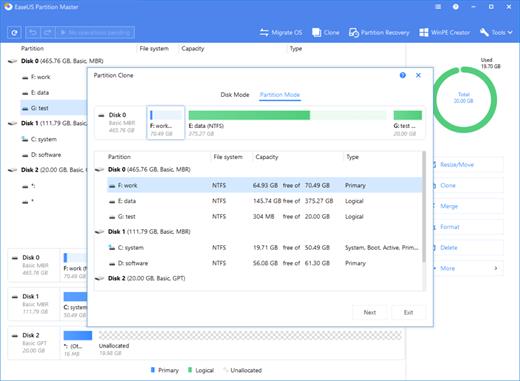
EaseUS Partition Master 18.2.0 Build 20231213 (x64) WinPE

EASEUS Partition Master is comprehensive hard disk partition management tool and system partition optimization software, Professional Edition can let you enjoy all the powerful basic and advanced partition functions. It is especially for business users who run Windows XP/Vista/Windows 7 32/64 bit and want to optimize the disk usage and better manage disk space. More advanced than Home Edition, it can help you create bootable CD/DVD in case of system boot failure.

All-in-one Hard Drive & Partition Manager Solution
EaseUS Partition Master Technician Edition is an ALL-IN-ONE PC & Server disk management toolkit for IT professional, system administrator, technician and consultant to provide technical service to clients with unlimited usage.
It covers all the features of EaseUS Partition Master Server Edition and brings together with three main functions including: Partition Manager, Disk & Partition Copy Wizard and Partition Recovery Wizard.

Partition Manager
Best solution to create, delete, resize/move, merge, split partitions, etc. to make better use of hard drive capacity.
Resize/Move partitions with data loss, like extending NTFS system partition without reboot to maximize PC performance.
Safely merge two adjacent partitions into a bigger one without data loss.
Convert dynamic disk to basic disk and convert FAT to NTFS file system.
Convert primary partition to logical partition and vice versa: convert a primary volume to logical to create a fifth volume on a disk with 4 existed primary volumes.
Repair RAID-5 volume by reconstructing the data of the failed member on another disk.
Support command line, special for running a batch file to manage partitions.
Wipe disk or wipe partition to permanently wipe sensitive data on disk.
Support up to 2TB partition on MBR disk and 4TB partition on GPT disk.

Disk & Partition Copy Wizard
Easily clone disk and volumes for data protection or disk upgrade, no Windows system reinstallation required.
Copy partition with fast file-by-file copy to protect your data.
Copy entire hard disk to another without Windows reinstallation.
Upgrade system disk to a bigger one with one-click.
Support GPT disk/partition copy.
Provide option to shut down the computer after applying any operation. This function is especially useful when you copy the disk which contains the operating system.

Partition Recovery Wizard
Designed to recover deleted or lost partitions on unallocated space.
Partition Recovery Wizard allows you to recover deleted or lost partitions from unallocated space due to hardware or software failure, virus attack or hard drive repartitioned.
Two recovery modes in Partition Recovery Wizard: Automatic recovery mode is easy to use and requires minimal effort; Manual recovery mode gives you full control of the recovery process.
Support FAT, NTFS, EXT2 & EXT3 partition recovery.

New Features:
Revamped user interface: more streamlined and intuitive.
New feature: fast rollback protects data when move/resize processes are interrupted.
Now create WinPE bootable disk in any supported language.

Release Name: EaseUS Partition Master 18.2.0 Build 20231213 (x64) WinPE
Size: 1.2 GB
Links: HOMEPAGE – NFO – Torrent Search

Download: FiKPERNiTROFLARERAPiDGATOR

7 Comments