Jan 22

WinNc v9.7.0.0 (x86/x64) Multilingual-P2P

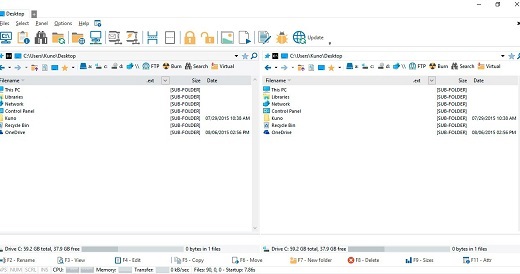
Description: WinNc is still downwards compatible with Windows 8 and 7 and uses the modern flat interface. This NC clone file manager is inspired on the dual panel idea of the old file manager Norton Commander. It has shortcuts to all the Windows 10 special folders and the tabbed interface allows you to organize your data by project. Projects can include virtual links to files and folders from all over the disk that are related to that project tab.

With a new Windows 10 flat interface WinNc can do all the basic tasks you expect from a file manager like copy, move, delete, compress, uncompress and create links. But WinNc also converts audio, burns files on dvd and cd, creates iso files and you are able to synchronize your files. From zip files it allows the creation of self extraction .exe files.

WinNc uses logical colors for the file actions so you can see if a file is being copied (Green), being moved (Orange) or being packed (Yellow). WinNc allows you to perform multiple tasks by setting the maximum parallel tasks to more than one task. Otherwise WinNc will wait to start the new action until the previous action has finished. There is a built in file viewer supporting all the popular formats. It has a built in slideshow viewer, an audio player and a video player for quickly browsing through your media.

Release Name: WinNc v9.7.0.0 (x86/x64) Multilingual-P2P
Size: 31.2 Mb

Links: HOMEPAGE – NFO – Torrent Search

Download: UPLOADGiG – NiTROFLARE – RAPiDGATOR

9 Comments
Jan 22

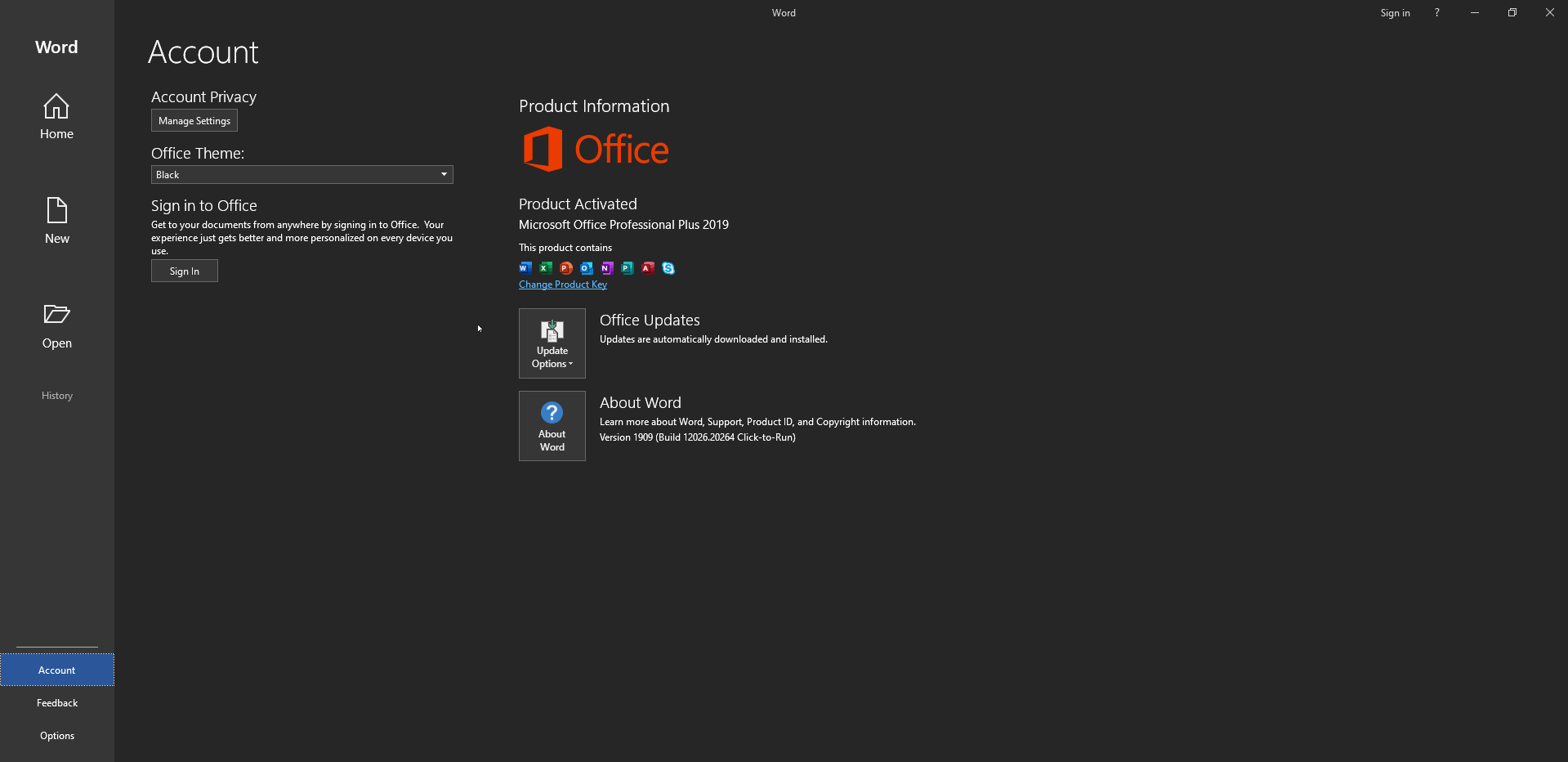
Microsoft Office Professional Plus 2016-2019 Retail-VL Version 2012 (Build 13530.20440) (x64) Multilanguage-P2P

Description: Office 365 ProPlus, the cloud-connected version of Office, delivers the most productive and most secure Office experience—with the lowest total cost of ownership for deployment and management. However, for customers who aren’t ready for the cloud, Office 2019 provides new features and updates to the on-premises apps for both users and IT professionals. Like Windows Long Term Servicing Channel (LTSC) releases, Office 2019 provides a set of valuable enhancements for customers who can’t be cloud-connected or receive regular updates.

Microsoft Office 2016-2019 Select Edition includes:
Microsoft Office 2016-2019 Professional Plus
Microsoft Access 2016-2019
Microsoft Excel 2016-2019
Microsoft Lync 2019
Microsoft OneNote 2016-2019
Microsoft Outlook 2016-2019
Microsoft PowerPoint 2016-2019
Microsoft Publisher 2016-2019
Microsoft Visio Viewer 2019
Microsoft Word 2016-2019
Microsoft Visio pro 2016-2019
Microsoft Project Pro 2016-2019
Skype for business 2016-2019
OneDrive for Business 2016-2019
Office Shared Features
Profing Tools Only 2019
And many more

Release Names: Microsoft Office Professional Plus 2016-2019 Retail-VL Version 2012 (Build 13530.20440) (x64) Multilanguage-P2P
Size: 6.64 GB
Links: HOMEPAGE – NFO – Torrent Search

Download: UPLOADGiG – NiTROFLARE – RAPiDGATOR

5 Comments
Jan 22

Advanced SystemCare Ultimate 14.0.1.112 Multilingual-P2P

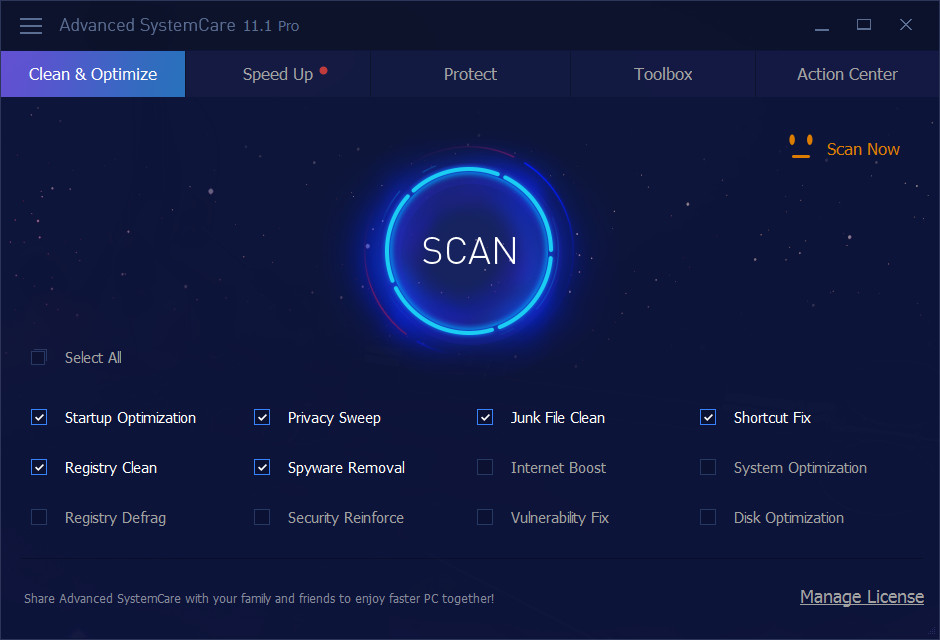
Description: Advanced SystemCare 11 PRO provides an always-on, automated, the all-in-one PC optimization utility. It specializes in ONE-Click solutions to detect, clean, repair, speed up and eventually protect PC. Advanced SystemCare 11 is a PC maintenance program that’s incredibly easy to use, the World’s Top System Utility for Superior PC Health! With the novel system technology, Advanced SystemCare empowers you to run your computer faster. Ensures more stably and more efficiently than with any other system utilities.

With the greatly improved IObit Anti-Ransomware Engine, the latest world-leading Bitdefender antivirus engine, and the greatly expanded database, Advanced SystemCare Ultimate 14 brings your PC security to a much higher level. It not only prevents your files from being encrypted by ransomware or illegally accessed by third-party programs, but also protects your PC against various viruses and malware like spyware, adware, Trojans, keyloggers, bots, worms, hijackers, etc. In this version, the new Browser Protection integrates 5 main protection features – Surfing Protection, Anti-Tracking, Email Protection, Homepage Advisor, and Ads Removal, to provide you with one-stop protection against online scams, cryptocurrency mining attacks, invasive online tracking, digital fingerprint being stolen, homepage and search engine modifications, annoying ads, and other browser-based threats. Besides, Advanced SystemCare Ultimate 14 strengthens Real-Time Protection and Sensitive Data Protection to protect your PC against malware in real time and automatically block unauthorized accesses to your sensitive data.

Meanwhile, Advanced SystemCare Ultimate 14 offers you plenty of features to boost your PC performance to make it like a new one. The improved powerful 1-click approach helps you clean up junk files, invalid shortcuts, and privacy traces more easily and thoroughly, remove 23% more spyware, update 33% more outdated software, further accelerate Internet speed, and fix more system weaknesses and security holes. The new Startup Optimizer, with 42% larger database, helps you easily get your computer ready to use by disabling unwanted startup items and background programs. The optimized Performance Monitor helps you monitor PC’s RAM/CPU/Disk usage, CPU/GPU/Mainboard temperature, and fan speed in real time, and enables you to end unneeded processes easily to speed up your PC. And the enhanced Turbo Boost can intelligently stop the unnecessary startup items, apps, and services to further accelerate your PC.

What’s more, Advanced SystemCare Ultimate 14 also rebuilds and improves over 10 useful tools, such as Disk Cleaner, Cloned File Scanner, Win Fix, Smart RAM, Internet Booster, Large File Finder, Registry Cleaner, File Shredder, FaceID, and DNS Protector to further clean and optimize your PC.

In summary, Advanced SystemCare Ultimate 14 is definitely a top notch and preferred product to get the most comprehensive system and privacy protection, as well as ultimate optimization for your PC.

Release Names: Advanced SystemCare Ultimate 14.0.1.112 Multilingual-P2P
Size: 96.88 MB
Links: HOMEPAGE – NFO – Torrent Search

Download: UPLOADGiG – NiTROFLARE – RAPiDGATOR

11 Comments
Jan 22

Hetman Partition Recovery 3.6 Multilingual-P2P

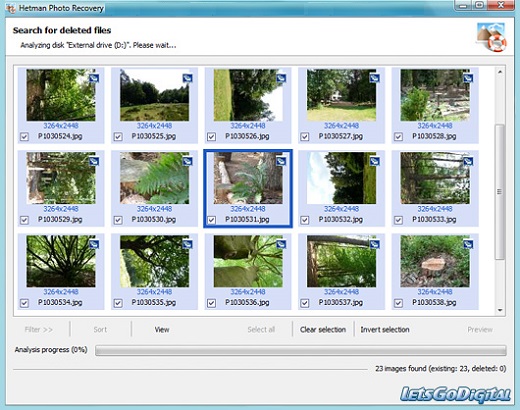
Description: Hetman Photo Recovery recovers digital pictures from all types of storage media. Undelete photos from hard disks, recover from USB drives, or restore from formatted, corrupted or inaccessible memory cards – Hetman Photo Recovery can do all this, and more. The tool can even recover pictures directly from the smartphones, tablets and many digital camera models. Simply connect your device to the computer via a USB cord and run Hetman Photo Recovery.
Features:
– Recover all types of deleted files including documents, compressed archives, photos, music and videos;
– Recover files and folders from formatted, repartitioned, corrupted and inaccessible disks;
– Unformat formatted partitions and restore original volumes from repartitioned hard drives;
– Fix corrupted file systems, partition tables, master boot records (MBR) and other system information;
– Recover files and folders from built-in and external hard disks, USB flash drives, and all types of memory cards.

Release Name: Hetman Partition Recovery 3.6 Multilingual-P2P
Size: 41.32 MB
Links: HOMEPAGE – NFO – Torrent Search

Download: UPLOADGiG – NiTROFLARE – RAPiDGATOR

6 Comments
Jan 22

Hetman Office Recovery 3.4 Multilingual-P2P

Description: Hetman Office Recovery is designed to help when your office documents go missing. Implementing a range of highly sophisticated low-level disk analysis algorithms, Hetman Office Recovery can retrieve the missing documents even if the disk is corrupted, inaccessible, or does not appear as a drive letter. A special extra-safe recovery more is available for heavily worn and physically unstable devices.

Features:

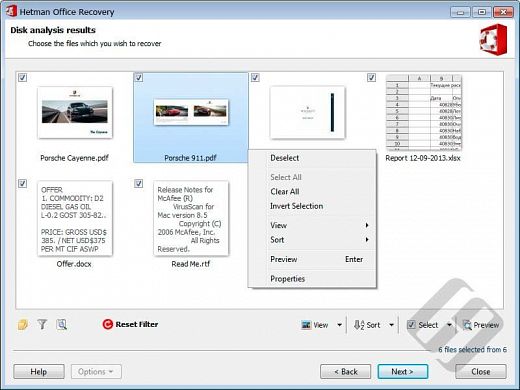
Using Hetman Office Recovery is just as easy as installing it. A step by step wizard guides you through the entire recovery process, helping you choose the right options to achieve maximum recovery rates. From simple undelete to heavy duty recovery, Hetman Office Recovery solves all your data recovery needs when it comes to office documents.

Heavy Duty Recovery Engine
Hetman Office Recovery features a true heavy-duty data recovery engine. The very same engine is used in Hetman’s top of the line partition recovery tool used by system administrators, service centers and data recovery specialists. Thanks to this powerful engine, Hetman Office Recovery can easily recover documents other tools won’t.

Recovers Documents and Spreadsheets
Hetman Office Recovery is designed to recover documents saved by Microsoft Office 97, 2000, XP, 2003, 2007, 2010, and 2013, as well as OpenOffice. The following types of files are supported:
DOC – Microsoft Word 97-2003 Document (*.doc);
DOCX – Microsoft Word Document (*.docx);
DOT – Document Template (*.dot);
XLS – Microsoft Excel 97-2003 Spreadsheet (*.xls);
XLSX – Microsoft Excel Spreadsheet (*.xlsx);

In addition to Microsoft Word and Excel documents, Hetman Office Recovery natively supports the OpenDocumet Format. This document format is employed by Open Office, Libre and Star Office applications. The following file types are supported:
ODT – OpenDocument Text Document (*.odt);
ODS – OpenDocument Spreadsheet (*.ods);

Finally, Hetman Office Recovery supports the following file formats:
PDF – Adobe Portable Document Format (*.pdf);
PDB – Document File (*.pdb);
RTF – Rich Text Format File (*.rtf);
WPD – WordPerfect Document (*.wpd);
WRI – Windows Write Document (*.wri);

Release Name: Hetman Office Recovery 3.4 Multilingual-P2P
Size: 16.16 MB
Links: HOMEPAGE – NFO – Torrent Search

Download: UPLOADGiG – NiTROFLARE – RAPiDGATOR

6 Comments
Jan 22

Hetman Word Recovery 3.4 Multilingual-P2P

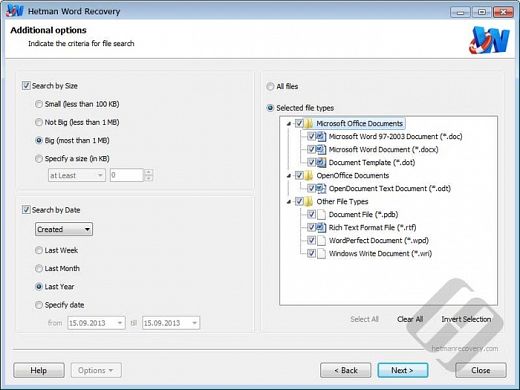
Description: Hetman Word Recovery recovers lost and deleted documents in Microsoft Word and Open Office formats, Adobe PDF files and many types of plain text files. Supporting all types of storage media, Hetman Word Recovery can extract documents from FAT and NTFS volumes.

Using Hetman Word Recovery could not be made easier. The convenient step by step wizard guides you through the recovery process one little step after another. The built-in viewer and automated pre- recovery check deliver a 100% success guarantee. If a document appears in the list of recoverable files, itll be recovered with no ifs and buts.

Release Name: Hetman Word Recovery 3.4 Multilingual-P2P
Size: 16.21 MB
Links: HOMEPAGE – NFO – Torrent Search

Download: UPLOADGiG – NiTROFLARE – RAPiDGATOR

7 Comments
Jan 22

Hetman Photo Recovery 5.4 Multilingual-P2P

Description: Hetman Photo Recovery recovers digital pictures from all types of storage media. Undelete photos from hard disks, recover from USB drives, or restore from formatted, corrupted or inaccessible memory cards – Hetman Photo Recovery can do all this, and more. The tool can even recover pictures directly from the smartphones, tablets and many digital camera models. Simply connect your device to the computer via a USB cord and run Hetman Photo Recovery.

Hetman Photo Recovery recovers digital pictures from all types of storage media. Undelete photos from hard disks, recover from USB drives, or restore from formatted, corrupted or inaccessible memory cards – Hetman Photo Recovery can do all this, and more. The tool can even recover pictures directly from the smartphones, tablets and many digital camera models. Simply connect your device to the computer via a USB cord and run Hetman Photo Recovery.

Using Hetman Photo Recovery is easy as 1-2-3. You’ll run a step-by-step wizard guiding you through the entire recovery process from choosing the device that has your files to selecting pictures to recover and finally saving them onto another disk. Try Hetman Photo Recovery free!

Features:
Key Features in Hetman Photo Recovery 4:

Quick Start
Start using Hetman Photo Recovery right away! Watch the video demonstration to discover how easy it is to recover your pictures. A fully visual image preview is available in the free evaluation version. If you can successfully preview a picture in the demo, then you can definitely recover it after purchasing the full copy!

Recovering Pictures that Go Missing
Hetman Photo Recovery is a highly specialized tool dedicated to recovering digital pictures that go missing. The tool supports a wide range of image formats including RAW files, and can successfully recover pictures from a huge variety of storage media.

Recoverable Digital Pictures
Hetman Photo Recovery can recover pictures in all popular image formats. This includes raster and vector images in JPEG, PSD, TIFF, PNG, BMP, GIF and many other formats. The list of supported formats is constantly growing. In addition, Hetman Photo Recovery fully supports the recovery of RAF files (“digital negatives”) produced by Canon, Nikon, Pentax, SONY, Olympus, Panasonic and other cameras. The tool recognizes CR2, CRW, RAW, TIFF, TIF, NEF, PEF, X3F and many other RAW formats.

Supported Devices and Storage Media
– The tool can recover images from all types of memory cards used in popular electronic devices such as digital cameras, smartphones, tablets etc. We tested the tool with a bunch of SD, micro SD, SDHC, Compact Flash, Memory Stick and other memory cards.
– Hetman Photo Recovery fully supports all desktop, laptop and external hard drives regardless of make and model. The images can be successfully recovered from healthy, formatted and corrupted disks.
– USB pen drives of all makes and models are supported including devices manufactured by A-Data, Corsair, Goodram, HP, Kingston, LaCie, PhotoFast, PNY, SanDisk, Silicon Power, TDK, Team, Toshiba, Transcend, Verbatim etc.
– Hetman Photo Recovery can recover images stored in the internal memory of many digital cameras. On order to recover the pictures, connect your camera to the PC via a USB cord and make sure a new drive letter appears. You can then use Hetman Photo Recovery to recover photos from that new drive. We tested multiple camera models manufactured by Canon, Casio, Ergo, Fujifilm, HP, Kodak, Logitech, Leica, Nikon, Olympus, Panasonic, Pentax, Praktica, Premier, Samsung, Sony, Toshiba, UFO and other makers.

Three Easy Steps to Recover Pictures
Hetman Photo Recovery is extremely easy to use. Equipped with a fully guided, step by step wizard, the tool guides you through the entire recovery process. You don’t have to be a pro photographer or an IT specialist to use Hetman Photo Recovery. A comprehensive manual is available, basically explaining how to hit the “Next” button three times (but also talking about the necessary safety precautions such as using a separate disk or memory card for saving images you’re about to recover).

Pre-Recovery Preview
Hetman Photo Recovery comes with a built-in picture viewer displaying a full-size preview of deleted pictures. Recoverable files are displayed as thumbnails, making it easy to choose exactly the images you want to recover. Hetman Photo Recovery is available in both paid and free versions of the tool.

Data Safety
Hetman Photo Recovery puts data safety a top priority, strictly enforcing read-only access to the device holding the images you’re about to recover. If you need absolute safety, you can make a virtual image of the disk, and recover information from that virtual image instead of the actual device. This technique allows capturing a bit-precise image of the volume you’re about to recover in a single sweep, effectively minimizing the number of disk access operations and reducing the chance of a sudden failure of a damaged device.

Data Recovery Algorithms
Hetman Photo Recovery can be launched in Quick and Comprehensive analysis modes. The Quick mode is blazing fast, allowing you to quickly restore recently deleted images. This mode analyzes records in the file system, so it can restore the original locations and names of the files. Unfortunately, this mode cannot be used on formatted disks and memory cards.

Release Name: Hetman Photo Recovery 5.4 Multilingual-P2P
Size: 14.4 MB
Links: HOMEPAGE – NFO – Torrent Search

Download: UPLOADGiG – NiTROFLARE – RAPiDGATOR

7 Comments
Jan 22

Hetman Uneraser 5.6 Multilingual-P2P

Description: Software for Recovering Deleted Files and Folders. Looking for a tool to quickly recover deleted files? Need to undelete erased documents or recover a bunch of deleted folders? Deleted a bunch of files with Shift + Delete or cleared up the Recycle Bin? Hetman Uneraser will help you get everything back in a matter of minutes! Hetman Uneraser quickly recovers deleted files and folders from just about any kind of storage media. Hard drives, memory cards, external storage, USB drives – you name it! The tool will reliably recover accidentally deleted files even if you used the “permanent delete” function with Shift + Delete, and restore data cleared from the Recycle Bin.

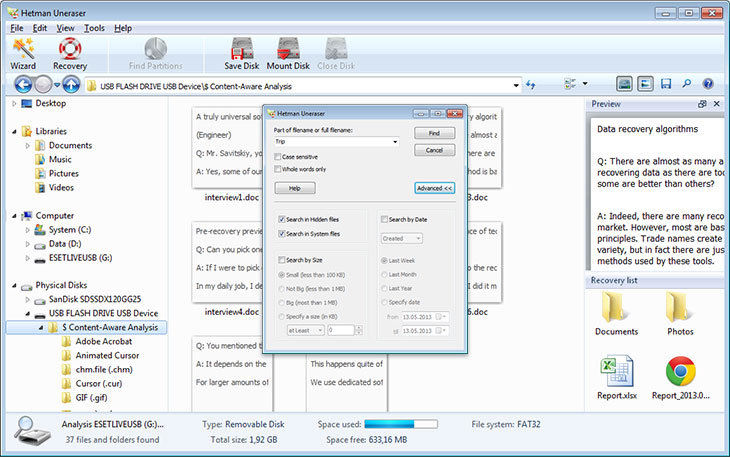
We made Hetman Uneraser as comfortable to use as at all possible. The interface is designed in the familiar “My Computer” fashion, allowing you to browse through deleted data just as you would browse files and folders in Windows Explorer. Recovering deleted files and folders is just as easy: simply pick a file to undelete and click the “Recover” button. It’s just that easy.

Key Features in Hetman Uneraser:
Quick Start
Start using Hetman Uneraser immediately after watching the video. This narrated tutorial will help you learn using the tool and make you familiar with all the features in a few short minutes. And bear in mind that all files that you can successfully preview in the demo version can be fully recovered after you purchase the unlock key!

Undeleting Files: The Easy Way
Hetman Uneraser safely recovers files and folders deleted from all popular types of storage media. Supporting both FAT and NTFS file systems, the tool supports desktop and laptop hard drives, solid-state media, external storage devices as well as certain models of digital point-and-shoots and audio/video players.

Recoverable File Formats
Hetman Uneraser can successfully recover files of all formats with no exceptions. However, for certain data it can go one extra step, offering an even better chance of recovering essential information such as Office documents, PDF files, pictures and videos including RAW files and Photoshop designs, email messages, archives and backups, and many other types of data you would rather not lose. For these formats, Hetman Uneraser can do a context-aware analysis of the entire disk surface, looking for deleted files by their unique signatures. Such files can be recovered even if there is no record about them left in the file system.

Recoverable Devices
– Hetman Uneraser recovers files and folders from hard disks of all makes and models. FAT and NTFS file systems are supported on all desktop, laptop and external hard drives.
– Recover information from all types of memory cards including SD/SDHC/SDHC, micro SD, Compact Flash, Memory Stick and so on. It can also recover files from USB-connected smartphones, audio players, GPS navigation systems and some point-and-shoot cameras.
– Hetman Uneraser all types of USB drives regardless of the model or manufacturer. We support pen drives of every type from legacy USB 1.1 to the latest USB 3.0 variety.

Easy to Learn and to Use
We made Hetman Uneraser safe and easy to use. The fully guided, step-by-step wizard will help you through the entire recovery process. In fact, you can start using the tool by simply selecting the disk with deleted files on it and clicking the “Next” button. The tool will then perform the analysis blazing fast, presenting you with a view of the missing data – exactly the way you would see it in Windows Explorer if only those files were not deleted.

Pre-Recovery Preview
The preview is an essential feature of all Hetman recovery tools. Pre-recovery preview allows peeking inside deleted files before you decide whether it’s worth recovering. The preview supports hundreds of file formats including all popular document and image formats, a bunch of video formats, compressed archives, backups, emails, text and HTML data. You can even preview information about executable files or use the built-in HEX editor for low-level access. Finally, for every recoverable file you can see its exact physical location on the disk.

Release Name: Hetman Uneraser 5.6 Multilingual-P2P
Size: 41.08 MB

Links: HOMEPAGE – NFO – Torrent Search

Download: UPLOADGiG – NiTROFLARE – RAPiDGATOR

6 Comments
Jan 22

Hetman Internet Spy 2.6 Multilingual-P2P

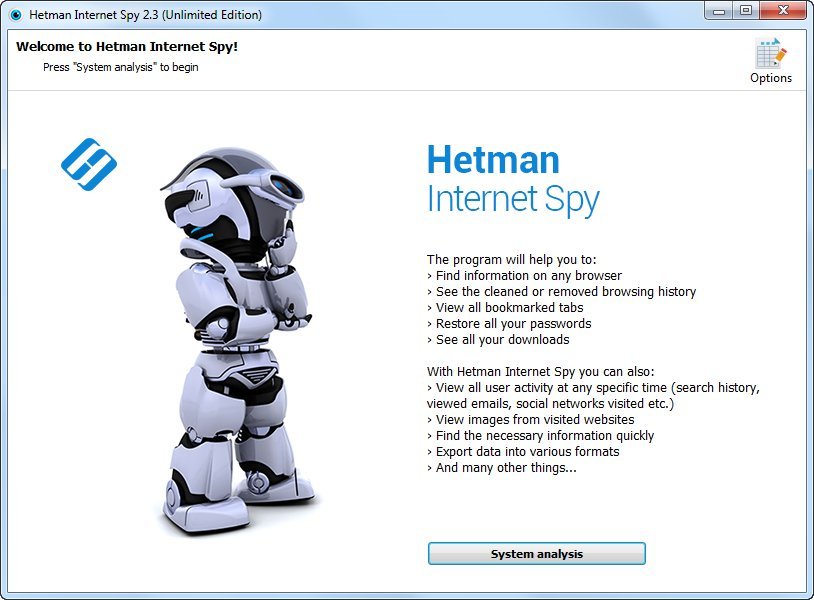
Description: This program analyzes the contents of both existing and deleted browser system files and collects detailed information on a user’s online activity. The utility allows you to analyze browsing history, social media messages, search history, emails, videos watched on YouTube, etc.

The user-friendly interface is good not only for parents who would like to monitor their children’s online activity, but also for detectives working on digital evidence. The application will give you certain information even if the browsing history was deleted, the data was removed, or the disk was formatted.

Ways you can use it
If you’ve decided to clear your search history, browsing history, or the history of any other past online activities, you shouldn’t assume it will be gone forever. Browsing history can be read easily, and even restored, if necessary.

Show a list of opened web pages
The application collects the history of opened URLs and displays the opening date, total number of visits, and the time spent viewing a certain webpage. For convenient analysis, all websites are broken into categories, and you can filter or sort them by any category.

Analyzes a user’s online activity on social media
Communications on social media also leave a track in the operating system. There is a special section to show URLs, the accounts used, the people with whom the user interacted, and the total time spent on communication. Using the saved logins and passwords, you can get direct access to the private information of a person’s account – messaging history, photos and videos.

Analyzes search queries and use of machine translation
The history of all search queries is given as a separate section. It contains all the information about searches made with popular search engines such as Google or Bing, in online stores like Amazon or Ebay, online maps by Google, social media like Facebook and YouTube, dating websites such asBeNaughty, Match, Tinder or OkCupid, and millions of other web sites and services.

Shows the user’s emails
All emails – viewed or sent – are available for review in a separate section. In addition to the date, it shows you the name of the resource where the email was viewed, the user account, and the subject. By using the received passwords, you can read someone else’s correspondence.

Shows created bookmarks and downloads
All bookmarks created by the user will be shown after scanning the browser. You will have access to bookmarks created both from a desktop computer or a smartphone. The saved web page URLs contain the date of creation and are arranged as a directory tree. The history of all downloaded objects is given as a separate section. For every download, the complete address and the time of starting and finishing the download are shown, as well as the path to the file on the disk.

Analyses the browser cache contents
When visiting any webpage, Chrome, Yandex, Opera and Mozilla Firefox copy numerous images and other objects onto the hard disk – into the browser cache. Hetman Internet Spy restores the files and the date of first access from the browser cache and shows it for review.

Shows saved passwords and entered addresses
For convenience, modern browsers suggest remembering passwords to user accounts in Facebook, Instagram, Twitter, email services, etc. This utility extracts saved passwords and addresses entered in contact forms from a person’s user account. Using the login keys, you can view someone’s emails and social media messages. Entering a person’s accounts in Google and Facebook gives you access to complete browsing history and search queries, all movements (via Geolocation), all the person’s contacts, and lots of other private information.

Recover browsing history after disk formatting
Deleting browser system files from the hard disk with Shift + Del or formatting the partition with subsequent reinstallation of a Windows operating system gives no protection against the Internet Spy. Hetman Internet Spy scans the disk directly and recovers the deleted browsing history.

Restores browsing history after it’s cleaned, or after Incognito or Private Mode have been used
You will be able to recover browsing history after it is cleaned, reset to default settings, and even after the browser is uninstalled and reinstalled. Using an Incognito tab in Chrome and Yandex, or a Private tab in Opera and Mozilla Firefox does not hide the browsing history, and you’ll be able to view it.

Exporting reports to Excel, HTML or PDF
You can save all the received data to Excel, HTML or PDF for further use or to import to other systems. The Report Wizard will help you select and export any useful information.

Release Name: Hetman Internet Spy 2.6 Multilingual-P2P
Size: 21.02 MB
Links: HOMEPAGE – NFO – Torrent Search

Download: UPLOADGiG – NiTROFLARE – RAPiDGATOR
8 Comments
Jan 22

Hetman macOS Recovery 1.3 Multilingual-P2P

Description: This program recovers deleted data from any storage devices formatted in Apple macOS. It supports all versions of APFS and HFS+ file systems, and restores files deleted with the command ⌘Cmd + Delete, as well as files lost after cleaning the Trash Bin or removed without using the Bin, by merely pressing ⌥Option (Alt) + ⌘Cmd + Delete.

Accidental erasing or formatting a disk, USB pen drive or memory card doesn’t destroy the information permanently. Algorithms integrated into MACOS Recovery™ provide access to data lost after repartitioning the disk or reinstalling macOS. All you need is to connect the disk to a Windows computer, and the program will be able to access all files on the disk, both deleted and still existing. You can also install this program to a Boot Camp partition or Parallels virtual machine.

Quick start
The program will analyze any devices with APFS and HFS+ file systems used by macOS Catalina, Mojave, Sierra, Capitan, Yosemite, Mavericks, Lion, Leopard, Tiger, Panther, etc.

This utility comes in handy after:
Are you looking for a data recovery tool for Mac computers or laptops? Have you accidentally removed files, formatted an external hard disk, a memory card or a USB pen drive?

Surviving a virus attack
It can recover any files removed, blocked or encrypted by certain kinds of viruses (ransomware): WannaCry, Petya, FileCoder, Filezip, Patcher, KeRanger, Gopher, Mabouia, FBI scam. Beginning with OS X El Capitan, Apple implemented a special feature, Apple’s System Integration Protection, which prevents access to the following folders: /System, /usr, /bin, /sbin, /var. However, MACOS Recovery™ uses low-level access to disk and lets you recover your files.

Facing a power failure or a MacOS error
Any power interruptions on a MacBook, iMac or Mac Pro while the computer is working with the disk may cause loss of files, various file system errors or boot issues. Our program can read the file system and recover data even if MacOS can’t boot at all.

Encountering a failed MacOS or APFS update
Looping installation (which prevents the operating system from booting), changing from HFS to APFS, installing updates to upgrade your operating system to High Sierra or Mojave – any of these actions may result in losing access to user data such as documents, photos, archives etc. Before any update, remember to back up your data just in case, and even if there is no backup file to rely on, you can still use MACOS Recovery™.

Recovering damaged APM, GPT or MBR
The partition scheme may be modified both as a result of a user error, and in cases when certain programs don’t “recognize” GPT or APM. APM or GPT may even be removed when connecting or initializing a disk on a computer running Windows, Linux or any other operating system. Some operating systems cannot boot from a GPT or APM disk. MACOS Recovery™ supports work with APM, GPT and MBR partitions, and it can restore access to files on the disk.

Deciding to find a tool with Apple Raids, CoreStorage and Fusion Drive support
Have you grown tired of looking for a tool to support Apple Raids, CoreStorage and Fusion Drive? With full support for conventional hard disks and SSDs, various memory cards and USB pen drives, MACOS Recovery™ stands as a one-stop solution for dealing with any MacOS data.

Release Name: Hetman macOS Recovery 1.3 Multilingual-P2P
Size: 39.92 MB
Links: HOMEPAGE – NFO – Torrent Search

Download: UPLOADGiG – NiTROFLARE – RAPiDGATOR
8 Comments