Jan 18

Windows 10 Enterprise 2019 LTSC 10.0.17763.1697 With Office 2019 Pro Plus Preactivated January 2021-P2P

Description: Windows 10 is a series of personal computer operating systems produced by Microsoft as part of its Windows NT family of operating systems. It is the successor to Windows 8.1, and was released to manufacturing on July 15, 2015, and to retail on July 29, 2015. Windows 10 receives new releases on an ongoing basis, which are available at no additional cost to users. Devices in enterprise environments can receive these updates at a slower pace, or use long-term support milestones that only receive critical updates, such as security patches, over their ten-year lifespan of extended support.
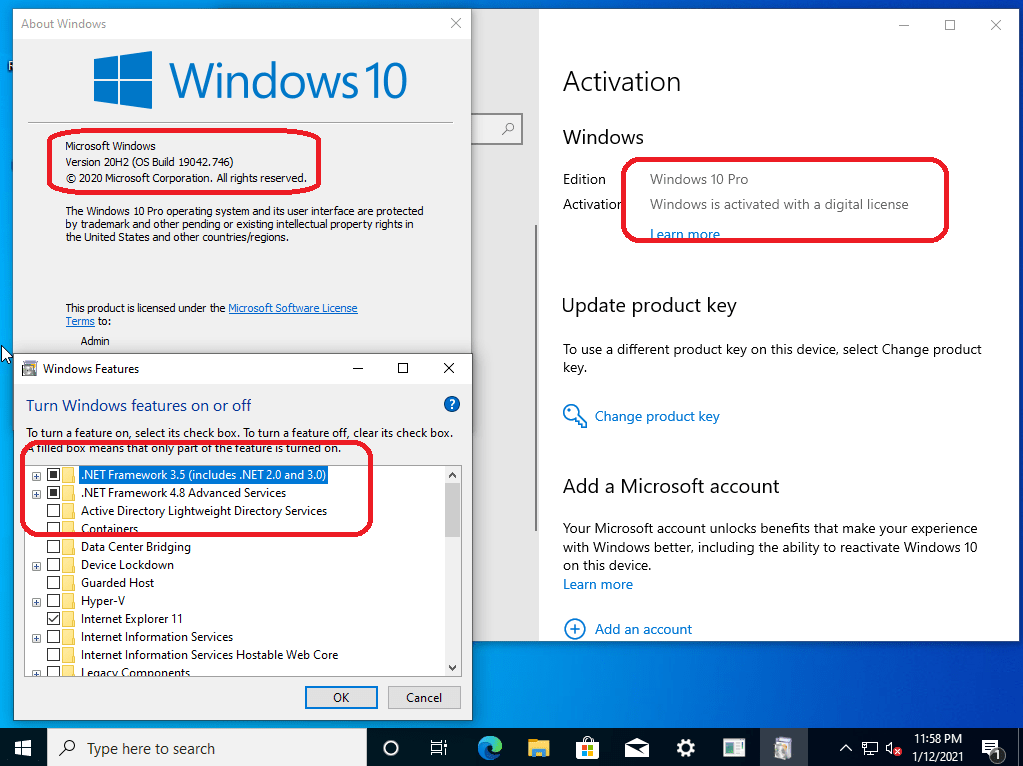
One of Windows 10′s most notable features is support for universal apps, an expansion of the Metro-style apps first introduced in Windows 8. Universal apps can be designed to run across multiple Microsoft product families with nearly identical code‍—‌including PCs, tablets,smartphones, embedded systems, Xbox One, Surface Hub and Mixed Reality. The Windows user interface was revised to handle transitions between a mouse-oriented interface and a touchscreen-optimized interface based on available input devices‍—‌particularly on 2-in-1 PCs, both interfaces include an updated Start menu which incorporates elements of Windows 7′s traditional Start menu with the tiles of Windows 8. Windows 10 also introduced the Microsoft Edge web browser, a virtual desktop system,a window and desktop management feature called Task View, support for fingerprint and face recognition login, new security features for enterprise environments, and DirectX 12.

Net 3.5 Enabled
Converted:Install.wim<Install.esd

Release Names: Windows 10 Enterprise 2019 LTSC 10.0.17763.1697 With Office 2019 Pro Plus Preactivated January 2021-P2P
Size: 6.99 GB
Links: HOMEPAGE – NFO – Torrent Search

Download: UPLOADGiG – NiTROFLARE – RAPiDGATOR

4 Comments
Jan 18

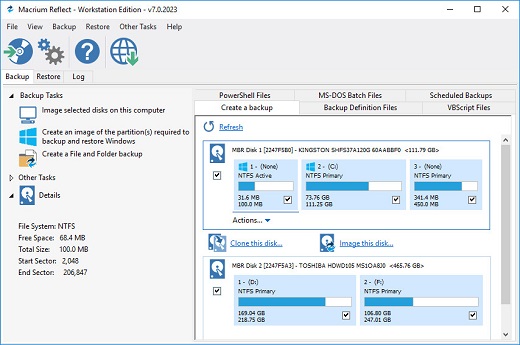
Macrium Reflect v7.3.5550 (x64)-P2P

Description: Macrium Reflect – backup and recovery for individual PCs and servers. Reflect Workstation – Designed for endpoint backup of business-critical PCs and workstations. Peace of mind for organisations when backing up Windows PCs.

Solution highlights:

  • New Backup Engine: Incremental and differential images up to 60 times faster
  • Instant virtual booting of backup images: instantly create, start and manage Microsoft Hyper-V virtual machines
  • Ultra-fast Live imaging of windows systems, physical and virtual
  • Restore images to dissimilar hardware using Macrium ReDeploy
  • Greatly simplified administration including pre-defined Backup Plans for popular backup strategies
  • Fully featured file and folder level backup and recovery
  • Updated support for all the latest Windows Operating Systems and disk formats

Macrium Reflect 7 Features:

  • Backup your entire PC to a single compressed image file.
  • Backup files and folders to a single compressed archive file.
  • Recover partitions and entire disk images with just a few clicks of your mouse
  • Dynamic disk support
  • MBR and GPT disk support
  • Restore images to dissimilar hardware using Macrium ReDeploy

Release Name: Macrium Reflect v7.3.5550 (x64)-P2P
Size: 318 MB
Links: HOMEPAGE – NFO – Torrent Search

Download: UPLOADGiG – NiTROFLARE – RAPiDGATOR

9 Comments
Jan 18

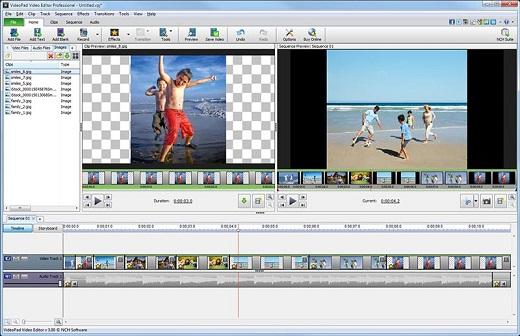
NCH VideoPad Video Editor Professional 10.06 Beta-P2P

Description: Working with video files, especially editing them, is a task that requires a specialized application that can provide all the tools one needs. Among the software applications of this kind you can find VideoPad Video Editor. The interface of this utility is divided into several parts (e.g. Media List, Effects, Transitions, Files, Clips, Video Track, Audio Track, Overlay Track), which may make everything seem a little hard to operate. You can capture video from a camcorder or another device like a webcam or a TV capture card, and once you have added files and sequence clips to the queue, you can start editing them.

Features:

  • Stunning Transition Effects
  • Amazing Audio Tools
  • Complete Video Optimization
  • Share With Your Family and Friends

Release Name: NCH VideoPad Video Editor Professional 10.06 Beta-P2P
Size:  4.59 MB
Links: HOMEPAGE – NFO – Torrent Search

Download: UPLOADGiG – NiTROFLARE – RAPiDGATOR

6 Comments
Jan 18

PC Cleaner Platinum 7.4.0.11-P2P

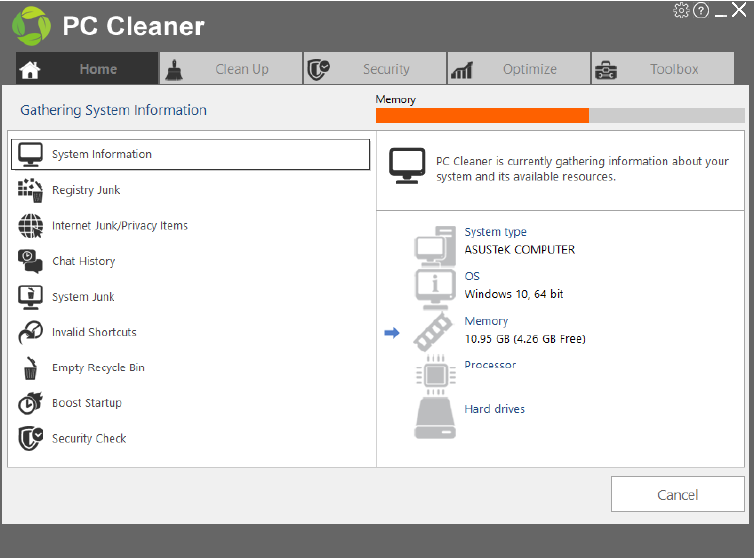
Description: PC Cleaner works hard to keep your PC performing smoothly so you don’t have to. This top rated application automatically optimizes registry settings, manages startup menu, removes junk files, protects your privacy and much, much more.

Safely Clean & Optimize Your Windows PC
• NEW Windows Repair – Finds and fixes issues with Windows OS.
• NEW Cleaning Report – Keeps you posted on your cleaning progress.
• NEW Scan for malicious software
• Enhanced scan engine finds more items to clean including log files
• Repair Windows Registry
• NEW Device Wiper (Pro feature) – Securely wipes out the contents of removable memory devices

Manage Startup
Speed up startup time by removing unnecessary programs.

Junk Files
Free up valuable disk space by removing leftover junk files

Clean Privacy Files
Find and remove potential privacy items

Windows Repair
Identify and automatically repair Windows problems

Registry Scan
Remove invalid and unnecessary items in the Windows registry

Delete Duplicates
Find and remove duplicate files, photos, and videos

Requirements: Windows® 10, 8, 7, Vista, XP, in 32-bit or 64-bit Editions

Release Names: PC Cleaner Platinum 7.4.0.11-P2P
Size: 7.35 MB
Links: HOMEPAGE – NFO – Torrent Search

Download: UPLOADGiG – NiTROFLARE – RAPiDGATOR

6 Comments
Jan 18

FileZilla Pro 3.52.2 Multilingual-P2P

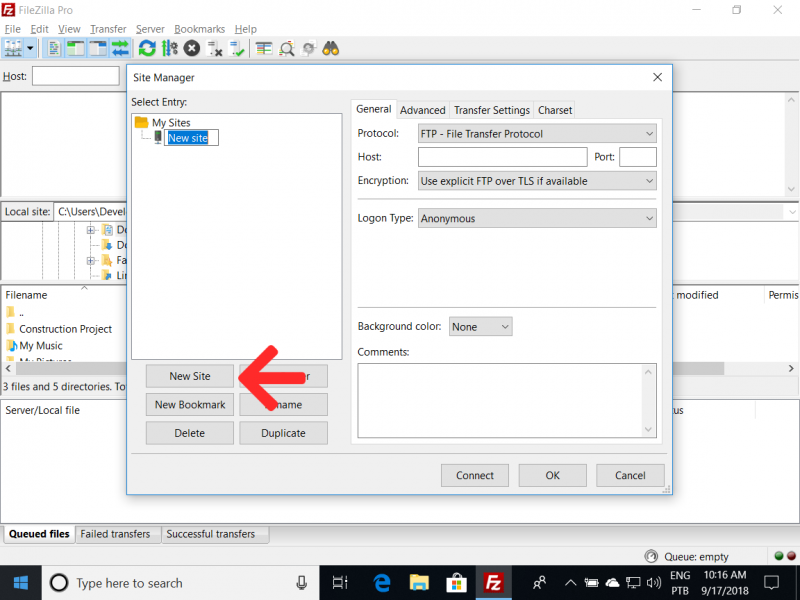
Description: FileZilla Client is a fast and reliable cross-platform FTP, FTPS and SFTP client with lots of useful features and an intuitive interface. The program lets you transfer files and navigate among folders, Web sites, and your computer. It is a powerful FTP-client for 32-bit and 64-bit Windows XP, Vista and Windows 7 for file uploading and downloading to and from your FTP site, server, or host. This software enables you to perform multiple file transfers simultaneously. FileZilla uses GSS authentication and encryption using Kerberos. It has been designed for ease of use and with support for as many features as possible, while still being fast and reliable.

Features of FileZilla include the following:

  • Easy to use
  • Supports FTP, FTP over SSL/TLS (FTPS) and SSH File Transfer Protocol (SFTP)
  • IPv6 support
  • Available in many languages
  • Supports resume and transfer of large files >4GB
  • Tabbed user interface
  • Powerful Site Manager and transfer queue
  • Bookmarks
  • Drag & drop support
  • Configurable transfer speed limits
  • Filename filters
  • Directory comparison
  • Network configuration wizard
  • Remote file editing
  • Keep-alive
  • HTTP/1.1, SOCKS5 and FTP-Proxy support
  • Logging to file
  • Synchronized directory browsing
  • Remote file search

Release Names: FileZilla Pro 3.52.2 Multilingual-P2P
Size: 23.2 MB
Links: HOMEPAGE – NFO – Torrent Search

Download: UPLOADGiG – NiTROFLARE – RAPiDGATOR

6 Comments
Jan 17

Windows 10 20H2 10.0.19042.746 15in1 en-US (x86/x64) Integral Edition January 2021-P2P

Description: Windows 10 is a series of personal computer operating systems produced by Microsoft as part of its Windows NT family of operating systems. It is the successor to Windows 8.1, and was released to manufacturing on July 15, 2015, and to retail on July 29, 2015. Windows 10 receives new releases on an ongoing basis, which are available at no additional cost to users. Devices in enterprise environments can receive these updates at a slower pace, or use long-term support milestones that only receive critical updates, such as security patches, over their ten-year lifespan of extended support.

Windows 10 Updates:
* All the Windows 10 20H2 x64 Updates are included until 12.1(January).2021:
1. KB890830 – Windows Malicious Software Removal Tool, version 5.85.17731.1.
2. KB2267602 – Security intelligence updates for Windows Defender Antivirus, version 1.329.1796.0.
3. KB4052623 – Update for Windows Defender Antivirus antimalware platform, version 4.18.2011.6.
4. KB4562830-v3 – Feature Update through Windows 10, version 20H2 Enablement Package.
5. KB4578910 – Asset update for Windows 10, version 20H2 Mixed Reality.
6. KB4580325 – Security update for Adobe Flash Player for Windows 10, version 20H2.
7. KB4586858 – Safe OS Dynamic Update for Windows 10, version 20H2.
8. KB4586876 – Cumulative Update for .NET Framework 3.5 and 4.8 for Windows 10, version 20H2.
9. KB4589212 – Intel microcode updates for Windows 10, version 20H2.
10. KB4598242 – Cumulative Update for Windows 10, version 20H2 (OS build 19042.746).
11. KB4598478 – Setup Dynamic Update for Windows 10, version 20H2.
12. KB4598481 – Servicing Stack Update für Windows 10, version 20H2.

Windows 10 Runtime Libraries:
* Visual C++ Redistributable 2002 v7.0.9975.0 x86.
* Visual C++ Redistributable 2003 v7.10.6119.0 x86.
* Visual C++ Redistributable 2005 SP1 v8.0.50727.6229 x86/x64.
* Visual C++ Redistributable 2008 SP1 v9.0.30729.7523 x86/x64.
* Visual C++ Redistributable 2010 SP1 v10.40219.473 x86/x64.
* Visual C++ Redistributable 2012 Update 5 v11.0.61135.400 x86/x64.
* Visual C++ Redistributable 2013 Update 5 v12.0.40664.0 x86/x64.
* Visual C++ Redistributable 2015-2019 v14.28.29812.0 x86/x64.
* Visual Basic Runtime v1.00 x86.
* Visual Basic Runtime v2.0.9.8 x86.
* Visual Basic Runtime v3.0.5.38 x86.
* Visual Basic Runtime v4.0.29.24 x86.
* Visual Basic Runtime v5.2.82.44 x86.
* Visual Basic Runtime v6.1.98.39 x86 (SP6 Update KB2911777, KB2992332).

Pre-Configured Windows 10 Settings:
* .NET Framework 3.5 = Installed.
* OneDrive Auto Install = Disabled.
* Telemetry = Disabled.
* Web Proxy Auto-Discovery = Disabled.
* Show Hidden Items = On.
* Show all File Extensions = On.
* Task Manager View = Detailed.
* File Progress Dialog = Detailed.
* Combine Taskbar Buttons = Never.
* Windows Theme Color = Storm.
* Windows Theme Accent Color = On.
* Default Browser = Firefox.
* Default Media Player = PotPlayer.
* Default File Archiver = 7-Zip.

(#) Additional Applications:
* Microsoft Office 2019 Professional Plus x64 (Online Installer v2.0.5).
* 7-Zip v19.00 x64 (With a few Pre-Configured Settings).
* Mozilla Firefox v84.0.2 x64 (With a few Pre-Configured Settings).
* PotPlayer v1.7.21391.0 x64 (With a few Pre-Configured Settings).
* ImDisk Toolkit v2020.11.20 x64.
* HashCheck v2.4.1.58-alpha x86.

[———- INFORMATIONS ———-]
* Includes 15 Windows 10 x64 Editions (“Enterprise” has the most Features):
Windows 10 Home Single Language
Windows 10 Home
Windows 10 Pro
Windows 10 Pro Education
Windows 10 Education
Windows 10 Pro for Workstations
Windows 10 Enterprise
Windows 10 Enterprise for Virtual Desktops
Windows 10 IoT Enterprise
Windows 10 Home N
Windows 10 Pro N
Windows 10 Pro for Workstations N
Windows 10 Pro Education N
Windows 10 Education N
Windows 10 Enterprise N

* All the Windows 10 Language Packs can be downloaded directly over the Windows 10 Language Settings Menu.
* This Windows 10 was never in AuditMode and was compiled with the DISM (Deployment Image Servicing and Management) tool based on the Windows 10 19041.1 en-US x64 version.
* All the included extras can be modified or removed in the ISO\Disc folder “.\sources\$OEM$”.
* A Windows 10 Activator is not included, but a Text file is placed on the Desktop with a direct download link to a working Activator.
* System Requirements are (Minimum|Recommended): 1|3 GigaHertz x64 Processor, 1|4 GigaBytes of RAM, DirectX 9 Graphics card, 30|40 GigaByte Hard Disk space.
* How to do a fresh Windows 10 installation:
1. Burn the Windows 10 ISO file on a DVD disc by using a Brun program like CDBurnerXP (http://cdburnerxp.se) or use Rufus (http://rufus.ie) to create a bootable USB Flash Drive with the Windows 10 ISO file.
2. Do a BACKUP of your important files on a separate Drive.
3. To avoid accidentally creating a Windows 10 Online Account or running into the Account bug (Other user), disconnect your Computer from the Internet before the installation.
4. At the Windows 10 Setup menu select “Custom: Install Windows only (advanced)”.
5. Delete all the old Windows Partitions and then click on install.

Release Names: Windows 10 20H2 10.0.19042.746 15in1 en-US (x86/x64) Integral Edition January 2021-P2P
Size: 3.11 GB/4.20 GB
Links: HOMEPAGE – NFO – Torrent Search

Download x86: UPLOADGiG – NiTROFLARE – RAPiDGATOR

Download x64: UPLOADGiG – NiTROFLARE – RAPiDGATOR

5 Comments
Jan 17

VueScan Pro 9.7.45 Multilingual-P2P

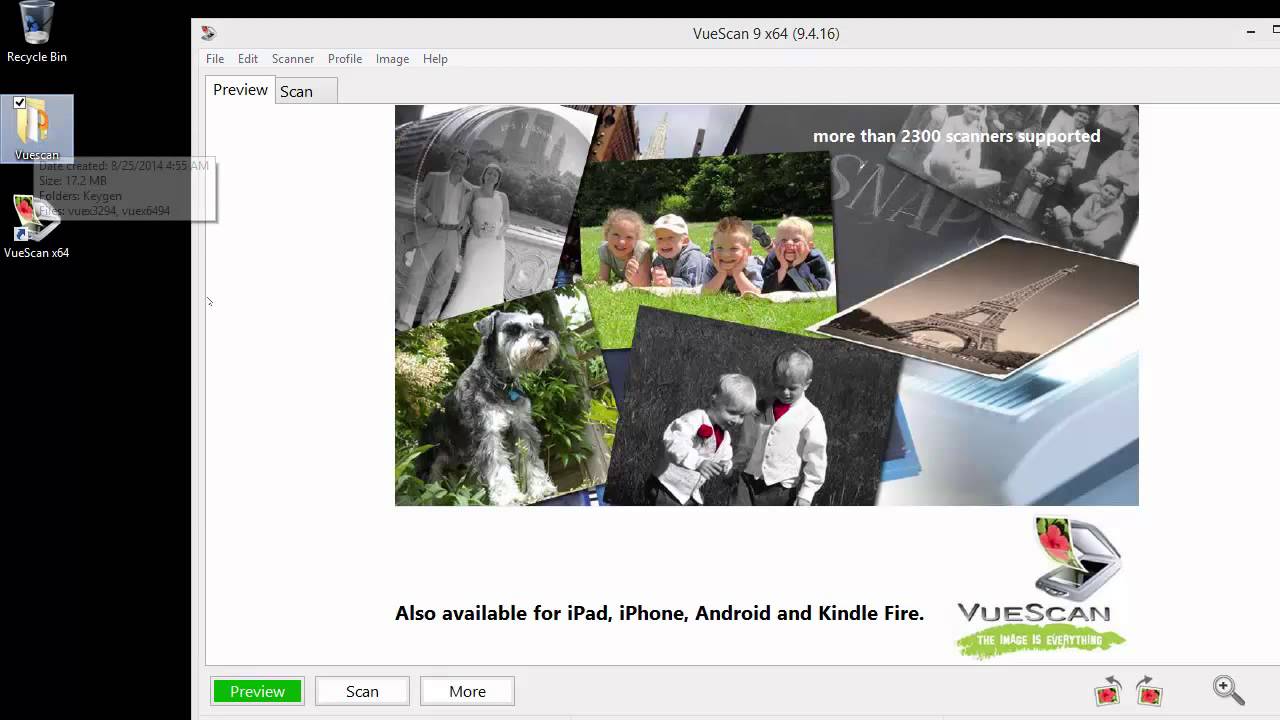
Description: VueScan, the world’s most popular scanner software, is used extensively by photographers, home users, scanning services and corporations. VueScan is a scanning program that works with most high-quality flatbed and film scanners to produce scans that have excellent color fidelity and color balance. It is very easy to use, and also has advanced features for restoring faded colors, batch scanning and other features used by professional photographers.

VueScan changes nothing on your system, installs nothing in your operating system and all other scanner software will continue to function. VueScan increases your productivity and saves you money. VueScan has advanced scanning options, powerful features, and greatly improves your scans with superior color accuracy and better color balance. VueScan supports more than 700 scanners and 209 digital camera raw files and takes about 5 minutes to download and install.

Feature :

  • Scan Documents
  • Scan Photos
  • Scan Film and Slides

Release Name: VueScan Pro 9.7.45 Multilingual-P2P
Size: 23.1 MB
Links: HOMEPAGE – NFO – Torrent Search

Download: UPLOADGiG – NiTROFLARE – RAPiDGATOR

4 Comments
Jan 16

Windows 7 SP1 Ultimate Multilanguage Preactivated January 2021 (x86-x64)-P2P

Description: Windows 7 Ultimate is ultra edition of the Windows 7 operating system as it is the only edition of Windows 7 that is feature complete. All other editions with the exception of Windows 7 Enterprise which is Windows 7 Ultimate branded differently lack features that are included in Windows 7 Ultimate. It combines remarkable ease-of-use with the entertainment features of Home Premium and the business capabilities of Professional, including the ability to run many Windows XP productivity programs in Windows XP Mode.

Features:
-64-bit versions Combines remarkable ease-of-use with the entertainment features of Home Premium and the business capabilities of Professional–get it all with with Windows 7 Ultimate
-Make the things you do every day easier with improved desktop navigation; start programs faster and more easily, and quickly find the documents you use most often
-Run many Windows XP productivity programs in Windows XP Mode; watch, pause, rewind, and record TV on your PC
-Easily create a home network and connect your PCs to a printer with HomeGroup; connect to company networks easily and more securely with Domain Join
-Recover your data easily with automatic backup to your home and business network; help protect data on your PC and portable storage devices against loss or theft with BitLocker.

Details:
Name ISO x86:WIN.7.SP1.Ultimate.Multilang.update.Jan.2021.x86
Name ISO x64:WIN.7.SP1.Ultimate.Multilang.update.Jan.2021.x64
Size x86:5,30 GB (5.695.613.263 bytes)
Size x64:4,41 GB (4.745.986.383 bytes)
SHA1 x86:f7a019930b5c081f283b9a5b6af77b78f94b006b
SHA1 x64:229dbe79dbd3bc8c6136c46651186672589f0ea3
Languages:English,German,Greek,French,Spanish,Italian,Portuguese-Portuguese,Portuguese-Brazil,Turkish
Converted:install.wim<install.esd
Setup:Based on Windows 10 Boot.wim
Architectures: (x86-x64)
Updated:15/01/2021
NetFramework 4.8 integrated
Activation: Preactivated Windows Loader 2.2.2 ( need restart after first log in)
Note:If you install it in GPT mode the activation will not work the activation dosnt support GPT only MBR

Drivers Integrated:
Alpine Ridge USB
AMD MISC(include all drivers usb 3.0 and chipset’s)
NVidia MISC
Asmedia USB
Fresco Logic USB
Etron Technology USB
Renesas Electronics USB
Intel USB
VIA USB
Intel Chipset
Intel DPTF
Intel IO
Intel AHCI
Intel MEI
Intel NVMe
Micron NVMe
OCZ Toshiba NVMe
Plextor NVMe
Samsung NVMe

Notes:
1)This is full Setup Windows 7 and support all drivers usb 3.0/3.1
2)The Setup using windows 10 boot.wim setup For better support in Drivers
Warning:that maybe not work in some really old pcs.
3)Recommended Uses Rufus tool for burning.
4)About Windows loader That is only working on MBR mode and not in GPT ..
if you want you can use mbr for install your windows and do some search how change from MBR TO GPT online

Release Names: Windows 7 SP1 Ultimate Multilanguage Preactivated January 2021 (x86-x64)-P2P
Size: 5.5 GB /4.41 GB
Links: HOMEPAGE – NFO – Torrent Search

Download x64: UPLOADGiG – NiTROFLARE – RAPiDGATOR

Download x86: UPLOADGiG – NiTROFLARE – RAPiDGATOR
6 Comments
Jan 16

EximiousSoft Logo Designer Pro v3.72-P2P


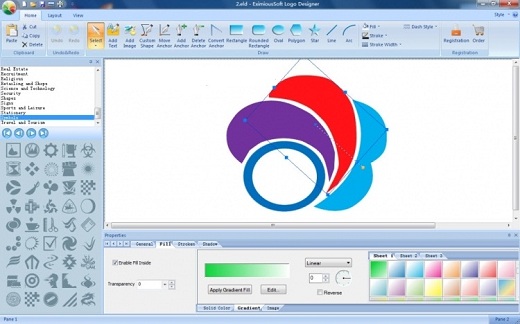
Description: EximiousSoft Logo Designer is the most powerful and easy to use software for logo maker, logo creation. With which, you can create any type graphics for your websites. It provides fully vector-based drawing tools with many pre-drawn library objects. Just click the pre-defined shapes from the toolbar and which are placed on your design. Drawing couldn’t be easier!

Features:

  • High quality Logo templates
  • Powerful vector-based drawing tools
  • Output in more popular image formats
  • Layer Editing
  • Drawing Shapes With High Quality
  • Stroke With Dash Style
  • Bulit in 2000+ Symbols and Gradient Styles
  • Edit Visually…

Release Name: EximiousSoft Logo Designer Pro v3.72-P2P
Size:  41.9 MB
Links: HOMEPAGE – NFO – Torrent Search

Download: UPLOADGiG – NiTROFLARE – RAPiDGATOR
7 Comments