Feb 15

DaVinci Resolve Studio 18.6.5

DaVinci Resolve Studio 18 is the world’s only solution that combines professional 8K editing, color correction, visual effects and audio post production all in one software tool! You can instantly move between editing, color, effects, and audio with a single click. DaVinci Resolve Studio is also the only solution designed for multi user collaboration so editors, assistants, colorists, VFX artists and sound designers can all work live on the same project at the same time! Whether you’re an individual artist, or part of a large collaborative team, it’s easy to see why DaVinci Resolve is the standard for high end post production and finishing on more Hollywood feature films, television shows and commercials than any other software.
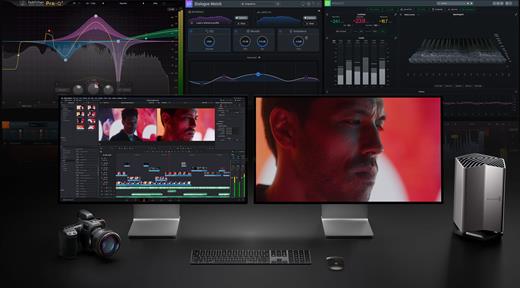
Introducing the Cut Page!

Designed specifically for editors working on high end fast turn around work such as television commercials and even news cutting, the cut page is all about speed. It’s an alternate edit page with a streamlined interface and revolutionary new tools that will help you work faster than ever. The cut page lets you import, edit, trim, add transitions, titles, automatically match color, mix audio and more. Whether you’re delivering for broadcast or for YouTube, the cut page has everything you need to get the job done, all in one place. Plus, the regular edit page is still available so you can switch between edit and cut pages to change editing style right in the middle of a job.

New Editing Features in DaVinci Resolve Studio:

DaVinci Resolve includes everything professional editors need to cut blockbuster films, television shows, and commercials. It’s perfect for both offline and online editing. The high performance playback engine makes editing and trimming incredibly fast, even for processor intensive formats such as H.264 and RAW.
New Fusion VFX Features in DaVinci Resolve Studio:

With over 250 built in tools, Fusion VFX’s advanced 3D compositing engine and node based workflow let you quickly connect effects and tools together in a flow chart style, making it easy to create cinematic feature film quality visual effects and broadcast motion graphics right inside of DaVinci Resolve!

New Color Features in DaVinci Resolve:
DaVinci Resolve’s legendary color tools let you manipulate color in breathtaking ways to get results that are simply impossible on other systems. That’s why DaVinci Resolve has been used on more feature films and television shows than any other grading system! You get powerful primary and secondary tools, curves, tracking, stabilization and more!

New Fairlight Features in DaVinci Resolve:
With Fairlight in DaVinci Resolve, audio is no longer an afterthought in post production! You get a completely integrated and powerful digital audio workstation with full mixer, EQ and dynamics processing, sample level audio editing, ADR tools, sound library support, FairlightFX audio plugins and more!

New Collaboration Features in DaVinci Resolve:
Featuring a universal timeline, powerful database driven design, bin and clip locking, built in chat, timeline comparison tools and more, DaVinci Resolve Studio is the world’s only post production solution that lets different artists all work together on the same project at the same time!

DaVinci Resolve Studio
Upgrade to DaVinci Resolve Studio for even more creative tools and options! You get a huge set of indispensable ResolveFX and FairlightFX plugins, along with support for 4K, 8K and higher resolution projects at frame rates up to 120 frames per second. You also get the new DaVinci Neural Engine which enables features such as facial recognition, speed warp retiming, automatic color balancing and automatic color matching. DaVinci Resolve Studio also adds film grain tools, advanced noise reduction, blur and mist effects, HDR grading, 10bit H.264 support, 3D immersive audio, stereoscopic 3D support, multi user collaboration tools and more!

DaVinci Neural Engine
The new DaVinci Neural Engine uses state of the art deep neural networks and learning, along with artificial intelligence to power new features such as speed warp motion estimation for retiming, super scale for up-scaling footage, auto color and color matching, facial recognition and more! The DaVinci Neural Engine is entirely cross-platform and uses the latest GPU innovations for AI and deep learning to provide unparalleled performance and quality. The DaVinci Neural Engine provides simple tools to solve complex, repetitive and time consuming problems. For example, it enables facial recognition to automatically sort and organize clips into bins based on people in the shot!

New and Improved ResolveFX
DaVinci Resolve Studio 16 features major improvements to existing ResolveFX, along with several new plugins that editors and colorists will love! You get new ResolveFX plugins for adding vignettes, drop shadows, removing objects, adding analog noise and damage, chromatic aberration, stylizing video and more! There are also improvements to the scanline, beauty, face refinement, blanking fill, warper, dead pixel fixer and colorspace transformation plugins. Plus, you can now view and edit ResolveFX keyframes from the timeline curve editor on the Edit page or from the keyframe panel on the Color page!

Legendary DaVinci Quality
DaVinci Resolve’s Emmy™ award-winning image processing technology features deep 32-bit float processing combined with unique, patented YRGB color science that processes luminance independent of color. This allows you to adjust the luminance of video without rebalancing the color of your highlights, midtones, or shadows! The massive internal color space is perfect for the latest HDR and wide color gamut workflows.

Blackmagic RAW
Blackmagic RAW is a new and modern codec that gives you stunning image quality and blazing fast performance in an intelligent new file format. Featuring advanced de-mosaic technology and a revolutionary intelligent design, Blackmagic RAW gives you both the quality and benefits of RAW with the speed, ease of use and file sizes of traditional video formats.

Hardware Control Panels
When you have a client looking over your shoulder you need to work fast. DaVinci Resolve control panels are designed to give you fluid, hands-on control over multiple parameters at the same time, allowing you to create looks that are simply impossible with a standard mouse! All controls are logically placed near your natural hand positions and are made out of the highest quality materials. You get smooth, high resolution weighted trackballs, along with precision engineered knobs and dials that feature the perfect amount of resistance so you can accurately adjust any setting. DaVinci Resolve control panels let you instinctively touch every part of the image!

Fairlight Professional Consoles
Fairlight mixing consoles provide high quality controls for nearly every parameter and feature in the software. Unique user interfaces and dynamic configuration changes provide fast to use buttons and controls that are optimized for the task at hand allowing you to work faster with Fairlight audio than any other tool in the world. With the modular design you can start with a larger console frame than you need and add more modules to meet the growing needs of your facility.

Minimum system requirements

  • Mac 10.15 Catalina.
  • 8 GB of system memory. 16 GB when using Fusion.
  • Blackmagic Design Desktop Video 12.0 or later.
  • Integrated GPU or discrete GPU with at least 2 GB of VRAM.
  • GPU which supports Metal or OpenCL 1.2.

What’s New

Version 18.6.5:

  • Release notes were unavailable when this listing was updated.

Compatibility

macOS 10.15 or later,
Apple Silicon or Intel Core processor


Release Name: DaVinci Resolve Studio 18.6.5
Size: 5.3 GB
Links: HOMEPAGE – NFO – Torrent Search

Download: FiKPERNiTROFLARERAPiDGATOR

1 Comment
Feb 15

A Better Finder Attributes 7.30

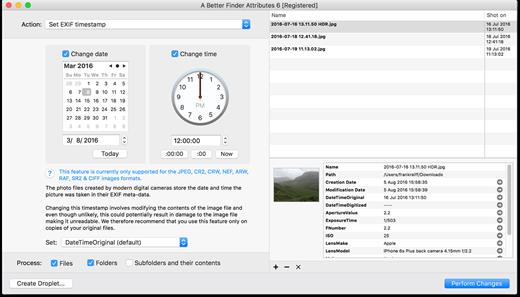
A Better Finder Attributes 7 allows you to change JPEG & RAW shooting dates, JPEG EXIF meta-data tags, file creation & modification dates, file flags and deal with invisible files.

Correct EXIF Digital Photo Shooting Timestamps

A Better Finder Attributes 7 allows you to manipulate JPEG, CR2, NEF, ARF, RAF, SR2, CRW & CIFF EXIF timestamps at will by setting them to specific times or batch adjusting them by adding and removing time (useful for correcting the timestamps of images taken with a digital camera with a incorrectly set clock and to compensate for timezone changes).

Correct Finder Sorting for Digital Photos

A Better Finder Attributes 7 also allows you to synchronize the file creation and modification dates with the shooting dates of JPEG EXIF as well as a wide variety of RAW formats, so that files sort properly in the Finder and other systems.

Change, Add & Remove JPEG EXIF Meta-Data

A Better Finder Attributes 7 allows the most commonly used JPEG EXIF meta-data tags, such as copyright & owner information, camera & lens specifactions, some exposure information and much else besides to be directly manipulated.

You can strip JPEG EXIF information from a file altogether, strip GPS and IPTC location data or edit individual tags.

Total File Creation & Modification Date Control

A Better Finder Attributes 7 gives you total control over file creation and modification dates, setting them to specific times and dates, adding or removing time or simply removing them altogether.

Setting Mac File Flags

A Better Finder Attributes 7 supports setting all common Mac file system flags. You can set whether or not file extensions appear in the Finder, batch lock or unlock files, set or remove legacy creation & type codes, remove invisible files, restart the Finder in a special mode that shows invisible files, batch set Finder labels and force Finder updates.

Showing & Deleting Invisible Files

A Better Finder Attributes 7 can delete invisible files, such as .DS_Store, that can lead to problems when delivering files to non-Mac systems and play havoc with Unix tools such as version control and archiving tools.

On top of this A Better Finder Attributes has a special “Show Invisible Files” feature hidden in the “Tools” menu that switches the Finder to a special mode in which invisible files become visible

Other Noteworthy Features

  • Batch operation
  • Create Droplets for automated processing
  • Drag-and-drop into the file list or onto the application icon
  • Select files in the Finder and activate A Better Finder Attributes 5 via the Finder context menu or via a hot key
  • Automatically deals with file date consistency rules
  • Separate processing for files and folders, batch processing of sub-folders
  • Additionally, A Better Finder Attributes 5 gives you control over:
  • Whether or not file extensions appear in the Finder
  • Batch locking or unlocking of files
  • Setting or removing legacy creator and type codes
  • Removing invisible files
  • Seeing invisible files in the Finder
  • Batch setting of Finder labels
  • Forcing the Finder to update its information about files and folders

What’s New

Version 7.30:

  • This version fixes a dark mode bug

Compatibility

macOS 10.11 or later


Release Name: A Better Finder Attributes 7.30
Size: 11.6 MB
Links: HOMEPAGE – NFO – Torrent Search

Download: FiKPERNiTROFLARERAPiDGATOR

5 Comments
Feb 15

Money Pro – Personal Finance 2.10.5

Money Pro is the next generation of Money app (over 2 million downloads worldwide).

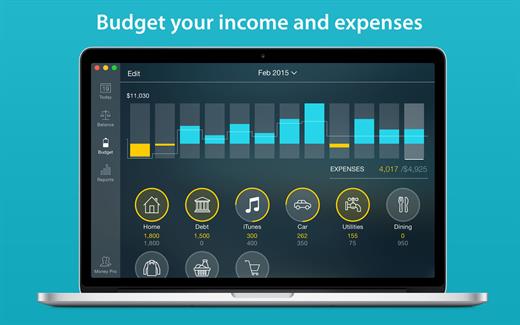
Money Pro is the one place for bill planning, budgeting and keeping track of your accounts. Easy sync with iPhone/iPad versions. Money Pro works great for home budgeting and even for business use.

Features:

  • Calendar
  • Today view
  • Bills due notifications
  • Budgets
  • Budget rollover
  • Checkbook register
  • Account reconciliation
  • Import of bank statements
  • Split transactions
  • Calculator and currency converter
  • Search
  • Detailed reports
  • Lots of options for customization
  • iCloud
  • Multiple profiles
  • Data export
  • Notification Center widget

What’s New

Version 2.10.5:

  • Bug fixes and performance improvements

Compatibility

macOS 10.12.0 or later
Apple Silicon or Intel Core processor


Release Name: Money Pro – Personal Finance 2.10.5
Size: 46.9 MB
Links: HOMEPAGE – NFO – Torrent Search

Download: FiKPERNiTROFLARERAPiDGATOR

6 Comments
Feb 15

Microsoft Office 2021 for Mac LTSC v16.82 VL

Office 2021 for Mac is designed from the ground up to take advantage of the latest Mac features, including Retina display, full screen view support, and even scroll bounce. It’s the perfect combination of the Office you know and trust, and the Mac you love.

Word

Create and share professional-looking documents with state-of-the-art editing, reviewing, and sharing tools. The new Design tab provides quick access to features, and Smart Lookup shows relevant contextual information from the web directly inside Word.

Excel

Analyze and visualize your data in new and intuitive ways with a fresh user interface plus your favorite keyboard shortcuts. Leverage features like Analysis Toolpak, Slicers, and Formula Builder to save time, so you can focus on insights.

PowerPoint

Create, collaborate, and effectively present your ideas with new slide transitions and an improved Animations task pane. Threaded comments alongside your slides help you incorporate feedback into your presentations. And Presenter View displays the current slide, next slide, speaker notes, and a timer on your Mac, while projecting only the presentation to your audience on the big screen.

OneNote

It’s your very own digital notebook, so you can keep notes, ideas, web pages, photos, even audio and video all in one place. Whether you’re at home, in the office, or on the move, you can take it all with you wherever you go while sharing and collaborating with others. It’s great for school assignments, work projects, travel plans, party planning, and more.

Outlook

Easily manage your email, calendar, contacts, and tasks. Push email support keeps your inbox up to date, conversation view groups related messages, and calendars can be viewed side-by-side for planning.

What’s New

Version 16.82:

  • Release notes were unavailable when this listing was updated.

Compatibility

macOS 10.14 or later
Apple Silicon or Intel Core processor


Release Name: Microsoft Office 2021 for Mac LTSC v16.82 VL
Size: 2.3 GB
Links: HOMEPAGE – NFO – Torrent Search

Download: FiKPERNiTROFLARERAPiDGATOR

4 Comments
Feb 15

Nik Collection 6.8.0

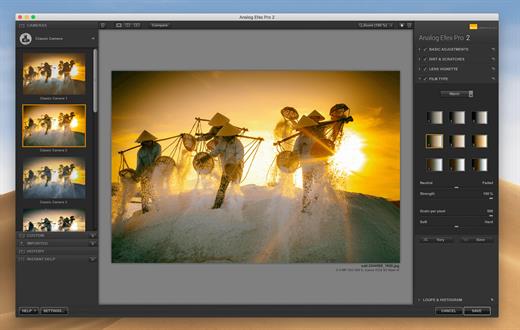
Add the power of the Nik Collection by DxO to your workflow today and create stunning images faster. The most complete collection of plug-ins from Nik Collection by DxO companies using proprietary U Point, which allows you to subtly adjust the brightness, contrast, color saturation and other parameters of individual objects or areas of the photograph.

The Complete Collection includes support for every plug-in to work in Photoshop:

  • Analog Efex Pro
  • Color Efex Pro
  • Silver Efex Pro
  • Viveza
  • HDR Efex Pro
  • Sharpener Pro
  • Dfine

What’s New

Version 6.8.0:

  • Release notes were unavailable when this listing was updated.

Compatibility

macOS 11.6 or later


Release Name: Nik Collection 6.8.0
Size: 2.1 GB
Links: HOMEPAGE – NFO – Torrent Search

Download: FiKPERNiTROFLARERAPiDGATOR

3 Comments
Feb 15

Techtool Pro 19.0.1 Build 8888

TechTool Pro has long been one of the foremost utilities for keeping your Mac running smoothly and efficiently. With the release of this version, it has become more proficient than ever.

Main features:

  • TechTool Protection – TechTool Pro includes the option of installing a system preference pane to keep watch over your Mac. New features include check for I/O errors, Power On Self-Test errors, Mac notebook internal battery condition, and RAID status (if applicable). It also includes the same improvements to the SMART check in TechTool Pro. All of that, wrapped in an entirely new interface.
  • Check Computer – Check Computer is a handy way to tell TechTool Pro to run the entire suite of tests to give you the best possible snapshot of your Mac’s health. Sometimes, though, it’s nice to be able to leave tests out, or to skip certain drives. Using the new configuration panel, you have total control of the Check Computer suite. Power to the people.
  • Partition Map – TechTool Pro has long been known for testing your Mac’s file system. It is important also to test the data structures that contain the Mac’s file system: the Partition Map. The new Partition Map test checks the partition map of a given drive for errors. Partition map errors can cause entire volumes to go missing, or prevent a Mac from booting. If errors are found, they can be repaired usin the Partition Repair tool.
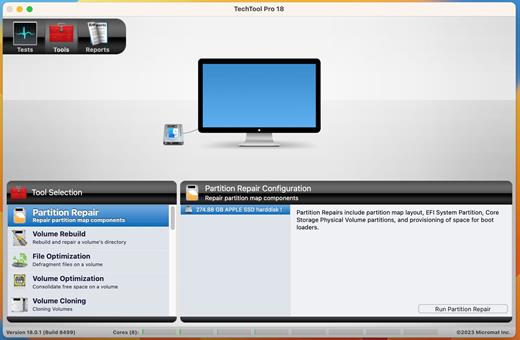
  • Partition Repair – Along with Volume Rebuild, which repairs Mac file systems, the Partition Repair tool repairs the remaining portions of the drive which keeps track of the volumes on your hard drive. This includes hidden partitions which keep track of your Mac’s startup process. The Partition Repair tool does just what it says, repairing the partition maps or drives where needed.
  • SMART Check – Hard drives include a technology called SMART (Self Monitoring, Analysis and Reporting Technology) which can inform a computer about the health of its hard drives. In most utilities, just the overall results – passed or failed – are reported to the user. In the failed state, often there is little or no time to back up data before the drive fails entirely. Previous versions of TechTool Pro reported the overall status of each attribute, but some attributes don’t contribute to the failure of a drive. Now, the SMART Check has gotten smarter. TechTool Pro now knows which attributes contribute to drive failure, and will report a failing result before the drive fails completely. Giving you time to rescue your data.
  • Memory Test – TechTool Pro 7 took a revolutionary step in testing memory, making TechTool Pro’s memory testing suite the most comprehensive test available for the Mac. In TechTool Pro 10, we’ve taken some of the additional advancements used by ATOMIC, our dedicated Memory Tester, and integrated them into TechTool Pro. Now, memory is ‘cleaned’ before testing, reclaimed from macOS, maximizing the amount of RAM that can be tested.
  • Processor Benchmark – Get an objective measurement of your Mac’s processor performance. The Processor Benchmark too uses industry-standard measurement algorithms to test processor performance. Using this tool, you can get metrics that can be used to compare processor speeds apples-to-apples. Avoids the confusion of comparison using Megahertz.
  • Bluetooth – Most Macs depend on Bluetooth to connect to the tools we use to interact with our computers: the keyboard and mouse. Bluetooth problems can result in dropped connections with those devices, which can be very frustrating. Verify the proper operation of your Mac’s Bluetooth hardware. Make sure that not only your input devices, but also your audio and fitness devices can connect to your Mac by checking the Bluetooth hardware on your Mac.
  • Network Interfaces – Most Macs spend the majority of their lives connected to the internet. If the ethernet or wifi adapters in your Mac aren’t working, the valuable connection to the internet can fail. The new Network Interfaces test can test any connected network interface for errors. It not only tests ethernet and wifi, but also any other supported internet connection, ethernet over USB, VPN connections, even a FireWire network conneciton. Ensure the reilability of your internet and intranet connections by testing your Mac’s network interfaces.

What’s New

Version 19.0.1:

  • Release notes were unavailable when this listing was updated.

Compatibility

macOS 10.13 or later.
Apple Silicon or Intel Core processor


Release Name: Techtool Pro 19.0.1 Build 8888
Size: 296.3 MB
Links: HOMEPAGE – NFO – Torrent Search

Download: FiKPERNiTROFLARERAPiDGATOR

4 Comments
Feb 11

Wondershare Recoverit 12.5.4.1

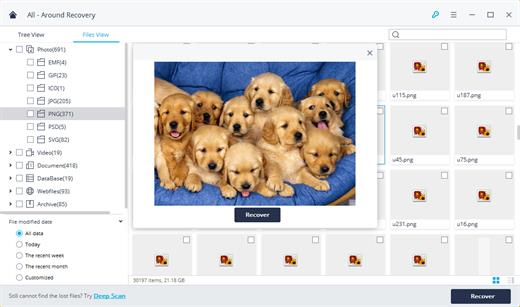
Wondershare Recoverit is a comprehensive data recovery suite to recover Mac data lost due to accidental deleting, formatting, virus infection, improper operation, unexpected power failure, and other unknown reasons.

It can recover Mac data from lost, deleted, logical corrupted and formatted Mac hard drive, iPod, USB drive, SD card, digital camera, mobile phone, MP3, and MP4 player. Compatible with HFS+, FAT16/32, and NTFS file system volumes, this non-destructive Mac file recovery software ensures safe Mac file recovery without modifying the original data saved on your Mac machine or any other storage media. Versatile preview lets you enjoy Mac data recovery in advance.

Features

  • Safety First:
    • Read-only and risk-free Mac data recovery program. No any writing operation to your original data.
  • Versatile Preview Ability:
    • For images, real-time and direct scan results is displayed during the scan process to let users stop scanning once the target images are found.
    • For other Mac files such as videos, audio files, archives and documents, they are displayed as a text in a Hex mode for preview to let users enjoy file recovery on Mac in advance.
  • Precise File Recovery for Mac:
    • Before data recovery on Mac, you can choose the target file types to scan, which saves you much time especially when there are tons of files on your Mac machine.
    • Restore deleted files for Mac with original file names, shooting date, and storage paths.
    • Support file names search for scanning results to provide you precise Mac file recovery.
  • Easy-to-use and Clean Interface:
    • Complete wizard and easy-to-use interface let you perform Mac data recovery in a breeze.

What’s New

Version 12.5.4.1:

  • Release notes were unavailable when this listing was updated.

Compatibility

macOS 10.10 or later


Release Name: Wondershare Recoverit 12.5.4.1
Size: 125.5 MB
Links: HOMEPAGE – NFO – Torrent Search

Download: FiKPERNiTROFLARERAPiDGATOR

6 Comments
Feb 11

Wondershare Repairit 5.5.1

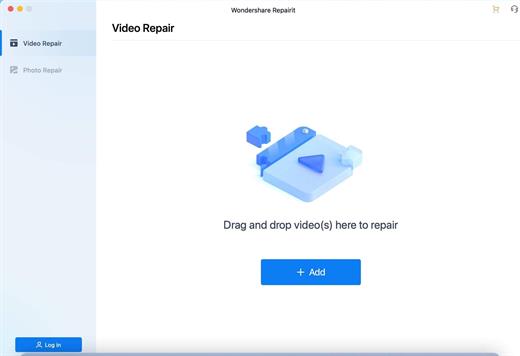
Repair Your Corrupted Videos and Photos. What to do when your videos or photos get corrupted or fail to open? Don’t worry! Here is a one-stop solution to repair corrupted videos and photos regardless of their level of damage.

Experience Repairit’s Efficient 3-Click Process

Several reasons may cause your important video or image files to stop opening suddenly. With Repairit, you can fix your corrupted files in three simple steps, irrespective of the level of damage.

Video Repair

Make corrupted, unplayable, videos playable.
Events such as sudden power surges and failures, complete system crashes, updating errors, and file mishandling can cause video files to become inaccessible. Repairit has an intuitive interface that makes it simple for novices to repair corrupted videos quickly. It’s Advanced Repair option even enables you to restore most severely damaged videos.

Photo Repair

Recover important photos even if the file is broken.
Photos help capture important moments, which can be precious memories of you, your loved ones, a place, or essential information. However, the files might become corrupted and unopenable. Repairit allows you to fix your corrupted photos regardless of their level of damage. It also enables you to repair multiple image files at once.

What’s New

Version 5.5.1:

  • Release notes were unavailable when this listing was updated.

Compatibility

macOS 10.10 or later


Release Name: Wondershare Repairit 5.5.1
Size: 76.8 MB
Links: HOMEPAGE – NFO – Torrent Search

Download: FiKPERNiTROFLARERAPiDGATOR

6 Comments
Feb 11

Luminar Neo 1.18.2 (16860)

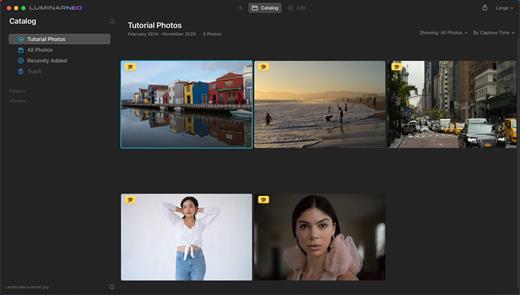
Luminar Neo, a new creative image editor which empowers visual storytellers to bring their boldest ideas to life. Luminar Neo builds upon the unique, purpose-driven, AI editing technologies for which Skylum has become known for.

“As the latest member of the Luminar family, we designed Luminar Neo to allow artists to take on more challenging image creation work and achieve results which often seem unattainable,” said Dima Sytnik, co-founder and CPO of Skylum.

Luminar Neo is meant to be an application that offers more customizability, and that builds upon the company’s LuminarAI software. The two programs will be sold side-by-side.

Luminar Neo will ship with several new features, including image layers, background replacement, relighting options, dust removal and more. The software analyzes each image to recognize the depth of the scene and its contents, which allows for precise control.

What’s New

Version 1.18.2:

  • Release notes were unavailable when this listing was updated.

Compatibility

macOS 11.0.0 or later
Apple Silicon or Intel Core processor


Release Name: Luminar Neo 1.18.2 (16860)
Size: 3.2 KB
Links: HOMEPAGE – NFO – Torrent Search

Download: FiKPERNiTROFLARERAPiDGATOR

3 Comments
Feb 10

CrossOver 24.0.0 Beta2

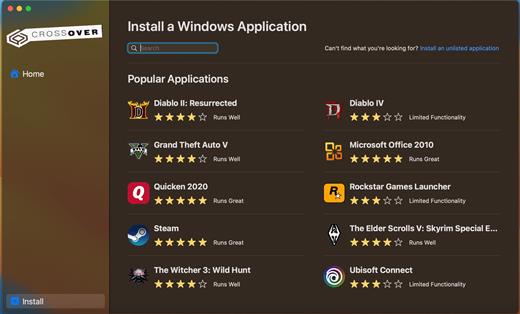
CrossOver allows you to install many popular Windows applications on your Mac. Your applications integrate seamlessly in OS X; just click and run. No rebooting, no switching to a virtual machine, and no Windows Operating System license required.

CrossOver is capable of running a wide range of Windows software. To see if your favorite application works with CrossOver, please check What Runs, or search for it using the search box at the top of this page.

Easy Installs! Many Windows titles can be installed using our CrossTie technology. If you have CrossOver installed, and have the installer for your Windows software, simply click the button in our Compatibility Database, and CrossOver will automatically install your application for you!

*** NOTE: Before installing the Crossover 24.0.0, it is necessary to read README.pdf from the Extra folder

What’s New

Version 24.0.0:

  • Release notes were unavailable when this listing was updated.

Compatibility

macOS 10.13 or later
Apple Silicon or Intel Core processor


Release Name: CrossOver 24.0.0 Beta2
Size: 394.5 MB
Links: HOMEPAGE – NFO – Torrent Search

Download: FiKPERNiTROFLARERAPiDGATOR

5 Comments