Jun 13

SQLPro for SQLite 2022.40

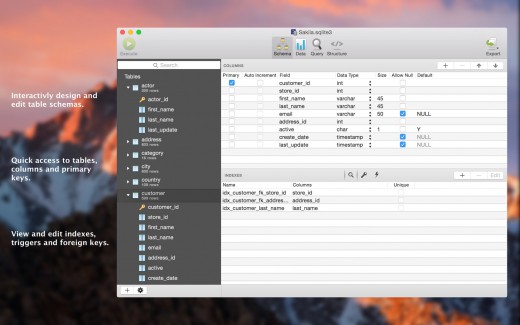
Description: SQLPro for SQLite is the top SQLite editor for OS X.
Features

  • Automatic data reloading when the database gets modified externally.
  • Backwards compatibility with SQLite 2.
  • Version integration. Mucked your database? Rollback to a previous version.
  • Semiautomatic dependency resolution.
  • Column reordering.
  • Import or export your data in CSV, mySQL, XML, or JSON formats.
  • Export custom result sets to CSV, XML, or JSON.
  • Full-screen support.
  • Inline filters allowing you to customize the way your data is displayed.

What’s New

Version 2022.40:

  • Fixed an issue where `ON CONFLICT` statements were being dropped when altering tables.

Release Names: SQLPro for SQLite 2022.40
Size: 27.86 MB
Links: HOMEPAGE – NFO – Torrent Search

Download: UPLOADGiG – NiTROFLARE – RAPiDGATOR
6 Comments
Jun 13

Stats 2.7.20

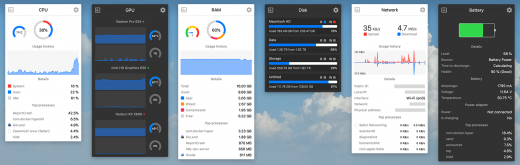
Description: Stats is a application which allows you to monitor your macOS system.

  • CPU Usage
  • Memory Usage
  • Disk utilization
  • Sensors information (Temperature/Voltage/Power)
  • Battery level
  • Network usage

What’s New

Version 2.7.20

Closed issues:

  • fix: fixed wrong temperature converting when default temperature is not Celsius

Release Name: Stats 2.7.20
Size: 12.42 MB
Links: HOMEPAGE – NFO – Torrent Search

Download: UPLOADGiG – NiTROFLARE – RAPiDGATOR
5 Comments
Jun 13

myTracks 4.2.2

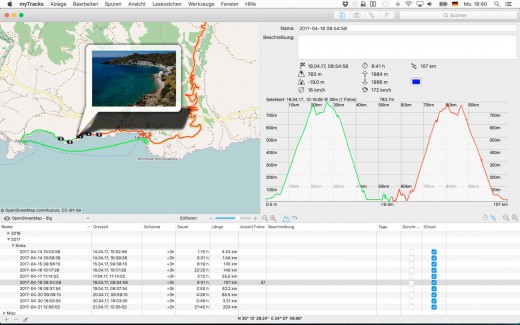
Description: myTracks is the Swiss-Army knife for organizing your GPS tracks. They can be loaded from a broad range of devices and organized in a library comfortably.

Features

Once imported you can drag-and-drop photo files to myTracks and they will be assigned to the GPS tracks automatically (Geotagging). If you organize your photos in iPhoto, Aperture or Lightroom myTracks automatically updates the location information. myTracks can handle both JPEG and RAW file formats.

myTracks comes with a free iPhone app which lets you use your iPhone as a GPS logger and easily synchronize these tracks with the desktop edition of myTracks.

What’s New

Version 4.2.2:

  • Bugfixes.

Release Names: myTracks 4.2.2
Size: 40.80 MB
Links: HOMEPAGE – NFO – Torrent Search

Download: UPLOADGiG – NiTROFLARE – RAPiDGATOR

6 Comments
Jun 13

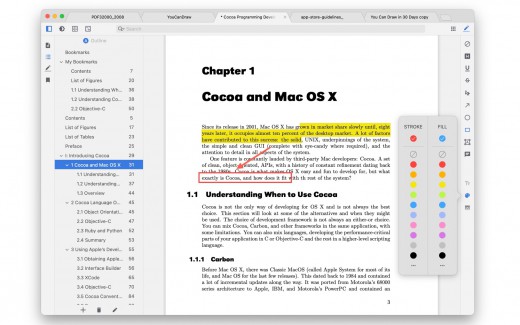
PDF Reader X Pro 3.1.0

Description: Annotate, Edit PDF Documents. Fast and clean tabbed style PDF reader & editor, which make reading & editing enjoyable and efficient.

Key features

  • Tabbed style window;
  • PDF Pages Editing;
  • Provides themes, including night mode;
  • Annotate PDF;
  • Split view;
  • Outline editing;
  • In-document bookmarking;
  • Tabbed style sidebar;
  • Clean and powerful toolbar;
  • Powerful searching capabilities;

Top In-App Purchases: Full Version – included

What’s New

Version 3.1.0:

  • Release notes were unavailable when this listing was updated.

Release Names: PDF Reader X Pro 3.1.0
Size: 10.30 MB
Links: HOMEPAGE – NFO – Torrent Search

Download: UPLOADGiG – NiTROFLARE – RAPiDGATOR
4 Comments
Jun 13

AltTab 6.42.0

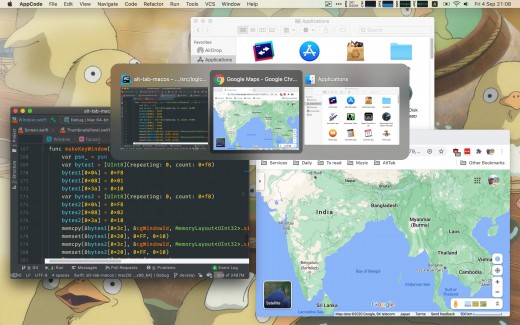
Description: AltTab brings the power of Windows’ “alt-tab” window switcher to macOS.

Usage

  • Press ⌥ option + ⇥ tab to shows the thumbnails.
  • Hold ⌥ option and press ⇥ tab to select the next thumbnail.
  • Hold ⌥ option and press ⇧ shift + ⇥ tab to select the previous thumbnail.
  • Release ⌥ option to switch focus to the window.

The app is available in: Bahasa Indonesia, Deutsch, English, Español, Français, Italiano, Lëtzebuergesch, Magyar, Nederlands, Português (Brasil), العربية, Suomi, Türkçe, Русский язык, 中文 (简体), 中文 (繁体), 日本語, 한국어

What’s New

Version 6.42.0:

Bug fixes:

  • Some windows would not show
  • Show tooltips on mouse hover on main window

Release Names: AltTab 6.42.0
Size: 11 MB
Links: HOMEPAGE – NFO – Torrent Search

Download: UPLOADGiG – NiTROFLARE – RAPiDGATOR

4 Comments
Jun 13

Adobe Substance 3D Sampler 3.3.1

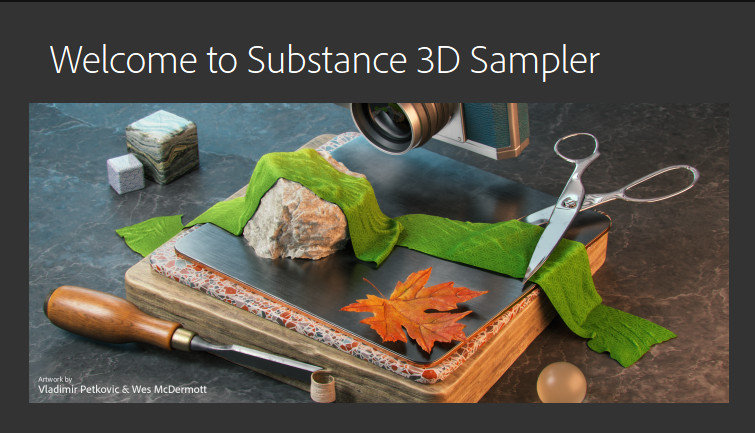
Description: Substance 3D Sampler allows you to create and iterate on material collections by tweaking and mixing existing materials, or by extracting new materials from scans (single or multiple images).

Feature :
A new set of powerful tools combining different technologies and creation methods (procedural-based, capture-based, AI-based and manual) will help you manage entire material libraries, and export them to other applications.

Digitize and enrich assets for 3D.
Substance 3D Sampler is at the heart of your 3D workflow. Easily transform a real-life picture into a photorealistic surface or HDR environment.

Transform real-world pictures into 3D materials.
Easily import a reference photo and transform it into a high-quality 3D material with features powered by Adobe Sensei. Closely match the original real-life surface and create seamless tileable materials from your captures.

Release Names: Adobe Substance 3D Sampler 3.3.1
Size: 538.01 MB
Links: HOMEPAGE – NFO – Torrent Search

Download: UPLOADGiG – NiTROFLARE – RAPiDGATOR
7 Comments
Jun 13

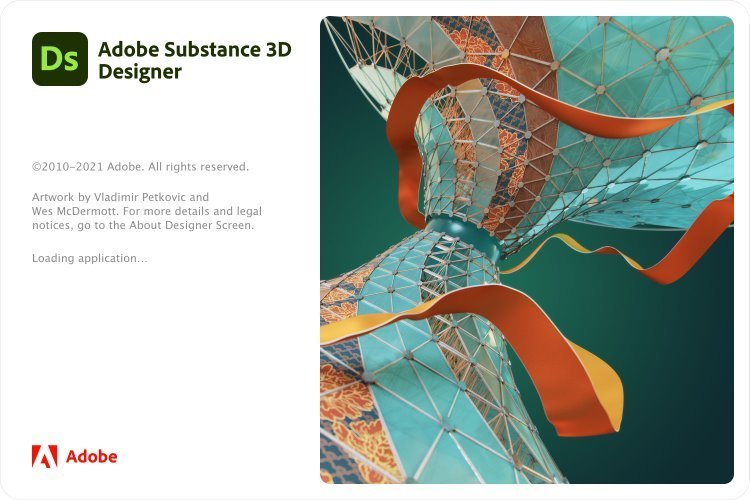
Adobe Substance 3D Designer 12.1.1

Description: Create, iterate. Substance Designer is the Ultimate 3D Material Authoring and Scan Processing Tool. It has become the standard in the entertainment industry for PBR material authoring.

Feature :
Material authoring
• Create materials with full control and infinite variations.
• Edit complete texture sets instantly and produce Substance textures and MDL materials that will be directly handled in your renderer or game engine.

Scan Processing
• Process scans thanks to filters and tools in an adapted to photogrammetry workflow.
• Substance Designer features a complete set of tools and filters including: Crop Tool, Color Equalizer Tool, Extract Channels filters (Multi-angle to Albedo, Multi-angle to Normal, Normal to Height), Smart Patch Clone Tool, Smart Auto Tile Tool.

Import a wide variety of content
• Import procedural sbs and sbsar files, hand-painted images, photographs, scans and geometry (.fbx & .obj). No need to worry about tiling, either – Substance Designer handles it automatically.

Release Names: Adobe Substance 3D Designer 12.1.1
Size: 656.51 MB
Links: HOMEPAGE – NFO – Torrent Search

Download: UPLOADGiG – NiTROFLARE – RAPiDGATOR
7 Comments
Jun 13

Adobe Substance 3D Painter 8.1.0

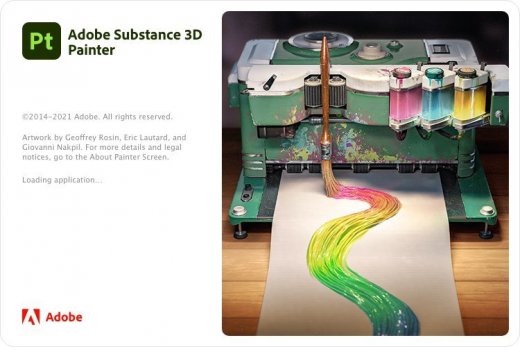
Description: Substance Painter is a brand new 3D Painting app with never before seen features and workflow improvements to make the creation of textures for 3D assets easier than ever. It is acknowledged as the most innovative and user-friendly 3D Painter out there.

Feature :
Power to the artists
– Substance Painter gives you all the tools you need to texture your 3D assets.

What You See Is What You Get
– The PBR real-time viewport lets you work on asset look development.
– Create in Substance Painter and get real-time feedback in UE4 and Unity thanks to the live link.

Augmented Artistry
– Unleash your creativity with powerful tools and a non-destructive workflow.

Smart Materials
– Tear and wear, scratches and dust instantly appear where they’re supposed to.

Smart Masks
– Apply the same mask preset on any type of object and have it adapt automatically.

Release Names: Adobe Substance 3D Painter 8.1.0
Size: 2.3 GB
Links: HOMEPAGE – NFO – Torrent Search

Download: UPLOADGiG – NiTROFLARE – RAPiDGATOR
5 Comments
Jun 13

Bartender 4.2.0

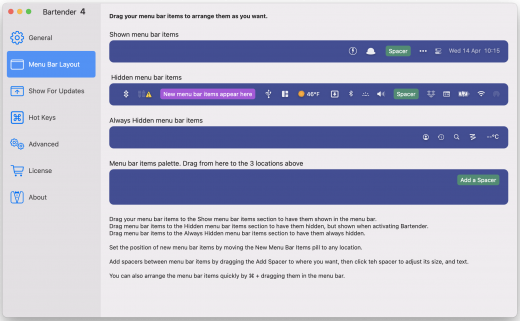
Description: Bartender lets you organize your menu-bar apps by hiding them, rearranging them, or moving them to Bartender’s Bar. You can display the full menu bar, set options to have menu-bar items show in the menu bar when they have updated, or have them always visible in Bartender’s Bar.

Features


  • Lets you tidy your menu bar apps how you want.
  • See your menu bar apps when you want.
  • Hide the apps you need to run, but do not need to see.
  • Have the clean looking menu bar you want.
  • Rearrange your menu bar items as you wish.

What’s New

Version 4.1.51:

New Features / Improvements:

  • Show all hidden items on larger screens. Allows you to show all your menu bar items on larger screens, while stil hiding them on your laptop screen etc.
  • Quick Search selection hotkeys. With Quick Search you can now select one of the visible results using ⌘+number key.
  • Quick Search speed improvements. Quick Search should now appear/display twice as fast, compared to previous versions.
  • Bartender Bar visual improvements. Bartender Bars UI has been slightly tweaked/improved on different screen setups, and should now also show a bit faster.
  • Set Show for update image trigger comparison threshold. Bartender has a percentage difference it ignores before triggering a image comparison difference, you can now adjust this threshold, this is useful for menu bar items that do not change there icon much
  • Manually set menu bar item spacers width. You can now enter the exact width you want a menu bar spacer to be, instead of having to use the slider. Great to get all your spacers exactly the same.

Bug Fixes:

  • Show all items on large screen not taking effect at launch. This has been fixed.
  • Show for updates becoming stuck. It was possible for some Show For updates to remain triggered, this has been fixed.
  • Bartender would not allow ⌘+ as a hotkey. This has been fixed.
  • Unresponsive menu bar apps prevent items being arranged. With macOS Monterey, unresponsive menu bar apps can prevent other menu bar items being arranged, this also stops Bartender being able to arrange your menu bar items, this is now detected and the user gets a prompt that there is a unresponsive menu bar item app so they can quit/restart it.
  • With Screen Sharing/remote connection to mac, Bartender would not move items. This has been fixed.
  • Show full menu bar on some multiple screen setups, quickly flashing. This has been fixed.
  • Items not hiding after showing in fullscreen apps. For a small number of users items could stop hiding after showing them in a fullscreen app. This has been fixed.
  • Accessibility > Full Keyboard Access selected first item in Bartender Bar. Work has been done to better support Full Keyboard Access in the Bartender Bar.
  • Possible crash in previous test build. This has been fixed.
  • Showing removed menu bar items. With macOS Monterey menu bar items removed by a app could still be shown in Bartender, this has been fixed.

Release Name: Bartender 4.2.0
Size: 12.05 MB
Links: HOMEPAGE – NFO – Torrent Search

Download: UPLOADGiG – NiTROFLARE – RAPiDGATOR

4 Comments
Jun 13

System Toolkit 5.4.2

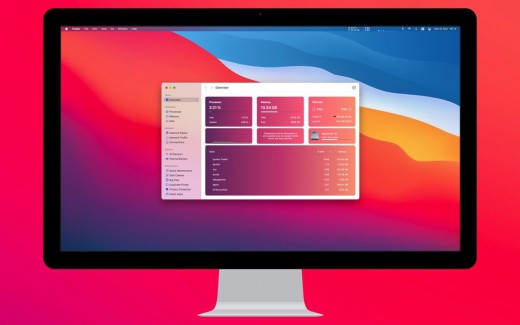
Description: The System Toolkit is an all-in-one information and maintenance app designed for macOS.

Information:

  • System Information
  • Menu Bar Extra
  • Info Panel
  • Overlay Window
  • Hardware Sensors
  • Bluetooth Device Battery Levels
  • Battery Information

Besides the information pages, the System Toolkit also offers the following maintenance features:

  • Fast Maintenance: Clean your Mac System with a single click!
  • Disk Cleaner
  • Duplicate Finder
  • Big Files Finder
  • Privacy Protector
  • Memory Cleaner
  • App Cleaner

What’s New

Version 5.4.2:

  • Release notes were unavailable when this listing was updated.

Release Names: System Toolkit 5.4.2
Size: 8.23 MB
Links: HOMEPAGE – NFO – Torrent Search

Download: UPLOADGiG – NiTROFLARE – RAPiDGATOR
5 Comments