Jul 2

Wondershare PDFelement Pro 8.6.9 (OCR)

Wondershare PDFelement is a self-explanatory OS X application that makes it easier for your to preview, edit, join, split and convert PDF documents using a Mac.

The Wondershare PDFelement also features a simple, clean and intuitive interface that provide instantaneous access to all the tools and features you might need to complete your daily tasks.

Powerful and user-friendly PDF editor for everyday use

Moreover, with Wondershare PDFelement’s help, you can effortlessly edit PDF documents created using text files, web pages or scanned documents.

Consequently, you can add, remove or edit text, move and rearrange pages, insert or remove images and more.
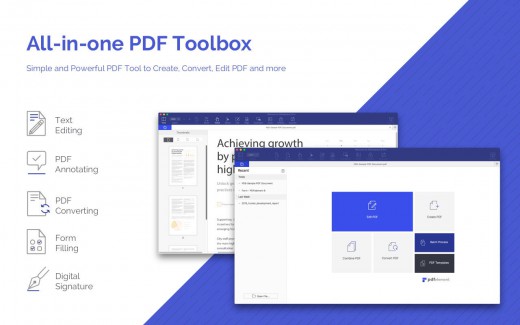
Wondershare PDFelement’s top toolbar helps you hide, show and customize the sidebar in order to display the items and information you are interested in. In addition, you can browse through the loaded document, zoom in or out, print it or email it with just a couple of mouse clicks.

Advanced OCR capabilities make text editing a breeze

Furthermore, you can choose between the “Hand”, “Select” and “Edit” tool, use the advanced OCR feature and convert your source file into plain text or RTF document, ePUB, HTML, as well as file formats compatible with Microsoft Word, Excel, and PowerPoint.

The context menu also helps you switch between the “Move”, “Select” and “Touchup” tool, change the display mode and open the Inspector window to view detailed information about the loaded document.

As an added bonus, by accessing the Document menu, you have the option to add, update or remove an watermark, extract, insert and delete pages, split, merge or convert your document and crop or rotate a page with ease.

Full-featured tool designed to help you stamp, watermark, encrypt and decrypt PDF documents on a Mac

The complete list of all available editing tools, bookmark features, annotation tools and stamp options can be found under the Tools menu.

From here you can easily insert text boxes, add sticky notes, highlight, strike-through and underline text, insert various shapes and use the handy pencil or erase.

On the whole, Wondershare PDFelement comes with the right set of features to help you edit and annotate PDF documents using a Mac, as well as effortlessly add password protect and convert them other formats for easier sharing with your friends and colleagues.

What’s New

Version 8.6.9:

  • Release notes were unavailable when this listing was updated.

Compatibility

macOS 10.12 or later

Release Name: Wondershare PDFelement Pro 8.6.9 (OCR)
Size: 636.2 MB
Links: HOMEPAGE – NFO – Torrent Search

Download: UPLOADGiGNiTROFLARERAPiDGATOR

6 Comments
Jun 13

GoodTask 7.1.1

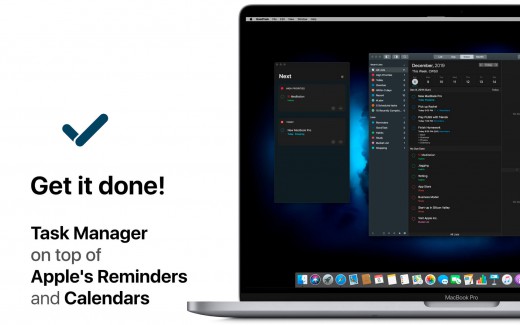
Description: GoodTask is a powerful task/project manager based on Apple’s Reminders and Calendars. You can use it as simple checklist to focus or as complex project management tool to get big things done. GoodTask 4 provides various viewpoints to the things that you care and need to be done. Manage your tasks, projects and even your life better with GoodTask.

Features:

  • Syncs with default stock Reminders and Calendars (iCloud/Exchange/etc)
  • Supports fully customizable recurring tasks
  • Manage reminders, lists, and calendars easily
  • List, day, week, month view on each lists
  • Add quickly and smartly with quick actions and text snippets
  • List with selective reminders, lists, and calendars
  • Filter by including or excluding text/tags
  • Filter by priorities
  • Overdue tasks, location-based tasks, recent tasks, etc.
  • Quickly edit tasks on-the-fly
  • Bulk actions to edit/check/delete multiple tasks at once
  • Duplicate, change due dates, add/switch tags/lists, etc.
  • App icon badge and notifications
  • Dark theme
  • Today-widget support
  • Time-zone support
  • Subtasks, automatic repeat after completion, and manual sort

What’s New

Version 7.1.1:

  • Bug fixes and improvements

Release Name: GoodTask 7.1.1
Size: 36.75 MB
Links: HOMEPAGE – NFO – Torrent Search

Download: UPLOADGIG – NiTROFLARE – RAPiDGATOR

5 Comments
Jun 13

PullTube 1.8.3.2

Description: A beautiful online video downloader for your Mac. PullTube proposes a streamlined workflow for quickly downloading videos provides control over the output quality, and enables you to extract the audio to MP3 or M4A files. Save video from Youtube, TikTok, Twitch, Facebook, Vimeo, Instagram, Bilibili, Soundcloud and more.

• Supports Youtube, TikTok, Twitch, Facebook, Vimeo, Instagram, Bilibili, Soundcloud and more.
• Download videos with 8K, 4K, HD & 60fps support
• Simply drag & drop and copy and paste videos to download
• Download subtitles (including Youtube auto-generated) with your videos
• Supports HEVC (h265), VP9/8 (Webm), AV1 video codecs
• Save media thumbnails
• Convert videos to mp3 & mp4a formats
• Use clever Chrome, Safari, Firefox extensions to download faster
• Trim Youtube videos on the fly
• Recognize when videos are part of a playlist & choose which to download
• HTTP/SOCKS proxy support for location restricted downloads
• Keep download history

Supported Operation Systems
macOS 10.12 or later (Apple Silicon compatible)

Release Name: PullTube 1.8.3.2
Size: 110.22 MB
Links: HOMEPAGE – NFO – Torrent Search

Download: UPLOADGiG – NiTROFLARE – RAPiDGATOR

6 Comments
Jun 13

Rhino 7 v7.19.22150.13002

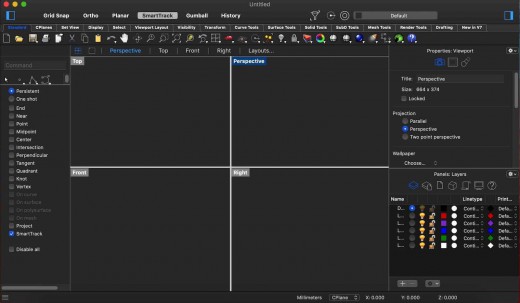
Description: Rhino – Versatile 3D modeler. Rhinoceros can create, edit, analyze, document, render, animate, and translate NURBS* curves, surfaces, and solids, point clouds, and polygon meshes. There are no limits on complexity, degree, or size beyond those of your hardware.

Special features include:

  • Uninhibited free-form 3-D modeling tools like those found only in products costing 20 to 50 times more. Model any shape you can imagine.
  • Accuracy needed to design, prototype, engineer, analyze, and manufacture anything from an airplane to jewelry.
  • Compatibility with all your other design, drafting, CAM, engineering, analysis, rendering, animation, and illustration software.
  • Read and repair meshes and extremely challenging IGES files.
  • Accessible. So easy to learn and use that you can focus on design and visualization without being distracted by the software.
  • Fast, even on an ordinary laptop computer. No special hardware is needed.
  • Affordable. Ordinary hardware. Short learning curve. Affordable purchase price. No maintenance fees.

What’s New

  • Release notes were unavailable when this listing was updated.

Release Name: Rhino 7 v7.19.22150.13002
Size: 406.66 MB
Links: HOMEPAGE – NFO – Torrent Search

Download: UPLOADGiG – NiTROFLARE – RAPiDGATOR
7 Comments
Jun 13

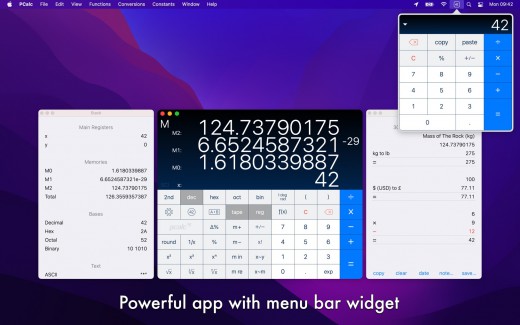
PCalc 4.10.3

Description: PCalc 4 is a brand new version of my veteran calculator application.

It is a fully featured scientific calculator for macOS with support for hexadecimal, octal and binary calculations, as well as an optional RPN mode, parentheses, programmable functions, and an extensive set of unit conversions.

Features include:

  • Switchable button layouts – choose from many different horizontal and vertical layouts to suit your needs. Includes all the layouts from the iPhone and iPad, as well as Mac-specific ones.
  • A powerful Notification Center widget, for quick access to PCalc.
  • Calculator themes – pick your look, all the way from minimalist to striking.
  • An RPN mode with one button access to the stack, and optional multiple-line display.
  • Editable user conversions, functions, and constants which are synced automatically across multiple devices.
  • Hexadecimal, octal and binary modes, complete with a variety of bitwise operators.
  • A simulated paper tape to keep track of your calculations with a “ticker tape” mode under the main display.
  • Smart searching of conversions, functions, and constants. Just search for “$ to £” for example.
  • Stylish, consistent user interface.
  • Support for Retina displays.
  • Full AppleScript support.
  • Multiple undo and redo.
  • Modern 64-bit application.
  • Handoff of in-progress calculations between PCalc on iOS, macOS, and watchOS.
  • Support for the Touch Bar on the MacBook Pro.
  • Support for macOS 10.15 Catalina, including Dark Mode.

What’s New

Version 4.10.3:

  • Fixed a problem changing settings in the menu bar widget.

Release Names: PCalc 4.10.3
Size: 15.68 MB
Links: HOMEPAGE – NFO – Torrent Search

Download: UPLOADGiG – NiTROFLARE – RAPiDGATOR

5 Comments
Jun 13

Planner 5D Premium 4.8.4

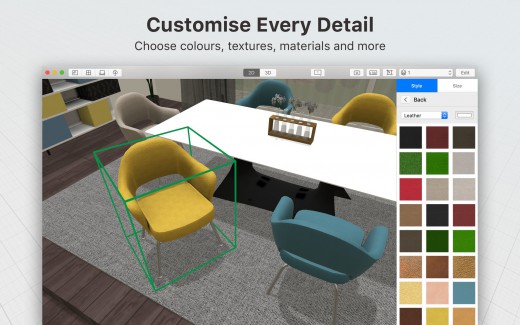
Description: Planner 5D is a user-friendly and effective app which helps you to create your own interior and landscape designs quickly and easily. Create your dream home in minutes with no training, no special skills and no complicated manuals! Draw your floor plan in 2D mode and take a virtual walk in spectacular 3D.

Features

Join the community of more than 3 000 000 current users and let our user-friendly tool to guide you through the exciting and effortless journey of mapping out floor plans and creating interior designs

The user-friendly interface and attractive design make your work on floor plans simple and fascinating, just like a game, meanwhile your projects look vivid and detailed.

  • plan renovation, move or interior remodeling
  • drag and drop doors and windows of different types to any place of your layout
  • choose and customize furniture, accessories and décor elements from the regularly enriched catalogue
  • apply hundreds of textures and colors in different combinations
  • move walls to the position you need or easily hide them, and make corners as sharp as you want
  • use Undo/Redo buttons to manage changes
  • switch to realistic 3D mode in a moment, scale and choose the best angle of view

What’s New

Version 4.8.4:

  • Bug fixes and performance improvements

Release Names: Planner 5D Premium 4.8.4
Size: 180.56 MB
Links: HOMEPAGE – NFO – Torrent Search

Download: UPLOADGiG – NiTROFLARE – RAPiDGATOR

8 Comments
Jun 13

Pocket Yoga Teacher 12.0.6

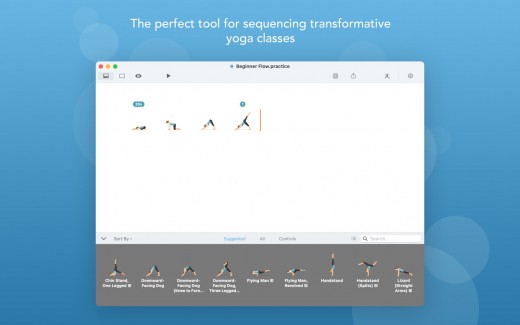
Description: Creating your custom yoga sequence has never been easier! Pocket Yoga Teacher allows you to build, edit and share complete yoga practices.

Make a yoga sequence in minutes by selecting your desired poses and adjusting their order and duration. Then add music, set the tempo and you’re done! Try your practice by following along with the voice guidance or print it out for your records. Perfect for yoga teachers, teacher trainees or intermediate to advanced level yogis.

Create

• Choose from over 500 poses, including variations and transitional poses.
• Follow suggestions on which pose to add next or choose from a complete list.
• Move poses around to your desired order.
• Add loops to repeat a set of poses, like a Sun Salutation.

Edit

• Set the duration to hold each pose.
• Place poses inside ‘loops’ to indicate sections that repeat multiple times.
• Add markers to indicate music and tempo changes.
• Open multiple sequences at once and Copy & Paste from one to the other.

Share

• Email, Message or AirDrop a sequence to your friends so they can try it.
• Convert your practices to PDF documents.
• Print your practices for your records.
• Send your practices to your iPhone or iPad and continue editing there (requires a separate purchase).

What’s New

Version 12.0.6:

Release notes were unavailable when this listing was updated.

Release Names: Pocket Yoga Teacher 12.0.6
Size: 186.32 MB
Links: HOMEPAGE – NFO – Torrent Search

Download: UPLOADGiG – NiTROFLARE – RAPiDGATOR

6 Comments
Jun 13

FSNotes 5.4.4


Description:
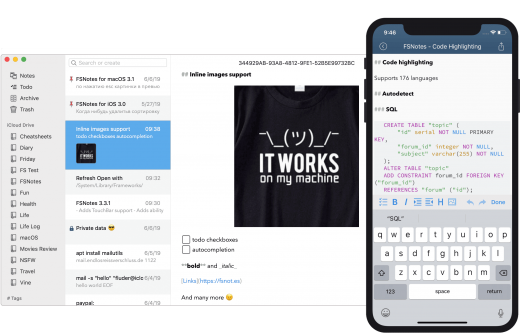
FSNotes is a plain-text note manager for macOS, and is modern reinvention of notational velocity (nvALT) on steroids. Our application respects the following open formats: plain/text, Markdown, and RTF, and stores data in the file system. You can view, edit, and copy data in your favourite external editor, and see live results in FSNotes.

Features:

  • ICloud synchronization
  • Keyboard centric
  • Global shortcuts (clipboard save / search field)
  • Markdown and RTF markup (files stored on disk as plain/text and rich text)
  • Markdown preview mode
  • Elastic two pane view (vertical and horizontal layout)
  • Blazing fast and lightweight
  • Open files in finder / works with external editors (changes seamless live sync with UI)
  • Pin/unpin important notes in top
  • Multi folder storage
  • Markdown live highlighting with over 170 languages in code blocks

What’s New

Version 5.4.4:

  • Fixes some crashes

Release Names: FSNotes 5.4.4
Size: 20.20 MB
Links: HOMEPAGE – NFO – Torrent Search

Download: UPLOADGiG – NiTROFLARE – RAPiDGATOR
5 Comments
Jun 13

Filmage Editor 1.3.1

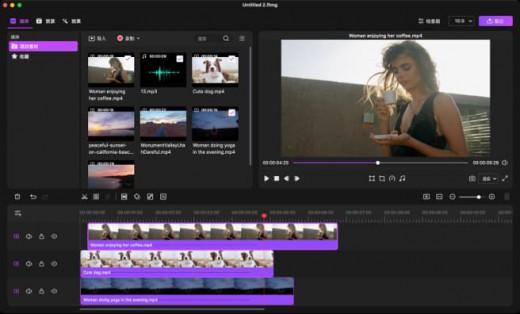
Description: Professional and Easy-to-use Video Editing Software Inspires Everyone.. Filmage Editor consists of all advanced & basic features, making you create & edit video in minutes even if you’re new to video editing. Use all editing and share them with anyone in the world. Give your videos a creative boost!

Features

  • Key Frame Customizes Animations.
  • Professional Video Editing Suite.
  • Easy-to-use Video Maker.
  • Customizable Built-in Video Resources (Titles, Filters, Transitions, etc.).
  • Intuitive Audio Control Tools.
  • Share Your Talent to Anywhere of The World.
  • Better Adaptation and Support for macOS

What’s New

Version 1.3.1:

  • Release notes were unavailable when this listing was updated.

Release Names: Filmage Editor 1.3.1
Size: 45.70 MB
Links: HOMEPAGE – NFO – Torrent Search

Download: UPLOADGiG – NiTROFLARE – RAPiDGATOR

7 Comments
Jun 13

Magic Disk Cleaner 1.2.0

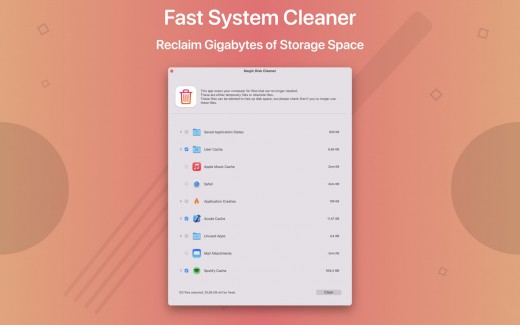
Description: Magic Disk Cleaner finds and deletes files temporary files that waste lots of space. The app is lightning fast and frees disk space in no time.

Magic Disk Cleaner searches your computer for temporary files and can also delete them directly if you wish.

Magic Disk Cleaner offers the following features:

Fast Search

Magic Disk Cleaner quickly scans your computer for temporary data that can be removed. You can have them deleted with one click.


Extremely easy handling

Magic Disk Cleaner couldn’t be simpler. The search is started immediately after the app is started. You can now delete files with just one click.

No automatic deletion

Magic Disk Cleaner does not delete any data without your consent. Choose for yourself which data is deleted and which you want to keep.

What’s New

Version 1.2.0:

  • Release notes were unavailable when this listing was updated.

Release Names: Magic Disk Cleaner 1.2.0
Size: 6.00 MB
Links: HOMEPAGE – NFO – Torrent Search

Download: UPLOADGiG – NiTROFLARE – RAPiDGATOR
5 Comments