Nov 15

ForkLift 4.0.3

ForkLift is a powerful file manager and ferociously fast FTP client clothed in a clean and versatile UI that offers the combination of absolute simplicity and raw power expected from a well-executed Mac software.
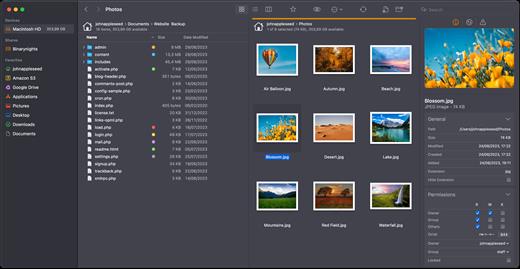
ForkLift will connect to any remote server SFTP, FTP, WebDAV, Amazon S3, Backblaze B2, Google Drive, Rackspace CloudFiles, SMB, AFP and NFS shares on your local network,- pretty much anything you can plug into or hook up to a Mac. ForkLift also carries a complete toolbox for managing your files, including Folder Synchronization, Multi-Rename, Archive handling, Application deleter, editing files over remote connections and many more. All these power features are packaged into a Finder-like, dual-pane interface that delivers superior workflow while remaining absolutely familiar to use, along with Quick Look, Spotlight search and all.

Features

  • Completely rewritten entirely in Swift
  • ForkLift Mini
  • Two-way Sync
  • Preview
  • Quick Open
  • Multi Rename
  • Dark Mode
  • Dual Pane split vertically or horizontally
  • Favorite Sync via Dropbox
  • Dropbox Support
  • Transfer bandwidth throttling
  • Tags Support
  • Disklet
  • Sync Browsing
  • Tabs
  • Search by name, extention, kind, tags, or content
  • Quick Select
  • App Deleter
  • Remote Editing
  • Archive Management
  • Keyboard Control
  • Workspaces
  • FXP Copy
  • Tools
  • Git Support
  • Open in Terminal, iTerm, or Hyper
  • Hidden Files
  • Share
  • Possible to set as default file viewer
  • File Compare with FileMerge, Kaleidoscope, Beyond Compare, and Araxis Merge support
  • Multilingual: English, Chinese Simplified, Czech, French, German, Hungarian, Italian, Polish, Russian, Spanish and Ukrainian

*** You need to disable the System Integrity Protection (SIP) to perform the selected Application.

What’s New

Version 4.0.3:

  • Release notes were unavailable when this listing was updated.

Compatibility

macOS 12 or later
Apple Silicon or Intel Core processor


Release Name: ForkLift 4.0.3
Size: 12.5 MB
Links: HOMEPAGE – NFO – Torrent Search

Download: FiKPERUPLOADGiGNiTROFLARERAPiDGATOR

5 Comments
Nov 15

JixiPix Photo Formation Pro 1.0.20

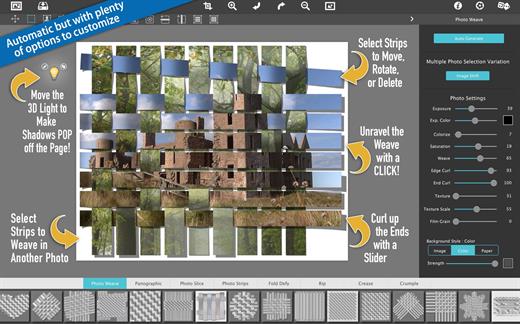
Photo Formation is a photo effect automatically transforms images into formations super creative paper and then uses a 3D engine ultrasmall light to project shadows. Use it to break, join, weaving, cutting and bending photos into fascinating and eye – catching pieces, with all the subtle creases, curls and curves as if they had painstakingly assembled by hand.

Photo Formation comes with a library of preset one touch to get you started quick adjustments, and a button that automatically plays scrambling a variety of creations on paper again and again until you get something for you. Tools movement, rotation and scaling can be used to customize each composition: the sky is the limit of what can be done!

We make it easy to use without taking control you, the artist. If you are the practical type who likes to do things from scratch a Build button automatically takes you to creatively starting the effect of initial paper then presents a control panel so you can do it exactly the way you want. is not so much work as it sounds, only specifies how many strips, tiles or folds; how much curl, wrinkle or depth; and if you want exposure, opacity, texture and grain. An Apply button represents creation in the document that ends, moving around paper items (if desired) and adding optional configurations photography.

What differentiates Photo Formation from others is its powerful lighting system. Oriented in a 2D space, Photo Formation creates true 3D creases and folds along with all the distortions of perspective that cast realistic shadows for an incredible high – end result. Lighting is fully adjustable and simply moving around the document can change the direction of the shadows. You can also set multiple light sources doubled light to create shadows fantastic double and triple: how many depends on you!

Photo Formation is presented as a standard application or mixed into your workflow with a supplement included for Photoshop, Elements, Lightroom, PaintShop Photo Pro and Affinity.

What’s New

Version 1.0.20:

  • Release notes were unavailable when this listing was updated.

Compatibility

macOS 10.9 or later


Release Name: JixiPix Photo Formation Pro 1.0.20
Size: 134.2 MB
Links: HOMEPAGE – NFO – Torrent Search

Download: FiKPERUPLOADGiGNiTROFLARERAPiDGATOR

6 Comments
Nov 15

VideoProc Converter 6.1

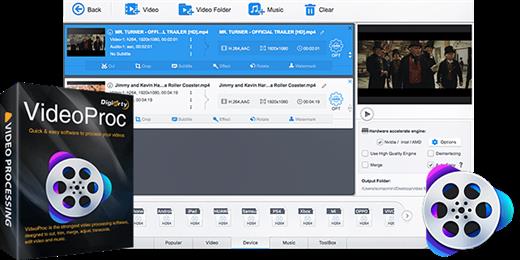
VideoProc is an all-purpose 4K video processing software that integrates video transcoder, editor, downloader, recorder and DVD ripper. It can quickly process, convert, compress and edit any 4K, HEVC, MKV, HD and SD videos for you to share them with others via YouTube, Instagram, emails etc or make them compatible with media players and mobile devices. Furthermore, it offers advanced features to download videos from 1000 sites, backup DVD and record your desktop and iOS screen.

  • Professional and Easy-To-Use Video Editor: VideoProc offers complete toolbox for you to do basic editing like cut video, split a video into smaller pieces, merge different clips into one, add effects, flip video, adjust audio delay, change resolution, add subtitles etc. Advanced users can also stabilize shaky videos or remove noise, correct fisheye lens distortion, make GIFs in simple clicks
  • Hardware Acceleration Brings the Fastest Video Processing Speed: The level-3 Hardware Acceleration technology helps VideoProc to make the most of Intel QSV, Nvidia CUDA/NVENC and AMD hardware to encode and decode videos, at 47x real-time faster speed with low CPU usage, and no crashes or lags
  • Robust Video Transcoding Capacity: With more than 370 built-in video and audio codecs, VideoProc lets you process and convert nearly any video in any format, codecs, quality and size. It accepts multi-track MKV, large 4K video files, Apple HEVC videos, slow-motion video from GoPro, DJI Drone, iPhone and other devices and common 1080P HD and SD videos.
  • Online Video Downloader: This online video downloader could help you batch save videos, music, playlist from YouTube, Facebook and 1000 other websites
  • Screen Recorder: VideoProc offers three types of recording modes for you to record games, tutorials and activities on your computer or iPhone. You can record full or part of the screen with audio, record video with your webcam or record with both screen and webcam

What’s New

Version 6.1:

  • Release notes were unavailable when this listing was updated.

Compatibility

macOS 10.10 or later


Release Name: VideoProc Converter 6.1
Size: 53.7 MB
Links: HOMEPAGE – NFO – Torrent Search

Download: FiKPERUPLOADGiGNiTROFLARERAPiDGATOR

3 Comments
Nov 15

Rumpus Pro 10.0.5

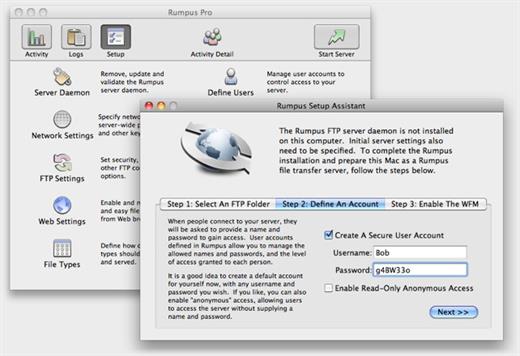
Rumpus is an easy-to-use, high-performance FTP, WebDAV, and Web file-transfer server.

Features:

  • Easy-to-administer user accounts
  • Integrated Web file transfers
  • File upload notification
  • Extensive security options
  • Blazing performance
  • Remote-server activity monitor
  • Rumpus FileWatch
  • Server-statistics widget
  • RumpusStat

What’s New

Version 10.0.5:

  • Release notes were unavailable when this listing was updated.

Compatibility

OS X 10.10 or later


Release Name: Rumpus Pro 10.0.5
Size: 30.5 MB
Links: HOMEPAGE – NFO – Torrent Search

Download: FiKPERUPLOADGiGNiTROFLARERAPiDGATOR

2 Comments
Nov 15

JixiPix Spektrel Art 1.1.15

Spektrel Art is an extravagant otherworldly display of undulating movement that glimmers and gleams with intersecting lines of tapered light. Applied to photos, this medium of imaginative and magical art form transcends the ordinary to extraordinary creating something wild, sparkling with life and colorful spaces.

Spektrel Styles

  • Light glimmers and gleams with white tapered light
  • Dark creates a stark contrast of black intersecting lines

Spektrel Art Includes

  • Presets to start you off
  • Detail slider to increase the amount of intersecting lines
  • Glow options add colorful edges and splendrous brillance
  • Taper Length and Sharpen sliders to add twinkle
  • Lighten and Brighten sliders to make it illuminate
  • Edge Detail slider to exaggerate the lines
  • Smoothing slider to softens lines
  • Color Boost for enhanced color
  • Brushes to soften or remove effect
  • Infinite variation for illuminated twinkles, fluid lines and ethereal softness

Every JixiPix Product Features

  • Support for high-resolution images and output
  • Multiple undo
  • Randomize button
  • Quick previewing
  • Customizable settings
  • Superior customer service

JixiPix – plug-in for Photoshop, Photoshop Elements, Corel PaintShop Pro
JixiPix-App – the actual program
JixiPix-Lightroom – plug-in for Lightroom

What’s New

Version 1.1.15:

  • Release notes were unavailable when this listing was updated.

Compatibility

macOS 10.9 or later


Release Name: JixiPix Spektrel Art 1.1.15
Size: 20.1 MB
Links: HOMEPAGE – NFO – Torrent Search

Download: FiKPERUPLOADGiGNiTROFLARERAPiDGATOR

3 Comments
Nov 15

Bartender 5.0.44

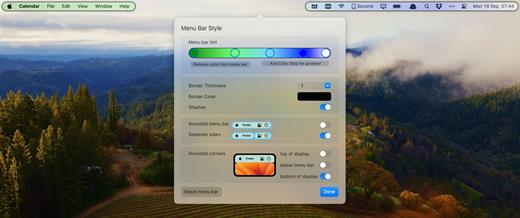
Bartender lets you organize your menu-bar apps by hiding them, rearranging them, or moving them to Bartender’s Bar. You can display the full menu bar, set options to have menu-bar items show in the menu bar when they have updated, or have them always visible in Bartender’s Bar.

Features:

  • Lets you tidy your menu-bar apps how you want.
  • See your menu-bar apps when you want.
  • Hide the apps you need to run, but do not need to see.
  • Have the clean looking menu bar you want.
  • Rearrange your menu-bar items as you wish.

Bartender 5 requires macOS Sonoma. For all other systems, choose Bartender 4.

What’s New

Version 5.0.44:

  • Release notes were unavailable when this listing was updated.

Compatibility

macOS 14.0 or later


Release Name: Bartender 5.0.44
Size: 12.1 MB
Links: HOMEPAGE – NFO – Torrent Search

Download: FiKPERUPLOADGiGNiTROFLARERAPiDGATOR

4 Comments
Nov 15

Unclutter 2.2.4

Unclutter is a new handy place on your desktop for storing notes, files and pasteboard clips. To open the pocket, simply move your mouse to the very top of screen and scroll down. Drag items from other applications to the top of screen to store them in Unclutter.

Features

  • Instant, configurable access even in full screen mode.
  • Full multi-display support.
  • File Storage, to keep your Desktop clean from temporary files.
  • Notes, to write down something quickly.
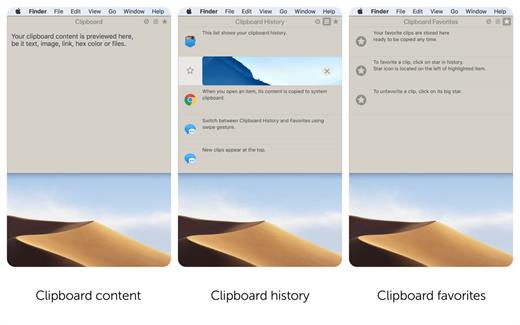
  • Clipboard manager, to track what you copy and paste, browse clipboard history.
  • Draggable cards that can stick on top of other windows.
  • Files and notes auto-sync across all your Macs via Dropbox.
  • Retina display support.

What’s New

Version 2.2.4:

  • Release notes were unavailable when this listing was updated.

Compatibility

macOS 10.13 or later


Release Name: Unclutter 2.2.4
Size: 13.6 MB
Links: HOMEPAGE – NFO – Torrent Search

Download: FiKPERUPLOADGiGNiTROFLARERAPiDGATOR

2 Comments
Nov 15

Timer RH Pro 2.13.2

Take Control of Your Time

Capabilities:

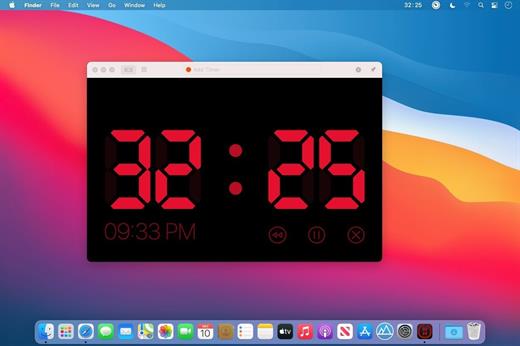
  • Set the timer to the specific time or to the exact time interval
  • Multiple timers
  • Repeating timers
  • Text and color labels
  • Combining timers into the scenaries
  • Create shortcuts and set hotkeys for its
  • One-touch timers addeding
  • Display on top over all windows when timer expiring
  • Ability to pin the window on top over all windows when working
  • Fullscreen mode
  • Flexible settings for sound and alerts
  • Count Down or Forward
  • Multiple timers in one window
  • History of timers
  • Timer in the staus bar and on the dock icon

And much more in this universal tool

What’s New

Version 2.13.2:

  • Release notes were unavailable when this listing was updated.

Compatibility

macOS 10.14 or later
Apple Silicon or Intel Core processor


Release Name: Timer RH Pro 2.13.2
Size: 15.1 MB
Links: HOMEPAGE – NFO – Torrent Search

Download: FiKPERUPLOADGiGNiTROFLARERAPiDGATOR

2 Comments
Nov 15

Firetask 4.8

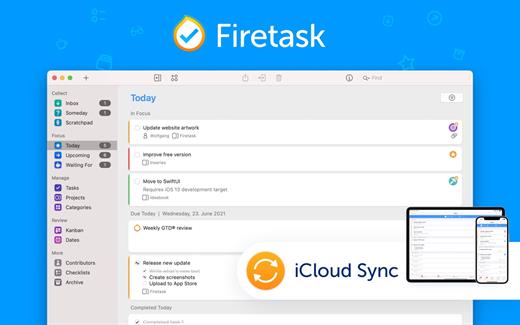
Firetask Pro represents the next generation of easy-to-use, project-oriented task management apps. By combining David Allen’s powerful Getting Things Done (GTD®) approach with classical task management features such as priorities and due dates, Firetask creates a unique task management experience.

Getting Things Done

If you don’t know how GTD works here are some of the basic concepts:

  1. Perform a “brain dump” — collect all your open issues and tasks in your “Inbox”
  2. Decide whether tasks are actionable, i.e., you want and can complete them yourself, whether you want to delegate them (Firetask provides a “Waiting For” list), or whether they are more of a “someday/maybe” thing
  3. Organize your actionable tasks into so-called “next action” lists (Firetask provides “projects” for this)
  4. Assign contexts to indicate, e.g., whether a task can only be done in a certain environment (e.g., you have to be “Home” to do clean up your house; we call this a “category”)
  5. Perform a weekly GTD review where you repeat steps 2-4 on a regular schedule in order to keep your trusted GTD task management system up-to-date

Why Use Firetask?

Firetask provides a very logical implementation of GTD in a way that concepts such as the “Inbox” or “Someday” are implemented as task statuses; this way, categories (contexts) and project assignments can optionally be already associated within the Inbox and thus, making a task actionable only means changing its status to “Actionable”.

Although tasks do not have to be part of a project, projects are first class business objects in Firetask: they have their own statuses, you can organize them via “portfolios” (project folders) and you have full control over the order of tasks in a project. Successful project-oriented task management has never been easier.

Firetask comes with great, visual tools that help you with your weekly GTD review such as “Kanban”, “Priorities”, and “Dates” views. Simply use drag & drop to move tasks between Inbox and Actionable statuses, into the “Starred” list, or to move them between priorities or due dates.

Firetask is also deeply integrated with the Apple ecosystem with optional integration with Reminders, Calendar events, Contacts, and syncing via iCloud.

Firetask is available on iPhone, iPad, macOS, and Apple Watch providing you with a seamless user experience across platforms.

Features

  • Solid and logical implementation of GTD including dedicated “Inbox”, “Someday”, “Next”, and “Waiting For” lists
  • Uniquely focused “Today” view showing “Starred” (things you need to do ASAP) and due tasks
  • Practical “Next” view showing upcoming due tasks and next tasks per project at a glance
  • Full support for simple project management via project task lists, portfolios for organizing projects, and actions for breaking down complex tasks into individual steps
  • Support for simple link attachments
  • Unique color and icon-based approach to task and project categories
  • Clean and at the same time visually rich user experience
  • Seamless syncing via iCloud
  • Optional integration with built-in Reminders, Calendar, and Contacts apps

New in Firetask Pro

If you are a long-time Firetask 3 user and wonder whether it is worth upgrading — these are just some of the more than 100 new features in Firetask Pro:

  • Enhanced overall workflow based on real-life user feedback
  • Portfolios for organizing projects
  • Actions for breaking down tasks into individual steps
  • Link attachments
  • Full control over the order of tasks in Inbox, Someday, Scratchpad, and Starred task lists
  • Reminders, Calendar, and Contacts integration
  • Easier and faster syncing via iCloud

What’s New

Version 4.8:

  • Release notes were unavailable when this listing was updated.

Compatibility

macOS 10.15 or later


Release Name: Firetask 4.8
Size: 10 MB
Links: HOMEPAGE – NFO – Torrent Search

Download: FiKPERUPLOADGiGNiTROFLARERAPiDGATOR

2 Comments
Nov 15

Irvue 2023.2

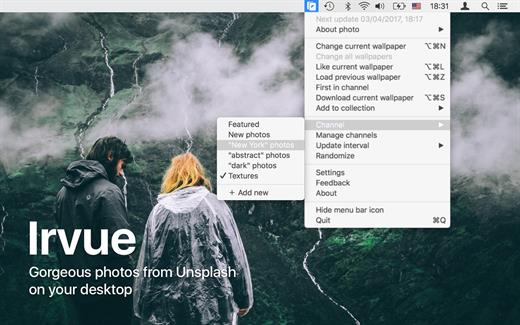
Irvue (was Unsplash Wallpaper) provides gorgeous wallpapers for your Desktop.

Features:

  • Hundreds of high-resolution photos from unsplash.com
  • Collections: Featured and All
  • Shortcuts
  • Scheduling wallpaper update
  • Blacklist
  • Saving wallpaper into Pictures folder

What’s New

Version 2023.2:

  • Release notes were unavailable when this listing was updated.

Compatibility

macOS 10.13.0 or later


Release Name: Irvue 2023.2
Size: 7 MB
Links: HOMEPAGE – NFO – Torrent Search

Download: FiKPERUPLOADGiGNiTROFLARERAPiDGATOR

5 Comments