Feb 23

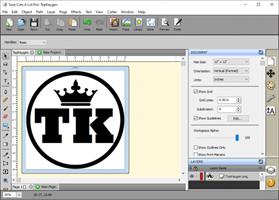
Craft Edge Sure Cuts A Lot Pro 6.046 Multilingual

Description: Sure Cuts A Lot Pro is an extremely easy program to allow you to cut virtually any shape with your electronic cutting machines. With the combination of using your fonts, importing custom artwork and drawing your own shapes, the possibilities are endless!

What’s New in Version 5:
Available as a 64 bit program
Have multiple projects open
New effects added, including Bridge Warp, Drop Shadow, QR Code & Symmetrical Mirror
Nesting
Add mat templates
Add Guidelines
Import additional file formats, including PES,PEC,HUS,JEF,SEW,VIP & more
Additional text justification and sizing options
Convert stroke to path
New trace image options for background removal and mask editing
Options to control the cut order
Assign cut presets to layers
and more!

Sure Cuts A Lot supports a variety of electronic cutting machines:
Black Cat Cougar/Lynx
BossKut Gazelle
Brother ScanNCut (export as FCM compatible files only)
Craftwell eCraft
CraftRobo/Graphtec
Cricut Explore/Maker (export as SVG to upload into Design Space only)
GCC
Foison
i-Craft
Janome Artistic Edge
KNK
Liyu
MyDigiDi
Pazzles Inspiration/Pro/Vue
Ramtin
Roland
Seiki
Silhouette SD/CAMEO/Portrait/Curio
Silver Bullet
USCutter Copam/LaserPoint/MH/PCUT/SC/TC/TITAN
Vinyl Express
Wishblade

Pro Features
Extended cutting length to cut longer than 72 inches
Weeding options to easily add weeding boxes and lines
Tiling
Duplicate cutting
Cut by color
Color layer alignment
Print & Cut (Contour Cutting)*
3D shadow
Import DXF, PLT
Assign cut presets to layers
Options to control the cut order

System Requirements:
Pentium processor-based PC or compatible computer (Windows)
Windows XP SP3/Vista/7/8/10 (Windows)
Intel based Macintosh (Mac)
512 MB of RAM or more
At least 50 MB of available hard disk space

Release Name: Craft Edge Sure Cuts A Lot Pro 6.046 Multilingual
Size: 86.7 MB
Links: HOMEPAGE – NFO – Torrent Search

Download: FiKPERNiTROFLARERAPiDGATOR

6 Comments
Feb 23

Adobe Acrobat Pro DC 2023.008.20555 Multilingual

Top features in Acrobat Pro:
• PDF file conversion. Create PDF documents from any application that prints, including one-button conversion from Microsoft Word, Excel, PowerPoint, Outlook, Publisher, and Access, as well as Firefox and Lotus Notes — without ever leaving your authoring application.
• Scanning to PDF. Scan and convert paper documents and forms to PDF. Make scanned text searchable automatically with OCR, and then check and fix suspected errors. Text can be exported for reuse in other applications
• HTML to PDF. With a single click from within Internet Explorer or Firefox, capture web pages as PDF files, keeping all links intact. Convert only a portion of the page by selecting just the content you want.
• Email to PDF. Handle email-based communication more efficiently and simplify email search and retrieval. Archive emails or email folders from Microsoft Outlook or IBM Lotus Notes with one-button ease.
Export and edit PDF files
Easily edit PDF files and quickly export PDFs to Word or Excel documents. Spend less time rekeying information and more time reusing content. Use Acrobat X to reduce errors, improve productivity, and finish projects faster.
• PDF to Word. Save PDF files as Word documents with improved preservation of formatting and layouts. Relative positioning of tables, images, and even multicolumn text is preserved, as well as page, paragraph, and font attributes.
• PDF to Excel. Expedite reuse of content by converting PDF document data to Excel file formats. Even select a portion of a PDF page and export it to an editable format.
• Editing PDF files. Quickly and easily edit PDF documents without going back to the original source files. Save time by making simple changes to text and images directly within PDF files. Remove, reorder, and rotate PDF pages.
• Printing preparation. Reduce errors and delays at the printer. Preview, preflight, correct, and prepare PDF files for high-end print production and digital publishing.

Combine files from multiple applications
No need to fill people’s inboxes with multiple emails and attachments. Create and deliver professional-looking PDF files that are simple to send, open, view, and navigate.
• PDF Portfolio assembly. Quickly assemble a wide range of file types — including audio, video, and rich media content — into a polished, organized PDF Portfolio using the new PDF Portfolio Wizard.
• PDF Portfolio customization. Easily customize PDF Portfolios with included layouts, visual themes, and color palettes. Add corporate logos and colors to reflect your branding. Import custom PDF Portfolio layouts and themes developed by third-party developers and designers.
• Rich media. Quickly bring ideas to life through rich, interactive documents. Insert audio, Flash Player compatible video, and interactive media into PDF files, for seamless playback in Adobe Reader X or Reader 9.
• Attaching native files. Make sure source files are simple to locate, access, and archive. Attach them to any PDF document in their original, native formats, ensuring a more complete document of record.

Increase productivity and process consistency
Use innovative productivity-enhancing software features to simplify complex projects, prepare and present high-quality content, and achieve better results.
• Action Wizard. Automate routine, multistep tasks into a guided Action. Create, manage, execute, and share a sequence of frequently used steps that can be applied to a single PDF or batches of files.
• Quick Tools. Quickly access the tools you use most — from your favorite PDF document editing tools to your most-often used comment and markup tools — by adding them to the Quick Tools area.
• Version comparison. Eliminate confusion and improve version control. Easily identify differences between two versions of a PDF file by having Acrobat analyze both files and highlight changes to text and images.
• Integration with Microsoft SharePoint. Work seamlessly with PDF files in Microsoft SharePoint. Access SharePoint from any Acrobat Open or Save dialog box. Open PDF files from SharePoint for viewing. Check them out for editing, and then check them back in (Windows only).

Streamline online document reviews
Gather feedback efficiently and accelerate approvals. Use shared online document reviews and PDF comments to get — and keep — everyone on the same page from project start to finish.
• Commenting tools. Review and mark up PDF files using a complete set of familiar commenting tools, including sticky note and highlighter tools, lines, and stamps.
• Online document reviews. Gain the feedback you need, faster, through easy-to-manage, shared document reviews that allow participants to see and build on one another’s comments. Easily track progress and participation, add reviewers, and email updates or reminders.
• Extending Reader functionality. Enable Adobe Reader X or Reader 9 users to participate in shared reviews, fill and save forms, and digitally sign and approve PDF documents — regardless of platform or operating system.
• Commenting tool pane. Access markup tools and view comments from a single, unified tool pane. View all comments in a searchable list that can be filtered and sorted by page, author, and date.

Collect data with fillable PDF forms
Create, distribute, and track easy-to-use, interactive PDF forms that look like familiar paper forms — without asking IT for help.
• Form Wizard. Easily create dynamic, fillable PDF forms from paper or existing electronic files. Automatically convert static fields to fillable ones with the Form Wizard.
• Adobe Reader support. Enable Adobe Reader users (Reader 9 or X only) to fill and save forms — regardless of platform or operating system.
• Distribution and tracking. Distribute forms, track status, and compile results to expedite more accurate information collection. Use services at Acrobat.com to distribute and collect forms.
• Analyzing data. Streamline data reporting and analysis. Automatically compile form data in a single document or view. Filter responses as required. Easily export data to a spreadsheet for analysis.

Protect PDF files and documents
Simple-to-use security features enable you to protect sensitive information. Use PDF passwords, digital signatures, and redaction to build electronic processes you can trust.
• Digital signatures. Digitally sign PDF documents, or add document timestamps. Add certified digital signatures to help recipients validate document authenticity and integrity.
• Enabling Reader users to sign. Enable Adobe Reader X or Reader 9 users to digitally sign PDF documents and forms or add document timestamps.
• Passwords and permissions. Use passwords to help control access to your PDF documents. Apply permissions to restrict printing, copying, or altering. Save passwords and permissions as security policies that can be easily applied to new PDF files.
• Permanent information removal. Use redaction tools to permanently delete sensitive information, including specific text and illustrations. Easily sanitize documents with one click, finding and deleting hidden information such as metadata, annotations, attachments, form fields, layers, and bookmarks.

Read, search, and share PDF files
Enable anyone, anywhere, to view, search, and print PDF files using free Adobe Reader® software. Share PDF files with confidence, knowing colleagues and customers will be able to see your work exactly as intended — across file formats, platforms, browsers, and devices.
• Optimized viewing mode. Maximize your screen for optimal reading and presentation of PDF files with the new Reading Mode. Menus and panels disappear, and a transparent floating toolbar appears, to help you navigate PDF files more easily.
• Online file sharing. Use Adobe SendNow online services from within Acrobat to send, share, and track large files without the headaches of email size restrictions, FTP sites, and costly overnight services.

Release Name: Adobe Acrobat Pro DC 2023.008.20555 Multilingual
Size: 2.4 GB
Links: HOMEPAGE – NFO – Torrent Search

Download: FiKPERNiTROFLARERAPiDGATOR

8 Comments
Feb 23

Power-user Premium 1.6.1781.0

Power-user add-in – smart tools for PowerPoint, Excel and Word – templates, icons, charts, maps and more! Power-user provides you with an extensive library of templates, icons, charts, maps for your spreadsheets and presentations. Using Power-user for PowerPoint and Excel, you will grab the attention of your audience with stunning graphics that are sure to impress.

EDITABLE MAPS
Our 115+ editable maps are powerful tools to illustrate ideas with a geographical dimension. Maps are easy to understand and remember, and will and will help you better illustrate your point, thus enhancing your ability to convince your audience.

ICONS
Power-user comes with a collection of 2,000 icons to illustrate your slides. Icons are vector shapes so you can resize them without deformation and recolor them as you with. With Power-user you can search icons by categories and with different keywords associated to the same icon to let you find the right icon in just 2 seconds.

SLIDES TEMPLATES LIBRARY
Don’t reinvent the wheel for every slide. Insert a template slide from the Power-user add-in’s library and just adapt it to match your needs. Templates include typical slide types, strategy frameworks, diagrams, etc and will adjust to your company’s color scheme. You can also save your own slides in the templates library to keep them accessible anytime.

WATERFALL CHARTS
Waterfall charts are very popular in finance and consulting. They are great to break down your data into multiple components, illustrating for instance what postively or negatively impacts a KPI.

MEKKO CHARTS
Create Mekko Charts in your Excel spreadsheet with Power-user. Mekko are one of the most powerful chart types. It can represents 3 dimensions of data, and is popular in consulting to show market positions of different companies for instance.

PICTURES
Sometimes a good picture tells more than a thousand words. Power-user includes a collection of 90+ pictures to illustrate concepts or trigger a discussion, without worrying about intellectual property rights.

DIAGRAMS GENERATOR
Embed customized diagrams in no time with the Power-user diagram generator. Diagrams help illustrate complex ideas and let you build eloquent slides or dashboards in very little time. Diagrams include value chains, gauges, traffic lights, relationships, pyramids, arrows and more.

GANTT CHARTS
Use Gantt charts to illustrate the different phases of a project and their progress. Creating this manually can take hours. With the add-in, you can create them in a few seconds only. It’s a great tool to improve the design of a slide in very little time.

Release Name: Power-user Premium 1.6.1781.0
Size: 16.3 MB
Links: HOMEPAGE – NFO – Torrent Search

Download: FiKPERNiTROFLARERAPiDGATOR

6 Comments
Feb 23

Boris FX Particle Illusion Pro 2024 v17.0.4.594

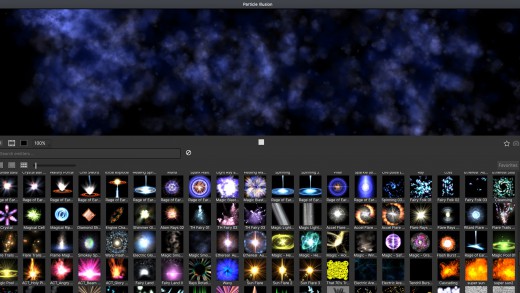
Description: Particle Illusion Pro is a powerful particle generator that gives users instant access to 3D particles. Quickly create photorealistic particle effects to use for motion graphics, visual effects, titles, and lower thirds. Available as a fully functional standalone application and as a plugin part of the Continuum suite of effects.

Particle Illusion Pro
New Background Layer Import

What’s New:

Particle Trails and Particle Lines Enhancements
New “lines” option adds trails, fading, and thickness variation to particle simulations.

Deflector and Force Improvements
3D Deflectors with rotation/depth, improved reliability, and Forces with “Direction Turbulence” for organic particle motion.

3D Models as Emitters
Import C4D/OBJ files as emitters with options like model wireframe drawing, including models and presets for innovative looks and streamlined object manipulation on stage.

Updated Gradient Editor and Gradient Presets
Enhanced gradient editor with flip, space actions, undo/redo, random generator, plus new color and alpha presets for fun particle workflows.

Easier to Use
New and easy workflow groups Controls View parameters into labeled sections, with “de-emphasis” dimming irrelevant ones for focused workflow.

3D Widgets
3D widgets now simplify interaction with emitters and objects in 3D environments.

System Requirements
– OS: Windows 10 & 11 (64-bit)
– Processor (CPU): Intel or AMD CPU with four or more cores
– System Memory (RAM): 8 GB minimum, 16+ GB preferred
– Graphics Processor (GPU): Most modern graphics cards from AMD, NVIDIA and Intel are supported.

Release Name: Boris FX Particle Illusion Pro 2024 v17.0.4.594
Size: 252.5 MB
Links: HOMEPAGE – NFO – Torrent Search

Download: FiKPERNiTROFLARERAPiDGATOR

7 Comments
Feb 23

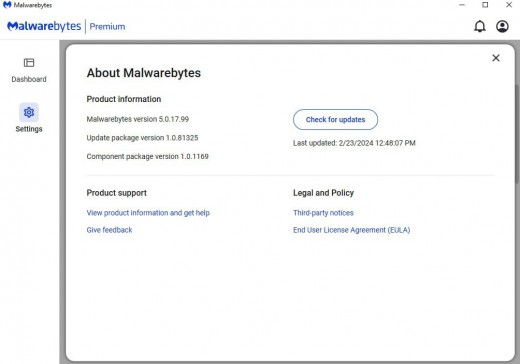
Malwarebytes Premium 5.0.17.99 Multilingual

Description: Malwarebytes Premium is a high performance anti-malware application that thoroughly removes even the most advanced malware and spyware. Malwarebytes version 4.xx brings comprehensive protection against today’s threat landscape so that you can finally replace your traditional antivirus.

Real-time protection
Detects malware automatically, before it can infect.

Anti-exploit
Shields vulnerable systems and software from exploit attacks.

Anti-ransomware
Stops ransomware attacks before your data is held hostage.

Malicious website protection
Prevents access to and from known malicious webpages.

Anti-malware/Anti-spyware
Detects and removes malware and advanced threats.

Anti-rootkit
Removes rootkits and repairs the files they damage.

What it does for you:

Protects you from advanced threats
Detects and removes malware in real-time with advanced anti-malware, anti-spyware, and anti-rootkit technology. Scans for the newest and most dangerous threats automatically, so you’re protected without having to even think about it.

Protects your files from being locked and held for ransom
Stops unknown and known ransomware with proprietary next-gen technology that works proactively to shield your files. This is a powerful, comprehensive defense that blocks ransomware, and not a simple decryption tool. So you’re protected from tomorrow’s “Ransomware Attack!” headlines today.

Prevents your programs from being used against you
Wraps your browser and software programs in four layers of defense, stopping attacks that use vulnerabilities in those programs to infect your computer.

Protects you from fake and infected websites
Detects and prevents contact with fake websites and malicious links. You are proactively protected from downloading malware, hacking attempts, and infected advertising. Worried about wandering into a “bad” Internet neighborhood? Now you don’t have to be.

Scans faster, scans smarter
Lightning-fast Hyper Scan mode targets only the threats that are currently active. Faster analysis. Still gets results. Run a scan in the background while you boot up your favorite game. It’s done by the time you’re ready to play.


Release Name: Malwarebytes Premium 5.0.17.99 Multilingual
Size: 348.4 MB
Links: HOMEPAGE – NFO – Torrent Search

Download: FiKPERNiTROFLARERAPiDGATOR

6 Comments
Feb 23

Ambiera RocketCake Professional 5.3.1 Multilingual

Description: Having a beautiful website is one of the ways you can attract online visitors, no matter if you are selling complex products or you are keeping a personal blog. If programming is not among your skills, there are many dedicated applications that can come in handy, such as RocketCake.

User-friendly interface and templates
To begin with, the utility offers several templates that you can tamper with to discover all the features. Alternatively, you can start a new project from scratch and experiment as you go along.
The GUI (graphical user interface) is meant to be as intuitive as possible, so as to encourage even novices to design an interactive website. You can easily choose the type of element you want to insert, then customize it with only a few mouse clicks.

WYSIWYG web designer
If you want to add an image to your newly-designed website, you only need to browse to its location and make sure it is JPG, BMP, GIF or PNG. You can assign a tooltip text, alter the background mode and border, as well as modify the position, size and alignment.
Inserting other objects is equally simple when using RocketCake, so you can add and personalize containers, styled buttons, navigation menus, image galleries, and slideshows, along with tables, YouTube videos, Flash or HTML5 multimedia content.
Depending on the element’s type, you can edit numerous parameters, thus making sure the output matches your expectations.

Preview the generated output on multiple screen sizes
A nifty function of this utility is that you can preview the result at any time in your default browser by simply clicking a single button. You can also view how the resulting website will look like on several screen sizes suitable for various devices, such as iPad, iPhone, LG G3, Samsung Galaxy S4, Samsung Note 2 or LG Nexus 5.
All in all, RocketCake can help any user come up with a beautiful interactive website without too much hassle.

Release Name: Ambiera RocketCake Professional 5.3.1 Multilingual
Size: 39.4 MB
Links: HOMEPAGE – NFO – Torrent Search

Download: FiKPERNiTROFLARERAPiDGATOR

2 Comments
Feb 23

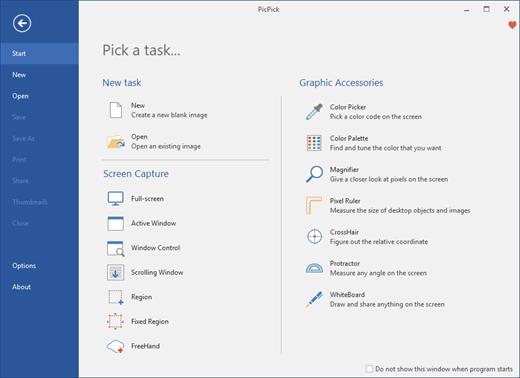
PicPick Professional 7.2.8 Multilingual

PicPick Professional Crack Full Version Free Download is a powerful software tool that allows users to capture, edit, and annotate images and screenshots. It offers a range of advanced features that make it a valuable tool for professionals in a variety of fields, including graphic design, software development, and technical writing.

One of the main features of PicPick Professional is its ability to capture images and screenshots in a variety of ways. Users can capture the entire screen, a specific window, or a selected region, and can also choose to capture scrolling pages or video. The software also includes a range of image editing tools, including the ability to resize, crop, and rotate images, as well as adjust color and brightness.

Another feature of PicPick Professional is its support for annotation and markup. The software includes a range of tools for adding text, shapes, and arrows to images, as well as the ability to blur or highlight specific areas. This makes it easy for users to communicate their ideas and provide feedback on images and screenshots.

Download PicPick Free Download features:

Here are some key features of PicPick Professional:

  • Image capture: It allows users to capture images and screenshots in a variety of ways, including the entire screen, a specific window, or a selected region, as well as capture scrolling pages or video.
  • Image editing: The software includes a range of image editing tools, including the ability to resize, crop, and rotate images, as well as adjust color and brightness.
  • Annotation and markup: It includes a range of tools for adding text, shapes, and arrows to images, as well as the ability to blur or highlight specific areas.
  • Image management: The software includes tools for organizing and managing large numbers of images, such as keyword tagging, metadata management, and the ability to create custom collections and albums.
  • User-friendly interface: It has a user-friendly interface that makes it easy for users to navigate and access its various features and tools.
  • Wide range of supported formats: The software supports a wide range of image file formats, including JPEG, TIFF, and PNG, making it easy for users to work with their images.
  • Regular updates:It is regularly updated to ensure that it is compatible with the latest versions of operating systems and to add new features and improvements.
  • Multi-language support: The software is available in a variety of languages, making it accessible to users around the world.

What’s New in the PicPick scrolling window:

  • New language updates (UI)
  • Fix bugs and improvements

In addition to its image capture and editing capabilities, PicPick Professional also includes a range of tools for organizing and managing large numbers of images. It includes features such as keyword tagging, metadata management, and the ability to create custom collections and albums.

Overall, PicPick Professional is a powerful and feature-rich software tool that offers a range of advanced features for capturing, editing, and annotating images and screenshots. It is an ideal choice for professionals in a variety of fields looking to improve their productivity and streamline their workflow.

  • Microsoft Windows 10, 8.1, 8, 7, Vista and XP including
  • both 32-bit and 64-bit versions..
  • RAM 1 GB

Release Name: PicPick Professional 7.2.8 Multilingual
Size: 71.8 MB
Links: HOMEPAGE – NFO – Torrent Search

Download: FiKPERNiTROFLARERAPiDGATOR

5 Comments
Feb 23

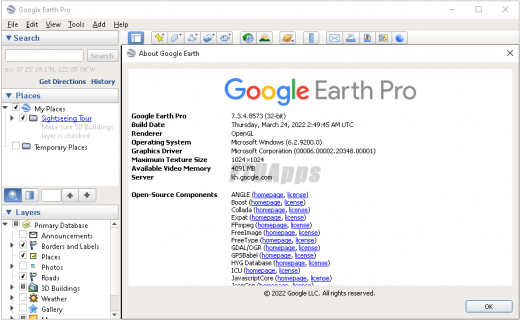
Google Earth Pro 7.3.6.9796 Multilingual

Description: Google Earth Pro Portable comes with the same features and imagery included in Google Earth, as well as an enhanced suite of options designed for business users, more specifically distance, area and 3D measurements, multiple layers, and video recording options.

Measuring and drawing tools
The program allows you to calculate the distance in feet, miles, kilometers, acres and other units of measurements. In addition, you can perform area and radius measurements, determine the height of a building, and measure viewsheds.

Working with data layers
Google Earth Pro Portable enables you to research properties by zooming in to view parcel boundaries and get information about the price sold, zoning, square feet and other details. Demographic data is shown on thematic maps, more specifically media age, income, and education level for your state, country, census tract or block group.

The viewshed tool can be used for detecting and calculating viewpoints, measuring distances, and analyzing a 360′ line of sight with a color code 3D view mode. Plus, you can visualize historic traffic trends on the globe.

Importing options
Google Earth Pro gives you the possibility to import ESRI Shape (SHP), MapInfo (TAB), and Keyhole Markup Language (KML) files, add large image files that are automatically optimized, and split images into tiles. You can import addresses from CSV files and generate thematic maps with custom color, title and height.

Publish and share data
The application lets you record and save 3D imagery in real time. The video streams can be exported to WMV or AVI file format, or saved as images, and may follow the camera viewpoint to and from multiple locations. Plus, you can publish data on a website or send it via email.

Maps can be created directly from Google Earth Pro, and may include legends, HTML, directional indicators, scales and titles. You can print or export the maps to PDF or an image format. Projects may be saved to KML file format.

The perfect map tool for business users
All in all, Google Earth Pro is all worthy of your attention in case you are interested in premium high resolution images, batch geocode addresses, demographic, parcel and traffic data layers, movie creation, polygon or circle measurement tools, viewshed utility, as well as map making feature.

Features:
• Navigation controls – Look around, move and zoom into any location
• Sun and shadows – View animated shadows as they move across the landscape
• 3D buildings – View hundreds of photo-realistic new buildings in many of the world’s cities
• Imagery date information
• Support for new language versions
• Flash videos in placemark balloons
• Fly from space to your neighborhood. Type in an address and zoom right in.
• Search for schools, parks, restaurants, and hotels. Get driving directions.
• Tilt and rotate the view to see 3D terrain and buildings.
• Save and share your searches and favorites. Even add your own annotations.

Pro Features:
• Allows you to regionate large datasets
• Provides access to demographic, parcel and traffic data
• Flexible distance and area measurement tools
• Can customize maps by adding legends, links and images
• Measure distances and elevations in 3D
• Geo-locate up to 2500 addresses
• Map GIS data
• Export maps as PDF
• Print in high resolution

What’s New in Google Earth Pro Portable:
– Here are the fixes, changes, and improvements we’ve made for this release of Google Earth Pro:

Change Logs:
– https://support.google.com/earth/answer/40901?h

System Requirements:
– Windows XP, Windows Vista or Windows 7, 10, Server 2008/12 (64bit Only)

Build Information:

Please note: the program does not work correctly if there are Cyrillic characters in the path

General information:
Type: installation, unpacking portable
Languages: Russian, english, multi
Activation: Predone

Release Name: Google Earth Pro 7.3.6.9796 Multilingual
Size: 127.2 MB
Links: HOMEPAGE – NFO – Torrent Search

Download: FiKPERNiTROFLARERAPiDGATOR

6 Comments
Feb 23

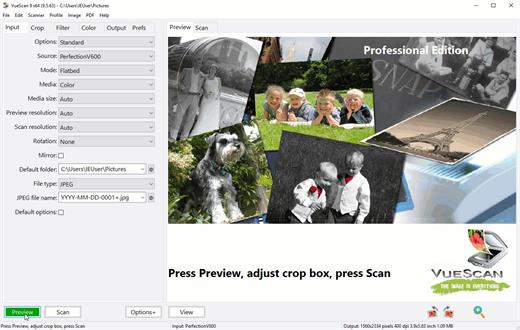
VueScan Pro 9.8.27 DC 23.02.2024 Multilingual

Description: VueScan, the world’s most popular scanner software, is used extensively by photographers, home users, scanning services and corporations. VueScan is a scanning program that works with most high-quality flatbed and film scanners to produce scans that have excellent color fidelity and color balance. It is very easy to use, and also has advanced features for restoring faded colors, batch scanning and other features used by professional photographers. VueScan changes nothing on your system, installs nothing in your operating system and all other scanner software will continue to function. VueScan increases your productivity and saves you money. VueScan has advanced scanning options, powerful features, and greatly improves your scans with superior color accuracy and better color balance. VueScan supports more than 700 scanners and 209 digital camera raw files and takes about 5 minutes to download and install.

Features:
• Works with 1200 flatbed and film scanners
• Runs on Mac OS X, Windows and Linux
• Improves your productivity and quality of scans
• Has been downloaded more than 5 million times
• Create raw scan files
• ICC profiles and color spaces
• IT8 color calibration

Release Name: VueScan Pro 9.8.27 DC 23.02.2024 Multilingual
Size: 43.3 MB
Links: HOMEPAGE – NFO – Torrent Search

Download: FiKPERNiTROFLARERAPiDGATOR

5 Comments
Feb 23

Agisoft Metashape Professional 2.1.1 Build 17695 (x64) Multilingual

Description: Agisoft Metashape (formerly PhotoScan) is a stand-alone software product that performs photogrammetric processing of digital images and generates 3D spatial data to be used in GIS applications, cultural heritage documentation, and visual effects production as well as for indirect measurements of objects of various scales.

Wisely implemented digital photogrammetry technique enforced with computer vision methods results in smart automated processing system that, on the one hand, can be managed by a new-comer in the field of photogrammetry, yet, on the other hand, has a lot to offer to a specialist who can adjust the workflow to numerous specific tasks and different types of data. Throughout various case studies Metashape proves to produce quality and accurate results.

Photogrammetric triangulation
– Processing of various types of imagery: aerial (nadir, oblique) & close-range.
– Auto calibration: frame (incl. fisheye), spherical & cylindrical cameras.
– Multi camera projects support.

Dense point cloud: editing and classification
– Elaborate model editing for accurate results.
– Points classification to customize geometry reconstruction.
– .LAS export to benefit from classical point data processing workflow.

Digital elevation model: DSM/DTM export
– Digital Surface and/or Digital Terrain Model — depending on the project.
– Georeferncing based on EXIF meta data/flight log: GPS/GCPs data.
– EPSG registry coordinate systems support: WGS84, UTM, etc.

Georeferenced orthomosaic export
– Georeferenced orthomosaic: most-GIS-compatible GeoTIFF format; .KML file to be located on Google Earth.
– Export in blocks for huge projects.
– Color correction for homogeneous texture.

Measurements: distances, areas, volumes
– Inbuilt tools to measure distances, areas and volumes.
– To perform more sophisticated metric analysis Metashape products can be smoothly transferred to external tools thanks to a variety of export formats.

Ground control points: high accuracy surveying
– GCPs import to control accuracy of the results.
– Coded/non-coded targets auto detection for fast GCPs input.
– Scale bar tool to set reference distance without implementation of positioning equipment.

Python scripts: customize processing workflow
– In addition to Batch processing — a way to save on human intervention, Python scripting suggests customization options:
– a parameters template for several similar data sets; intermediate processing results inspection; etc.

Multispectral imagery processing
– RGB/NIR/thermal/multispectral imagery processing.
– Fast reconstruction based on preferable channel.
– Multichannel orthomosaic generation for built-in vegetation indices (NDVI) calculation and export.

3D model: generation and texturing
– Various scenes: archaeological sites, artifacts, buildings, interiors, people, etc.
– Direct upload Sketchfab resource and export to varios popular formats.
– Photorealistic textures: HDR and multifile support.

4D modeling for dynamic scenes
– Multi camera station data processing for creative projects in cinemato- graphic art, game industry, etc.
– Basis for numerous visual effects with 3D models reconstructed in time sequence.

Panorama stitching
– 3D reconstruction for data captured from the same camera position — camera station, provided that at least 2 camera stations are present.
– 360° panorama stitching for one camera station data.

Network processing
– Distributed calculations over a computer network to use combined power of multiple nodes for huge data sets processing in one project.

System Requirements:
– CPU: Quad-core Intel Core i7 CPU, Socket LGA 1150 or 1155 (Kaby Lake, Skylake, Broadwell, Haswell, Ivy Bridge or Sandy Bridge)
– Motherboard: Any LGA 1150 or 1155 model with 4 DDR3 slots and at least 1 PCI Express x16 slot
– RAM: DDR3-1600, 4 x 4 GB (16 GB total) or 4 x 8 GB (32 GB total)
– GPU: Nvidia GeForce GTX 980 or GeForce GTX 1080 (optional)

Release Name: Agisoft Metashape Professional 2.1.1 Build 17695 (x64) Multilingual
Size: 182.9 MB
Links: HOMEPAGE – NFO – Torrent Search

Download: FiKPERNiTROFLARERAPiDGATOR

5 Comments