Sep 15

Advanced SystemCare Ultimate 14.5.0.197 Multilingual-P2P

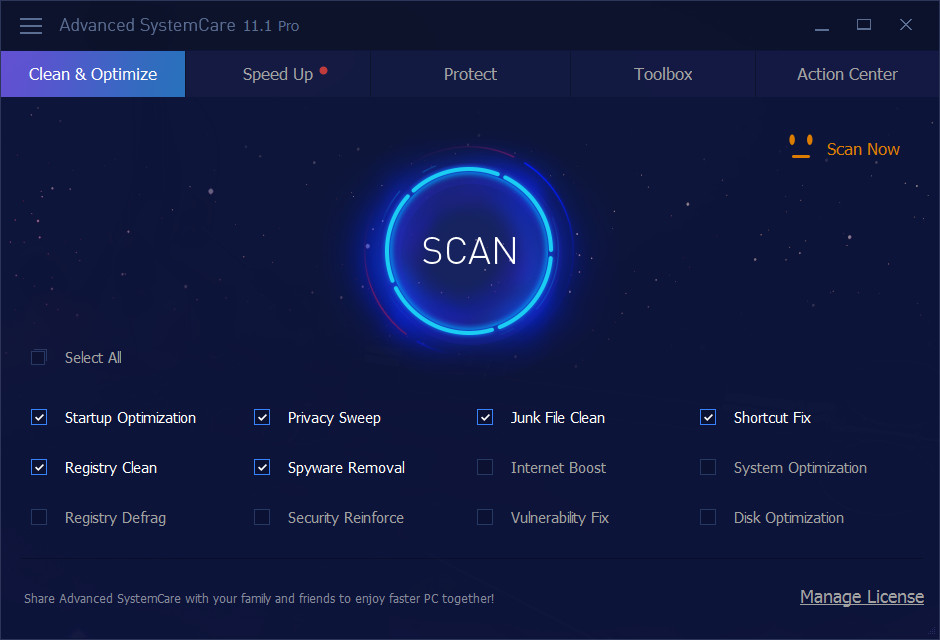
Description: Advanced SystemCare 11 PRO provides an always-on, automated, the all-in-one PC optimization utility. It specializes in ONE-Click solutions to detect, clean, repair, speed up and eventually protect PC. Advanced SystemCare 11 is a PC maintenance program that’s incredibly easy to use, the World’s Top System Utility for Superior PC Health! With the novel system technology, Advanced SystemCare empowers you to run your computer faster. Ensures more stably and more efficiently than with any other system utilities.
Feature :

  • Keeps your PC running at peak performance. Fully optimizes Windows for ultimate system performance and top Internet speed. It turns your PC into a business PC, a productive workstation, an entertainment center, a game machine, or a scientific computing PC
  • Defends PC security with extra protection. Detects and analyzes Windows security environment. Scans and removes spyware and adware using up-to-date definition files. In conclusion, it prevent spyware, hackers and hijackers from installing malicious programs on your computer. Erases and updates your PC’s activity histories
  • One click to solve as many as 10 common PC problems. With one click, it scans and repairs ten PC problems and protects your PC from hidden security threats.
  • Real-time optimization with ActiveBoost function. This technology actively runs in the background intelligently managing system resources in real-time. And constantly detects inactive resources and optimizes CPU and RAM usage
  • Cloud technology to keep database up-to-date. The new “Cloud” technology ensures the database is kept updated at all times. So that you can benefit from the latest definitions and configurations
  • More than 20 dedicated smart tools. The Toolbox feature has tools for system cleaning, optimizing and repairing, tools for security enhancement. Also the tools for full control over the PC system.

Release Names: Advanced SystemCare Ultimate 14.5.0.197 Multilingual-P2P
Size: 100.50 MB
Links: HOMEPAGE – NFO – Torrent Search

Download: UPLOADGiG – NiTROFLARE – RAPiDGATOR

7 Comments
Sep 15

Elsten Software Bliss 20210903-P2P

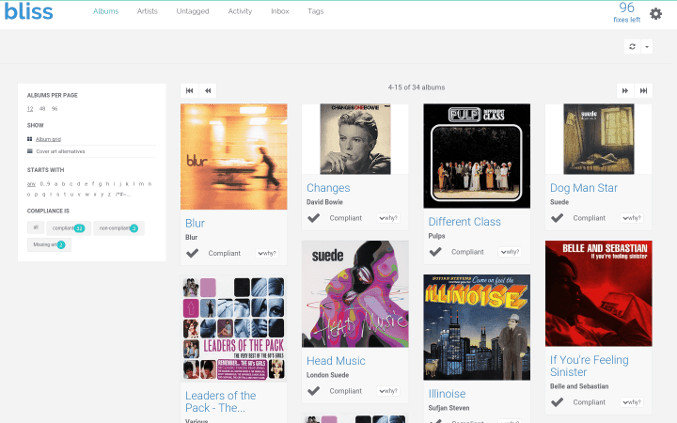
Description: Album artwork downloaded, organized, automatically. bliss is a simple and accurate album artwork finder. Discover art for rare recordings. Free your art to view anywhere.

Feature :


Album artwork finder


  • Download album artwork automatically with bliss
  • bliss is an album artwork finder that is simple, fast and accurate. bliss finds and installs album artwork automatically. bliss is fully automated and can even add album artwork to your music in the background, as you add the music to your collection. bliss uses both reputable and expansive sources for its album art.

Music folder organizer

  • Assess your current music file and folder structure
  • Organize your music files and folders by specifying a file organisation pattern. bliss then synchronises your tags with your file names. Choose from different tags to include in the file organisation pattern, and how you want to treat whitespace. You can perform the changes automatically if you like, ideal for large collections.

Control your genres

  • Filter genres into a defined subset
  • Keep track of the genres in your music collection. Music genres are notorious for ballooning as you add more music from different sources. Some genres are general, like ‘Classical’, while some are specific, like ‘Experimental Big Band’. bliss allows you to control which genres are allowed in your music collection.

Release Names: Elsten Software Bliss 20210903-P2P
Size: 139.04 MB
Links: HOMEPAGE – NFO – Torrent Search

Download: UPLOADGiG – NiTROFLARE – RAPiDGATOR
5 Comments
Sep 15

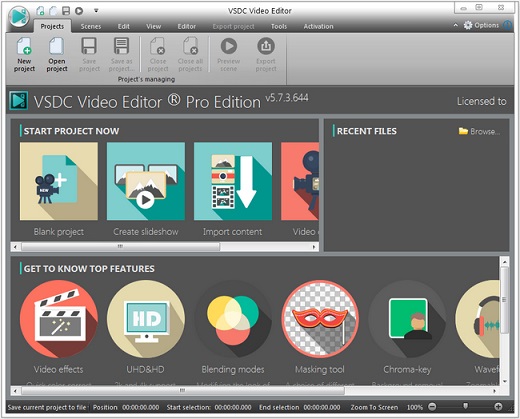
VSDC Video Editor Pro 6.8.2.341/340 Multilingual-P2P

Description: The video editor is intended for editing video files and creating videos of any complexity involving various visual and audio effects. The program offers rich functionality and yet has a simple and intuitive interface, allowing you to create videos with a bare minimum of efforts.

Feature :


  • Non-linear video editor
  • Visual and audio effects
  • Blending modes and Instagram-like filters
  • Subpixel accuracy
  • Support of popular formats
  • Working with charts
  • Creation of videos for specific multimedia devices
  • Desktop video capture

Release Name: VSDC Video Editor Pro 6.8.2.341/340 Multilingual-P2P
Size: 210.59 MB
Links: HOMEPAGE – NFO – Torrent Search

Download : UPLOADGiG – NiTROFLARE – RAPiDGATOR

6 Comments
Sep 15

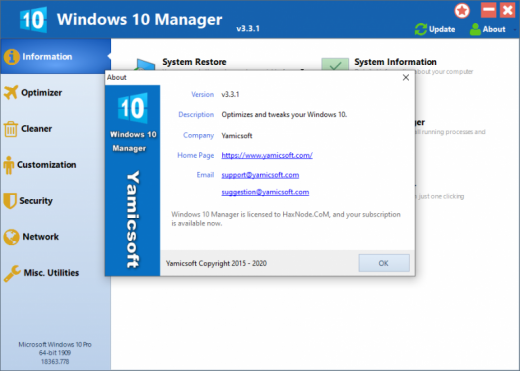
Yamicsoft Windows 10 Manager 3.5.5 Multilingual-P2P

Description: Windows 10 Manager is a system utility that helps you optimize, tweak, repair and clean up Windows 10. It will increase your system speed, eliminate system fault, improve system security, and meet all of your expectations. Windows 10 Manager is a system utility that helps you optimize, tweak, repair and clean up Windows 10. It will increase your system speed, eliminate system fault, improve system security, and meet all of your expectations.
Improve system security by tweaking system components, UAC and login settings; Tune up System Restore options; Hide and restrict to access drives and programs; Encrypt/decrypt files, move system folders to safe locations

Features :


  • Information:
    Get detailed system and all hardware information on your system; help you find out the installation key of Windows, Office products; show all detailed information of running processes and threads on your machine; Windows 10 Manager offers 1-clicking Cleaner cleans your system automatically; Repair Center helps you to fix various system problems.
  • Optimizer:
    Tweak your system to improve windows startup and shutdown speed, tweak your hardware to increase system speed and performance; Control what is started on Windows startup, check and repair the advanced starup items to restore the malicious change by viruses; Tune up and optimize system services and Task Schedule, turn off smartly some unnecessary system services and tasks to improve system performance.
  • Cleaner:
    Find out which files or folders engross your disk space and shown with chart; Smart Uninstaller can fully delete programs from your system without residual files and Registry entries; Find and clean junk files to increase Hard Disk space; Duplicate Files Finder can scan your computer for files with the same size, name and modification time; Registry Cleaner checks and repair incorrectly linked Registry entries; Registry Defrag rebuilds and re-indexes your Registry to reduce registry access time and therefore improve application responsiveness; Desktop Cleaner can clean useless icons and files on Desktop easily.
  • Customization:
    Customize the look of your system by tweaking system Explorer, Desktop, Start Menu, Taskbar and notification area; Manage the pinned items and can pin any files or folders to Taskbar and Start Screen; Create the quick startup items on Taskbar with the Jump List launcher; Tune up Windows 10 boot menu; Edit context menus of mouse Right-Clicking; Edit easily the Win + X menu that shown when right-click on Desktop bottom-left corner or Win + X keyboard shortcut ; Create the shortcut that executed quick on run dialog box. Visual Customizer can change system and file type icons, change the lock screen image automatically.
  • Security:
    Improve system security by tweaking system components, UAC and login settings; Tune up System Restore options; Hide and restrict to access drives and programs; Encrypt/decrypt files, move system folders to safe locations; Undelete the files that accidentally deleted or formatted on disk; Privacy Protector can maintain your personal privacy by eliminating the tracks that you leave behind; Hide, add or delete the Control Panel entries.
  • Network:
    Optimize your Internet connection speed, manage all shares items; Tweak your Internet Explorer easily; IP Switcher can switch your IP address easily on different networks; Edits the Hosts file to speed up surfing internet and permit only to access the specified Hosts.
  • Misc. Utilities:
    Show the collection of Windows utilities and pin system items to Start Screen and Taskbar; split and merge any files; Automatically back up files regularly using Super Copy. Registry Tools help you to operate Registry easily.

How To Install?


  • Extract the given archive.
  • Copy the given files to your hard disk.
  • Run the program by clicking the .exe file.
  • Boom! Now you can use the program without any interruptions. (It’s Portable Cracked lol)
  • That’s it, Enjoy now

Release Names: Yamicsoft Windows 10 Manager 3.5.5 Multilingual-P2P
Size: 16.77 MB
Links: HOMEPAGE – NFO – Torrent Search

Download: UPLOADGiG – NiTROFLARE – RAPiDGATOR
6 Comments
Sep 15

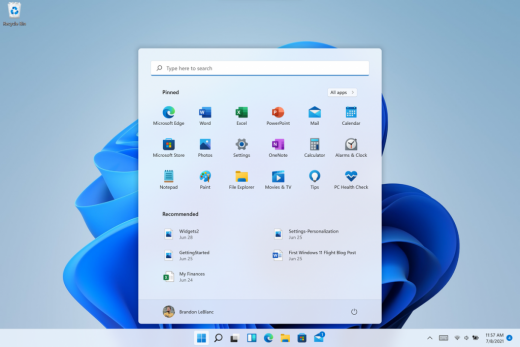
Windows 11 Pro Insider Preview 21H2 Build 22000.184 (Beta Channel) (x64) ​Untouched Incl. Activator

Description: Hello Windows Insiders, we are excited to release the Windows 11 Insider Preview build to the Dev Channel! As we finalize the product over the coming months, we will work with you to validate the experience. You will get to try many, but not all, of the new features we showed last week in this early preview. We will bring more features such as Chat with Microsoft Teams and Android apps in the Microsoft Store over the coming months as they are ready for you – we are just getting started on this journey together!

What’s New in this Build ?


  • Right-clicking on Recycle Bin on the desktop now uses the new modern context menu.
  • New modern context menu when you right-click on Recycle Bin on your desktop.
  • Added an option when right clicking a network share in File Explorer to pin it to Quick Access without having to click Show more options.
  • They have begun releasing an updated version of the Korean IME with adjustments made based on Windows Insider feedback. They believe this will provide a more reliable input experience for Korean on Windows 11. The updated version of the Korean IME follows the new visual design of Windows 11 with acrylic in the candidate window, a new selection visual, and dark mode support. It also improves improved performance and compatibility. The updated Korean IME is rolling out to a subset of Insiders in the Dev Channel first, to help us quickly identify issues that may impact performance and reliability. Over time, it will roll out to everyone in the Dev Channel. Please file feedback via Feedback Hub under Input and Language > Text Input.

Fixes :


  • [General]
    They fixed the issue that was causing PCs with Windows Defender Application Guard (WDAG) enabled to bugcheck continuously. PCs with WDAG enabled should now receive Build 22454.
  • [Start]
    Windows Terminal is listed again when right-clicking on the Start button (WIN + X).
    Narrator should announce the Start launch more reliably now.
  • [Taskbar]
    The Desktops flyout should now dismiss properly for Narrator users when scanning with item navigation across the Task View button.
    Fixed an issue where the preview thumbnails for Desktops They re not rendering correctly for certain aspect ratios.
    Fixed a rounding issue that was making the volume icon tooltip show the wrong number in some cases.
    The input indicator, Quick Settings, and notification center icon tooltips will no longer display behind the flyouts when they’re open.
    Addressed an underlying issue that was resulting in the volume icon in the Taskbar displaying sound was muted when that was not the case.
    Fixed an issue that could cause the Taskbar to unexpectedly get stuck on top of full screen applications, such as PoThey rPoint presentations, after interacting with the Taskbar previews.
    Taskbar icons should no longer flicker when you mouse over them while using a contrast theme.
    Fixed an issue where app icons would occasionally unexpectedly animate onto the Taskbar from somewhere other than from below.
    Shift + Click on an app icon in the Taskbar to launch a new instance of that app (for apps that support multiple instances) is now working again.
    Did some work to address an issue where app icons could get stuck in an alert state in the Taskbar even if the app in question was closed.
  • [Input]
    Fixed an issue that was causing the text candidates to not appear after the first time the handwriting panel was invoked.
    Mitigated a stutter in the animation when tapping a text field to invoke the touch keyboard.
    Fixed a bug that was causing clipboard history to not render for some people.
    Displaying 3rd party IME icons in the input indicator should be more reliable now.
    Addressed an explorer.exe crash that could happen when changing window focus while using the touch keyboard.
    Fixed an issue for people who’d opted into the previous version of the Japanese IME that was causing certain games to crash.
    Fixed an issue where the tip for voice typing when using the touch keyboard wouldn’t be connected to the microphone button.
    Addressed an issue where the touch keyboard could get into a state where the key labels would be invisible due to the wrong background color being used.
    Mitigated an issue that was leading to the touch keyboard settings flyout having white on white text sometimes.
    Did some work to address an issue where interacting with the expressive input button in the touch keyboard could result in the candidate area having a broken layout.
  • [File Explorer]
    Improved the reliability of context menu invocation.
    Mitigated a couple of issues that They re causing leaks when using File Explorer.
    The context menu will now not immediately dismiss when the option to open things with a single-click is enabled in File Explorer.
    If you press F11 to full screen File Explorer, then use WIN + Shift + Left/Right to change what screen the window is displaying on, pressing F11 again will no longer jump the window back to the original screen.
  • [Settings]
    Mitigated an issue when typing with certain 3rd party IMEs into the search box in Settings that could result in the candidate window being rendered elsewhere on-screen (not attached to the search box) and/or characters inserted into the search box not displaying.
    They did some work to help address an issue that was making the Windows Insider Program page in Settings appear blank sometimes.
    The mouse pointers under Accessibility > Mouse pointer and touch are no longer invisible for Arabic and Hebrew display languages.
    System > Storage > Show more categories > Other should no longer always say it’s managed by group policy even when it isn’t.
    Added some links to “Find my device” in Settings to help you learn more about the privacy resources.
    Start time and end time pickers under Focus Assist > During these times are now visible when focus is set while using a contrast theme.
    Addressed a crash that could happen when using Sound Settings.
    Fixed an issue with the volume slider in Quick Settings that was causing the volume to sometimes to save at a slightly different level than what was actually set.
  • [Logging in and Authentication]
    Fixed a crash that could happen when the network icon updated states on the login screen.
  • [Windowing]
    Made a change to address an issue where title bar options including close, minimize and maximize where not appearing as expected in certain apps when moving the mouse to top of the screen while the app was maximized.
  • [Other]
    Improved icon rendering for certain apps in the Search hover flyout.
    Addressed an issue that was causing overlapping text in the Share window for certain languages.
    Made some performance improvements when switching to the Details tab of Task Manager.
    If the Windows Security app is open when switching to dark mode, the UI elements should respond better now and not have unreadable text.
    If there are a large number of exclusions listed under Virus and Threat Protection in the Windows Security app, it will now display a progress indicator when loading them.
    Fixed some text clipping in the Windows Security app when using the option in Accessibility Settings to increase the text size.
    Mitigated an issue that was causing the WM_CTLCOLORSTATIC message used in certain apps to be ignored, so the colors in some places wouldn’t appear correctly.
    Fixed a leak when the desktop background was set to a slideshow, impacting performance over time until explorer.exe was restarted.
    Mitigated an issue that was causing some PCs to bugcheck while in modern standby.
    Fixed an issue that was causing sloThey r Wi-Fi speeds after enabling Hyper-V and creating an External V-Switch.
    When animations are disabled in the system, there should no longer be a fade animation in UWP apps like Settings or the Feedback Hub when transitioning from the splash screen to the app content.

Known issues :-


  • [General]
    They ’re working on a fix for an issue that is causing some Surface Pro X’s to bugcheck with a WHEA_UNCORRECTABLE_ERROR.
  • [Start]
    In some cases, you might be unable to enter text when using Search from Start or the Taskbar. If you experience the issue, press WIN + R on the keyboard to launch the Run dialog box, then close it.
    System is missing when right-clicking on the Start button (WIN + X).
  • [Taskbar]
    The Taskbar will sometimes flicker when switching input methods.
    They ’re investigating an issue in this build where app icons in the Taskbar are getting cut off by the “show hidden icons” button and aren’t centered.
  • [Search]
    After clicking the Search icon on the Taskbar, the Search panel may not open. If this occurs, restart the “Windows Explorer” process, and open the search panel again.
    Search panel might appear as black and not display any content below the search box.
  • [File Explorer]
    If you right click files in OneDrive locations in File Explorer, the context menu will unexpectedly dismiss when you hover over entries that open sub-menus, such as “Open with.”
  • [Widgets]
    The widgets board may appear empty. To work around the issue, you can sign out and then sign back in again.
    Widgets may be displayed in the wrong size on external monitors. If you encounter this, you can launch the widgets via touch or WIN + W shortcut on your actual PC display first and then launch on your secondary monitors.
  • [Windows Sandbox]
    They ’re investigating an issue in which Windows Sandbox may not launch for some Insiders after upgrading to this build.
  • [Microsoft Store]
    They continue to work to improve search relevance in the Store.
  • [Windows Subsystem for Linx (WSL) & Hyper-V]
    [ADDED 9/10] They ’re investigating reports of both WSL2 and Hyper-V not working on this build on ARM64 PCs such as the Surface Pro X.

How To Install?


  • Download the build.
  • Create a bootable drive or Install from ISO.
  • Select the Windows type you want to install.
  • Skip the activation for now.
  • Let the windows installation get finished.
  • After installing, run the activator as admin.
  • Use the activator to activate your windows.
  • Boom! Enjoy the activated Build.

Release Names: Windows 11 Pro Insider Preview 21H2 Build 22000.184 (Beta Channel) (x64) ​Untouched Incl. Activator
Size: 3.24 GB
Links: HOMEPAGE – NFO – Torrent Search

Download x64 & Activator : UPLOADGiG – NiTROFLARE – RAPiDGATOR

3 Comments
Sep 15

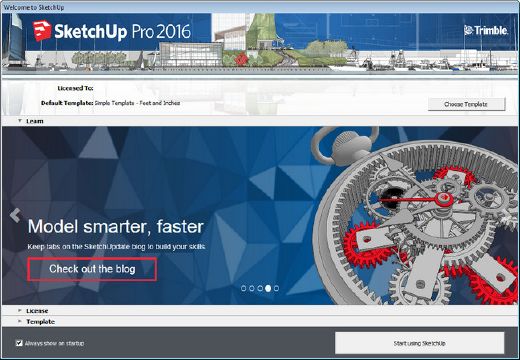
SketchUp Pro 2021 v21.1.332.0 (x64) Multilingual-P2P

Description: SketchUp 2016 is a 3D modeling program optimized for a broad range of applications such as architectural, civil, mechanical, film as well as video game design. SketchUp willl help you learn to create 3D models of houses, sheds, decks, home additions, woodworking projects – even space ships. You can add details, textures and glass to your models, design with dimensional accuracy, and place your finished models in Google Earth, share them with others by posting them to the 3D Warehouse, or print hard copies. Redecorate your living room. Invent a new piece of furniture. Model your city for Google Earth. There’s no limit to what you can create with SketchUp. You can build models from scratch, or you can download what you need.

Features:

  • For the first time ever, we’re offering a 64-bit version for Windows and Mac machines. What’s the difference between 32-bit and 64-bit applications, anyway?
  • We’ve sharpened “Face-Finder,” the code SketchUp uses to create faces while you’re modeling. Look for big improvements in operations like explode, especially in your behemoth-sized models.
  • SketchUp is now self-aware of styles that help your model render faster. You’ll notice “Fast Styles” badged in the styles window, including those you create yourself. What makes a style fast, you ask?

Release Names: SketchUp Pro 2021 v21.1.332.0 (x64) Multilingual-P2P
Size: 458.13 MB
Links: HOMEPAGE – NFO – Torrent Search

Download: UPLOADGiG – NiTROFLARE – RAPiDGATOR
5 Comments
Sep 15

Advanced System Repair Pro v1.9.6.7 + Fix

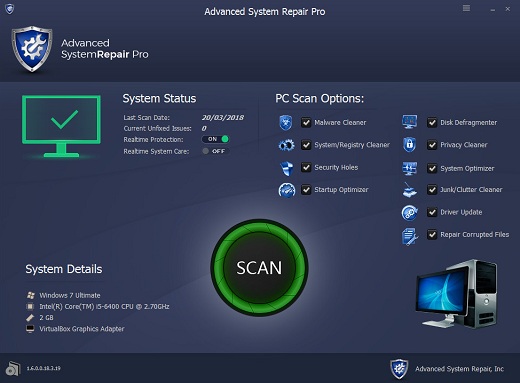
Description: Advanced System Repair Pro brings you all the tools you need in one program to clean, fix, protect, optimize and boost your PC!

Fix your PC problems
Our multi-scan feature will give you easy to read and simple results. Our software will intelligently scan and anallyze your computer in minutes and give you complete thorough organized, detailed results.

Speed up, tune up and protect your PC
Start with a free scan from Advanced System Repair. You’ll immediately find out the root problems affecting your machine’s performance.

Release Name: Advanced System Repair Pro v1.9.6.7 + Fix
Size: 16.06 MB
Links: HOMEPAGE – NFO – Torrent Search

Download: UPLOADGiG – NiTROFLARE – RAPiDGATOR

5 Comments
Sep 14

Futuremark 3DMark 2.20.7256 Professional Edition (x64) Multilingual-P2P

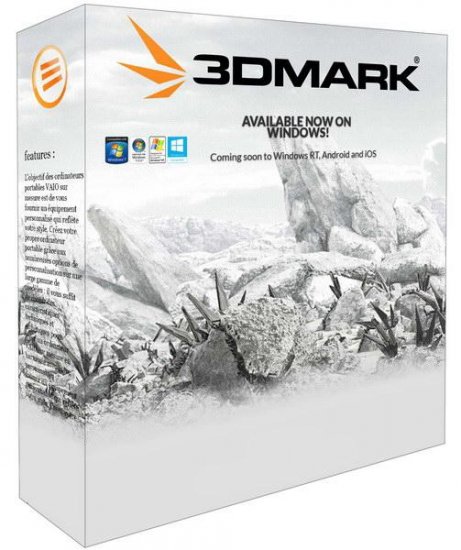
Description: Futuremark 3DMark is an essential tool to measure PC gaming performance. It is used by millions of gamers, hundreds of hardware review sites and many of the world’s leading manufacturers.

Feature :

  • Designed to meet the needs of business customers.
  • Licensed for business and commercial use.
  • Includes all benchmarks and feature tests.
  • Try a preview of VRMark, our new VR benchmark.
  • Command line automation and scripting.
  • Run stress tests from the command line.
  • Verify driver implementation with the Image Quality Tool.
  • Keep sensitive results private with the offline results option.
  • Export result data as XML for further analysis and reporting.
  • Priority technical support over email and telephone.

Release Names: Futuremark 3DMark 2.20.7256 Professional Edition (x64) Multilingual-P2P
Size: 6.5 GB
Links: HOMEPAGE – NFO – Torrent Search

Download: UPLOADGiG – NiTROFLARE – RAPiDGATOR
3 Comments
Sep 14

Adobe Photoshop 2021 v22.5.1.441 (x64) Multilingual-P2P

Description: Reimagine reality with Photoshop. Millions of designers, photographers, and artists around the world use Photoshop to make the impossible possible. From posters to packaging, basic banners to beautiful websites, unforgettable logos to eye-catching icons, Photoshop keeps the creative world moving. With intuitive tools and easy-to-use templates, even beginners can make something amazing.

Feature :

  • The creative world runs on Photoshop.
  • Designed for anyone to design anything.
  • Not just photo taking. Breathtaking.
  • Power to the paintbrush.
  • Symmetry mode
  • New Content-Aware Fill experience
  • Frame tool

Release Name: Adobe Photoshop 2021 v22.5.1.441 (x64) Multilingual-P2P
Size: 2.29 GB
Links: HOMEPAGE – NFO – Torrent Search

Download: UPLOADGiG – NiTROFLARE – RAPiDGATOR
5 Comments
Sep 14

Adobe Photoshop 2020 v21.2.12.215 (x64) Multilingual-P2P

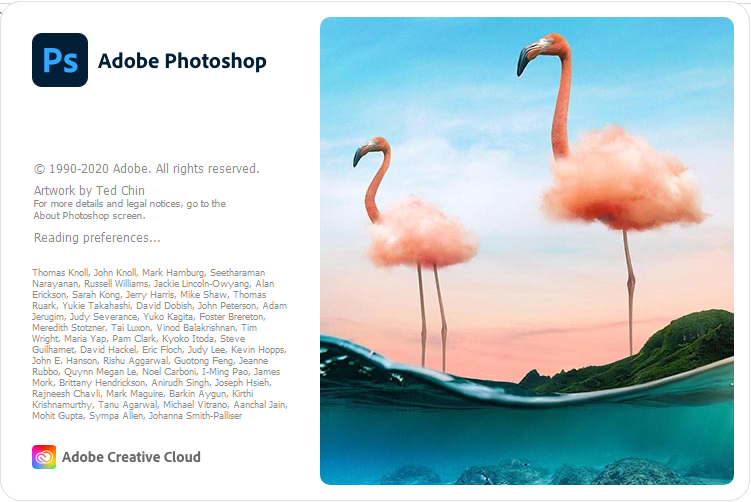
Description: Reimagine reality with Photoshop. Millions of designers, photographers, and artists around the world use Photoshop to make the impossible possible. From posters to packaging, basic banners to beautiful websites, unforgettable logos to eye-catching icons, Photoshop keeps the creative world moving. With intuitive tools and easy-to-use templates, even beginners can make something amazing.

Feature :

  • The creative world runs on Photoshop.
  • Designed for anyone to design anything.
  • Not just photo taking. Breathtaking.
  • Power to the paintbrush.
  • Symmetry mode
  • New Content-Aware Fill experience
  • Frame tool

Release Name: Adobe Photoshop 2020 v21.2.12.215 (x64) Multilingual-P2P
Size: 2.17 GB
Links: HOMEPAGE – NFO – Torrent Search

Download: UPLOADGiG – NiTROFLARE – RAPiDGATOR
5 Comments