Sep 20

ByteScout PDF Multitool 12.1.9.4239 Business-P2P

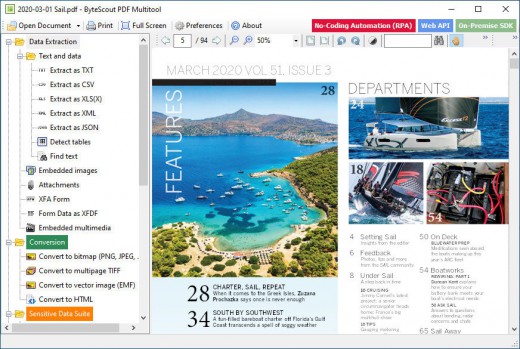
Description: ByteScout PDF Multitool is an easy to use and powerful conversion suite created to help users save their PDF files to other common formats, such as TXT, CSV, HTML and even images.
Feature :
PDF transformation and conversion of its scanned images into text searchable PDF files;
Reading of text on scanned files (English, German, Spanish, French and more are supported) with features of HTML PDF Viewer afterward;
PDF to CSV conversion, PDF to XML and XLS, PDF to XLSX and PDF To HTML conversions;
Ability to automatically find tables within a PDF document;
Extra options to Split, Merge, Extract pages from PDF;
Performing of regular expressions search within a PDF document;
Extract attached files and inside data from PDF, XFA and XFDF;
Convert PDF to TIFF, PDF to PNG, PDF to BMP, PDF to HTML;
Print PDF documents;

Release Names: ByteScout PDF Multitool 12.1.9.4239 Business-P2P
Size: 276.01 MB
LinksHomepage – NFO – Torrent Search

Download: UPLOADGiGNiTROFLARERAPiDGATOR

6 Comments
Sep 19

HomeGuard Professional 9.12.1.1 DC 18.09.2021 (x64)-P2P

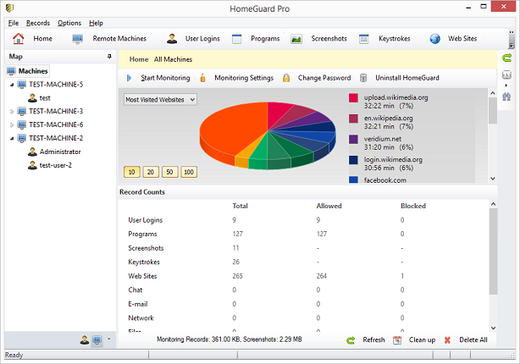
Description: HomeGuard Professional is an easy to use activity monitoring tool for tracking and controlling the use of computers in home and office networks. HomeGuard records web activity and automatically blocks all adult and inappropriate content in websites in addition to customizable website block and allow lists and filtering based on file types (e.g.: exe downloads or online flash games).

It also records detailed reports on usage of programs including active usage time, run time, bandwidth used, mouse clicks and keystrokes typed in each program with the option to block or time limit certain programs or games. Plus screen capture, periodically or based on specific activities, chat and email monitoring and filtering, printer and USB devices monitoring and blocking, Internet time restrictions, network connection monitoring and filtering, email notifications and more.

HomeGuard runs, by default, in stealth mode completely hidden and undetectable, however, it can be set to show warnings to users when anything is blocked. Either way it is uninstallable, unclosable and cannot be bypassed using proxy servers.

Release Name: HomeGuard Professional 9.12.1.1 DC 18.09.2021 (x64)-P2P
Size: 23.59 MB
Links: HOMEPAGE – NFO – Torrent Search

Download: UPLOADGiG – NiTROFLARE – RAPiDGATOR

5 Comments
Sep 19

Worksheet Crafter Premium Edition 2021.2.5 Build 212-P2P

Description: Create Your Own Worksheets. Quickly and Easily. Make the perfect teaching templates, worksheets and class tests for your primary & special students in just a few clicks. Craft your own worksheets in a few clicks. It’s fun to use, tested by 1000+ teachers, and as familiar as Microsoft Word.

Feature :

  • Easy & Fun to Use
  • Numerous Templates
  • Smart Exercise Generator
  • 2300+ Clip Art Images
  • Differentiate Your Designs
  • Export to MS Word
  • Exchange with Other Teachers

Release Names: Worksheet Crafter Premium Edition 2021.2.5 Build 212-P2P
Size: 822.29 MB
Links: HOMEPAGE – NFO – Torrent Search

Download: UPLOADGiG – NiTROFLARE – RAPiDGATOR
6 Comments
Sep 19

TechSmith Camtasia v2021.0.10 Build 32921 (x64) + Fix

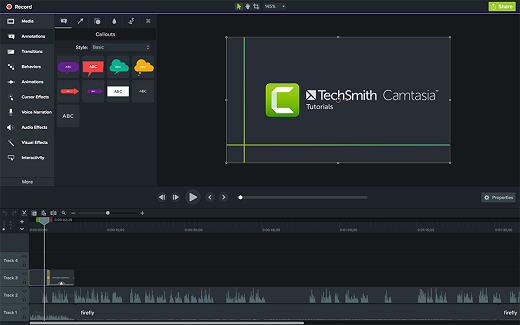
Description: Camtasia makes it easy to record your screen and create polished, professional-looking videos. Record anything — your whole screen or just a window. Or, add video, images, audio, and PowerPoint presentations that you already have. A simple timeline makes editing video easy. Combine or split clips, trim, and speed up or slow down footage. Then, instantly preview inside the video editor. Give videos polish with professional video editor effects. Add highlights, animation, titles, transitions and more. Simply drag and drop the effects onto the timeline.

Feature :

  • Intelligent capture controls that adapt to you
  • Crystal-clear playback at any size with Camtasia SmartFocus™
  • Easy, versatile video sharing with TechSmith ExpressShow™
  • Precise editing and butter-smooth onscreen movement
  • Professional content without a ton of production time

Release Name: TechSmith Camtasia v2021.0.10 Build 32921 (x64) + Fix
Size: 468.93 MB
Links: HOMEPAGE – NFO – Torrent Search

Download: UPLOADGiG – NiTROFLARE – RAPiDGATOR

6 Comments
Sep 19

StartIsBack++ v2.9.16 + Fix

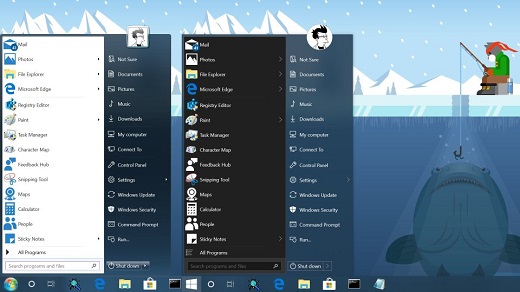
Description: StartIsBack is fully native lightweight zero-privileges program, cheap and fair, fast, stable and secure. Boot to desktop; Original fully-featured Windows start menu; Desktop and Modern interfaces clearly separated; Make Start screen clutter-free; Totally native; Rich customization and configuration; And More to come!

Your faithful desktop friend which helps you:

  • Launch programs you use frequently
  • Open documents you’re working on
  • Find stuff you’re looking for
  • Go to system places in one click
  • Easily shut down your system
  • Feel at home with new Windows

StartIsBack++ can:

  • Fine-tune taskbar color
  • Add taskbar translucency with blur
  • Show live badges for modern apps
  • Restore larger taskbar icons
  • Reduce OS resource usage

Release Name: StartIsBack++ v2.9.16 + Fix
Size: 1.47 MB
Links: HOMEPAGE – NFO – Torrent Search

Download: UPLOADGiG – NiTROFLARE – RAPiDGATOR

3 Comments
Sep 19

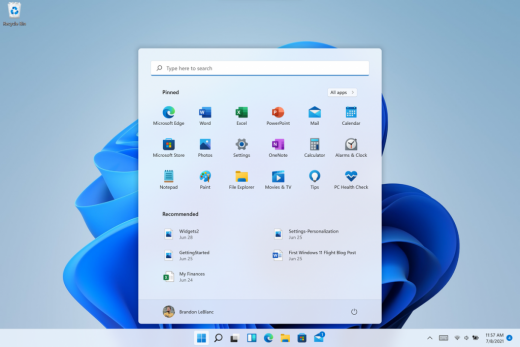
Windows 11 Pro Insider Preview 21H2 Build 22458 (Dev Channel) (x64) Untouched Incl. Activator

Description: Hello Windows Insiders, we are excited to release the Windows 11 Insider Preview build to the Dev Channel! As we finalize the product over the coming months, we will work with you to validate the experience. You will get to try many, but not all, of the new features we showed last week in this early preview. We will bring more features such as Chat with Microsoft Teams and Android apps in the Microsoft Store over the coming months as they are ready for you – we are just getting started on this journey together!

What’s New in this Build ?

  • Right-clicking on Recycle Bin on the desktop now uses the new modern context menu.
  • New modern context menu when you right-click on Recycle Bin on your desktop.
  • Added an option when right clicking a network share in File Explorer to pin it to Quick Access without having to click Show more options.
  • They have begun releasing an updated version of the Korean IME with adjustments made based on Windows Insider feedback. They believe this will provide a more reliable input experience for Korean on Windows 11. The updated version of the Korean IME follows the new visual design of Windows 11 with acrylic in the candidate window, a new selection visual, and dark mode support. It also improves improved performance and compatibility. The updated Korean IME is rolling out to a subset of Insiders in the Dev Channel first, to help us quickly identify issues that may impact performance and reliability. Over time, it will roll out to everyone in the Dev Channel. Please file feedback via Feedback Hub under Input and Language > Text Input.

Fixes :

  • [General]
    They fixed the issue that was causing PCs with Windows Defender Application Guard (WDAG) enabled to bugcheck continuously. PCs with WDAG enabled should now receive Build 22454.
  • [Start]
    Windows Terminal is listed again when right-clicking on the Start button (WIN + X).
    Narrator should announce the Start launch more reliably now.
  • [Taskbar]
    The Desktops flyout should now dismiss properly for Narrator users when scanning with item navigation across the Task View button.
    Fixed an issue where the preview thumbnails for Desktops They re not rendering correctly for certain aspect ratios.
    Fixed a rounding issue that was making the volume icon tooltip show the wrong number in some cases.
    The input indicator, Quick Settings, and notification center icon tooltips will no longer display behind the flyouts when they’re open.
    Addressed an underlying issue that was resulting in the volume icon in the Taskbar displaying sound was muted when that was not the case.
    Fixed an issue that could cause the Taskbar to unexpectedly get stuck on top of full screen applications, such as PoThey rPoint presentations, after interacting with the Taskbar previews.
    Taskbar icons should no longer flicker when you mouse over them while using a contrast theme.
    Fixed an issue where app icons would occasionally unexpectedly animate onto the Taskbar from somewhere other than from below.
    Shift + Click on an app icon in the Taskbar to launch a new instance of that app (for apps that support multiple instances) is now working again.
    Did some work to address an issue where app icons could get stuck in an alert state in the Taskbar even if the app in question was closed.
  • [Input]
    Fixed an issue that was causing the text candidates to not appear after the first time the handwriting panel was invoked.
    Mitigated a stutter in the animation when tapping a text field to invoke the touch keyboard.
    Fixed a bug that was causing clipboard history to not render for some people.
    Displaying 3rd party IME icons in the input indicator should be more reliable now.
    Addressed an explorer.exe crash that could happen when changing window focus while using the touch keyboard.
    Fixed an issue for people who’d opted into the previous version of the Japanese IME that was causing certain games to crash.
    Fixed an issue where the tip for voice typing when using the touch keyboard wouldn’t be connected to the microphone button.
    Addressed an issue where the touch keyboard could get into a state where the key labels would be invisible due to the wrong background color being used.
    Mitigated an issue that was leading to the touch keyboard settings flyout having white on white text sometimes.
    Did some work to address an issue where interacting with the expressive input button in the touch keyboard could result in the candidate area having a broken layout.
  • [File Explorer]
    Improved the reliability of context menu invocation.
    Mitigated a couple of issues that They re causing leaks when using File Explorer.
    The context menu will now not immediately dismiss when the option to open things with a single-click is enabled in File Explorer.
    If you press F11 to full screen File Explorer, then use WIN + Shift + Left/Right to change what screen the window is displaying on, pressing F11 again will no longer jump the window back to the original screen.
  • [Settings]
    Mitigated an issue when typing with certain 3rd party IMEs into the search box in Settings that could result in the candidate window being rendered elsewhere on-screen (not attached to the search box) and/or characters inserted into the search box not displaying.
    They did some work to help address an issue that was making the Windows Insider Program page in Settings appear blank sometimes.
    The mouse pointers under Accessibility > Mouse pointer and touch are no longer invisible for Arabic and Hebrew display languages.
    System > Storage > Show more categories > Other should no longer always say it’s managed by group policy even when it isn’t.
    Added some links to “Find my device” in Settings to help you learn more about the privacy resources.
    Start time and end time pickers under Focus Assist > During these times are now visible when focus is set while using a contrast theme.
    Addressed a crash that could happen when using Sound Settings.
    Fixed an issue with the volume slider in Quick Settings that was causing the volume to sometimes to save at a slightly different level than what was actually set.
  • [Logging in and Authentication]
    Fixed a crash that could happen when the network icon updated states on the login screen.
  • [Windowing]
    Made a change to address an issue where title bar options including close, minimize and maximize where not appearing as expected in certain apps when moving the mouse to top of the screen while the app was maximized.
  • [Other]
    Improved icon rendering for certain apps in the Search hover flyout.
    Addressed an issue that was causing overlapping text in the Share window for certain languages.
    Made some performance improvements when switching to the Details tab of Task Manager.
    If the Windows Security app is open when switching to dark mode, the UI elements should respond better now and not have unreadable text.
    If there are a large number of exclusions listed under Virus and Threat Protection in the Windows Security app, it will now display a progress indicator when loading them.
    Fixed some text clipping in the Windows Security app when using the option in Accessibility Settings to increase the text size.
    Mitigated an issue that was causing the WM_CTLCOLORSTATIC message used in certain apps to be ignored, so the colors in some places wouldn’t appear correctly.
    Fixed a leak when the desktop background was set to a slideshow, impacting performance over time until explorer.exe was restarted.
    Mitigated an issue that was causing some PCs to bugcheck while in modern standby.
    Fixed an issue that was causing sloThey r Wi-Fi speeds after enabling Hyper-V and creating an External V-Switch.
    When animations are disabled in the system, there should no longer be a fade animation in UWP apps like Settings or the Feedback Hub when transitioning from the splash screen to the app content.

Known issues :-

  • [General]
    They ’re working on a fix for an issue that is causing some Surface Pro X’s to bugcheck with a WHEA_UNCORRECTABLE_ERROR.
  • [Start]
    In some cases, you might be unable to enter text when using Search from Start or the Taskbar. If you experience the issue, press WIN + R on the keyboard to launch the Run dialog box, then close it.
    System is missing when right-clicking on the Start button (WIN + X).
  • [Taskbar]
    The Taskbar will sometimes flicker when switching input methods.
    They ’re investigating an issue in this build where app icons in the Taskbar are getting cut off by the “show hidden icons” button and aren’t centered.
  • [Search]
    After clicking the Search icon on the Taskbar, the Search panel may not open. If this occurs, restart the “Windows Explorer” process, and open the search panel again.
    Search panel might appear as black and not display any content below the search box.
  • [File Explorer]
    If you right click files in OneDrive locations in File Explorer, the context menu will unexpectedly dismiss when you hover over entries that open sub-menus, such as “Open with.”
  • [Widgets]
    The widgets board may appear empty. To work around the issue, you can sign out and then sign back in again.
    Widgets may be displayed in the wrong size on external monitors. If you encounter this, you can launch the widgets via touch or WIN + W shortcut on your actual PC display first and then launch on your secondary monitors.
  • [Windows Sandbox]
    They ’re investigating an issue in which Windows Sandbox may not launch for some Insiders after upgrading to this build.
  • [Microsoft Store]
    They continue to work to improve search relevance in the Store.
  • [Windows Subsystem for Linx (WSL) & Hyper-V]
    [ADDED 9/10] They ’re investigating reports of both WSL2 and Hyper-V not working on this build on ARM64 PCs such as the Surface Pro X.

How To Install?

  • Download the build.
  • Create a bootable drive or Install from ISO.
  • Select the Windows type you want to install.
  • Skip the activation for now.
  • Let the windows installation get finished.
  • After installing, run the activator as admin.
  • Use the activator to activate your windows.
  • Boom! Enjoy the activated Build.

Release Names: Windows 11 Pro Insider Preview 21H2 Build 22458 (Dev Channel) (x64) Untouched Incl. Activator
Size: 3.28 GB
Links: HOMEPAGE – NFO – Torrent Search

Download x64 & Activator : UPLOADGiG – NiTROFLARE – RAPiDGATOR

3 Comments
Sep 19

MOBILedit Forensic Express Pro v7.4.1.21057 (x64) + Fix

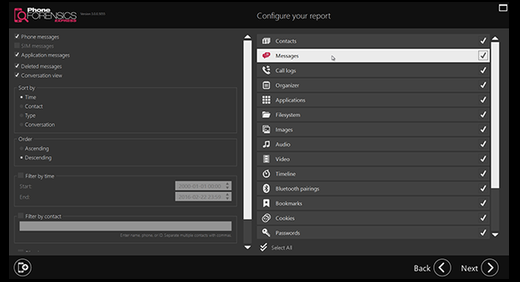
Description: MOBILedit Forensic Express is a phone extractor, data analyzer and report generator in one solution. A powerful application using both the physical and logical data acquisition methods, Forensic Express is excellent for its advanced application analyzer, deleted data recovery, wide range of supported phones including most feature phones, fine-tuned reports, concurrent phone processing, and easy-to-use user interface. With the password and PIN breaker you can gain access to locked ADB or iTunes backups with GPU acceleration and multi-threaded operations for maximum speed. Forensic Express offers maximum functionality at a fraction of the price of other tools. It can be used as the only tool in a lab or as an enhancement to other tools through its data compatibility. When integrated with Camera Ballistics it scientifically analyzes camera photo origins.

Features:

  • Physical data acquisition and analysis
  • Advanced application analysis
  • Retrieve deleted data
  • Beautiful reports
  • Password and PIN Breakers
  • Concurrent extractions
  • Easy to use UI
  • Camera Ballistics

Release Names: MOBILedit Forensic Express Pro v7.4.1.21057 (x64) + Fix
Size: 304.42 MB
Links: HOMEPAGE – NFO – Torrent Search

Download: UPLOADGiG – NiTROFLARE – RAPiDGATOR
6 Comments
Sep 19

KMS VL ALL AIO v42.0 – Smart Activation Script (Activate Windows & Office)

Note: Download Links has been fixed

Description: Undoubtedly the best way to bypass WAT (Windows Activation Technologies) and activate different versions of Windows (specifically Windows 7). This tool actually performs the most accurate and cleanest activation method, and the Windows activated with this tool is no different from the purchased version.

Features :

  • Batch script(s) to automate the activation of supported Windows and Office products using local KMS server emulator, or external server.
  • The script is designed not to override the permanent activation of products (Windows or Office), only non-activated products will be KMS-activated (if supported).
  • The script correctly handle Windows 10 multi-editions-coexistence (since version 1607) to avoid changing current edition or override retail activation.
  • The ultimate feature of this solution when installed, it will provide 24/7 activation, whenever the system itself request it (renewal, reactivation, hardware change, Edition upgrade, new Office…), without needing interaction from user.
  • Some security programs will report infected files due KMS emulating, this is false-positive, as long as you download the file from this trusted Home Page.
    Therefore, temporary suspend Antivirus realtime protection, or exclude the downloaded file and extracted folder from scanning to avoid quarantine.

Release Name: KMS VL ALL AIO v42.0 – Smart Activation Script (Activate Windows & Office)
Size: 101 KB
Links: HOMEPAGE – NFO – Torrent Search

Download: UPLOADGiG – NiTROFLARE – RAPiDGATOR

5 Comments
Sep 19

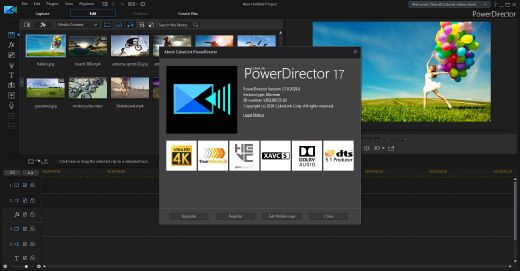
CyberLink PowerDirector Ultimate 20.0.2106.0 Multilingual (x64)-P2P

Description: Take Total Control of Your Video Creation Without the Learning Curve. PowerDirector Ultimate provides over 200 powerful video editing tools, whether you are new to video editing or if you are creative pros, you can start your video creation without the learning curve!

Feature :

  • Express Video Creation
  • Action Camera Center
  • Simplified Color Adjustment
  • One-click Color Correction (Unique!)
  • Intelligent Color Match
  • Color Grading like the Pros
  • Customizable Design Tools (Enhanced!)
  • New Effects – Title Designer
  • Enhanced – PiP Designer
  • Transition Designer – Unique transitions from alpha channel masks

Release Name: CyberLink PowerDirector Ultimate 20.0.2106.0 Multilingual (x64)-P2P
Size: 676.10 MB
Links: HOMEPAGE – NFO – Torrent Search

Download: UPLOADGiG – NiTROFLARE – RAPiDGATOR
5 Comments
Sep 19

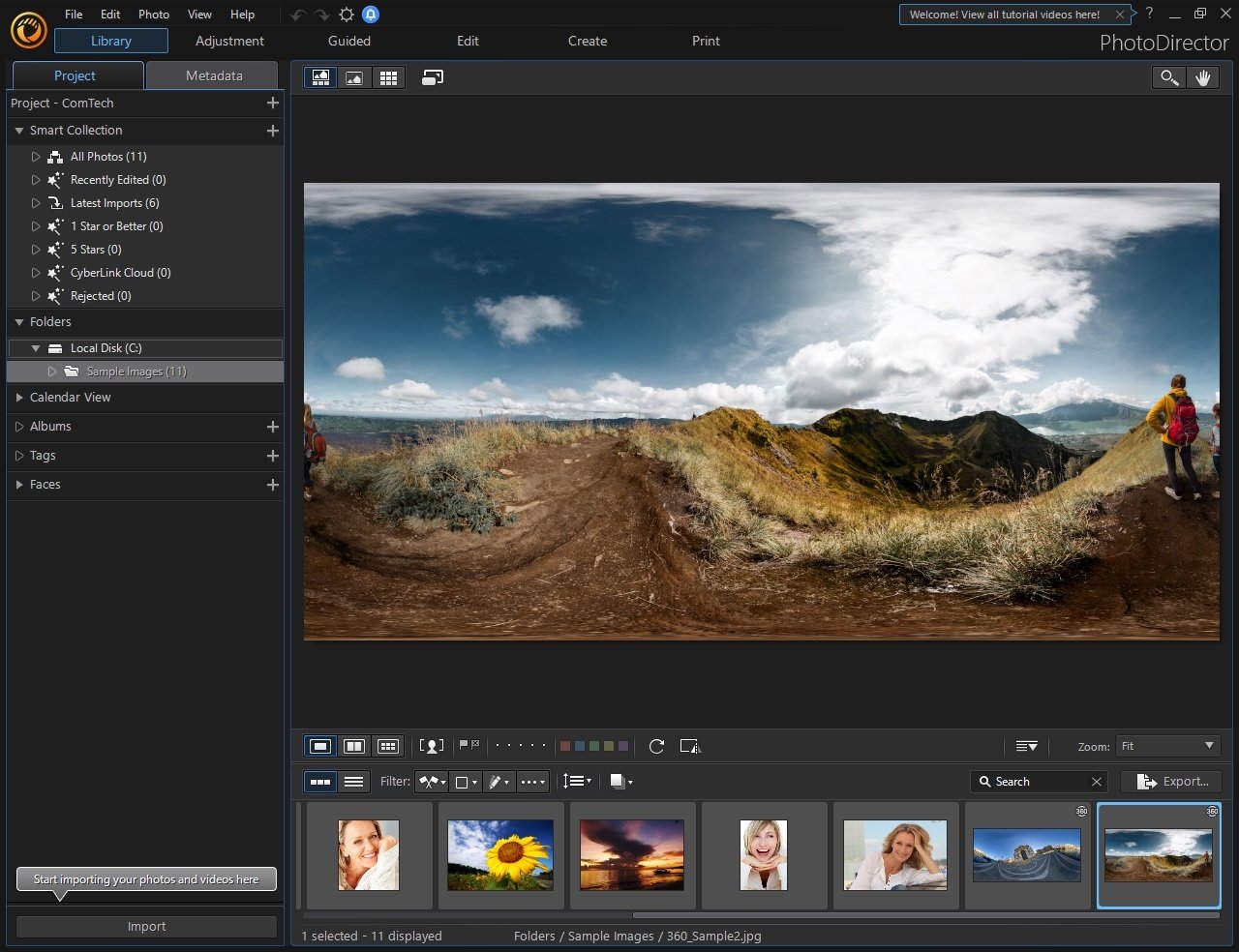
CyberLink PhotoDirector Ultra 13.0.2106.0 Multilingual (x64)-P2P

Description: Combining image editing and optimization with portrait retouching, PhotoDirector is just like having Photoshop, and Lightroom all rolled into one. It’s software for the professional photographer, yet without the steep learning curve. Plus, get exclusive AI tools, new features & format support, and access to a massive collection of plug-ins.

CyberLink PhotoDirector Ultra v11.0.2203.0 Multilingual-P2P screenshot

Feature :
– Creative Blending Modes.
– Overlay animated objects on video to add energy.
– Layer Adjustment.
– Animated slideshows from pro-designed templates.
– NEW! Bevel & Emboss Text Effect.
– Fuse video clips by applying selective transparency.
– NEW! Customizable Warped Text Layers.
– Design hand-drawn overlays using an array of brushes.
– NEW! Group & Filter Layers.
– Design hand-drawn overlays using an array of brushes.
– NEW! Snap Alignment in Layers.
– Create unique subtitles to add to your videos.
– NEW! One-click Layer Alignment.
– Create unique disc menu layouts and styles.
– NEW! One-click Layer Distribution.

Release Name: CyberLink PhotoDirector Ultra 13.0.2106.0 Multilingual (x64)-P2P
Size: 431.55 MB
Links: HOMEPAGE – NFO – Torrent Search

Download: UPLOADGiG – NiTROFLARE – RAPiDGATOR

5 Comments