Sep 25

TURBO STUDIO V21.9.1572 PORTABLE

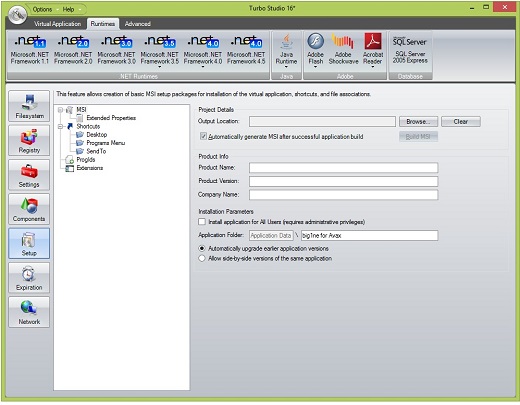
Description: Turbo Studio (formerly known as Spoon Studio) – with this app you can combine files needed to make an app run into a package that is ready for use without deployment. The application allows you to create a virtual container and run programs in a virtual environment without the installation and make changes in registry and system.

Features:

  • Run .NET Without .NET
  • Migrate to Windows 10
  • Deploy Anywhere
  • #1 in Compatibility
  • Easy to Use
  • Eliminate Conflicts

Release Name: TURBO STUDIO V21.9.1572 PORTABLE
Size: 125.46 MB
Links: HOMEPAGE – NFO – Torrent Search

Download: UPLOADGIG – NiTROFLARE – RAPiDGATOR

6 Comments
Sep 25

Windows 11 Pro Insider Preview 21H2 Build 22463 (Dev Channel) (x64) Untouched Incl. Activator

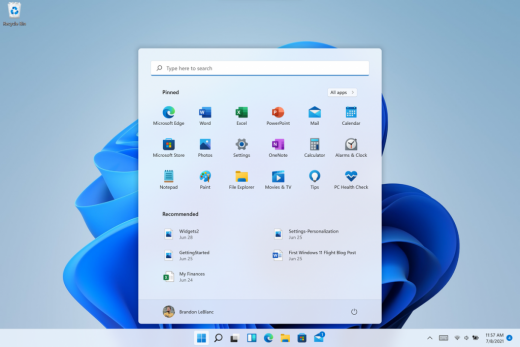
Description: Hello Windows Insiders, we are excited to release the Windows 11 Insider Preview build to the Dev Channel! As we finalize the product over the coming months, we will work with you to validate the experience. You will get to try many, but not all, of the new features we showed last week in this early preview. We will bring more features such as Chat with Microsoft Teams and Android apps in the Microsoft Store over the coming months as they are ready for you – we are just getting started on this journey together!

What’s New in this Build ?

  • Right-clicking on Recycle Bin on the desktop now uses the new modern context menu.
  • New modern context menu when you right-click on Recycle Bin on your desktop.
  • Added an option when right clicking a network share in File Explorer to pin it to Quick Access without having to click Show more options.
  • They have begun releasing an updated version of the Korean IME with adjustments made based on Windows Insider feedback. They believe this will provide a more reliable input experience for Korean on Windows 11. The updated version of the Korean IME follows the new visual design of Windows 11 with acrylic in the candidate window, a new selection visual, and dark mode support. It also improves improved performance and compatibility. The updated Korean IME is rolling out to a subset of Insiders in the Dev Channel first, to help us quickly identify issues that may impact performance and reliability. Over time, it will roll out to everyone in the Dev Channel. Please file feedback via Feedback Hub under Input and Language > Text Input.

Fixes :

  • [General]
    They fixed the issue that was causing PCs with Windows Defender Application Guard (WDAG) enabled to bugcheck continuously. PCs with WDAG enabled should now receive Build 22454.
  • [Start]
    Windows Terminal is listed again when right-clicking on the Start button (WIN + X).
    Narrator should announce the Start launch more reliably now.
  • [Taskbar]
    The Desktops flyout should now dismiss properly for Narrator users when scanning with item navigation across the Task View button.
    Fixed an issue where the preview thumbnails for Desktops They re not rendering correctly for certain aspect ratios.
    Fixed a rounding issue that was making the volume icon tooltip show the wrong number in some cases.
    The input indicator, Quick Settings, and notification center icon tooltips will no longer display behind the flyouts when they’re open.
    Addressed an underlying issue that was resulting in the volume icon in the Taskbar displaying sound was muted when that was not the case.
    Fixed an issue that could cause the Taskbar to unexpectedly get stuck on top of full screen applications, such as PoThey rPoint presentations, after interacting with the Taskbar previews.
    Taskbar icons should no longer flicker when you mouse over them while using a contrast theme.
    Fixed an issue where app icons would occasionally unexpectedly animate onto the Taskbar from somewhere other than from below.
    Shift + Click on an app icon in the Taskbar to launch a new instance of that app (for apps that support multiple instances) is now working again.
    Did some work to address an issue where app icons could get stuck in an alert state in the Taskbar even if the app in question was closed.
  • [Input]
    Fixed an issue that was causing the text candidates to not appear after the first time the handwriting panel was invoked.
    Mitigated a stutter in the animation when tapping a text field to invoke the touch keyboard.
    Fixed a bug that was causing clipboard history to not render for some people.
    Displaying 3rd party IME icons in the input indicator should be more reliable now.
    Addressed an explorer.exe crash that could happen when changing window focus while using the touch keyboard.
    Fixed an issue for people who’d opted into the previous version of the Japanese IME that was causing certain games to crash.
    Fixed an issue where the tip for voice typing when using the touch keyboard wouldn’t be connected to the microphone button.
    Addressed an issue where the touch keyboard could get into a state where the key labels would be invisible due to the wrong background color being used.
    Mitigated an issue that was leading to the touch keyboard settings flyout having white on white text sometimes.
    Did some work to address an issue where interacting with the expressive input button in the touch keyboard could result in the candidate area having a broken layout.
  • [File Explorer]
    Improved the reliability of context menu invocation.
    Mitigated a couple of issues that They re causing leaks when using File Explorer.
    The context menu will now not immediately dismiss when the option to open things with a single-click is enabled in File Explorer.
    If you press F11 to full screen File Explorer, then use WIN + Shift + Left/Right to change what screen the window is displaying on, pressing F11 again will no longer jump the window back to the original screen.
  • [Settings]
    Mitigated an issue when typing with certain 3rd party IMEs into the search box in Settings that could result in the candidate window being rendered elsewhere on-screen (not attached to the search box) and/or characters inserted into the search box not displaying.
    They did some work to help address an issue that was making the Windows Insider Program page in Settings appear blank sometimes.
    The mouse pointers under Accessibility > Mouse pointer and touch are no longer invisible for Arabic and Hebrew display languages.
    System > Storage > Show more categories > Other should no longer always say it’s managed by group policy even when it isn’t.
    Added some links to “Find my device” in Settings to help you learn more about the privacy resources.
    Start time and end time pickers under Focus Assist > During these times are now visible when focus is set while using a contrast theme.
    Addressed a crash that could happen when using Sound Settings.
    Fixed an issue with the volume slider in Quick Settings that was causing the volume to sometimes to save at a slightly different level than what was actually set.
  • [Logging in and Authentication]
    Fixed a crash that could happen when the network icon updated states on the login screen.
  • [Windowing]
    Made a change to address an issue where title bar options including close, minimize and maximize where not appearing as expected in certain apps when moving the mouse to top of the screen while the app was maximized.
  • [Other]
    Improved icon rendering for certain apps in the Search hover flyout.
    Addressed an issue that was causing overlapping text in the Share window for certain languages.
    Made some performance improvements when switching to the Details tab of Task Manager.
    If the Windows Security app is open when switching to dark mode, the UI elements should respond better now and not have unreadable text.
    If there are a large number of exclusions listed under Virus and Threat Protection in the Windows Security app, it will now display a progress indicator when loading them.
    Fixed some text clipping in the Windows Security app when using the option in Accessibility Settings to increase the text size.
    Mitigated an issue that was causing the WM_CTLCOLORSTATIC message used in certain apps to be ignored, so the colors in some places wouldn’t appear correctly.
    Fixed a leak when the desktop background was set to a slideshow, impacting performance over time until explorer.exe was restarted.
    Mitigated an issue that was causing some PCs to bugcheck while in modern standby.
    Fixed an issue that was causing sloThey r Wi-Fi speeds after enabling Hyper-V and creating an External V-Switch.
    When animations are disabled in the system, there should no longer be a fade animation in UWP apps like Settings or the Feedback Hub when transitioning from the splash screen to the app content.

Known issues :-

  • [General]
    They ’re working on a fix for an issue that is causing some Surface Pro X’s to bugcheck with a WHEA_UNCORRECTABLE_ERROR.
  • [Start]
    In some cases, you might be unable to enter text when using Search from Start or the Taskbar. If you experience the issue, press WIN + R on the keyboard to launch the Run dialog box, then close it.
    System is missing when right-clicking on the Start button (WIN + X).
  • [Taskbar]
    The Taskbar will sometimes flicker when switching input methods.
    They ’re investigating an issue in this build where app icons in the Taskbar are getting cut off by the “show hidden icons” button and aren’t centered.
  • [Search]
    After clicking the Search icon on the Taskbar, the Search panel may not open. If this occurs, restart the “Windows Explorer” process, and open the search panel again.
    Search panel might appear as black and not display any content below the search box.
  • [File Explorer]
    If you right click files in OneDrive locations in File Explorer, the context menu will unexpectedly dismiss when you hover over entries that open sub-menus, such as “Open with.”
  • [Widgets]
    The widgets board may appear empty. To work around the issue, you can sign out and then sign back in again.
    Widgets may be displayed in the wrong size on external monitors. If you encounter this, you can launch the widgets via touch or WIN + W shortcut on your actual PC display first and then launch on your secondary monitors.
  • [Windows Sandbox]
    They ’re investigating an issue in which Windows Sandbox may not launch for some Insiders after upgrading to this build.
  • [Microsoft Store]
    They continue to work to improve search relevance in the Store.
  • [Windows Subsystem for Linx (WSL) & Hyper-V]
    [ADDED 9/10] They ’re investigating reports of both WSL2 and Hyper-V not working on this build on ARM64 PCs such as the Surface Pro X.

How To Install?

  • Download the build.
  • Create a bootable drive or Install from ISO.
  • Select the Windows type you want to install.
  • Skip the activation for now.
  • Let the windows installation get finished.
  • After installing, run the activator as admin.
  • Use the activator to activate your windows.
  • Boom! Enjoy the activated Build.

Release Names: Windows 11 Pro Insider Preview 21H2 Build 22463 (Dev Channel) (x64) Untouched Incl. Activator
Size: 3.29 GB
Links: HOMEPAGE – NFO – Torrent Search

Download x64 & Activator : UPLOADGiG – NiTROFLARE – RAPiDGATOR

5 Comments
Sep 25

PANORAMASTUDIO PRO V3.5.8.331 (X64) PORTABLE

Description: PanoramaStudio creates seamless 360 degree and wide angle panoramic images. It stitches your photos to huge panoramic images within minutes. This program combines simple creation of perfect panoramic images within a few steps with ambitious postprocessing features for advanced users. PanoramaStudio Pro creates single-row and multi-row panoramas of up to full spherical 360×180 degree panoramas. It is the complete solution for the creation of panoramic images. Besides the easy and established creation of panoramas PanoramaStudio Pro offers now also the option to stitch arbitrary arranged images to panoramas. This allows huge panoramas, even beyond the gigapixel limit.

Features:

  • Easy user interface, large work space with a 2D and 3D preview
  • Automatic alignement of single- and multi-row panoramas of up to full spherical 360×180 degree panoramas
  • Seamless blending into a panoramic image
  • Manual postprocessing of all steps possible
  • Automatic exposure correction
  • Panoramas can be connected to virtual tours in Java and Flash using hotspots
  • Filters for additional image editing
  • Export your panoramas in various image formats, as screensavers and as interactive Java or Flash panoramas for websites
  • Print panoramas in poster size on multiple pages
  • Save panoramas as multi-layered image for professional post-processing
  • A new render engine achieves an even higher quality for the panoramas
  • An adaptive blending method
  • A new exposure correction
  • The camera database was again extended by another 200 new cameras and detects now automatically already about 1200 digital compact and SLR cameras
  • Enhanced RAW import
  • Many details improved…

Release Names: PANORAMASTUDIO PRO V3.5.8.331 (X64) PORTABLE
Size: 48.26 MB
Links: HOMEPAGE – NFO – Torrent Search

Download: UPLOADGiG – NiTROFLARE – RAPiDGATOR

4 Comments
Sep 25

MYLANVIEWER V4.32.2 ENTERPRISE PORTABLE

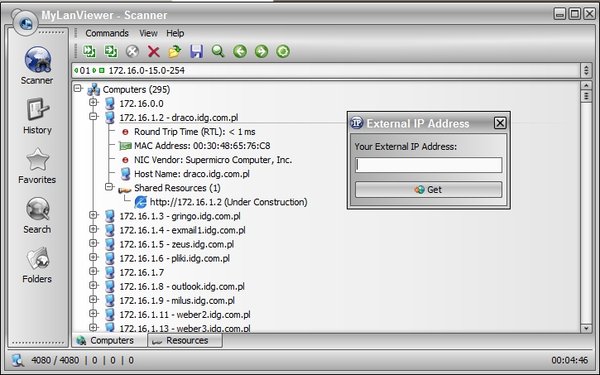
Description: MyLanViewer Network/IP Scanner is a powerful Netbios and LAN/Network IP address scanner for Windows, whois and traceroute tool, remote shutdown and Wake On LAN (WOL) manager, wireless network scanner and monitor. This application will help you find all IP addresses, MAC addresses and shared folders of computers on your wired or wireless (Wi-Fi) network. The program scans network and displays your network computers in an easy to read, buddy-list style window that provides the computer name, IP address, MAC address, NIC vendor, OS version, logged users, shared folders and other technical details for each computer.

MyLanViewer Network/IP Scanner supports remote shutdown, wake-on-lan, lock workstation, log off, sleep, hibernate, reboot and power off. It is able to monitor IP address and show notifications when the states of some computers change. MyLanViewer Network/IP Scanner can also view and access shared folders, terminate user sessions, disable shared folders, show netstat information and detect rogue DHCP servers. The software can monitor all devices (even hidden) on your subnet, and show notifications when the new devices will be found (for example, to know who is connected to your WiFi router or wireless network). The program easy to install and use, and has a user-friendly and beautiful interface.

Release Name: MYLANVIEWER V4.32.2 ENTERPRISE PORTABLE
Size: 9.5 MB
Links: HOMEPAGE – NFO – Torrent Search

Download: UPLOADGiG – NiTROFLARE – RAPiDGATOR

5 Comments
Sep 25

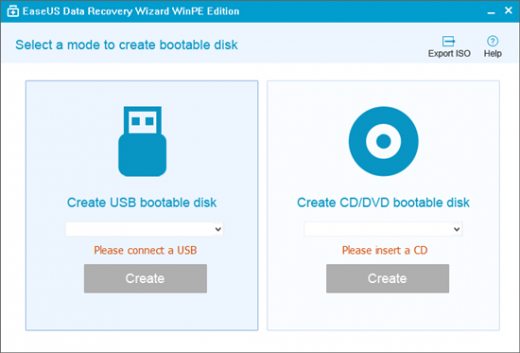
EaseUS Data Recovery Wizard v14.4 (x64) WinPE ISO

Description: The best data recovery software to Recover deleted, formatted or lost data from PC, laptop or removable device easily and quickly. Help to retrieve lost or deleted files, photos, music, audio, emails, etc. from the hard drive, memory card, USB, digital camera, mobile devices and other storage media.

Features :

  • Ultimate Data Recovery solution
    With this data recovery software, you will be able to retrieve precious data whether it is lost by deletion, formatting, hard crash or virus affection.
  • Superior Files Recovery Software
    EaseUS data recovery software can recover all types of files including Office Documents, Photo, Video, Emails and more.
  • Easily Restore Data from All Storage Devices
    EaseUS Data Recovery will undelete files from the hard drive, memory card, USB, digital camera, mobile devices and other storage media.
  • All-in-One EaseUS Data Recovery Wizard
    Help to retrieve lost or deleted files, photos, music, audio, emails, etc. from the hard drive, memory card, USB, digital camera, mobile devices and other storage media.
  • Devices Supported:
    – PC/laptop
    – Hard Drive
    – External Disk
    – SSD
    – USB Drive
    – Micro Card
    – Camcorder
    – Digital Camera
    – Music Player
    – Video Player
    – RAID
    – CF/SD Card
    – Pen Drive
    – Other Storage Devices
  • Only 3 Steps to Recover
    It makes even urgent recovery work as easy as just a few clicks away.
  • 100% safe and hassle-free
    This data recovery program recovers lost or deleted files 100% safely from different data loss cases on various devices without overwriting original data.
  • Preview before recovery
    Specify file types to recover before scanning, filter search results clearly and preview all recoverable files to make sure better recovery effects.

Release Name:  EaseUS Data Recovery Wizard v14.4 (x64) WinPE ISO
Size: 491.48 MB
Links:  Homepage – NFO – Torrent Search

Download: UPLOADGiG – NiTROFLARE – RAPiDGATOR

6 Comments
Sep 25

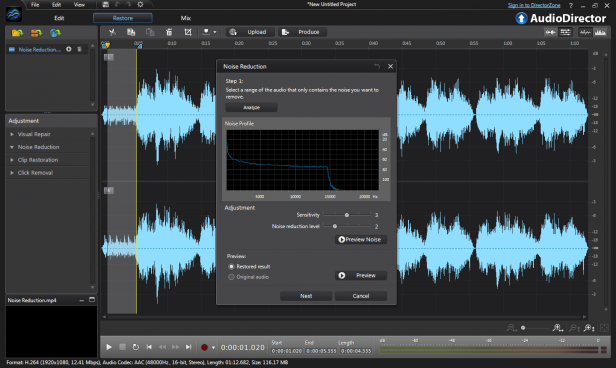
CyberLink AudioDirector Ultra v12.0.2122.0 (x64) Pre-Cracked

Description: Precision Audio Editing for Videos. Proper audio is critical for setting the right mood for any video or movie. AudioDirector contains high-end tools to edit and fix audio tracks for professional results. Seamless integration with PowerDirector’s video editing workflow makes AudioDirector a must-have application for professional video makers.

Feature :

  • AI Wind Remove
  • Punch & Roll Recording
  • Restoration Adjustment Tools
  • Visual Spatial Audio Editing
  • 360º Video Support
  • Vocal Transformer
  • Multi-Channel Device Recording

Release Names: CyberLink AudioDirector Ultra v12.0.2122.0 (x64) Pre-Cracked
Size: 153.47 MB
Links: HOMEPAGE – NFO – Torrent Search

Download: UPLOADGiG – NiTROFLARE – RAPiDGATOR

7 Comments
Sep 25

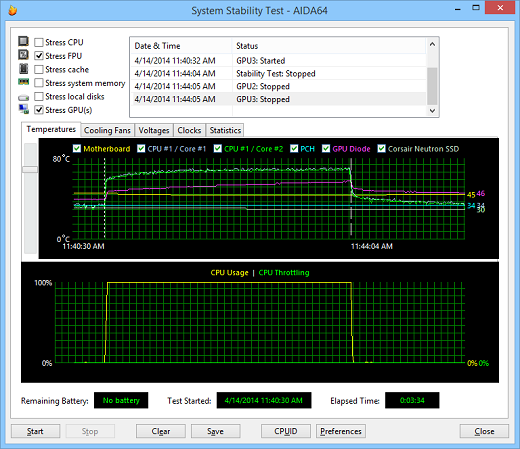
AIDA64 EXTREME + ENGINEER V6.33.5766 BETA MULTILINGUAL PORTABLE

Description: AIDA64 (former EVEREST) – the utility is a powerful tool for identification and testing of virtually all components of personal computers running operating systems Windows. Gives you detailed information about all the hardware and software, in addition, with built-in modules for testing and calibration can be further tested the individual subsystems PC. Displays detailed information about all the hardware and software installed on your system.

Features:

  • Level information about motherboard and CPU
  • Details of the video drivers and monitor
  • Information about all storage devices
  • Exhaustive information about network adapters, multimedia and input devices
  • Information about other glands (PCI, PnP, PCMCIA, USB)
  • Details of Windows, including the date of installation, the license key and more
  • Information about network shares, users and groups list, and much more
  • Large amount of information about networking status, remote access, network resources and Internet settings
  • Detailed information about installed programs, scheduled tasks and startup programs
  • Information about operating system security
  • A list of firewalls, anti-spyware and anti-
  • System Stability Test
  • CPUID Panel
  • Hardware monitoring
  • Benchmarks CPU and FPU
  • Tests of memory
  • Module performance test drive
  • Detection of possible misconfiguration and compatibility issues of hardware and software
  • Report Wizard
  • Mailing and printing

Release Name: AIDA64 EXTREME + ENGINEER V6.33.5766 BETA MULTILINGUAL PORTABLE
Size: 159.47 MB
Links: HOMEPAGE – NFO – Torrent Search

Download: UPLOADGiG – NiTROFLARE – RAPiDGATOR

6 Comments
Sep 24

Autodesk 3DS MAX v2022.2 (x64) + Fix

Description: 3ds Max 2020 is a powerful 3D modeling and animation solution used by game developers, visual effects artists, and graphic designers to create massive worlds, stunning scenes, and engaging virtual reality (VR) experiences.

Facilities and software features in Autodesk 3ds Max:

  • Material design a variety of models, shapes, materials and high complexity and detail
  • Have different effects in terms of animating
  • Having a complete and professional modeling tools
  • Ability to import the output of various animation software and computer design and engineering
  • Support for multiple extensions to apply visual effects
  • Create the light source in the desired location and thus the formation of the shadow object
  • Ability to model designed for professional video
  • Intelligent software to recognize the beginning and end of the animation
  • Recognize the body’s response to the action taken on it
  • The latest rendering of the project in order to improve the speed and quality
  • Ability to use programming language Python in project development

Release Name:  Autodesk 3DS MAX v2022.2 (x64) + Fix
Size: 8.65 GB
Links:  Homepage – NFO – Torrent Search

Download: UPLOADGiG – NiTROFLARE – RAPiDGATOR

5 Comments
Sep 24

ACDSee Photo Studio Professional 2022 v15.0 Build 1919 (x64) + Fix

Description: Bring out the best in your images with a huge RAW editing and digital asset management toolset. Renowned for its organizational prowess and parametric photo editing power, ACDSee Photo Studio Professional 2020 makes it easy to push boundaries. Loaded with blended cloning, non-destructive color grading, improved face detection and recognition, and extensive organizational enhancements, Professional allows you to unlock your creative potential. Blaze through all of the essential tasks of your photography workflow with this solid, GPU-enriched member of the ACDSee family.

With Manage, View, Develop, Edit and Online modes, it is the only solution that allows photographers to carry out all essential tasks of the photography workflow and Digital Asset Management in one place.
With even more ways to track and replicate your steps, accelerate your workflow, and perfect your photos, you’ll be blown away by your new process – and how fast you’ll be back out behind the lens.

ACDSee Photo Studio Professional 2020 quickly gets you back to doing what you do best: shooting amazing photographs. Achieve total control of your photography workflow and get back behind the lens faster with ACDSee Photo Studio Professional.
Boasting an impressive array of effects, skin tuning, lens correction and white balance improvements, fine tuning for your digital asset management process, development snapshots, support for 4k monitors, a chronological overview of your entire collection, and more resources for precision editing and drawing, ACDSee Photo Studio Professional is a solid addition to the ACDSee family.

Release Names: ACDSee Photo Studio Professional 2022 v15.0 Build 1919 (x64) + Fix
Size: 274.46 MB
Links: HOMEPAGE – NFO – Torrent Search

Download: UPLOADGiG – NiTROFLARE – RAPiDGATOR

6 Comments
Sep 24

ACDSee Photo Studio Ultimate 2022 v15.0 Build 2795 (x64) + Fix

Description: The world’s first digital asset manager and RAW editor with layers, ACDSee Photo Studio Ultimate 2019 is the answer to your creative graphic and photography needs. Renowned for its organizational prowess, parametric photo editing power, and performance-based adjustment layers, this GPU-enriched software gets you back out behind the lens faster. Now featuring facial recognition, even more ways to non-destructively target specific areas of your image, flexible color control, tools expediting your DAM productivity, and much more, Photo Studio Ultimate makes it easy to push boundaries and unlock your creative potential.
Harmonious Balance
High-dynamic-range imaging (HDR) is a trick in digital photography that is designed to achieve a wide dynamic range of luminosity by merging multiple images. Combine a series of images with different exposures to produce a single image with the maximum range of details in their shadows and highlights with the HDR tool.

Stay Focused
Sometimes, no matter what you do, it’s impossible to get every detail in your image sharp. With focus stacking, you can combine a series with different focal distances to create one image with a greater depth of field than a single exposure would allow.

Improved Face Detection & Facial Recognition
Organizing has never been this personal. Ultimate 2020’s Face Detection & Facial Recognition tool will find the humans in your photographs so you can name them for quick searching. ACDSee will immediately learn which names to put to which faces, and even will suggest possible matches. Control the queue of images to be scanned for faces. Save hours of tedious manual skimming by searching photos by unnamed, auto-named, and suggested names. Keep photos distinguished by client, family member, or person of interest, then embed face data in your photos for safe keeping.

What’s New:

Have the Last Word
Add text as layers. Customize font, size, color, style, justification, opacity, and much more, while layering, blending, and adding effects for the ultimate composites.

Broaden Your Horizons
Resize the canvas to expand around your layered content or add solid backgrounds for limitless photo manipulations.

Rule of Thumb
Customizable rulers and guidelines make placing layers, text, and objects foolproof. Snap layers to guidelines. Lay as many guidelines as you like. Control the unit of measure, color, and visibility.

Handle Any Geometric Imperfection
Snap objects, text, and images to the top, bottom, sides, or corners of your canvas while moving. Display a grid for precision situating.

Layer Effects
Add inner glow, shadows, a bevel, an outline, or blur between your image and text layers. Save as a .acdc file and continue editing your layer effects at a future date.

Blend of the Clones
Use the Blended Clone tool to copy pixels from a source area to a target area. ACDSee analyzes the pixels in the target area and blends them with the copied pixels for the most seamless repair yet.

Align and Blend Your Layers
Auto-align or auto-blend layers of images taken in a burst to achieve one optimal version of the subject.

Layer Freedom
Pull groups of images into the Layers pane and select one, some, or many.

Endless Creativity
Develop your own LUTs using an infinite combination of colorful adjustment layers. Use your LUTs as Edit mode filters, Develop mode filters, or additional adjustment layers.

Parametric Color
Seamlessly color grade your images by importing and applying LUTs as non-destructive filters.

Business Viewing
Flip through your PDF and Microsoft Office™ documents— even sheets on multi-tabbed Excel™ documents. Rank your digital assets based on importance. Discard and back up accordingly.

Adaptability & Security
Get files from the team over Dropbox ™ or OneDrive ™ or back up existing work with direct access to cloud sync root drives within Manage mode.

Put Your Files in Many Baskets
Create up to five image baskets to gather and hold images and media files from all over your hard drive. Name individual image baskets and use them to easily view, edit, or share their content.

Improved Duplicate Finder
Find duplicates across a variety of folders and locations. Rename or delete detected duplicates to keep your file collection under control.

Improved Batch Convert
Convert masses of files into other formats from one convenient, accessible dialog.

Improved Keyword Management
ACDSee now comes pre-loaded with a variety of usable sample quick keyword sets. Export keyword lists and share them with other users. Save countless hours of manual entry by importing established keyword lists.

Effortless Digital Asset Management
Finding, sorting, moving, organizing, and sharing—everything you need for complete mastery over your photography workflow is right here, at your fingertips. Add ratings, hierarchical keywords, categories, and location data to your images. Quickly identify photos for further processing with visual tags or customizable color labels.

Visionary Layered Editing
You can use the Layered Editor to fearlessly innovate using parametric photo manipulation. Add layers designed to achieve individual adjustments and effects, and go back in to tweak them at any time. Pair individual layers with any Edit mode filter or adjustment for complete image manipulation liberty.

Comprehensive RAW Editor
Make the most of your RAW images with Photo Studio Ultimate’s built-in support for over 500 camera models. For ultimate freedom, start with the rough data captured by your camera’s sensor and non-destructively transform it into whatever you want using exposure, contrast, color, repair, sharpening, and other detail-based tools.

Release Names: ACDSee Photo Studio Ultimate 2022 v15.0 Build 2795 (x64) + Fix
Size: 264.39 MB
Links: HOMEPAGE – NFO – Torrent Search

Download: UPLOADGiG – NiTROFLARE – RAPiDGATOR

5 Comments