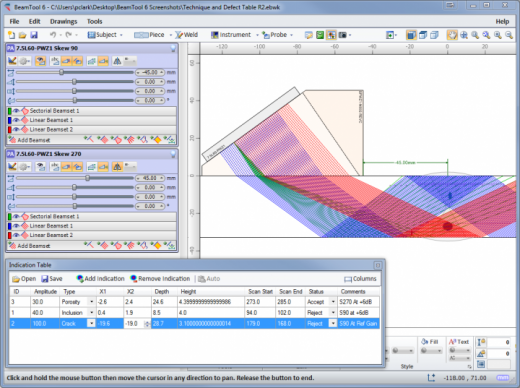
Feb 27

VovSoft Text Edit Plus 14.0 Multilingual

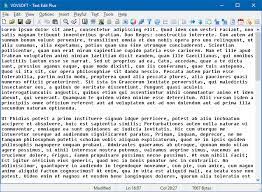
Description: Text Edit Plus is a lightweight tool that enables users to easily create new text documents or to modify existing ones. The application is designed as an alternative to Notepad, by offering a wider set of features.

Some of the features: Adding date and time. Changeability of background color and font properties. Encode and decode text. Combine lines. Command system for extracting the desired text. Delete empty lines. Delete same lines. Filter lines. Find and Replace. Full screen view. Generate e-mail list. Generate quick stats. Generate word list. Import picture as text (ASCII art). Insert numbers. Insert text into beginning or end of lines. Lowercase and uppercase conversion. Randomize lines. Reverse lines. Sort lines. Trim lines.

Release Name: VovSoft Text Edit Plus 14.0 Multilingual
Size: 5.1 MB
Links: HOMEPAGE – NFO – Torrent Search

Download: FiKPERNiTROFLARERAPiDGATOR

5 Comments
Feb 27

R-Tools R-Drive Image 7.2 Build 7200 Multilingual BootCD

R-Tools R-Drive Image Overview

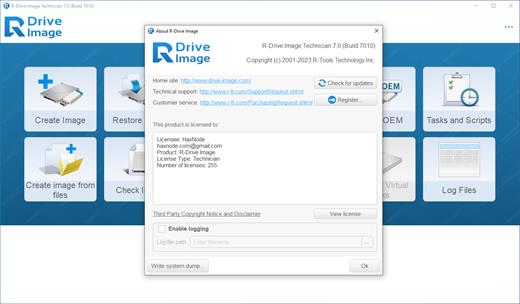
R-Drive Image is a potent utility providing disk image files creation for backup or duplication purposes. A disk image file contains the exact, byte-by-byte copy of a hard drive, partition or logical disk and can be created with various compression levels on the fly without stopping Windows OS and therefore without interrupting your business. These drive image files can then be stored in a variety of places, including various removable media such as CD-R(W)/DVD, Iomega Zip or Jazz disks, etc.

R-Drive Image restores the images on the original disks, on any other partitions or even on a hard drive’s free space on the fly. To restore system and other locked partitions R-Drive Image is switched to the pseudo-graphic mode directly from Windows or bootable version created by the utility is launched from CD disc or diskettes.

Using R-Drive Image, you can completely and rapidly restore your system after heavy data loss caused by an operating system crash, virus attack or hardware failure. You can also use R-Drive Image for mass system deployment when you need to setup many identical computers. In other words, you can manually setup one system only, create an image of the system, and then deploy it on all other computers, saving your time and costs. If you need to restore only certain files from a disk image, you can connect that image as a virtual disk and copy those files directly from the disk image using Windows Explorer or any other file utility.

R-Drive Image is one of the best backup and disaster recovery solutions to prevent losing your data after a fatal system failure.

Key Features of R-Tools R-Drive Image

A simple wizard interface – no in-depth computer management skills are required.
On-the-fly actions: Image files are created on-the-fly, no need to stop and restart Windows. All other disk writes are stored in a cache until the image is created. Data from image files are restored on-the-fly as well, except on a system partition. Data to the system partition can be restored either by restarting R-Drive Image in its pseudo-graphic mode directly from Windows, or by using specially created startup disks.
Image files compression. Image files can be compressed to save free storage space.
Removable media support. Image files can be stored on removable media.
Startup version. A startup version can be used to image / restore / copy partitions locked by the OS. The computer can be re-started into the startup version either directly from Windows, or from an external USB device, a CD/DVD disk, or 6 floppies. The startup version can use either a graphic user interface, or a pseudo-graphic mode, if the graphic card isn’t supported.
USB 2.0 and 3.0 support in the startup version. With hard drives prices constantly going down, an external IDE-USB 2.0 or 3.0 HDD case with an appropriate hard drive is an ideal (fast and reliable) solution for storing backup files for system and other partitions that can be restored only in the startup version. Do not use numerous unreliable CD discs and slow CD/DVD recorders any more. Remember: with the incremental backup, this hard drive is not to be too large.
Network support in the startup version. R-Drive Image startup version supports disk image file creation and restoration over the Microsoft network (CIFS protocol).
Extended List of the supported devices in the startup version. The list of hardware supported by R-Drive Image startup versions has been extended. VIEW THE LIST
An image file can be connected as a read-only virtual disk. Such disk can be browsed through and files/folders can be found and copied.
Individual files and folders restoration. Individual files and floders rather than entire disk can be restored either during the restoring action or from a image file connected as a virtual disk.
Image files splitting. Drive images can be split into several files to fit a storage medium.
Image Protection. Disk image files can be password-protected and contain comments.
New partition creation. Data from a disk image can be restored on a free (unpartitioned) space on any place on a hard drive. The size of the restored partition can be changed.

Release Name: R-Tools R-Drive Image 7.2 Build 7200 Multilingual BootCD
Size: 78.8 MB
Links: HOMEPAGE – NFO – Torrent Search

Download: FiKPERNiTROFLARERAPiDGATOR

3 Comments
Feb 27

GoodSync Enterprise 12.5.6.6 (x64) Multilingual

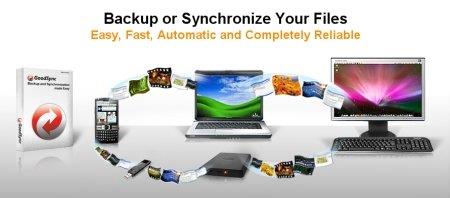
Description: GoodSync is an easy and reliable file backup and file synchronization software. It automatically analyzes, synchronizes, and backs up your emails, precious family photos, contacts, MP3s, financial documents, and other important files locally – between desktops, laptops, servers, external drives, and Windows Mobile devices, as well as remotely through FTP, SFTP, WebDAV, and more. GoodSync file synchronization software combines bulletproof reliability with an extremely easy to use interface to compare, synchronize, and backup your emails, contacts, photos, iTunes, MP3s, and other important files. Automatically synchronize and back up your important files between desktops, laptops, servers, and external drives over a network or the Internet. Using an innovative synchronization algorithm – GoodSync file sync software is years ahead of the pack when it comes to file synchronization.

Main features:
• True Bi-Directional Synchronization Prevents Data Loss
• One-Way Synchronization Provides an Easy Backup Solution
• Lightning Fast Speed, Low Memory Requirement
• Syncs not just Windows folder but also FTP, WebDAV, SFTP, S3
• Syncs with your Windows Mobile Phone and Pocket PC too
• Selective File Synchronization: Exclude and Include Filters
• Automatic Reconnect for Remote Folders
• Flexible and Easy Sync Automation

Release Name: GoodSync Enterprise 12.5.6.6 (x64) Multilingual
Size: 67.4 MB
Links: HOMEPAGE – NFO – Torrent Search

Download: FiKPERNiTROFLARERAPiDGATOR

4 Comments
Feb 27

VMware Workstation Player 17.5.1.23298084 (x64) Commercial

VMware Workstation Player allows you to run a second, isolated operating system on a single PC. With many uses ranging from a personal educational tool, to a business tool for providing a simplified experience to run a corporate desktop on a BYO device, Workstation Player leverages the VMware vSphere hypervisor to provide a simple yet mature and stable, local virtualization solution.

Simple but Powerful Virtualization
With nearly 20 years of active development, VMware Workstation Player builds from the same platform as VMware Workstation Pro and vSphere, making it one of the most mature and stable solutions for local desktop virtualization. Safely and easily run a second operating system as a virtual machine (VM) on a single PC without affecting your main desktop environment and without rebooting.

Your Path to BYO
With VMware Workstation Player, you can isolate corporate desktops from BYO devices by disabling copy-and-paste, drag-and-drop, shared folders and access to USB devices. Run restricted VMs that are encrypted and password-protected to ensure only authorized users can interact with corporate data.

The Perfect Tool for Learning
The isolation and sandbox capabilities of VMware Workstation Player make it the perfect tool to help you learn about operating systems, applications and how they work. Being able to run a server environment on a desktop PC also allows you to explore software and application development in a “real world” environment without interfering with the host desktop.

A Secure and Isolated Environment
Run a secure second desktop with different privacy settings, tools and networking configurations to keep your host system safe and secure while browsing online.

System Requirements
Systems using Processors (CPUs) launched in 2011 or later are supported except:
Intel Atom processors based on the 2011 “Bonnell” micro-architecture (e.g. Atom Z670/Z650; Atom N570)
Systems using Intel Atom processors based on the 2012 “Saltwell” micro-architecture (e.g. Atom S1200, Atom D2700/D2500, Atom N2800/N2600).
Systems using AMD processors based on the “Llano” and “Bobcat” micro-architectures (e.g. code-named “Hondo”, “Ontario”, “Zacate”, “Llano”)
In addition the following are supported:
Systems using Intel processors based on the 2010 “Westmere” micro-architecture (e.g. Xeon 5600, Xeon 3600, Core i7-970, Core i7-980, Core i7-990)
1.3GHz or faster core speed
2GB RAM minimum/ 4GB RAM or more recommended
OS: Windows 10, Windows 8.X, Windows 7, Windows XP

Release Name: VMware Workstation Player 17.5.1.23298084 (x64) Commercial
Size: 562.7 MB
Links: HOMEPAGE – NFO – Torrent Search

Download: FiKPERNiTROFLARERAPiDGATOR

4 Comments
Feb 27

High-Logic FontCreator Pro 15.0.0.2959 (x64) Beta

Description: This award winning font software gives you all the tools you need to make new fonts and edit existing fonts. Use the advanced import features to make your own handwriting font or add signatures, logos and symbols to existing fonts.

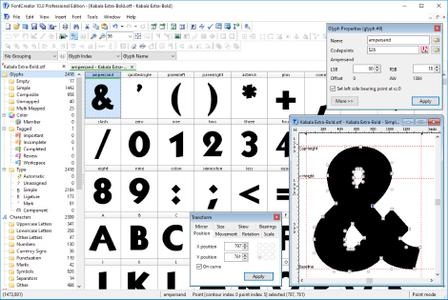
When you create or open a font, FontCreator displays an overview of all available characters. You can simply add missing characters, or select an existing character, and modify its appearance. You can import (scanned) images of your signature or company logo, or make a font from your own handwriting. With FontCreator you can also fix character codepoints, font names, kerning pairs, and at all times you can preview your fonts before installing.

FontCreator Features and Benefits:

  • Create and edit TrueType and OpenType fonts
  • Create and edit Web Open Font Format (WOFF) fonts
  • Create and edit scalable color fonts
  • Redesign existing characters
  • Add missing characters
  • Add up to 65,535 glyphs per font
  • Import vector files (EPS, AI, PDF, etc) and bitmap images (BMP, GIF, PNG, etc)
  • Add OpenType Layout Features
  • Fix character mappings
  • Correct fonts that display incorrectly
  • Glyph tagging
  • Convert OpenType fonts to TrueType fonts
  • Generate, modify, import, export, and clean up kerning pairs
  • Add or correct over two thousand composite glyphs
  • Transform individual glyphs or an entire font (e.g. to make a bold version)
  • Extract TrueType fonts from TrueType Collections
  • Unicode support (including the private use area and supplementary planes)
  • All popular encodings and code pages supported (ANSI, ASCII, Unicode, Symbol, Big5, PRC, Wansung, etc)
  • Preview fonts before installing
  • Install fonts in Windows

Release Name: High-Logic FontCreator Pro 15.0.0.2959 (x64) Beta
Size: 27.2 MB
Links: HOMEPAGE – NFO – Torrent Search

Download: FiKPERNiTROFLARERAPiDGATOR

3 Comments
Feb 27

Aiseesoft Video Repair 1.0.36 (x86/x64) Multilingual

Description: Aiseesoft Video Repair is a powerful program that can help restore videos with lost or corrupted data. As long as you provide a sample video in the same format, with the support of powerful technology, you can harvest the video without any defects in just a few clicks.

Repair Broken & Corrupted Videos
Sometimes some videos may lose data and play poorly due to improper storage or damaged devices. This can be fatal for those who don’t have backup files. That is when you need professional helpers to fix these videos. Aiseesoft Video Repair is very easy to use. You just need to upload the corrupted video to the application, and the most advanced and intelligent technology will be applied to your broken file. The formats currently supported by this tool for video repair include MP4, MOV, and 3GP. In a very short time, you will get the complete repaired video, and the quality of the video will remain the same. Even a novice can complete the repair smoothly with a simple interface and detailed instructions.

Restore to the Same Quality as the Sample Video
This tool supports uploading videos as a reference. You can select one, and our system will restore your corrupted video with the resolution, frame rate, and bitrate of the sample video as the standard. The choice of the sample video is free. Whether the video was shot on the same device or in the same format, it can be used as a reference. And as you upload your sample video, we will provide you with real-time guidance and tips to ensure the sample video is available. If the calibration fails, we will mark the mismatch for you so you can replace the sample with a new one.

Support for Previewing Restored Videos Before Exporting
If you are still worried about not being able to visually confirm the restoration of the video at first glance, you can try the preview feature we offer. After video restoration, you can preview part of the video before exporting it to check the effect. If you are not satisfied with the fix, you can re-upload a new sample video and use it as a reference to re-run the fix until you are satisfied. You can save the success directly to your computer when it is OK.

Strong Security Guarantees the Safety of the Restoration Process
You do not need to worry about your files, system, or private information security during the video repair process. We cannot access any information on your device except for the corrupted and sample videos you upload. And your corrupted videos and sample videos are also free from any threats. This program is safe, and there will be no ads or viruses bothering you along the way of repairing. All you need to do is leave the task of fixing the video to us with confidence.

Release Name: Aiseesoft Video Repair 1.0.36 (x86/x64) Multilingual
Size: 121.4 MB
Links: HOMEPAGE – NFO – Torrent Search

Download: FiKPERNiTROFLARERAPiDGATOR

3 Comments
Feb 27

AudFree Tidal Music Converter 2.14.0.162 Multilingual

Description: Best Tidal converter for Windows and Mac enables you to download music, playlists, albums from Tidal Free, Tidal HiFi and HiFi Plus service and convert Tidal to MP3, FLAC, WAV, AAC, etc. at faster speed for offline playback.

A Full-featured Tidal Downloader for Windows
As the unique and perfect music solution, AudFree Tidal Music Converter is well-designed for Tidal members to control the playback of Tidal music tracks better on Mac and Windows computers.
No matter you are using the Tidal Free, Tidal HiFi, or HiFi Plus subscription, this best AudFree Tidal Music Downloader can easily help you convert and download Tidal music, playlists or albums to plain audio files, like FLAC, WAV, MP3, AAC, and more in high quality preserved. You can freely stream and play Tidal files with nice listening experience anywhere and anytime with ease.

Download Tidal MQA, HiFi, High-quality Music
Just like other popular streaming music services, Tidal songs, playlists, and albums can be playable on selected devices with its own app only. Thanks to the charming AudFree Tidal Downloader for Mac and Windows, you can easily download all Tidal contents, including Master music from both Tidal Free and HiFi and save them on your local computer. Thanks to this smart Tidal media downloader, you can transfer Tidal tracks to any devices for offline playing without the official Tidal app and subscription.

Convert Tidal to MP3, FLAC, WAV, AAC, etc.
As an all-in-one Tidal music solution, AudFree Tidable is also a default Tidal music converter for Windows and Mac. It helps you not only download Tidal MQA and HiFi songs locally but also convert Tidal music to a wide variety of audio formats, like MP3, FLAC, WAV, and more. It can export 24 bit Lossless FLAC at up to 192 kHz, 320 kbps MP3 at up to 48 kHz, etc. What’s more, even if you are using a Tidal Free plan, the Tidal music downloads are ad-free as this best Tidal music converter can remove Tidal ads perfectly.

Best Tidal Converter to Keep Tidal Master and Tidal HiFi Quality
With the assistance of AudFree Tidal Music Converter for Windows and Mac, you can easily download Tidal playlists, songs, and albums as original audio-quality files, including lossless CD quality (HiFi quality) at up to 44.1kHz/16bit and Master quality at up to 92kHz/24bit with metadata information and ID3 tags kept.
Besides, this best Tidal converter also allows you to personalize output Tidal audio parameters, like bit rate, bit depth, sample rate, audio channel, codec, etc. to get nice audio quality.

System & Hardware Requirements:
Operating System: Windows 7, Windows 8, Windows 10, and Windows 11 (32-bit & 64-bit)
Processor: 1G Hz processor, or above
RAM: 512MB or higher of RAM
Monitor: Monitor with 1024×768 pixels or higher resolution
Others: The latest Tidal app


Release Name: AudFree Tidal Music Converter 2.14.0.162 Multilingual
Size: 4.5 MB
Links: HOMEPAGE – NFO – Torrent Search

Download: FiKPERNiTROFLARERAPiDGATOR

3 Comments
Feb 27

Wipe Professional 2024.02 Multilingual

Wipe Professional Full Version Crack Free

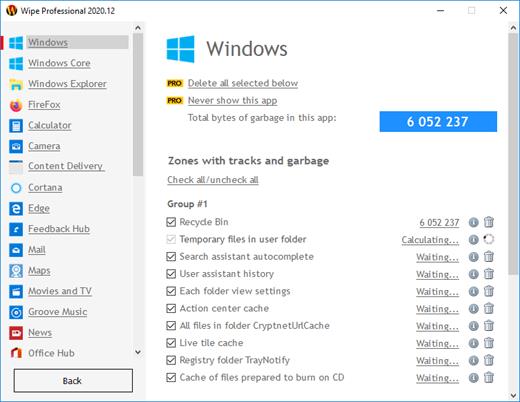
Wipe Professional Crack Download: Privacy and performance. This utility’s purpose is to maximize your computer’s privacy and performance. Wipe Pro Download Crack will delete any temporary files, cache, cookies, Internet history, and other things, freeing up valuable disk space, especially if you run your system on small SSDs. In addition, as a result of our software, you will receive maximum confidentiality, so prying eyes will not be able to spy on you as before, record your activities or do other bad commercial things. You May Also Download PCHelpSoft Driver Updater Crack

This powerful program can remove a lot of gigabytes of garbage on your computer and recover many free disk space. In addition, it will protect your privacy on the Internet – it removes records about personal activity on PC.

Wipe Pro Full Crack – a powerful program that can remove many gigabytes of garbage on your computer and restore a lot of free disk space. In addition, it will protect your privacy online – it removes records of personal activities on the PC. You Can Also Download AVG Internet Security Crack

Download Wipe Pro Activation Key Features:

  • Ability to remove software footprints in Windows
  • Scan accurately and identify the types of installed apps
  • Ability to clear browser history
  • Ability to remove temporary data
  • And many more.

What’s New In Wipe Professional Free Download?

  • Removed statistics function, less information will be processed, thus, performance improved.

Release Name: Wipe Professional 2024.02 Multilingual
Size: 6.6 MB
Links: HOMEPAGE – NFO – Torrent Search

Download: FiKPERNiTROFLARERAPiDGATOR

3 Comments
Feb 27

All Video Downloader Pro 9.2.8

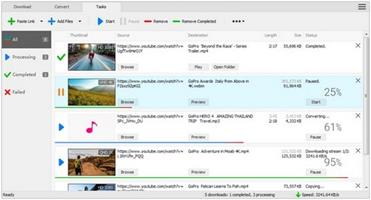
Description: All Video Downloader Pro is a professional Windows app for downloading and converting your favorite videos from video sharing sites. It accelerates your downloads by up to 5 times!
Features:

Download videos from hundreds of video sharing sites.
All Video Downloader Pro can download videos from YouTube, Facebook, Dailymotion, and hundreds of other video sharing sites. After downloaded, you’ll be able to play them smoothly on your PC or mobile devices, even if you don’t have internet access.

Accelerate downloads by up to 5 times.
All Video Downloader Pro features a multithreading download acceleration engine that can boost and increase your download speeds by up to 500% faster.

Download 4K, 2K, HD 1080p, HD 720p, and 3D videos.
All Video Downloader Pro allows you to download videos in different resolutions, including 4K/2160p, 2K/1440p, HD 1080p, HD 720p, 480p, 360p, and 240p. You can download 1080p HD videos to enjoy quality graphics on your TV, you can also download 240p videos in order to save space on your mobile devices.

YouTube to MP3 downloader.
All Video Downloader Pro allows you to download only audio stream directly from YouTube and save it as MP3, without downloading the entire video file.

Download entire playlist from YouTube at one time.
All Video Downloader Pro enables you to download an entire YouTube playlist with just a few clicks. All videos in the playlist can be downloaded automatically at one time.

Download multiple videos at a time.
All Video Downloader Pro supports simultaneous downloads that allows you to download more than one video at the same time.

Download subtitles in selected language and format.

Pause and resume downloads.
You may pause your downloads at any time. All Video Downloader Pro can resume broken download from where it was interrupted. You don’t need to start from the beginning again.

Preview incomplete video while downloading.
While downloading, you can click the Preview button to play incomplete video and make sure that the content you are downloading is really the video of your choice.

Convert downloaded videos to any format.
All Video Downloader Pro can automatically convert downloaded videos to the format you choose. It supports MP4, FLV, WMV, MOV, ASF, AVI, DV, M4V, MKV, MPG, OGV, SWF, TS, VOB, WEBM, DVD, VCD, SVCD, and many others.

Optimize downloaded videos for any device.
All Video Downloader Pro can automatically optimize downloaded videos for your mobile devices, so you can watch them on your iPhone, iPad, Android phone, Android tablet, Xbox, Windows phone, PSP/PS4/PS3, Samsung Galaxy, etc.

Video to MP3 converter.
All Video Downloader Pro is capable of extracting audio streams from videos and save them as MP3, WAV, WMA, AC3, AAC, OGG, M4A, FLAC, MP2, or any other audio format.

Video and audio converter.
All Video Downloader Pro is a powerful video and audio converter too. It allows you to convert any video/audio files on your disk to the format you wish so that they are playable on your media player or mobile devices.

Ready-made video/audio format presets.
All Video Downloader Pro provides ready-made presets for all popular video and audio formats. You can also custom output video/audio format settings.

Schedule downloads.
All Video Downloader Pro can automatically start downloads at a set time, and shut down your computer when all done. You will no longer have to wait for your long list of videos to finish downloading.

Support drag-and-drop.
You may simply drag and drop a video link/URL from your web browser to All Video Downloader Pro’s Drop Box to start a download. You don’t even need to copy and paste video link/URL manually.

All Video Player.
All Video Downloader Pro includes a simple and easy-to-use media player – All Video Player, for playing MP4, WebM, FLV, MP3, AAC, and any other format video/audio files that Windows Media Player cannot play.

Release Name: All Video Downloader Pro 9.2.8
Size: 48.3 MB
Links: HOMEPAGE – NFO – Torrent Search

Download: FiKPERNiTROFLARERAPiDGATOR

4 Comments
Feb 27

BeamTool 10.1.1.44 Multilingual

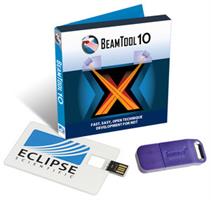
Description: Continuing to lead the industry in UT technique development software, Eclipse Scientific’s BeamTool 10 offers a robust set of new features and enhancements. Successful inspections start with a plan and BeamTool makes it easy to model, validate and document your Phased Array, TOFD and Conventional Ultrasonic scan plans with confidence.

Easy to use and powerful, BeamTool has continued to evolve and provide tools to improve proficiency and accuracy of ultrasonic inspections. From technicians in the field, to researchers and authors, BeamTool provides the indispensable toolset for the NDT industry.


Release Name: BeamTool 10.1.1.44 Multilingual
Size: 82.8 MB
Links: HOMEPAGE – NFO – Torrent Search

Download: FiKPERNiTROFLARERAPiDGATOR

4 Comments