Oct 16

ConceptDraw MINDMAP v12.1.0.173 (x64) Pre-Cracked

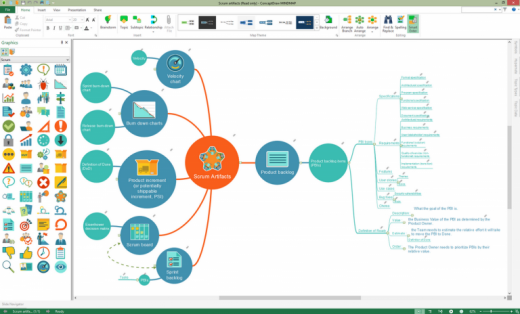
Description: ConceptDraw MINDMAP v12, a leading mind mapping software tool includes a comprehensive set of solutions for designing and building timesaving mind maps. Create mind maps that intuitively illustrate your thought process. Organize ideas and data with a comprehensive productivity tool that is flexible and easy-to-use. Generate a great assortment of document styles and formats. Make live presentations from mind maps and then export them to MS PowerPoint or Web pages. Perfect for brainstorming, project planning, meeting management, note-taking, and much more.
Features :

  • Brainstorm Ideas
    All teams involved in idea generation need the organizational capability found in Brainstorm mode. ConceptDraw MINDMAP v12 provides a one-click brainstorm mode. A built-in timer keeps the team’s brainstorming session on track. When the brainstorming session is finished the resulting mind map is a great way to discuss, edit, develop, remove, and organize ideas.
  • Data Exchange
    ConceptDraw MINDMAP v12 breaks boundaries in mind mapping data exchange for project managers and mind mappers. It offers the ability to exchange data with Microsoft Project, Microsoft Office, ConceptDraw PROJECT v11, MindManager, XMind, and FreeMind. MINDMAP v12 also provides the ability of export to ConceptDraw DIAGRAM v14 file format.
  • Mind Map Presentation
    ConceptDraw MINDMAP v12 provides a set of tools to quickly create a slideshow. Using MINDMAP editing tools there is no faster way to build a presentation. Intuitive features allow for the selection of mind map areas that are to be included in each slide. Then drag-and-drop views to sequence slides. When slide sequencing is completed it is then easy to quickly transition to presentation preview mode. The resulting slide presentation can be exported to MS PowerPoint to share with the team or the world.
  • Visual Elements
    With ConceptDraw MINDMAP v12 it easy to incorporate graphic images into your maps, making maps even more impactful. There is nothing easier than adding images to a mind map using the tool’s graphics panel. Images can add a blend of creativity and functionality, and provide your map a distinctive look. You can add images to any part of the map.
  • Hyperlinks and Notes
    Extend any mind map topic by using Hypernote. It is the blend of a note with multiple hyperlinks. Mind naps with hypernotes can easily support an impressive amount of knowledge in a single map. Everything is at your fingertips.
  • Intelligent Topics
    A mind map can be turned into an electronic file cabinet by adding attachments in any file format. Keeping all information for a project or process one click away makes embedded files a productivity booster.
  • Splendid Appearance
    More than 20 built-in styled themes, plus the ability to design custom themes makes ConceptDraw MINDMAP v12 an impressive visual tool. Quickly make a mind map template for organization meeting schedules and reporting. Create mind maps that stand out from the crowd.

How To Install?

  • Install the program from the given setup.
  • Wait for it to get installed fully.
  • Boom! Now you can use the program without any interruptions.(It’s Pre-Cracked lol)
  • Remember to run the program as Administrator!
  • Use a firewall to block the application from online checks.
  • All types of exports have been tested without any problems.
  • That’s it, Enjoy now

Release Names: ConceptDraw MINDMAP v12.1.0.173 (x64) Pre-Cracked
Size: 126 MB
Links: HOMEPAGE – NFO – Torrent Search

Download: UPLOADGiG – NiTROFLARE – RAPiDGATOR
7 Comments
Oct 16

RADIO Logger Pro 2.3.11.72

Description: Program for external (Line-In, Microphone etc.) audio signal storage in PCM Wave (*.wav) or Mpeg Layer 3 (*.mp3) formats. Has an ability to record external audio signsl with selected quality (bitrate, sample rate), set time periods for recording, control signal presence and other functions.

FUNCTIONS:
automatic recording and encoding of incoming audio signal;
archive : records and events;
record block duration adjustment (from 1 minute to 1 day);
audio capture quality settings;
on/off MP3 compression;
record storage period settings;
built-in player for saved records;
other functions;

What’s new
• Added ability to archive configuration using the Windows Scheduler

Release Names: RADIO Logger Pro 2.3.11.72
Size: 11.30 MB
Links: HOMEPAGE – NFO – Torrent Search

Download: UPLOADGiG – NiTROFLARE – RAPiDGATOR
5 Comments
Oct 16

ZONER PHOTO STUDIO X V19.2109.2.349 PORTABLE

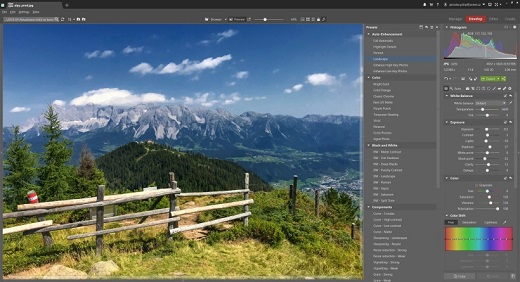
Description: Zoner Photo Studio X helps you take control of your photos. Zoner Photo Studio is a complete toolbox for managing and processing digital photos. Acquire pictures from your camera, organize your archive, and edit and share your photos – it’s never been easier! Zoner Photo Studio is useful for beginners, advanced users, and experienced photographers, who can select one out of four different variants.Zoner Photo Studio is made for every user of digital cameras, scanners, and mobile devices. It contains everything you need for quality digital photo processing from start to finish: tools for downloading to your computer, for automatic and manual editing and defect correction in pictures, for easy photo management, and for sharing and publishing photos.

Zoner Photo Studio Highlights:
• Optimized and faster RAW module
• Catalog, advanced picture management and archival
• Multi-exposures help you to do the “impossible”
• Transparency support
• Healing Brush and Selection Brush tool
• Direct upload to Facebook, Flickr, and Picassa Web Albums
• 64-bit program version
• A wide array of edits and effects for photo enthusiasts
• HDR, panoramas, 3D photo maker
• Convenient, time saving batch operations
• Support for GPS map data
• Easy and direct web publishing
• Templates for calendars, contact lists, and more

Release Name: ZONER PHOTO STUDIO X V19.2109.2.349 PORTABLE
Size: 660 MB
Links: HOMEPAGE – NFO – Torrent Search

Download: UPLOADGiG – NiTROFLARE – RAPiDGATOR
8 Comments
Oct 16

ALTERPDF PRO V5.6 MULTILINGUAL PORTABLE

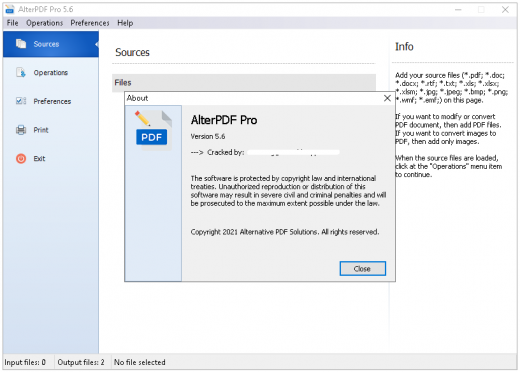
Description: PDF files are known for how versatile they can be, as they can pretty much take the place of images, texts, graphics and more, all in one format. The problem with them is that most often than naught, you’ll need to use third-party applications to do any form of viewing or editing on this format, and usually, these programs are lacking in features, or are too heavy on system resources. One such program is AlterPDF, a lightweight software solution for all of your PDF-related needs.

Main Features:
• Convert PDF to images. You can convert all or selected pages to image formats, such as BMP, JPG, EMF, TIFF.
• Convert images to PDF. This tool allows you to convert JPG to PDF, convert BMP to PDF.
• Extract text from PDF. This tool extracts all text content from the input PDF file(s), and saves it in structured TXT format.
• Extract images from PDF. This tool extracts the original image objects from PDF file.
• Merge PDF. Using this tool you can join multiple PDF files into the single document.
• Split PDF. This function allows you to split PDF document to multiple files.
• Rotate pages. You can rotate desired pages in the PDF document and save as a new file.
• Crop PDF pages. This tool cuts a rectangular area on every page of PDF, and saves result to the new document.
• Extract pages from PDF. It extracts selected pages of PDF document and saves as individual PDF files.
• Remove pages from PDF. Choose what pages you don’t want to see in PDF, and the program will do the rest.
• Encrypt PDF. You can password-protect any PDF document. And to set user permissions.
• Decrypt password-protected PDF documents.
• Change PDF metadata. Set the information in PDF file, such as Title, Author, Subject, Keywords, and other fields.
• Print PDF documents. Print output documents directly from the program interface.

Release Notes:
– PDF to Image: new options
– New method of PDF Anti-Copy
– Output PDF size reducing.

Operating System: Windows XP/Vista/7/8/8.1/10 (32bit + 64bit)

Release Names: ALTERPDF PRO V5.6 MULTILINGUAL PORTABLE
Size: 41.5 MB
Links: HOMEPAGE – NFO – Torrent Search

Download: UPLOADGiG – NiTROFLARE – RAPiDGATOR

6 Comments
Oct 16

Windows 11 Pro Insider Preview 21H2 Build 22478 (Dev Channel) (x64) Untouched Incl. Activator

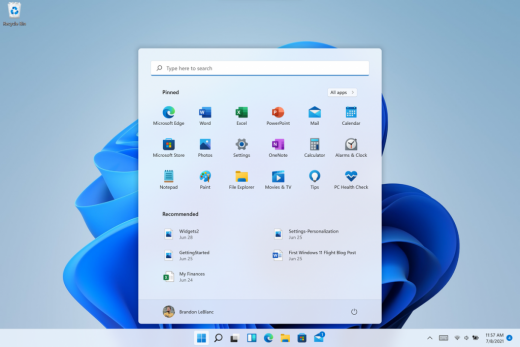
Description: Hello Windows Insiders, we are excited to release the Windows 11 Insider Preview build to the Dev Channel! As we finalize the product over the coming months, we will work with you to validate the experience. You will get to try many, but not all, of the new features we showed last week in this early preview. We will bring more features such as Chat with Microsoft Teams and Android apps in the Microsoft Store over the coming months as they are ready for you – we are just getting started on this journey together!

What’s New in this Build ?

  • Right-clicking on Recycle Bin on the desktop now uses the new modern context menu.
  • New modern context menu when you right-click on Recycle Bin on your desktop.
  • Added an option when right clicking a network share in File Explorer to pin it to Quick Access without having to click Show more options.
  • They have begun releasing an updated version of the Korean IME with adjustments made based on Windows Insider feedback. They believe this will provide a more reliable input experience for Korean on Windows 11. The updated version of the Korean IME follows the new visual design of Windows 11 with acrylic in the candidate window, a new selection visual, and dark mode support. It also improves improved performance and compatibility. The updated Korean IME is rolling out to a subset of Insiders in the Dev Channel first, to help us quickly identify issues that may impact performance and reliability. Over time, it will roll out to everyone in the Dev Channel. Please file feedback via Feedback Hub under Input and Language > Text Input.

Fixes :

  • [General]
    They fixed the issue that was causing PCs with Windows Defender Application Guard (WDAG) enabled to bugcheck continuously. PCs with WDAG enabled should now receive Build 22454.
  • [Start]
    Windows Terminal is listed again when right-clicking on the Start button (WIN + X).
    Narrator should announce the Start launch more reliably now.
  • [Taskbar]
    The Desktops flyout should now dismiss properly for Narrator users when scanning with item navigation across the Task View button.
    Fixed an issue where the preview thumbnails for Desktops They re not rendering correctly for certain aspect ratios.
    Fixed a rounding issue that was making the volume icon tooltip show the wrong number in some cases.
    The input indicator, Quick Settings, and notification center icon tooltips will no longer display behind the flyouts when they’re open.
    Addressed an underlying issue that was resulting in the volume icon in the Taskbar displaying sound was muted when that was not the case.
    Fixed an issue that could cause the Taskbar to unexpectedly get stuck on top of full screen applications, such as PoThey rPoint presentations, after interacting with the Taskbar previews.
    Taskbar icons should no longer flicker when you mouse over them while using a contrast theme.
    Fixed an issue where app icons would occasionally unexpectedly animate onto the Taskbar from somewhere other than from below.
    Shift + Click on an app icon in the Taskbar to launch a new instance of that app (for apps that support multiple instances) is now working again.
    Did some work to address an issue where app icons could get stuck in an alert state in the Taskbar even if the app in question was closed.
  • [Input]
    Fixed an issue that was causing the text candidates to not appear after the first time the handwriting panel was invoked.
    Mitigated a stutter in the animation when tapping a text field to invoke the touch keyboard.
    Fixed a bug that was causing clipboard history to not render for some people.
    Displaying 3rd party IME icons in the input indicator should be more reliable now.
    Addressed an explorer.exe crash that could happen when changing window focus while using the touch keyboard.
    Fixed an issue for people who’d opted into the previous version of the Japanese IME that was causing certain games to crash.
    Fixed an issue where the tip for voice typing when using the touch keyboard wouldn’t be connected to the microphone button.
    Addressed an issue where the touch keyboard could get into a state where the key labels would be invisible due to the wrong background color being used.
    Mitigated an issue that was leading to the touch keyboard settings flyout having white on white text sometimes.
    Did some work to address an issue where interacting with the expressive input button in the touch keyboard could result in the candidate area having a broken layout.
  • [File Explorer]
    Improved the reliability of context menu invocation.
    Mitigated a couple of issues that They re causing leaks when using File Explorer.
    The context menu will now not immediately dismiss when the option to open things with a single-click is enabled in File Explorer.
    If you press F11 to full screen File Explorer, then use WIN + Shift + Left/Right to change what screen the window is displaying on, pressing F11 again will no longer jump the window back to the original screen.
  • [Settings]
    Mitigated an issue when typing with certain 3rd party IMEs into the search box in Settings that could result in the candidate window being rendered elsewhere on-screen (not attached to the search box) and/or characters inserted into the search box not displaying.
    They did some work to help address an issue that was making the Windows Insider Program page in Settings appear blank sometimes.
    The mouse pointers under Accessibility > Mouse pointer and touch are no longer invisible for Arabic and Hebrew display languages.
    System > Storage > Show more categories > Other should no longer always say it’s managed by group policy even when it isn’t.
    Added some links to “Find my device” in Settings to help you learn more about the privacy resources.
    Start time and end time pickers under Focus Assist > During these times are now visible when focus is set while using a contrast theme.
    Addressed a crash that could happen when using Sound Settings.
    Fixed an issue with the volume slider in Quick Settings that was causing the volume to sometimes to save at a slightly different level than what was actually set.
  • [Logging in and Authentication]
    Fixed a crash that could happen when the network icon updated states on the login screen.
  • [Windowing]
    Made a change to address an issue where title bar options including close, minimize and maximize where not appearing as expected in certain apps when moving the mouse to top of the screen while the app was maximized.
  • [Other]
    Improved icon rendering for certain apps in the Search hover flyout.
    Addressed an issue that was causing overlapping text in the Share window for certain languages.
    Made some performance improvements when switching to the Details tab of Task Manager.
    If the Windows Security app is open when switching to dark mode, the UI elements should respond better now and not have unreadable text.
    If there are a large number of exclusions listed under Virus and Threat Protection in the Windows Security app, it will now display a progress indicator when loading them.
    Fixed some text clipping in the Windows Security app when using the option in Accessibility Settings to increase the text size.
    Mitigated an issue that was causing the WM_CTLCOLORSTATIC message used in certain apps to be ignored, so the colors in some places wouldn’t appear correctly.
    Fixed a leak when the desktop background was set to a slideshow, impacting performance over time until explorer.exe was restarted.
    Mitigated an issue that was causing some PCs to bugcheck while in modern standby.
    Fixed an issue that was causing sloThey r Wi-Fi speeds after enabling Hyper-V and creating an External V-Switch.
    When animations are disabled in the system, there should no longer be a fade animation in UWP apps like Settings or the Feedback Hub when transitioning from the splash screen to the app content.

Known issues :-

  • [General]
    They ’re working on a fix for an issue that is causing some Surface Pro X’s to bugcheck with a WHEA_UNCORRECTABLE_ERROR.
  • [Start]
    In some cases, you might be unable to enter text when using Search from Start or the Taskbar. If you experience the issue, press WIN + R on the keyboard to launch the Run dialog box, then close it.
    System is missing when right-clicking on the Start button (WIN + X).
  • [Taskbar]
    The Taskbar will sometimes flicker when switching input methods.
    They ’re investigating an issue in this build where app icons in the Taskbar are getting cut off by the “show hidden icons” button and aren’t centered.
  • [Search]
    After clicking the Search icon on the Taskbar, the Search panel may not open. If this occurs, restart the “Windows Explorer” process, and open the search panel again.
    Search panel might appear as black and not display any content below the search box.
  • [File Explorer]
    If you right click files in OneDrive locations in File Explorer, the context menu will unexpectedly dismiss when you hover over entries that open sub-menus, such as “Open with.”
  • [Widgets]
    The widgets board may appear empty. To work around the issue, you can sign out and then sign back in again.
    Widgets may be displayed in the wrong size on external monitors. If you encounter this, you can launch the widgets via touch or WIN + W shortcut on your actual PC display first and then launch on your secondary monitors.
  • [Windows Sandbox]
    They ’re investigating an issue in which Windows Sandbox may not launch for some Insiders after upgrading to this build.
  • [Microsoft Store]
    They continue to work to improve search relevance in the Store.
  • [Windows Subsystem for Linx (WSL) & Hyper-V]
    [ADDED 9/10] They ’re investigating reports of both WSL2 and Hyper-V not working on this build on ARM64 PCs such as the Surface Pro X.

How To Install?

  • Download the build.
  • Create a bootable drive or Install from ISO.
  • Select the Windows type you want to install.
  • Skip the activation for now.
  • Let the windows installation get finished.
  • After installing, run the activator as admin.
  • Use the activator to activate your windows.
  • Boom! Enjoy the activated Build.

Release Names: Windows 11 Pro Insider Preview 21H2 Build 22478 (Dev Channel) (x64) Untouched Incl. Activator
Size: 3.29 GB
Links: HOMEPAGE – NFO – Torrent Search

Download x64 & Activator : UPLOADGiG – NiTROFLARE – RAPiDGATOR
4 Comments
Oct 16

Internet Download Manager (IDM) v6.39 Build 3 + Fix

Description: Internet Download Manager has a smart download logic accelerator that features intelligent dynamic file segmentation and safe multipart downloading technology to accelerate your downloads. Unlike other download accelerators and managers that segment files before downloading starts, Internet Download Manager segments downloaded files dynamically during download process.

Feature :

  • All popular browsers and applications are supported
  • Easy downloading with one click
  • Download Speed Acceleration
  • Download Resume
  • YouTube grabber
  • Simple installation wizard
  • Automatic Antivirus checking

Release Name: Internet Download Manager (IDM) v6.39 Build 3 + Fix
Size:  10 MB
Links: HOMEPAGE – NFO – Torrent Search

Download: UPLOADGiG – NiTROFLARE – RAPiDGATOR

8 Comments
Oct 16

PassFab Activation Unlocker v4.0.0.14 + Fix

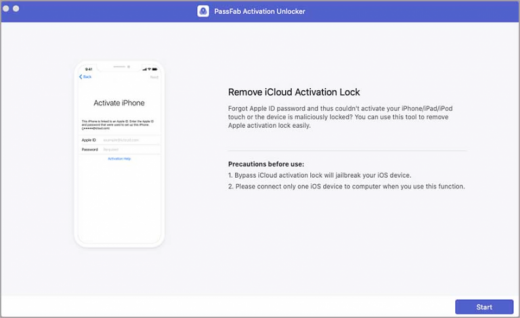
Description: PassFab Activation Unlocker – Remove activation lock without Apple ID and password on iPhone, iPad or iPod touch in a short time. Unable to activate your iOS device because of forgetting Apple ID or password? This software allows you to bypass iCloud activation lock without Apple ID and password, and regain access to it easily.

Features :

  • Remove iCloud Activation Lock without Password
    Unable to activate your iOS device because of forgetting Apple ID or password? This software allows you to bypass iCloud activation lock without Apple ID and password, and regain access to it easily.
  • Unlock Activation Lock for All Scenarios
    These frequently encountered scenes trouble most iOS users, PassFab Activation Unlocker can just remove iCloud activation lock at ease.
  • Trustworthy iCloud Activation Lock Removal
    The 3 most important reasons why you should use it to bypass activation lock on iOS devices.
    – Simple interface and steps
    – Works efficiently and stably
    – 100% safe with powerful system

How To Install?

  1. Install the program from the given setup.
  2. Don’t run the application yet and close from system tray or task manager if running.
  3. Extract the “Crack Fix.zip” to directory where you’ve installed the program. Replace all the files.
  4. Boom! Now you can use the program without any interruptions.
  5. That’s it, Enjoy now

Release Names: PassFab Activation Unlocker v4.0.0.14 + Fix
Size: 81 MB
Links: HOMEPAGE – NFO – Torrent Search

Download: UPLOADGiG – NiTROFLARE – RAPiDGATOR
7 Comments
Oct 15

FREE YOUTUBE DOWNLOAD V4.3.57.1012 PREMIUM MULTILINGUAL PORTABLE

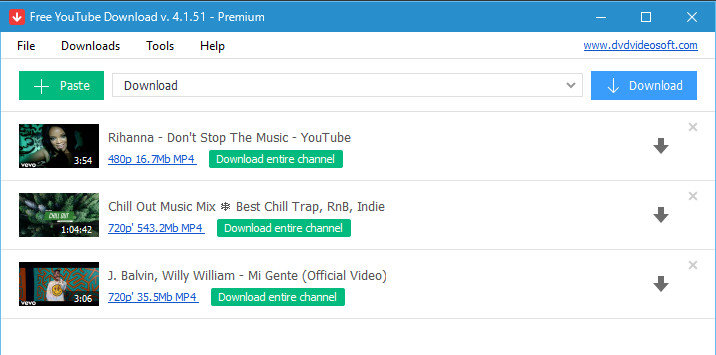
Description: Free YouTube Download is the most popular YouTube downloader application now, released in 2006 and updated on a regular basis. It lets you download and convert YouTube videos, so you can watch them whenever you want.

Instructions (step by step):

  1. Download and run the app
  2. Copy YouTube URL and click ‘Paste’ button
  3. Click the ‘Download’ button and enjoy!

Download videos in bulk!
Save entire YouTube playlists, user channels, videos from personal playlists (History, Liked, Favorites, Watch later), videos from different categories.

Download videos super fast!
Free YouTube Download is known for its lightning fast multistream downloading.
It allows you to download several videos in original quality in just a few seconds.

Features:

  • Get YouTube stream in any format, choose between MP4, MKV up to 8K UHD, WEBM, and MP3
  • Perform conversion to MP4, AVI, and MP3
  • Apply output name format patterns
  • Open lists of links from any text files
  • Transfer videos to iTunes automatically and convert them to iPhone / iPad / iPod
  • Download subtitles

Release Names: FREE YOUTUBE DOWNLOAD V4.3.57.1012 PREMIUM MULTILINGUAL PORTABLE
Size: 229 MB
Links: HOMEPAGE – NFO – Torrent Search

Download: UPLOADGiG – NiTROFLARE – RAPiDGATOR
6 Comments
Oct 15

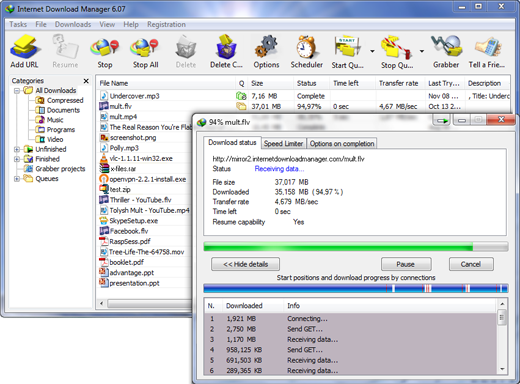
IOBIT SMART DEFRAG PRO V7.2.0.88 MULTILINGUAL PORTABLE

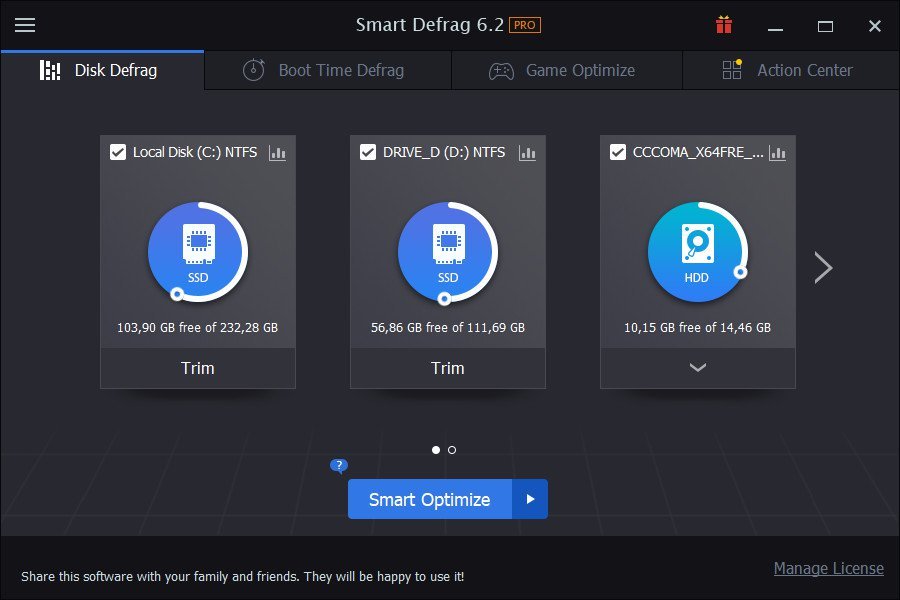
Description: IObit Smart Defrag is a Free Disk Defragmenter, that accelerates the whole system with fast and efficient disk defragment. Based on IObit latest disk defrag engine and “Boot Time Disk Defrag” technology, Smart Defrag 5 is created with the world’s leading defragmentation ability. It not only provides defragmentation, but also intelligently streamlines your files based on using frequency, thus accelerating disk speed and the whole system for top performance!

Feature :

  • Up to 200% Faster File Access Speed.
  • Boot Time Defragment for Quicker PC Startup.
  • Automatically & Intelligently Defragment Fragmented Files.
  • Customizing Defrag Mode & Disks/Files to Be Defragged.
  • DMA Applied for Better, Faster & More Stable Data Transfer.
  • Auto Update to the Latest Version.
  • Free 24/7 Technical Support on Demand.
  • Supported Operating Systems: Windows XP, Vista, 7, 8, 8.1, 10 (32-bit, 64-bit).

Release Names: IOBIT SMART DEFRAG PRO V7.2.0.88 MULTILINGUAL PORTABLE
Size: 27.5 MB
Links: HOMEPAGE – NFO – Torrent Search

Download: UPLOADGiG – NiTROFLARE – RAPiDGATOR
7 Comments
Oct 15

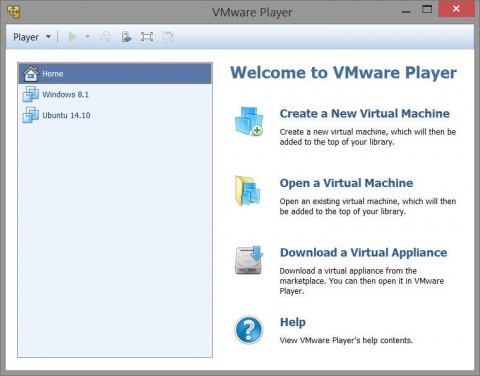
VMware Workstation Player v16.2.0 Build 18760230 (x64) + Fix

Description: VMware Workstation Player (formerly known as VMware Player Pro) is a streamlined desktop virtualization application. It runs one or more operating systems on the same computer without rebooting. VMware Workstation Player has simple user interface, provides unmatched operating system support and portability. It’s now easier than ever for IT professionals to get their users up and running with a corporate desktop. In addition, allows IT professionals to efficiently create and deliver a virtual desktop to employees, contractors or customers.

Run corporate virtual machines, experiment with new operating systems. Or safely try and test new software in an isolated virtual environment on a Windows or Linux PC.

VMware Workstation Player allows academic professionals to quickly deliver complete virtual desktops to students preconfigured with all the lessons, applications and tools required for the course while increasing control and security.

Feature :

  • Easy PC Virtualization for Windows and Linux
  • Unmatched OS Support for Ultimate Compatibility
  • Virtual Machine Portability
  • Run Restricted Virtual Machines
  • Consolidate and Recycle Old PC Hardware

Release Name: VMware Workstation Player v16.2.0 Build 18760230 (x64) + Fix
Size: 530 MB
Links: HOMEPAGE – NFO – Torrent Search

Download: UPLOADGiG – NiTROFLARE – RAPiDGATOR

6 Comments