Feb 29

Affinity Photo 2.4.0

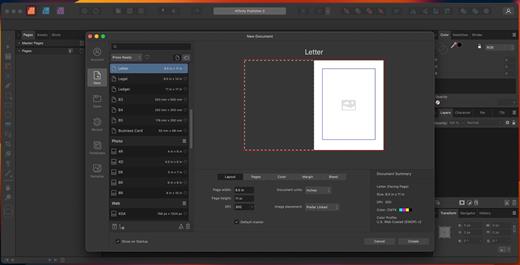
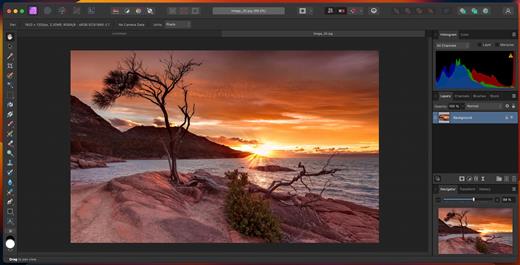
Affinity Photo–five years in the making–redefines the boundaries for professional photo editing software for the Mac. With a meticulous focus on workflow it offers sophisticated tools for enhancing, editing and retouching your images in an incredibly intuitive interface with all the power and performance you need.
Engineered for Professionals

  • Open, edit and save Photoshop® PSD files
  • RGB, CMYK, Greyscale and LAB color spaces
  • End-to-end CMYK workflow with ICC color management
  • Full 16-bit per channel editing
  • Work with all standard formats like PNG, TIFF, JPG, GIF, SVG, EPS and PDF
  • Panning and zooming is always live at 60fps with live previews, live tools and real-time editing
  • Open and edit massive images without compromising performance or running out of memory

Unsurpassed Productivity

  • Full support for unlimited layers, layer groups, adjustment layers, filter layers and masks
  • Resize layers without any loss of quality. Lock, hide, duplicate and merge layers easily
  • Edit live filters, adjustments, effects, blend modes and masks non-destructively
  • Undo history can be saved with the document so you can always undo your changes
  • Task-focused workspaces for developing, post-processing, liquify and export
  • Work in windowed, full screen, or separated modes with fully customizable toolbars and drag and drop panels
  • Comprehensive vector drawing and text editing tools
  • Advanced snapping system with pixel perfect alignment when required
  • Export @1x, @2x, @3x from layers, slices or whole documents — continuously as you work!

Professional Image Processing

  • Open RAW and other images in a dedicated pre-processing workspace
  • Adjust exposure, blackpoint, clarity, vibrance, white balance, shadows, highlights and much more
  • Recover detail thought to be lost by editing in an unbounded linear color space
  • Advanced lens corrections including chromatic aberration, defringe, vignette and best-in-class noise reduction
  • Paint areas or use fully customizable gradients to mask adjustments
  • View histograms, blown highlights, shadows and tones as well as detailed EXIF information

Quality Retouching and Correction Tools

  • Intuitive selection brush and refinement makes selections simple, even down to strands of hair
  • Instantly remove unwanted objects with an incredibly advanced Inpainting brush
  • Dodge, burn, clone, patch, blemish and red eye tools
  • Smooth and retouch skin with built-in frequency separation
  • Apply high quality single-plane and dual-plane perspective correction as well as fully customizable mesh warps – all in real time
  • Dedicated Liquify persona gives freehand control over warps, twirls, pinch, punch and turbulence

Advanced Brush Engine

  • Huge library of painting, drawing, textures and professional DAUB brushes included
  • Create custom brushes and nozzles with full control over advanced dynamics
  • Full support for Wacom and other graphics tablets, including pressure, tilt and shortcut buttons
  • Real-time preview of your nozzle — see what you are about to paint or erase before you do it

Fast, Customizable Effects

  • Massive collection of effects available, including blurs, distortions, tilt-shift, shadows, glows, lighting and many more
  • Customize all aspects with precise controls, seeing a real-time preview of the end result before you apply
  • Swipe-able split or mirrored screen always available for before and after views
  • Choose to apply effects non-destructively with live effect layers, enabling you to erase away or mask effects after they have been applied

Built for Mac

  • Takes full advantage of the latest OS X technologies including OpenGL, Grand Central Dispatch and Core Graphics
  • Use the Force Touch trackpad to paint with pressure sensitivity
  • Fully optimized for 64-bit and multi-core processors
  • Supports regular, Retina, and multi-monitor setups — including the latest 5k iMac
  • iCloud Drive support

What’s New

Version 2.4.0:

  • Release notes were unavailable when this listing was updated.

Compatibility

macOS 10.15 or later


Release Name: Affinity Photo 2.4.0
Size: 935.8 MB
Links: HOMEPAGE – NFO – Torrent Search

Download: FiKPERNiTROFLARERAPiDGATOR

2 Comments
Feb 29

Live Wallpaper & Themes 4K Pro 19.5

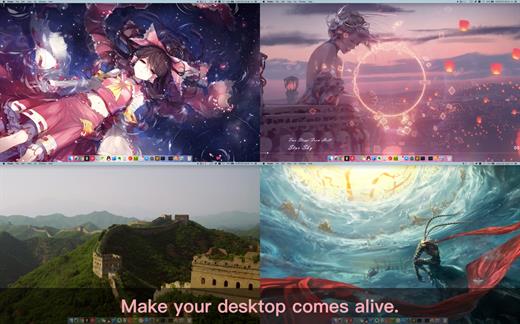
Live Wallpaper & Themes 4K allows you to use live wallpapers on your desktop/screensaver. It provides thousands of live wallpapers in the Workshop while taking as little system resources as possible. It’s the Wallpaper Engine for Mac.

Feature

  • 2000+ hand-picked videos which are updated every day.
  • Multiple types of 4K Ultra HD videos, anime, scenery, cute, game, creative, Beauty, Ancient, Movie, etc.
  • Supports “keyword searching” in videos.
  • Supports “Dynamic-ScreenSaver”, personalize your lock screen.
  • Easy to import local video.
  • Supports The playlist, list loop, shuffle loop.
  • Supports multiple screen aspect ratios and video native resolutions.
  • Set different wallpapers on different displays.
  • Manual control, video pause, resume and mute.
  • Break reminders, with flexible customization if you want it.
  • Supports global hotkeys to control wallpaper, hide desktop icons and show screensaver.
  • Auto mode, pause the video when other apps are active, not disturbed at work.
  • Auto mode, pause the video when Power Disconnected.
  • Support for hiding desktop icons.
  • Live Wallpaper Engine is designed to provide an interesting experience while consuming as little system resources as possible.

What’s New

Version 19.5:

  • Release notes were unavailable when this listing was updated.

Compatibility

macOS 10.11 or later


Release Name: Live Wallpaper & Themes 4K Pro 19.5
Size: 179.8 MB
Links: HOMEPAGE – NFO – Torrent Search

Download: FiKPERNiTROFLARERAPiDGATOR

3 Comments
Feb 29

Dynamic Wallpaper Enginer 17.3

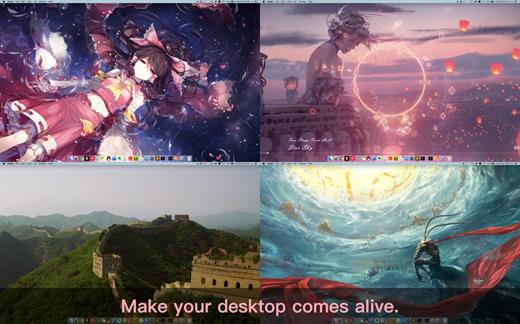
Dynamic Wallpaper Engine allows you to use live wallpapers on your desktop/screensaver. It provides thousands of live wallpapers in the Workshop while taking as little system resources as possible. It’s the Wallpaper Engine for Mac.

Features
• 2000+ hand-picked videos which are updated every day.
• Multiple types of 4K Ultra HD videos, anime, scenery, cute, game, creative, Beauty, Ancient, Movie, etc.
• Supports “keyword searching” in videos.
• Supports “Dynamic-ScreenSaver”, personalize your lock screen.
• Easy to import local video.
• Supports The playlist, list loop, shuffle loop.
• Supports multiple screen aspect ratios and video native resolutions.
• Supports global hotkeys to control wallpaper, hide desktop icons and show screensaver.
• Set different wallpapers on different displays.
• Manual control, video pause, resume and mute.
• Break reminders, with flexible customization if you want it.
• Auto mode, pause the video when other apps are active, not disturbed at work.
• Auto mode, pause the video when Power Disconnected.
• Support for hiding desktop icons.
• Dynamic Wallpaper Engine is designed to provide an interesting experience while consuming as little system resources as possible.

What’s New

Version 17.3:

  • Release notes were unavailable when this listing was updated.

Compatibility

macOS 10.12 or later
Apple Silicon or Intel Core processor


Release Name: Dynamic Wallpaper Enginer 17.3
Size: 25.7 MB
Links: HOMEPAGE – NFO – Torrent Search

Download: FiKPERNiTROFLARERAPiDGATOR

2 Comments
Feb 29

Affinity Designer 2.4.0

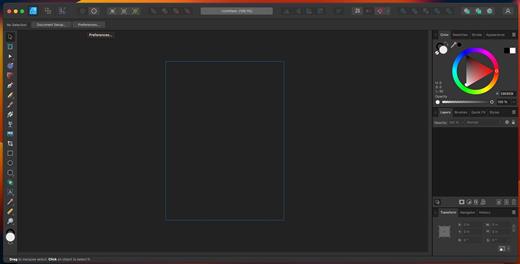
Affinity Designer is an incredibly accurate vector illustrator that feels fast and at home in the hands of creative professionals. It intuitively combines rock solid and crisp vector art with flexible layer management and an impressive range of high quality raster tools for finishing. With accuracy, quality and speed at the heart of every single design task, and the ability to finesse designs without switching apps, this fresh-faced multi-discipline illustrator lets creatives shine.

Vector tools

  • Node Tool
  • Pen Tool
  • Pencil Tool
  • Vector Brush
  • Gradient Fill Tool
  • Transparency Tool
  • Crop Tool
  • Targeted Insert
  • Text
  • Alignment Guides

Raster tools

  • Lasso Tool
  • Selection Brush
  • Pixel Brush
  • Paint Brush
  • Eraser
  • Dodge
  • Burn
  • Smudge
  • Blur
  • Sharpen

What’s New

Version 2.4.0:

  • Release notes were unavailable when this listing was updated.

Compatibility

macOS 10.15 or later


Release Name: Affinity Designer 2.4.0
Size: 841.9 MB
Links: HOMEPAGE – NFO – Torrent Search

Download: FiKPERNiTROFLARERAPiDGATOR

2 Comments
Feb 29

AudFree Tidal Music Converter 2.14.0

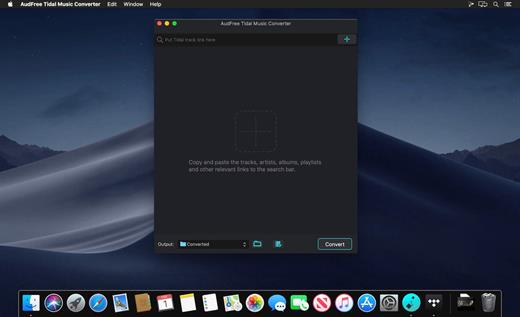
All-in-one Tidal music converter dedicated to download and convert Tidal music, playlists and albums to MP3, FLAC, WAV, AAC, etc. at 5X faster batch conversion speed for Tidal offline playback anywhere.
With over 60 million tracks on its music library, Tidal is famous for the HiFi streaming service. But as a subscription-based music streaming service, you can download and play Tidal music and playlists on authorized devices and music player only.

Now, with the assistance of AudFree Tidal Music Converter for Mac, it couldn’t be easier to listen to music from Tidal anywhere as this mighty and smart Tidal music converting tool has the ability to convert Tidal music and playlists to MP3, FLAC, WAV, AAC, M4A and M4B with high quality preserved.

What’s New

Version 2.14.0:

  • Release notes were unavailable when this listing was updated.

Compatibility

macOS 10.10 or later


Release Name: AudFree Tidal Music Converter 2.14.0
Size: 7.4 MB
Links: HOMEPAGE – NFO – Torrent Search

Download: FiKPERNiTROFLARERAPiDGATOR

1 Comment
Feb 29

MacGPT 3.20

MacGPT is a simple native app for macOS that lets you quickly access chatGPT from your menu bar. With just a click, you can open chatGPT and start chatting with the powerful language model, Assistant.

ChatGPT at your Fingertips

Access ChatGPT from anywhere on your Mac with the Global feature. Simply activate the Global textfield that pops up in the middle of your screen, and start chatting with ChatGPT.

Let ChatGPT do the Typing

Bring ChatGPT directly into your textfields with MacGPT Inline. Just type your trigger phrase and your prompt and ChatGPT will do the rest!

Menu Bar?ChatGPT Bar

Quickly access chatGPT from your menu bar, through the website or natively with the API

What’s New

Version 3.20:

  • Added support for the new GPT-4 Turbo and GPT-3 Turbo models
  • The GPT-4 Turbo model can take 128.000 tokens as input, and 4.000 tokens as output

Compatibility

macOS 12.0 or later
Apple Silicon or Intel Core processor


Release Name: MacGPT 3.20
Size: 7.9 MB
Links: HOMEPAGE – NFO – Torrent Search

Download: FiKPERNiTROFLARERAPiDGATOR

Comments Off
Feb 29

SponsorBlock 5.5.7

SponsorBlock lets you skip over sponsors, intros, outros, subscription reminders, and other annoying parts of YouTube videos. SponsorBlock is a crowdsourced browser extension that let’s anyone submit the start and end time’s of sponsored segments and other segments of YouTube videos.

Once one person submits this information, everyone else with this extension will skip right over the sponsored segment.

What’s New

Version 5.5.7:

  • Release notes were unavailable when this listing was updated.

Compatibility

macOS 10.14 or later


Release Name: SponsorBlock 5.5.7
Size: 5.1 MB
Links: HOMEPAGE – NFO – Torrent Search

Download: FiKPERNiTROFLARERAPiDGATOR

4 Comments
Feb 29

Affinity Publisher 2.4.0

Bring your vision to life with Affinity Publisher, the next generation of professional publishing software. From magazines, books, brochures, posters, reports and stationery to other creations, this incredibly smooth, intuitive app gives you the power to combine your images, graphics and text to make beautiful layouts ready for publication.

With essentials like master pages, facing page spreads, grids, tables, advanced typography, text flow, full professional print output and other amazing features, Affinity Publisher has everything you need to create the perfect layout – whatever your project.

  • Double page spreads
  • Live master pages, including nested master pages
  • Image frames with intelligent scaling options
  • Text wrapping with fine padding control
  • Custom shaped text frames
  • Link multiple text frames together across your document
  • Advanced guides, grids and snapping
  • Tables and custom table formats

What’s New

Version 2.4.0:

  • Release notes were unavailable when this listing was updated.

Compatibility

macOS 10.15 or later


Release Name: Affinity Publisher 2.4.0
Size: 833.3 MB
Links: HOMEPAGE – NFO – Torrent Search

Download: FiKPERNiTROFLARERAPiDGATOR

1 Comment
Feb 29

Snagit 2024.2.0

Snagit lets you create an image of what you see on your computer monitor.

Features

  • Flexible options that let you capture only what you want.
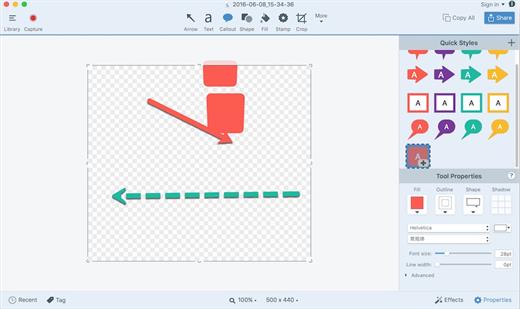
  • Annotation varieties like arrows, speech bubbles, and more make it easy to customize your capture.
  • Versatility in what you do with your capture. Send it to your favorite app, share it online, or save it for later.

What’s New

Version 2024.2.0:

  • Release notes were unavailable when this listing was updated.

Compatibility

macOS 10.14 or later
Apple Silicon or Intel Core processor


Release Name: Snagit 2024.2.0
Size: 244.7 MB
Links: HOMEPAGE – NFO – Torrent Search

Download: FiKPERNiTROFLARERAPiDGATOR

1 Comment
Feb 27

Macrium Site Manager 8.1.7888 (x64)

Macrium Site Manager Crack Download makes it much easier to deploy large numbers of Macrium Reflect endpoint backup agents and manage these from a central location, saving the manager’s time and effort. Using a clearly defined 4 step process, this software allows IT Administrators to discover and group PCs and Servers on the network, define who and what is to be backed up, assign schedules and retention policies, and manage backup repositories.

Comprehensive event management, alerts, and security logging is included and accessible through a browser-based user interface. The architecture leverages commonly used Microsoft Windows technologies and requires no specialist skills to install and configure.

Download Macrium Site Manager Activation Key Features

  • Disk imaging made easy!
  • You can create a disk image in just a few steps
  • It’s free
  • Scheduled backups are not very user-friendly
  • Rescue cd is limited to a few operating systems

What’s New In Macrium Site Manager Free Download?

New Dashboard
The new dashboard not only looks better than the old dashboard, it allows widgets to be resized and managed more easily through drag and drop. It also includes some quick warning tiles at the top to focus backup administrators on any areas that need attention.

New Look and Feel
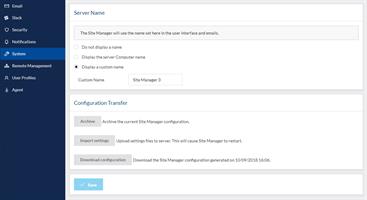
As part of our ongoing programme to bring a more unified look and feel to the Site Manager, MultiSite and the Partner Portal, we’ve improved the UI in Site Manager?—?this is most obvious on the new dashboard, but the menus, tables and many other components have been updated.

Opening Image Files
From the Browse interface in the repository view, image files can now be opened and explored. Any file from the file system can be downloaded in browser without leaving the Site Manager interface. This feature is intended to help customers who just need a few files from a backup?.

Improved Summary Emails
The daily summary emails have been upgraded to include more information?—?backups active at the time of email generation, computers which failed to start backups because they were offline, computers which have not been backed up for a user-configurable number of days and more. This puts enough context into the daily emails that an administrator can spot anything which is a cause for concern in their backup configuration quickly.

Release Name: Macrium Site Manager 8.1.7888 (x64)
Size: 462.6 MB
Links: HOMEPAGE – NFO – Torrent Search

Download: FiKPERNiTROFLARERAPiDGATOR

9 Comments